
Introduction
Thank you for choosing the PIAZCEW D081 1500ml Portable Dehumidifier. This manual provides important information regarding the safe operation, installation, maintenance, and troubleshooting of your new appliance. Please read this manual thoroughly before use and keep it for future reference.
This dehumidifier is designed to efficiently remove excess moisture from small to medium-sized rooms, such as bedrooms, bathrooms, closets, kitchens, garages, and RVs. It features a 1500ml water tank, LED display with touch controls, and integrated colorful lights to enhance your environment.
1. Important Safety Instructions
To reduce the risk of fire, electric shock, or injury, always follow these basic safety precautions:
- Read all instructions before using the appliance.
- Do not operate any appliance with a damaged cord or plug.
- Ensure the power supply matches the voltage specified on the rating label.
- Keep the appliance away from water or other liquids.
- Do not block air inlets or outlets. Maintain at least 10 cm clearance around the unit.
- Unplug the dehumidifier from the power outlet before cleaning or performing any maintenance.
- This appliance is for indoor use only.
- Do not allow children to play with the appliance.
- Always place the dehumidifier on a stable, level surface.
2. Product Overview
Familiarize yourself with the components of your PIAZCEW D081 Dehumidifier:
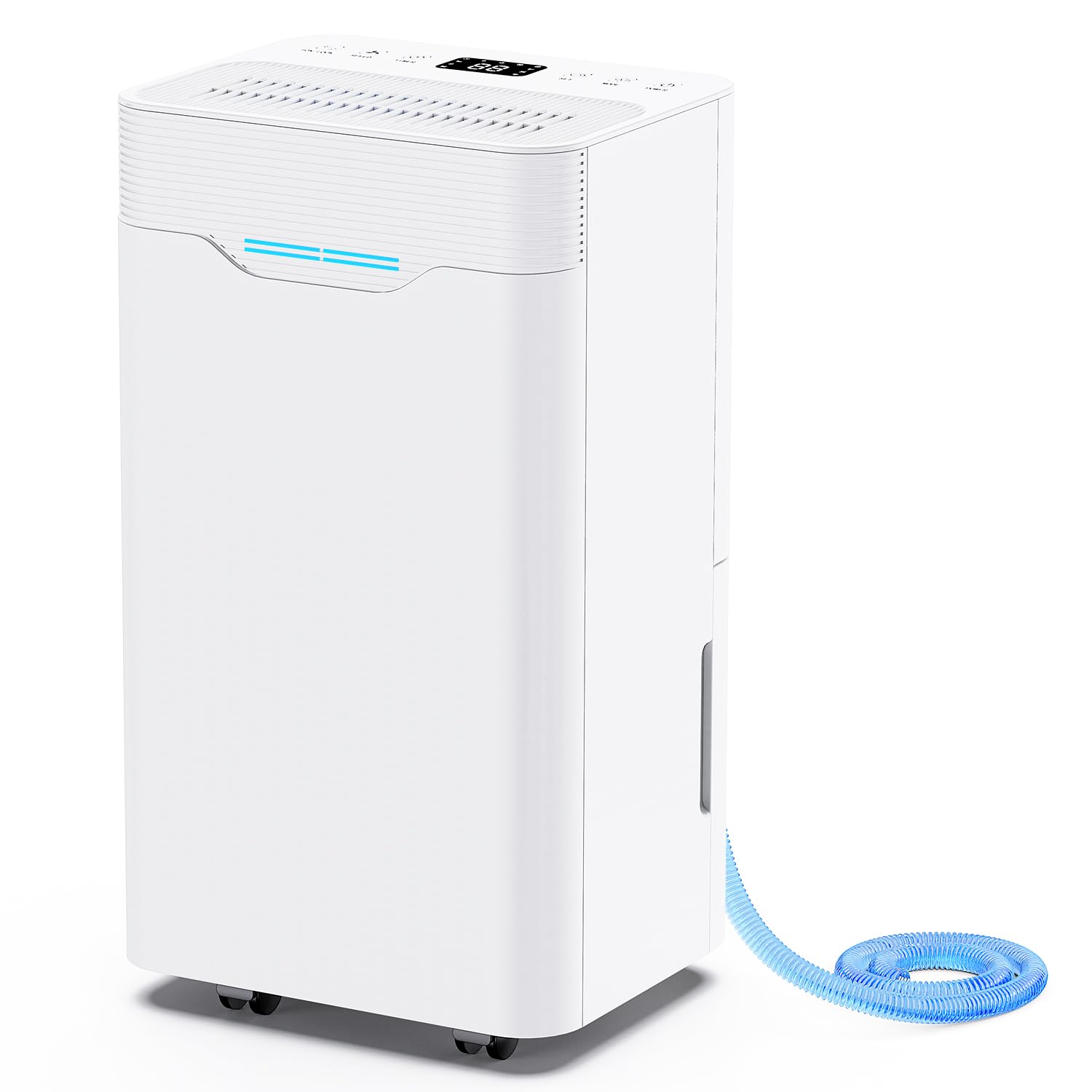
Image 1: PIAZCEW D081 Portable Dehumidifier. This image shows the front view of the dehumidifier, highlighting its compact design and control panel.
Key Components:
- Control Panel: LED display and touch controls for operation.
- Air Inlet: Where humid air enters the unit.
- Air Outlet: Where dry air is expelled.
- Water Tank (1500ml): Collects condensed moisture. Easily removable for emptying.
- Integrated Handle: For convenient portability.
- Power Cord: For connecting to an electrical outlet.
3. Setup
- Unpack the Dehumidifier: Carefully remove the dehumidifier and all packaging materials from the box. Retain packaging for future storage or transport.
- Choose a Location: Place the dehumidifier on a firm, level surface in the desired room. Ensure there is at least 10 cm (4 inches) of space around the air inlet and outlet to allow for proper airflow. Avoid placing it near heat sources or in direct sunlight.
- Connect Power: Insert the power plug into a suitable electrical outlet. Ensure the voltage matches the specifications of the unit.
- Initial Use: For optimal performance, allow the unit to stand upright for at least 2 hours before its first use if it has been transported horizontally.
4. Operating Instructions
4.1 Control Panel
The dehumidifier features an intuitive LED display and touch controls for easy operation.
4.2 Power On/Off
- To turn on the dehumidifier, press the Power button on the control panel.
- To turn off the dehumidifier, press the Power button again.
4.3 Operating Modes
The unit offers different operating modes to suit your needs:
- Level 1: Standard dehumidification for general use.
- Level 2: Enhanced dehumidification for higher moisture removal.
- Sleeping Mode: Operates at a lower fan speed for quieter operation, suitable for nighttime use.
Press the Mode button to cycle through the available operating modes.
4.4 Water Tank Operation
The 1500ml water tank collects condensed moisture. The dehumidifier will automatically shut off when the tank is full, and an indicator light will illuminate.
- Removing the Tank: Gently pull out the water tank from the front of the unit.
- Emptying the Tank: Carefully carry the tank to a sink and pour out the collected water.
- Reinserting the Tank: Slide the empty tank back into the unit until it clicks into place. Ensure it is properly seated to resume operation.
4.5 Colorful Lights
The dehumidifier features integrated colorful lights with seven different colors.
- Press the Light button to turn on the lights.
- Press the Light button repeatedly to cycle through the seven colors or to set it to a preferred color.
- Press and hold the Light button to turn off the lights.
4.6 Portability
The integrated handle allows for easy movement of the dehumidifier to different locations within your home.
5. Maintenance
Regular maintenance ensures optimal performance and extends the lifespan of your dehumidifier.
5.1 Cleaning the Water Tank
- Remove the water tank as described in section 4.4.
- Rinse the tank with clean water. For thorough cleaning, use a mild detergent and a soft cloth, then rinse thoroughly.
- Ensure the tank is completely dry before reinserting it into the unit.
5.2 Cleaning the Unit Exterior
- Before cleaning, always unplug the dehumidifier from the power outlet.
- Wipe the exterior of the unit with a soft, damp cloth. Do not use abrasive cleaners or solvents.
- Gently clean the air inlet and outlet grilles to remove any dust or debris.
5.3 Storage
If the dehumidifier will not be used for an extended period:
- Empty and clean the water tank.
- Clean the exterior of the unit.
- Store the dehumidifier in a cool, dry place, preferably in its original packaging.
6. Troubleshooting
Before contacting customer support, please refer to the following troubleshooting guide:
| Problem | Possible Cause | Solution |
|---|---|---|
| Dehumidifier does not turn on. | No power supply. Power cord not properly connected. | Check if the unit is plugged into a working outlet. Ensure the power cord is securely connected. |
| No water collected or low dehumidification. | Room humidity is already low. Room temperature is too low. Air inlets/outlets are blocked. Unit size is too small for the room. | Dehumidifier may not be needed. Optimal operating temperature is above 5°C (41°F). Clear any obstructions around the unit. Consider using multiple units or a larger capacity dehumidifier for bigger spaces. |
| Water tank full indicator is on, but tank is not full. | Water tank not properly seated. Float sensor malfunction. | Remove and reinsert the water tank, ensuring it is correctly positioned. Contact customer support if the issue persists. |
| Unusual noise during operation. | Unit not on a level surface. Internal component issue. | Place the dehumidifier on a stable, level surface. If noise is excessive or unusual, contact customer support. |
7. Specifications
| Brand | PIAZCEW |
| Model Number | D081 |
| Color | White |
| Dimensions (L x W x H) | 44.5 x 24.7 x 19.7 cm (17.5 x 9.7 x 7.8 inches) |
| Water Tank Capacity | 1500 Milliliters |
| Material | Acrylonitrile Butadiene Styrene (ABS) |
| Power Consumption | Approximately 0.56 kWh per 24 hours |
| UPC | 772093426219 |
8. Warranty and Support
This product comes with a standard manufacturer's warranty. For detailed warranty information, please refer to the documentation included with your purchase or contact the retailer.
If you encounter any issues that cannot be resolved using the troubleshooting guide, or if you require further assistance, please contact PIAZCEW customer support. Have your model number (D081) and purchase details ready when contacting support.