Important Safety Information
Please read this manual carefully before using your new Haier HD100-A3959E-IT I-Pro Serie 5 heat pump dryer. Keep it for future reference. This appliance is designed for domestic use only. Improper use may result in electric shock, fire, or injury.
- Ensure the appliance is properly earthed.
- Do not allow children to play with or operate the appliance.
- Never block the ventilation openings of the dryer.
- Do not dry unwashed items in the tumble dryer.
- Remove all objects from pockets, such as lighters and matches.
- Always unplug the appliance before cleaning or maintenance.
1. Setup and Installation
1.1 Unpacking
Carefully remove all packaging materials. Inspect the dryer for any damage during transit. Report any damage to your retailer immediately.
1.2 Placement
The Haier HD100-A3959E-IT is a free-standing appliance. Place it on a firm, level floor. Ensure there is adequate ventilation around the dryer. Do not install the appliance behind a lockable door, a sliding door, or a door with a hinge on the opposite side to that of the tumble dryer, in such a way that a full opening of the tumble dryer door is restricted.
Dimensions:
- Width: 596 mm
- Depth: 650 mm
- Height: 850 mm
1.3 Leveling
Adjust the adjustable feet at the bottom of the dryer to ensure it is perfectly level. A level appliance reduces vibration and noise during operation.
1.4 Electrical Connection
Connect the dryer to a properly earthed power outlet. The appliance requires a 220-240 V AC power supply. Do not use extension cords or multi-plugs.
1.5 Condensate Drain
This heat pump dryer collects water in a condensate tank. You can either manually empty this tank after each cycle or connect the dryer to a permanent drain using the provided drain hose. Refer to the diagram for connecting the drain hose.

Figure 1: Front view of the Haier HD100-A3959E-IT I-Pro Serie 5 Heat Pump Dryer, illustrating its design and controls.
2. Operating Instructions
2.1 Loading the Dryer
Open the dryer door and load laundry into the drum. Do not overload the dryer; the maximum capacity is 10 kg. Ensure items are not tangled and distribute them evenly. Close the door firmly.
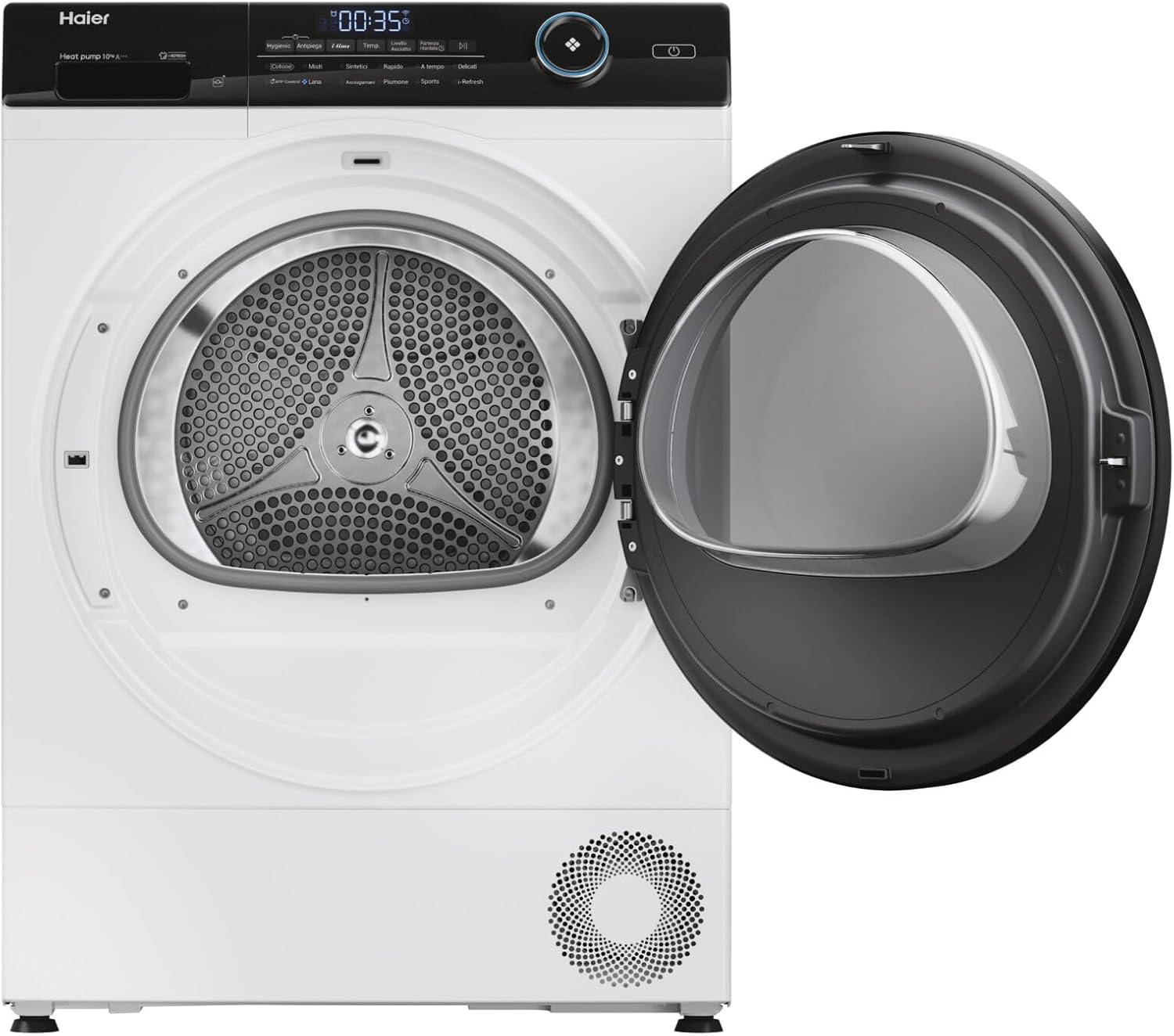
Figure 2: The dryer with its door open, revealing the stainless steel drum and internal light, ready for loading.
2.2 Selecting a Program
Turn the program selection knob to choose the desired drying program. The integrated display will show program details. Available programs include:
- 30min: Quick drying for small loads.
- Cotone (Cotton): For cotton items.
- Delicati/Seta (Delicates/Silk): Gentle drying for delicate fabrics.
- Piumino/piumone (Duvet/Quilt): For larger, bulky items like duvets.
- Hygienic drying: For enhanced hygiene.
- Mix: For mixed fabric loads.
- Refresh: To air and refresh clothes without full drying.
- Sport: For sportswear.
- Sintetico (Synthetics): For synthetic fabrics.
2.3 Program Options and Features
Use the control buttons to select additional options:
- Delayed Start: Postpone the start of the drying cycle.
- Anti-crease Function: Reduces creasing by periodically tumbling clothes after the cycle ends.
- Child Protection: Locks the control panel to prevent accidental changes.
- Wi-Fi / Bluetooth (hOn App): Connect your dryer to the hOn app for remote control, additional programs, and smart features.
- Internal Drum Light: Illuminates the drum for better visibility when loading and unloading.
- Remaining Time Indicator: Shows the estimated time left for the current cycle.
2.4 Starting and Stopping a Cycle
Press the On/Off button to power on the dryer. After selecting your program and options, press the Start/Pause button to begin the cycle. To pause or stop a cycle, press the Start/Pause button again.
3. Maintenance and Cleaning
Regular maintenance ensures optimal performance and extends the life of your dryer.
3.1 Cleaning the Lint Filter
The lint filter should be cleaned after every drying cycle. A clogged filter reduces drying efficiency and increases energy consumption.
- Open the dryer door.
- Pull out the lint filter located inside the door opening.
- Remove any accumulated lint by hand or with a soft brush.
- Rinse the filter under running water if necessary, and ensure it is completely dry before reinserting.
3.2 Emptying the Condensate Tank
If you are not using a permanent drain connection, the condensate tank must be emptied after each cycle. The display will indicate when the tank is full.
- Pull out the condensate tank from its housing (usually at the top left or right of the control panel).
- Pour the collected water into a sink.
- Push the tank back into its position until it clicks.
3.3 Cleaning the Condenser
The condenser should be cleaned periodically (e.g., every few months) to maintain drying efficiency. Refer to the appliance's specific instructions for accessing and cleaning the condenser unit.
3.4 Cleaning the Exterior
Wipe the exterior surfaces of the dryer with a soft, damp cloth. Do not use abrasive cleaners or solvents.
4. Troubleshooting Guide
Before contacting customer service, please check the following common issues:
| Problem | Possible Cause | Solution |
|---|---|---|
| Dryer does not start | No power supply; Door not closed properly; Program not selected; Child lock active. | Check power plug and fuse; Close door firmly; Select a program and press Start; Deactivate child lock. |
| Clothes are not dry | Lint filter clogged; Condensate tank full; Overloaded dryer; Incorrect program selected. | Clean lint filter; Empty condensate tank; Reduce load size; Select appropriate program. |
| Excessive noise/vibration | Dryer not level; Foreign objects in drum. | Adjust leveling feet; Check drum for loose items. |
| Water leaking | Condensate tank not properly inserted; Drain hose loose or blocked. | Ensure condensate tank is correctly seated; Check drain hose connection and clear any blockages. |
If the problem persists after attempting these solutions, please contact Haier customer service.
5. Product Specifications
| Feature | Specification |
|---|---|
| Brand | Haier |
| Model Name | HD100-A3959E-IT I-Pro Serie 5 |
| Appliance Type | Heat Pump Dryer |
| Installation Type | Free-standing |
| Loading Type | Front-loading |
| Capacity | 10 kg |
| Energy Efficiency Class | A+++ (Scale A+++ to D) |
| Annual Energy Consumption | 211 kWh |
| Condensation Efficiency Class | A |
| Noise Level | 64 dB |
| Standard Cycle Time | 265 min |
| Drum Volume | 125 L |
| Drum Material | Stainless Steel |
| Control Type | Buttons, Knob, Display |
| Connectivity | Wi-Fi, Bluetooth (hOn App) |
| Dimensions (W x D x H) | 596 mm x 650 mm x 850 mm |
| Weight | 47.8 kg |

Figure 3: The energy efficiency label for the Haier HD100-A3959E-IT, indicating its A+++ rating.
6. Warranty Information
Specific warranty details for the Haier HD100-A3959E-IT I-Pro Serie 5 dryer are not provided in this manual. Please refer to the warranty card included with your purchase, your sales receipt, or contact your retailer for information regarding the warranty period and terms and conditions.
7. Customer Support
For technical assistance, spare parts, or service requests, please contact Haier customer support. You can find contact information on the official Haier website or through your local authorized service center.
- Visit the official Haier website for your region.
- Refer to your purchase documentation for local service numbers.


