Introduction
This manual provides essential information for the safe and efficient use of your NIFFPD 50000mAh 22.5W Fast Charging Power Bank, Model E05864. This portable power bank is designed to provide reliable power for your mobile devices, featuring a high-capacity battery, fast charging capabilities, multiple input/output ports, an LED digital display, and an integrated emergency flashlight.
Package Contents
- 1 x NIFFPD 50000mAh Power Bank
- 1 x USB Type-C Charging Cable
- 1 x User Manual (this document)
Product Overview
Familiarize yourself with the various components and features of your power bank.

Image: Overview of the power bank's input and output ports, including the dual LED flashlight.
- LED Digital Display: Shows precise battery percentage (1-100%).
- Power Button: Activates the display, turns on/off the flashlight.
- Input Ports: Micro USB, USB Type-C (two-way), Lightning.
- Output Ports: 3 x USB-A, 1 x USB Type-C (two-way).
- Dual LED Flashlight: Provides illumination for emergencies or low-light conditions.
Setup
Initial Charging of the Power Bank
- Before first use, fully charge the power bank.
- Connect the provided USB Type-C cable to the power bank's USB Type-C input port.
- Connect the other end of the cable to a compatible USB wall charger (not included). You may also use a Micro USB or Lightning cable with their respective input ports.
- The LED digital display will show the charging progress, indicating 100% when fully charged.
A full charge may take several hours due to the large 50000mAh capacity.
Operating Instructions
Charging Your Devices
- Connect your device's charging cable to one of the power bank's output ports (USB-A or USB Type-C).
- Connect the other end of the cable to your device.
- The power bank will automatically begin charging your device. The LED display will show the remaining power.
- You can charge up to 5 devices simultaneously using the available output ports.

Image: Demonstrates the 22.5W fast charging capability of the power bank.

Image: The LED digital display provides accurate battery percentage readings.
Recharging the Power Bank
Refer to the "Initial Charging of the Power Bank" section under Setup. The power bank can be recharged using its USB Type-C, Micro USB, or Lightning input ports.
Using the LED Flashlight
- To turn on the flashlight, long-press the power button for approximately 3 seconds.
- To turn off the flashlight, long-press the power button again for approximately 3 seconds.
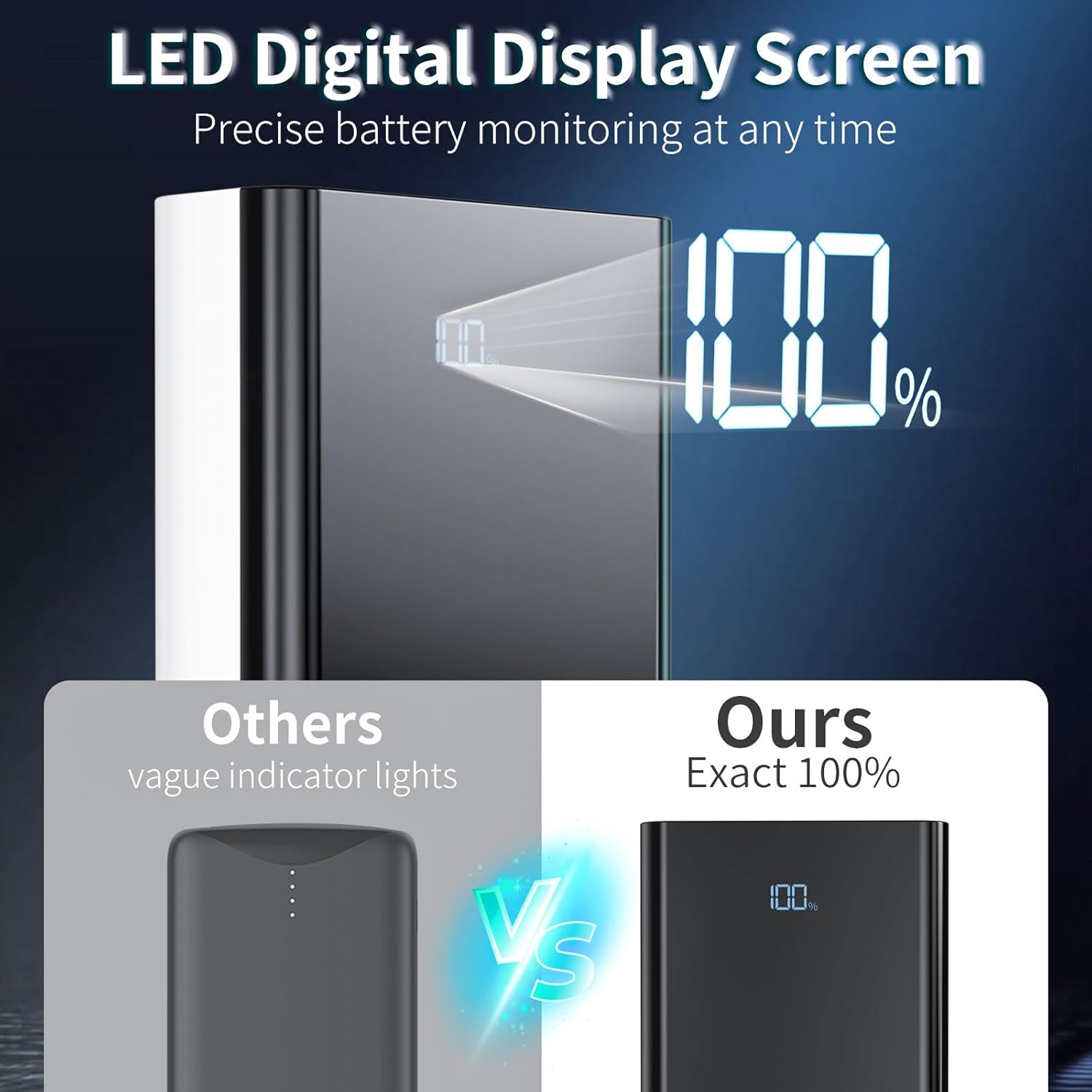
Image: The integrated LED flashlight provides strong illumination.
Maintenance
Cleaning
- Wipe the power bank with a soft, dry cloth.
- Do not use harsh chemicals, cleaning solvents, or strong detergents.
Storage
- Store the power bank in a cool, dry place away from direct sunlight and extreme temperatures.
- For long-term storage, it is recommended to charge the power bank to approximately 50-75% every 3 months to maintain battery health.
Battery Care
- Avoid fully discharging the power bank frequently.
- Do not expose the power bank to water or moisture.
- Do not attempt to disassemble, puncture, or modify the power bank.
Troubleshooting
Power Bank Not Charging Devices
- Ensure the power bank has sufficient charge (check the LED display).
- Verify that the charging cable is securely connected to both the power bank and your device.
- Try a different charging cable or a different output port on the power bank.
- Ensure your device is compatible with the power bank's output specifications.
Power Bank Not Recharging
- Check that the input cable is securely connected to the power bank's input port and the wall charger.
- Ensure the wall charger is functioning correctly and provides adequate power.
- Try a different input port (USB Type-C, Micro USB, or Lightning) or a different charging cable.
Flashlight Not Working
- Ensure the power bank has sufficient charge.
- Confirm you are long-pressing the power button for 3 seconds to activate/deactivate the flashlight.
Safety Features
The power bank is equipped with a premium safety system that monitors for overcharge, overvoltage, overcurrent, and short-circuit risks, ensuring safe and efficient charging. If the power bank stops functioning unexpectedly, these safety features may have been activated. Disconnect all devices and cables, then attempt to restart the power bank by briefly pressing the power button.

Image: Built-in safety features protect against various electrical issues.
Specifications
| Feature | Detail |
|---|---|
| Model Number | E05864 |
| Battery Capacity | 50000 mAh (Lithium Ion) |
| Charging Power | 22.5W Fast Charging |
| Input Ports | USB Type-C, Micro USB, Lightning |
| Output Ports | 3 x USB Type-A, 1 x USB Type-C |
| Simultaneous Charging | Up to 5 devices |
| Display | LED Digital Display (1% accuracy) |
| Special Features | Emergency Flashlight, Multi-protection Safety System |
| Product Dimensions | 6.5 x 2.95 x 1.3 inches |
| Manufacturer | Dongguan Zhixian Electronic Technology Co., LTD |
Warranty and Support
Your NIFFPD 50000mAh Power Bank comes with a standard manufacturer's warranty. For specific warranty details, please refer to the documentation included with your purchase or contact the seller directly.
If you have any questions or encounter issues with your product, please contact our customer support team. Our team is committed to addressing any concerns within 24 hours.
Contact Information: Please refer to your purchase receipt or the seller's contact details on the platform where the product was purchased.