
1. Introduction
This manual provides essential information for setting up, operating, maintaining, and troubleshooting your Lenovo 100w Gen 4 11.6-inch HD Laptop. Please read this guide thoroughly to ensure proper use and to maximize the lifespan of your device.
2. What's in the Box
Carefully unpack your new Lenovo 100w Gen 4 laptop and verify that all items are present. The standard package includes:
- Lenovo 100w Gen 4 11.6-inch HD Laptop
- Power Adapter
- 1x 7-in-1 Docking Station with 128GB Storage
- 1x 32GB MicroSD Card with Adapter
- 1x Type-C Data Cable
- 1x 3-in-1 Charging Cable
- 1x Suede Cleaning Cloth

Image: Components included with the Lenovo 100w Gen 4 laptop, featuring the 7-in-1 docking station, MicroSD card, various cables, and a cleaning cloth.
3. Product Overview
3.1 Key Features
- Display: 11.6-inch HD (1366 x 768 pixels) for clear visuals and portability.
- Processor: Intel Processor N100 for reliable performance and energy efficiency.
- Memory: 4GB LPDDR5 RAM for smooth multitasking.
- Storage: 288GB total storage (128GB SSD + 160GB Docking Station Set) for quick boot-up and ample space.
- Graphics: Intel UHD Graphics for everyday tasks and video streaming.
- Camera: 720p HD Camera for clear video calls.
- Connectivity: Wi-Fi 6E and Bluetooth for stable wireless connections.
- Operating System: Windows 11 Pro.
- Durability: Designed to meet Lenovo DuraSpec standards, handling drops, spills, and pressure.
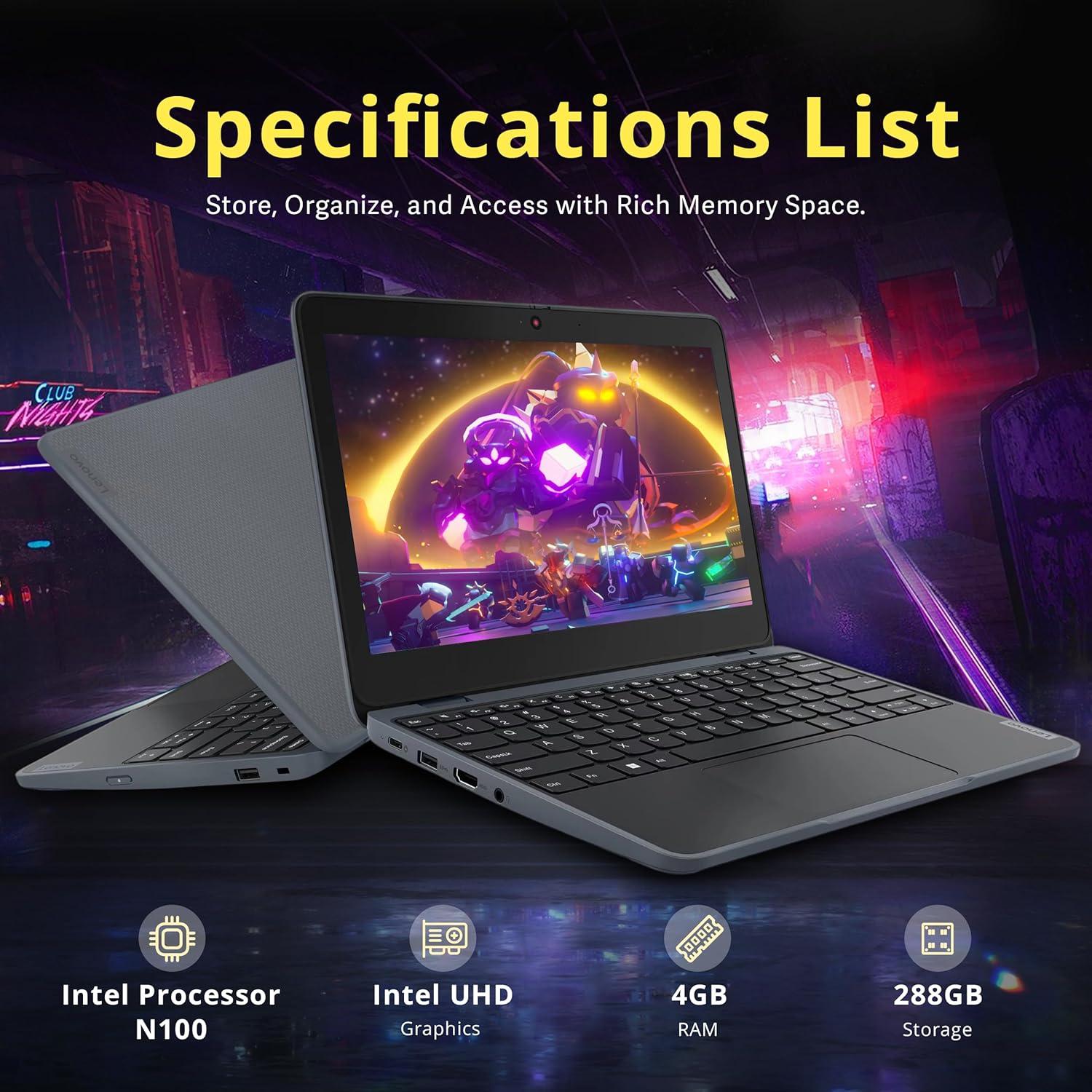
Image: The Lenovo 100w Gen 4 laptop highlighting its core specifications, including processor, graphics, RAM, and storage capacity.
3.2 Ports and Connectors
The laptop features various ports for connecting peripherals and external devices:
- 1 x USB-C port
- 2 x USB-A ports
- 1 x HDMI port
- 1 x Headphone/microphone combo jack
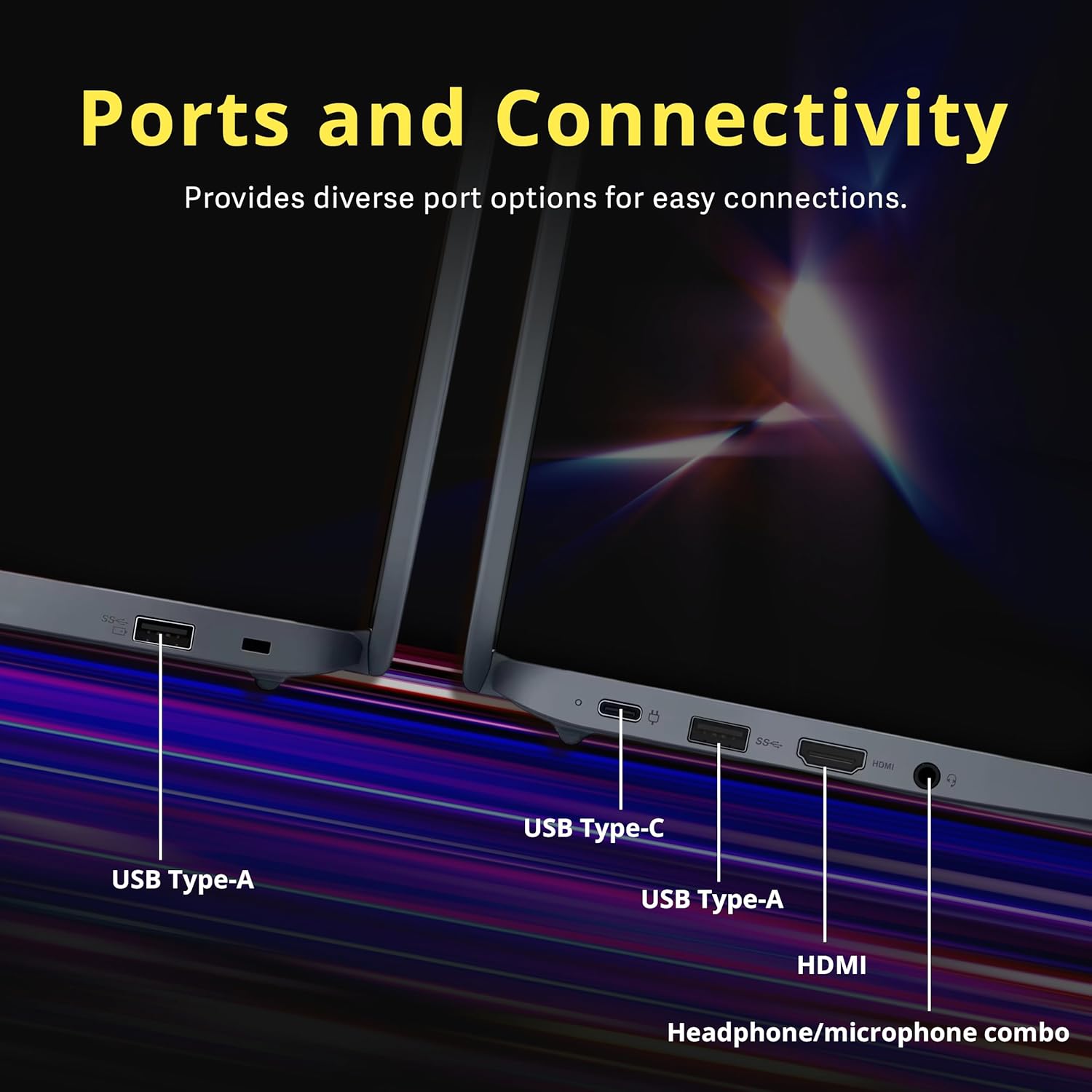
Image: Detailed view of the laptop's side, illustrating the placement and types of ports available for connectivity.
4. Setup
4.1 Initial Charging
Before first use, connect the laptop to a power outlet using the provided power adapter. Allow the battery to charge fully. The charging indicator light will show the charging status.
4.2 Powering On
Press the power button, typically located on the side or top right of the keyboard, to turn on the laptop. The screen will illuminate, and the operating system will begin to load.
4.3 Windows 11 Pro Setup
Follow the on-screen prompts to complete the initial setup of Windows 11 Pro. This includes selecting your region, connecting to a Wi-Fi network, creating a user account, and accepting the license agreement.
4.4 Connecting the Docking Station
To use the 7-in-1 Docking Station, connect it to the laptop's USB-C port using the provided Type-C Data Cable. The docking station expands your connectivity options and provides additional storage.
5. Operating the Laptop
5.1 Display and Visuals
The 11.6-inch HD display offers a compact viewing experience suitable for various tasks. Adjust brightness and display settings through Windows settings for optimal comfort.
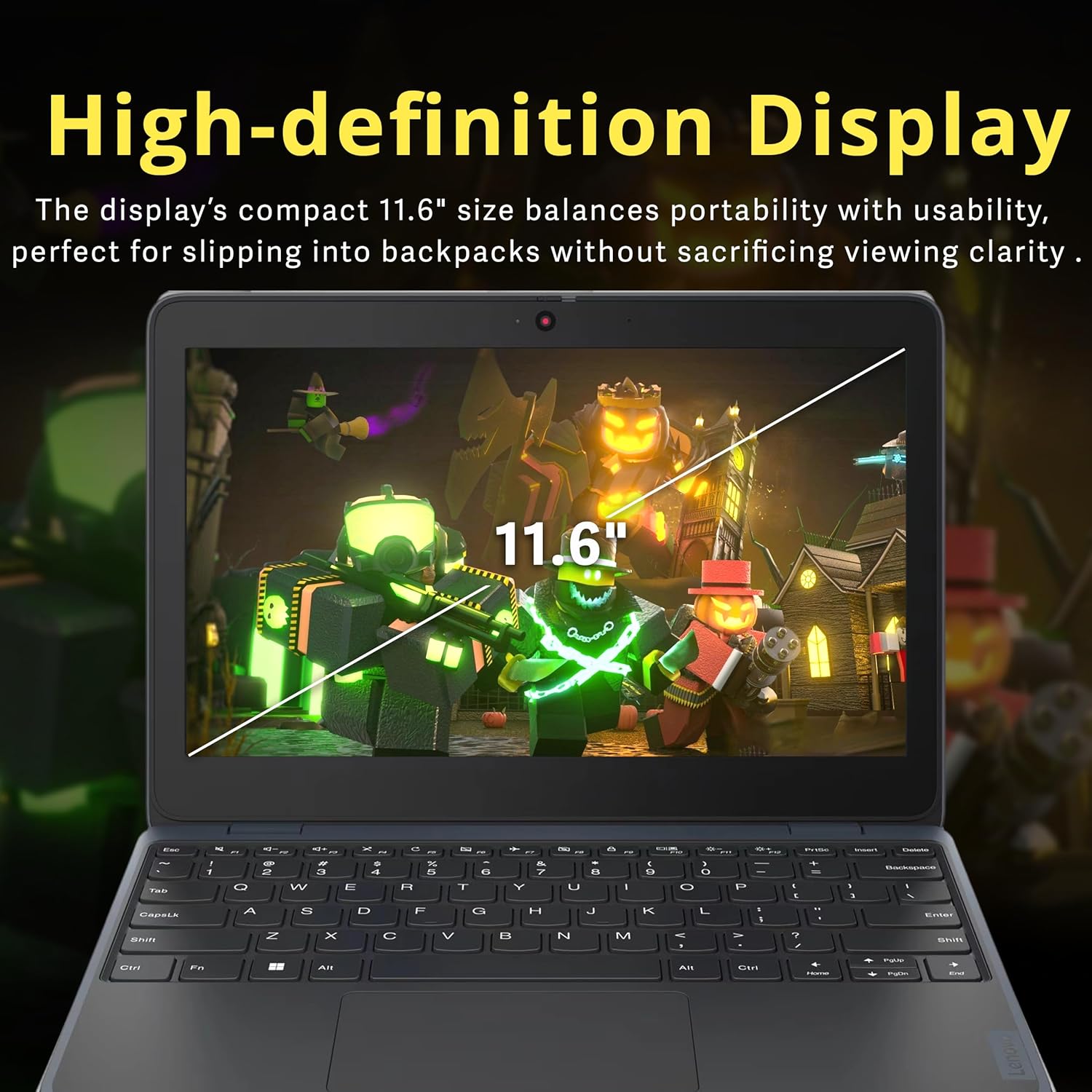
Image: The laptop's display with an overlay indicating its 11.6-inch screen size.
5.2 Keyboard and Touchpad
The laptop features a durable keyboard and a responsive touchpad. Use the touchpad for navigation and gestures, or connect an external mouse via USB-A or Bluetooth.
5.3 Camera and Communication
The integrated 720p HD camera is suitable for video conferencing and online learning. Ensure proper lighting for clear video quality. The laptop supports Wi-Fi 6 and Bluetooth for robust wireless communication.

Image: The laptop in use for a video call, highlighting its 720p HD camera, Wi-Fi 6, and Bluetooth 5.1 capabilities for staying connected.
5.4 Portability
Weighing 2.56 lbs and with dimensions of 11.3 x 7.9 x 0.78 inches, the laptop is designed for portability, fitting easily into backpacks for on-the-go use.

Image: A student carrying the lightweight Lenovo 100w Gen 4 laptop, demonstrating its ease of transport for educational purposes.

Image: Visual representation of the laptop's compact dimensions and light weight, emphasizing its 'ready to go' design.
6. Maintenance
6.1 Cleaning
Use the provided suede cleaning cloth or a soft, lint-free cloth to gently wipe the screen and exterior surfaces. For stubborn marks, dampen the cloth slightly with water or a screen-safe cleaner. Avoid harsh chemicals.
6.2 Battery Care
To prolong battery life, avoid extreme temperatures. It is recommended to occasionally allow the battery to discharge below 20% before recharging. Do not store the laptop with a completely depleted battery for extended periods.
6.3 Software Updates
Regularly check for and install Windows updates and driver updates to ensure optimal performance, security, and compatibility. These updates can be managed through the Windows Settings menu.
6.4 Durability Features
The Lenovo 100w Gen 4 is built with durability in mind, featuring a reinforced design to withstand daily use, including minor drops and spills. However, proper care is still essential to prevent damage.

Image: The laptop being used in a classroom, emphasizing its 'tough for daily bumps' design and suitability for hybrid learning environments.
7. Troubleshooting
7.1 Power Issues
- Laptop does not turn on: Ensure the power adapter is securely connected to both the laptop and a working power outlet. Check if the battery is charged.
- Battery not charging: Verify the power adapter and cable are not damaged. Try a different outlet.
7.2 Display Problems
- No image on screen: Connect an external monitor to the HDMI port to check if the issue is with the laptop's display or graphics output. Ensure the laptop is powered on.
- Dim screen: Adjust the display brightness using the function keys (Fn + brightness keys) or through Windows settings.
7.3 Connectivity Issues
- Wi-Fi not connecting: Check if Wi-Fi is enabled in Windows settings. Restart your router and the laptop. Ensure you are entering the correct Wi-Fi password.
- Bluetooth device not pairing: Ensure the Bluetooth device is in pairing mode and within range. Check Bluetooth settings on the laptop.
8. Specifications
| Feature | Specification |
|---|---|
| Model Name | Lenovo 100w Gen 4 |
| Display Size | 11.6 Inches |
| Screen Resolution | 1366 x 768 pixels (HD) |
| Processor | Intel Processor N100 (1 GHz) |
| RAM | 4 GB LPDDR5 |
| Storage | 128 GB SSD (internal) + 160 GB (Docking Station Set) |
| Graphics Coprocessor | Intel UHD Graphics |
| Operating System | Windows 11 Pro |
| Wireless Type | 802.11ax (Wi-Fi 6E) |
| Bluetooth | Yes (Version 5.1) |
| Ports | 1x USB-C, 2x USB-A, 1x HDMI, 1x Headphone/microphone combo jack |
| Item Weight | 2.56 pounds (laptop only) |
| Product Dimensions | 11.3 x 7.9 x 0.78 inches |
| Color | Gray |
9. Warranty and Support
9.1 Warranty Information
Your Lenovo 100w Gen 4 laptop comes with a standard manufacturer's warranty. Please refer to the warranty card included in your product packaging for specific terms, conditions, and duration. Keep your proof of purchase for warranty claims.
9.2 Technical Support
For technical assistance, troubleshooting beyond this manual, or service inquiries, please visit the official Lenovo support website or contact their customer service. You can find more information and resources on the Lenovo Store on Amazon.