
1. Introduction
This manual provides detailed instructions for the installation, operation, and maintenance of your 70mai 4K Dash Cam A800S/A800SE. Please read this manual thoroughly before using the product to ensure proper functionality and safety.
Key Features:
- 4K+1080P Dual Recording: Captures front footage in 4K Ultra HD and rear footage in 1080P.
- Super Night Vision: Equipped with Sony IMX415 sensor and F1.8 aperture for clear recordings in low-light conditions.
- Built-in 5GHz WiFi & GPS: Fast data transfer and accurate location/speed tracking.
- ADAS (Advanced Driving-Assistance System): Provides real-time voice alerts for lane departure and forward collision warnings.
- 24H Parking Mode: Monitors your vehicle for collisions and motion when parked (requires optional hardwire kit).
- G-Sensor & Loop Recording: Automatically locks emergency footage and overwrites old files for continuous recording.
2. What's in the Box
Verify that all items listed below are included in your package. If any items are missing or damaged, please contact customer support.
- 70mai 4K Dash Cam A800S/A800SE (Front Unit)
- Rear Camera (RC22)
- 128GB SD Card
- Car Charger
- Mount
- Wiring Trim Tool
- Rear Camera Cable
- Electrostatic Sticker (x2)
- Power Cord
- Heat-Resistant Adhesive (x2)
- User Manual (Front Cam)
- Rear Cam User Manual
Unboxing Video:
Video Description: This video demonstrates the unboxing process of the 70mai Dash Cam 4K A800SE, showing all included components.
3. Product Overview
Dash Cam Components:
The main dash cam unit features a rear camera port, power port, and memory card slot. Familiarize yourself with these components before installation.

Image Description: A close-up view of the 70mai 4K Dash Cam A800S/A800SE, highlighting the rear camera port, power port, and memory card slot.
Button Functions:
The dash cam features several buttons for control. This video explains the function of each button, including power, recording, album access, and settings.
Video Description: A demonstration of the button functions on the 70mai Dash Cam 4K A800SE, explaining how to use each control.
4. Setup & Installation
Memory Card Installation:
Before installing the dash cam, insert the provided 128GB Micro SD card into the memory card slot. Ensure it clicks into place.
Video Description: This video provides a step-by-step guide for installing the memory card and the main 70mai Dash Cam 4K A800SE unit.
Front Dash Cam Installation:
- Clean the windshield thoroughly where the dash cam will be mounted.
- Apply an electrostatic sticker to the cleaned area.
- Attach the dash cam mount to the electrostatic sticker.
- Slide the dash cam onto the mount.
- Connect the power cable and route it neatly along the windshield and A-pillar to the car charger.
- Adjust the lens angle to ensure optimal recording coverage.

Image Description: The 70mai 4K Dash Cam A800S/A800SE is shown mounted on a car's windshield, illustrating its placement and connection.
Rear Camera Installation:
The rear camera provides additional coverage. Follow these steps for proper installation:
Video Description: This video demonstrates the installation process for the 70mai Rear Camera (RC22), including wiring and mounting.
Hardwire Kit Installation (Optional):
For 24H Parking Mode functionality, the 70mai Hardwire Kit (UP03) is required. Installation involves connecting to your vehicle's fuse box. Professional installation is recommended.
Video Description: A detailed guide on how to install the 70mai Hardwire Kit (UP03) for the 4K A800SE dash cam, including fuse box connections.
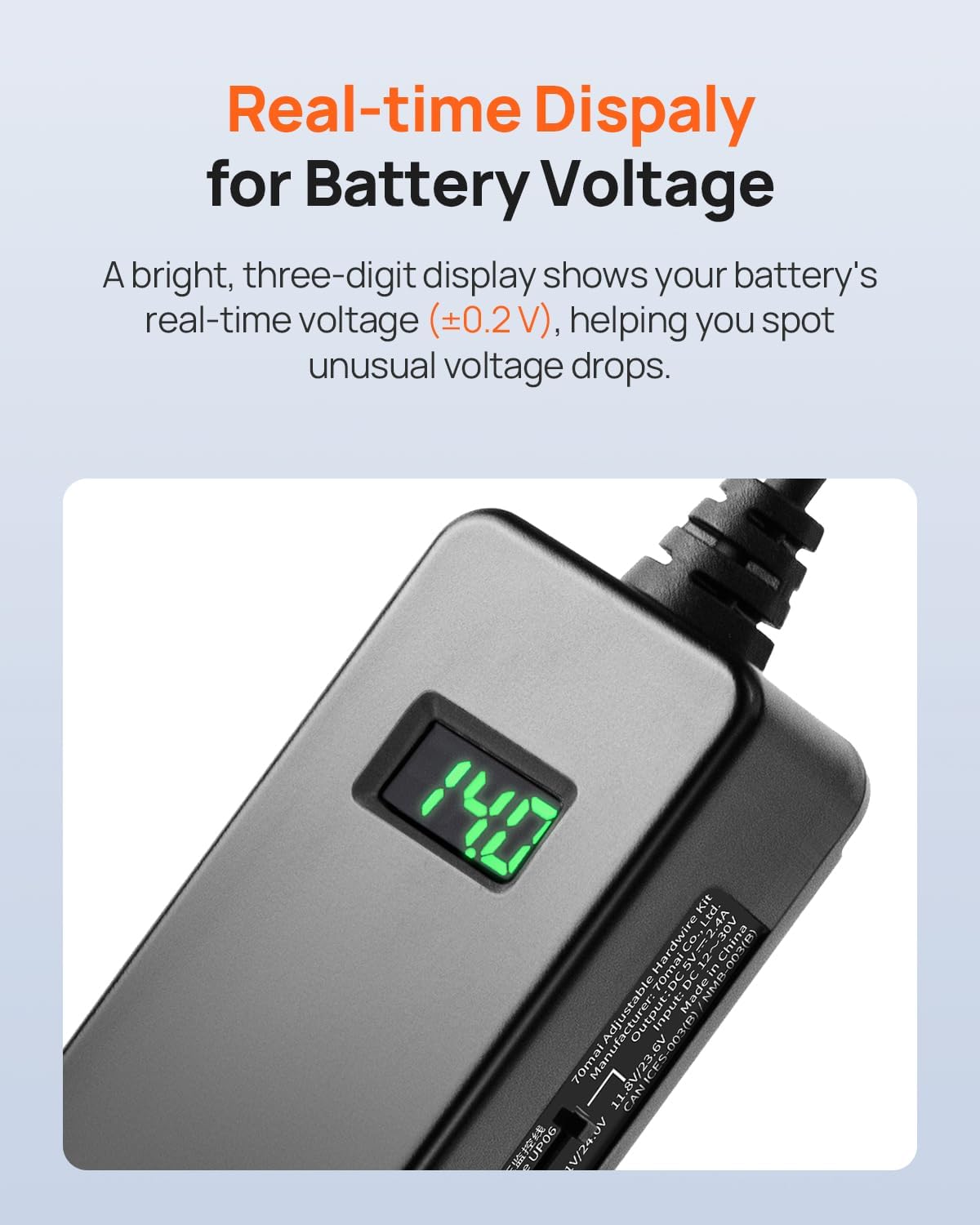
Image Description: The 70mai Hardwire Kit UP06 is shown with its real-time battery voltage display, indicating its function.
5. Operating Instructions
Basic Operation:
Once powered on, the dash cam will automatically begin recording. Use the physical buttons to navigate menus and control functions.
Voice Control:
The 70mai Dash Cam A800S/A800SE supports voice commands for hands-free operation. Commands include "Take Photo", "Record Video", "Record Audio", "Turn off Audio", "Enable Hotspot", and "Disable Hotspot".
Video Description: A demonstration of the voice control features of the 70mai Dash Cam 4K A800SE, showing various commands in action.
App Control & Wi-Fi:
Connect your dash cam to the 70mai app via 5GHz Wi-Fi for faster data transfer. The app allows you to adjust settings, view live footage, download recordings, and perform OTA firmware updates.

Image Description: The 70mai 4K Dash Cam A800S/A800SE is shown alongside a smartphone displaying the 70mai app, illustrating Wi-Fi connectivity and GPS tracking.
ADAS (Advanced Driver-Assistance Systems):
The ADAS feature provides real-time voice alerts to enhance driving safety. This includes Lane Departure Warning and Forward Collision Warning.

Image Description: An illustration depicting various ADAS warnings, including lane departure, front vehicle start, and collision alerts.
Parking Surveillance Mode:
When the vehicle is parked, the dash cam can enter Parking Surveillance Mode. This mode utilizes the G-sensor to detect collisions and can record time-lapse video to save storage space.

Image Description: A visual representation of the Smart Parking Guardian Mode, detailing motion detection, collision detection, and time-lapse recording capabilities.
Loop Recording:
The dash cam continuously records video. When the memory card is full, the oldest files are automatically overwritten by new recordings, ensuring uninterrupted surveillance.

Image Description: An image illustrating the G-Sensor's collision detection and the continuous loop recording function of the dash cam.
6. Features in Detail
4K+1080P Dual Recording:
Experience superior clarity with true 4K video quality for the front camera and 1080P for the rear camera. The advanced IMX415 sensor optimizes exposure balance and color accuracy for sharp, detailed recordings.

Image Description: A split image showing the clear 4K front view and 1080P rear view captured by the dual cameras, indicating wide viewing angles.
Super Night Vision:
Equipped with a 7-glass F1.8 aperture lens and Sony IMX415 STARVIS sensor, the dash cam processes frames faster, minimizing image noise and automatically adjusting brightness for clear night recordings.

Image Description: An image demonstrating the Super Night Vision capability, showing clear license plate visibility in a low-light environment.
Built-in GPS Tracking:
The integrated GPS module accurately records your driving location and speed, providing crucial data for incident analysis.
7. Maintenance
General Care:
- Keep the dash cam lens clean to ensure clear recordings.
- Avoid exposing the device to extreme temperatures or direct sunlight for prolonged periods.
- Do not attempt to disassemble or repair the device yourself.
Firmware Update:
Regularly check for and install firmware updates via the 70mai app to ensure your device has the latest features and improvements.
Video Description: This video guides users through the process of updating the firmware on their 70mai Dash Cam 4K A800SE using the mobile application.
8. Troubleshooting
- Dash cam not turning on: Ensure the power cable is securely connected to both the dash cam and the car charger/hardwire kit. Check the vehicle's power outlet or fuse.
- Recording issues: Format the SD card regularly. Ensure the SD card is Class 10 or U1/U3 compatible. Check for sufficient storage space.
- Wi-Fi connection problems: Ensure the dash cam's Wi-Fi hotspot is enabled. Restart both the dash cam and your smartphone.
- ADAS not working: Ensure ADAS is enabled in the device settings via the 70mai app. Calibrate ADAS if necessary.
- Parking Mode not activating: Verify that the optional hardwire kit is correctly installed and Parking Surveillance Mode is enabled in settings.
9. Specifications
| Attribute | Value |
|---|---|
| Brand | 70mai |
| Model | A800S/A800SE |
| Front Camera Resolution | 4K (3840x2160) |
| Rear Camera Resolution | 1080P |
| Sensor | Sony IMX415 STARVIS |
| Aperture | F1.8 |
| Connectivity | 5GHz WiFi, GPS |
| Storage | Supports up to 256GB Micro SD card (128GB included) |
10. Warranty & Support
70mai offers comprehensive customer support for its products.
- Warranty: 18 Months
- Customer Support: 24 Hours
- Return Policy: 30 Days
For further assistance, please contact 70mai customer service:
- Email: help@70mai.com
- Phone: 1-877-746-6088 (Mon-Fri 9am-6pm PST)