
DYU M20
DYU M20 Electric Bike Instruction Manual
Model: M20
1. Safety Information
Your safety is paramount. Please read and understand all safety instructions before operating the DYU M20 Electric Bike.
- Pre-Ride Inspection: Always inspect your bike thoroughly before each ride. Check tire pressure, brake function, and ensure all components are securely fastened.
- Age Restriction: Riders under 16 years of age must be accompanied by an adult.
- Protective Gear: Always wear a helmet and appropriate safety gear, including gloves and eye protection, when riding.
- Local Regulations: Be aware of and comply with all local laws and regulations regarding electric bike usage.
- Riding Conditions: Exercise caution in adverse weather conditions or on challenging terrain. Adjust your speed and riding style accordingly.
- Maintenance: Regular maintenance is crucial for safe operation. Refer to the maintenance section for details.
2. Product Overview
The DYU M20 Electric Bike is designed for adults seeking an all-terrain electric riding experience. It combines a powerful motor with robust construction and versatile riding modes.
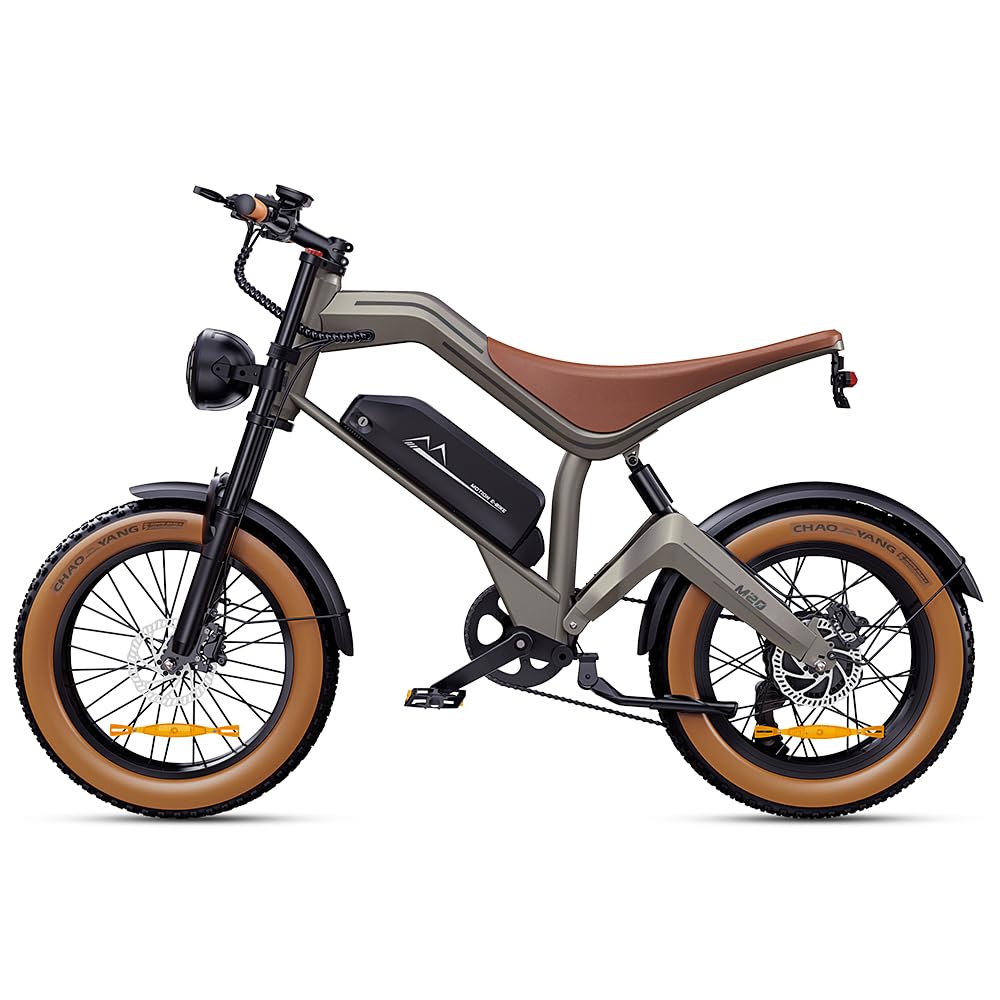
Image 2.1: The DYU M20 Electric Bike, showcasing its robust design and fat tires.
Key Features:
- All-Terrain Capability: Equipped with 20x4.0-inch puncture-resistant fat tires and a full suspension system for superior grip and a smooth ride across various landscapes, including rugged trails, sand, and snow.
- Powerful Motor: Features a 500W motor capable of climbing steep slopes up to 35° and reaching speeds of up to 19.8 mph.
- Enhanced Safety: Dual hydraulic disc brakes provide reliable stopping power in all weather conditions. Integrated 360° LED lighting ensures visibility during night rides.
- Flexible Riding Modes: Offers Pure Electric Mode (throttle-only), Assist Mode (pedal-assist for extra power), and Pedal Mode (traditional cycling). Easily switch between modes to adapt to terrain and extend range.
- Durable Construction: Engineered for durability with a rugged aluminum frame.

Image 2.2: The DYU M20's 20x4.0-inch fat tires are designed for diverse terrains like city roads, soil roads, sand, and snow.
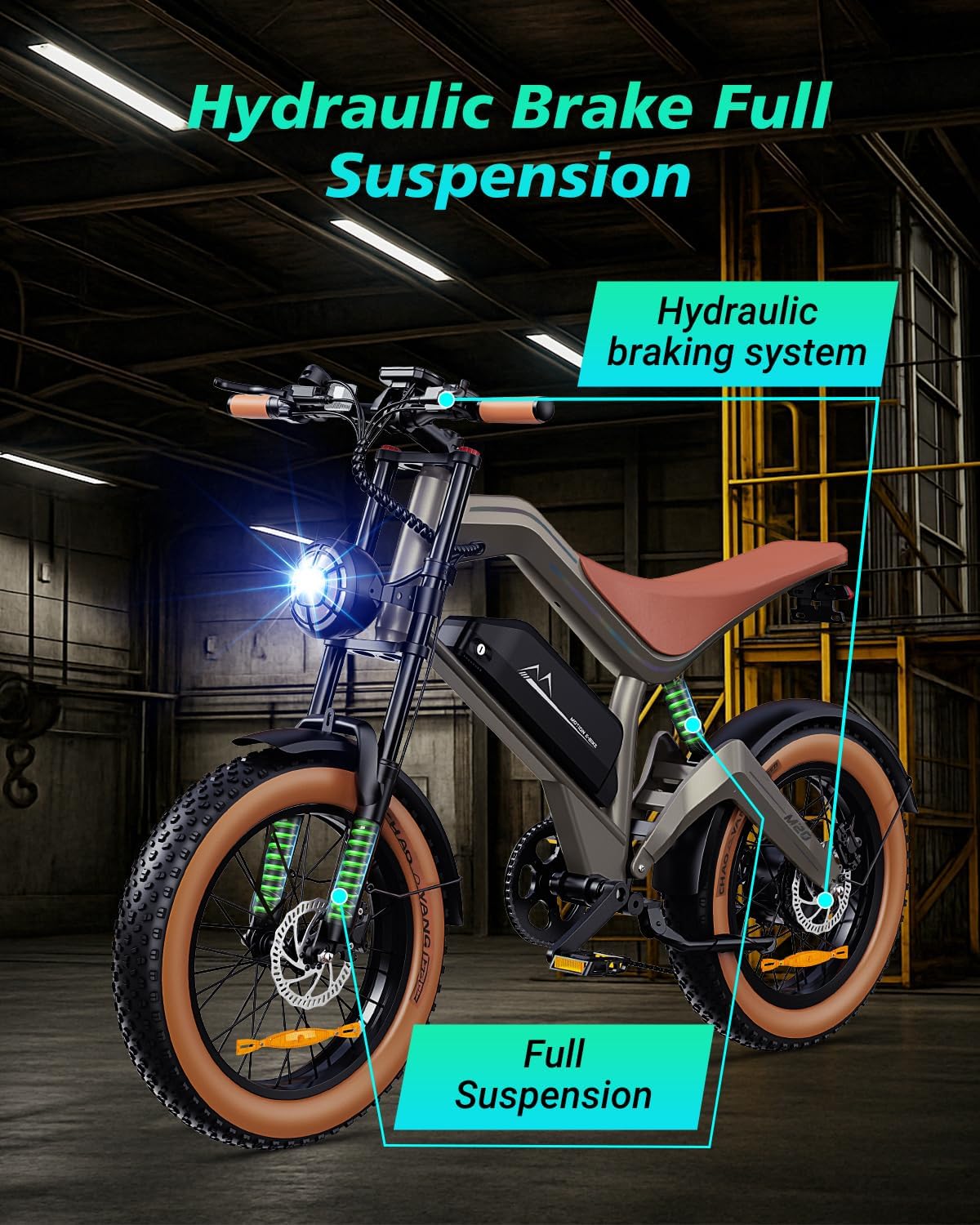
Image 2.3: Illustration of the hydraulic braking system and full suspension for enhanced control and comfort.
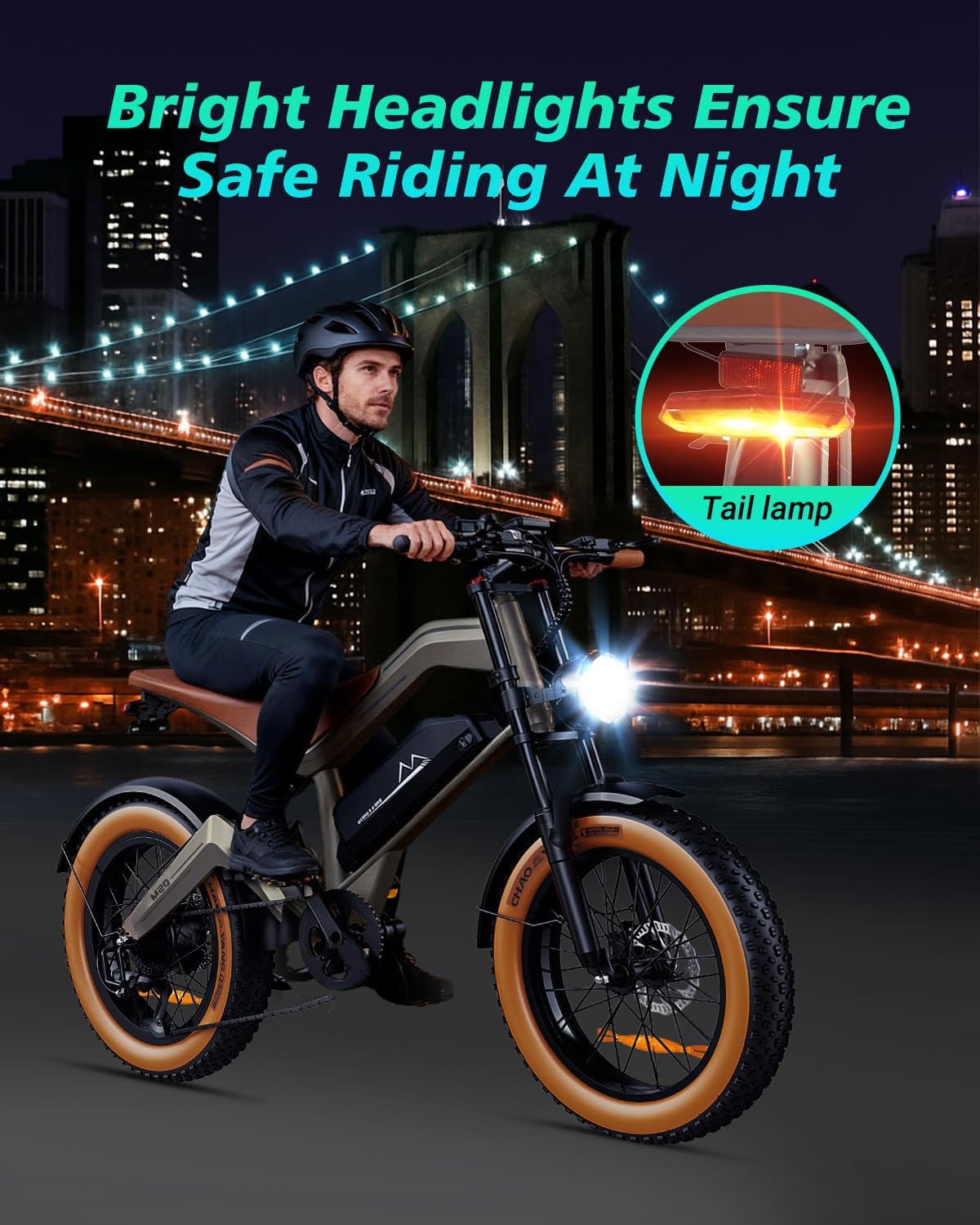
Image 2.4: The integrated bright headlights and tail lamp ensure safe riding and visibility at night.
3. Setup and Assembly
The DYU M20 Electric Bike requires some assembly. Please follow these steps carefully. A tool kit is included to assist with the assembly process.
Assembly Video Guide:
Video 3.1: Detailed installation guide for the M20 Electric Bike.
Step-by-Step Assembly:
- Unpacking: Carefully remove all components from the packaging. Ensure all parts listed in the packing list are present.
- Install Rear Shock Absorber:
Use the provided Allen wrench to secure the rear shock absorber to the frame. Ensure bolts are tightened securely.
Image 3.1: Attaching the rear shock absorber to the bike frame.
- Attach Handlebars:
Remove the faceplate from the stem using an Allen wrench. Position the handlebars and reattach the faceplate, tightening the bolts evenly.
Image 3.2: Securing the handlebars to the bike's stem.
- Install Front Wheel:
Remove the protective spacer from the front fork. Carefully align the front wheel with the fork dropouts, ensuring the brake rotor slides into the caliper. Secure the wheel with the provided nuts and washers, tightening them with a wrench.
Image 3.3: Mounting the front wheel and ensuring the brake rotor is correctly positioned.
- Attach Front Fender:
Position the front fender over the front wheel and secure it to the fork using the provided bolts and Allen wrench.
Image 3.4: Securing the front fender to the bike's front fork.
- Install Headlight:
Mount the headlight bracket to the front fork using the provided bolts. Attach the headlight to the bracket and connect the electrical cable. Ensure the connection is secure.
Image 3.5: Mounting the headlight and connecting its power cable.
- Attach Pedals:
Identify the left (L) and right (R) pedals. The left pedal has a reverse thread. Apply a small amount of grease to the pedal threads and screw them into the crank arms. Tighten with a wrench.
Image 3.6: Installing the left and right pedals onto the crank arms.
- Apply Decals (Optional):
If desired, apply the 'MOTION E-BIKE' decals to the battery pack as shown.
Image 3.7: Applying decorative decals to the battery housing.
- Adjust Handlebar Angle:
Loosen the stem bolts, adjust the handlebar to a comfortable riding angle, and then re-tighten the bolts securely.
Image 3.8: Adjusting the handlebar for optimal riding comfort.
4. Operating Instructions
Familiarize yourself with the controls and riding modes of your DYU M20 Electric Bike for an optimal riding experience.
Powering On/Off:
- Battery Activation: Locate the power switch on the battery pack. Flip the switch to the 'ON' position to activate the battery. The battery indicator lights will illuminate.

Image 4.1: Activating the battery using the power switch.
- Display Activation: Press and hold the power button on the handlebar display to turn on the bike's electrical system. The display will show speed, battery level, and current riding mode.
- Power Off: To turn off the bike, press and hold the power button on the display until it shuts down. For extended storage, also turn off the battery switch.
Riding Modes:
The DYU M20 offers three distinct riding modes, allowing you to customize your ride based on your preference and terrain.
- Pure Electric Mode: Engage this mode for effortless riding using only the throttle. No pedaling is required.
- Assist Mode (Pedal-Assist): Provides additional power from the motor as you pedal. Ideal for tackling hills or extending your range on longer journeys.
- Pedal Mode: Ride the bike like a traditional bicycle, relying solely on your pedaling power. The motor provides no assistance in this mode.
Switch between modes using the control panel on the handlebars. The current mode will be indicated on the display.

Image 4.2: Visual representation of the multiple riding modes available on the DYU M20.
Controls:
- Throttle: Located on the right handlebar, twist to engage the motor in Pure Electric Mode or to add extra power in Assist Mode.
- Brakes: Dual hydraulic disc brakes are located on both handlebars. Squeeze the levers to apply brakes.
- Gear Shifter: The Shimano 7-speed gear shifting system allows you to adjust your pedaling resistance.
- Display: Provides real-time information such as speed, battery level, and riding mode. It also controls the headlight and horn.

Image 4.3: The handlebar display showing current speed, battery charge, and active mode.
5. Maintenance
Regular maintenance ensures the longevity and safe operation of your DYU M20 Electric Bike.
General Care:
- Cleaning: Clean your bike regularly with a damp cloth. Avoid using high-pressure water jets directly on electrical components.
- Lubrication: Keep the chain and other moving parts lubricated to ensure smooth operation and prevent wear.
- Storage: Store the bike in a cool, dry place away from direct sunlight and extreme temperatures. If storing for extended periods, ensure the battery is partially charged (50-70%) and recharged every few months.
Component Checks:
- Tires: Check tire pressure before each ride. The 20x4.0-inch fat tires require specific pressure for optimal performance and safety.
- Brakes: Regularly inspect brake pads for wear and ensure brake levers are responsive. Adjust or replace as needed.
- Battery: Monitor battery health. If you notice a significant decrease in range or charging capacity, consult customer support.
- Fasteners: Periodically check all bolts, nuts, and quick releases to ensure they are tight and secure.
6. Troubleshooting
This section addresses common issues you might encounter with your DYU M20 Electric Bike.
Common Issues and Solutions:
- Bike Not Powering On:
- Ensure the battery is fully charged and properly seated.
- Check that the battery's power switch is in the 'ON' position.
- Verify all electrical connections are secure. - Motor Not Assisting:
- Confirm the bike is in an Assist or Pure Electric mode.
- Check the battery level on the display.
- Ensure the throttle and pedal-assist sensor connections are secure. - Brakes Squealing or Ineffective:
- Inspect brake pads for wear; replace if necessary.
- Clean brake rotors and calipers.
- If hydraulic brakes feel spongy, they may need bleeding by a professional. - Unusual Noises:
- Check for loose components or rubbing parts.
- Inspect the chain for proper tension and lubrication.
- If noises persist, consult a qualified technician.
For issues not covered here, or if problems persist, please contact DYU customer support.
7. Specifications
Detailed technical specifications for the DYU M20 Electric Bike.
| Feature | Specification |
|---|---|
| Model Name | M20 |
| Brand | DYU |
| Bike Type | Electric Bike |
| Age Range | Adult |
| Motor Wattage | 500 watts |
| Battery | 48V 15.6AH (873.6 Watt Hours Lithium Battery Energy Content) |
| Max Speed | 19.8 MPH |
| Wheel Size | 20 Inches |
| Wheel Width | 4 Inches (Fat Tire) |
| Frame Material | Aluminum |
| Suspension Type | Dual (Front & Rear) |
| Brake Style | Disc (Dual Hydraulic) |
| Number of Speeds | 7 |
| Electric Assist Type | Pedal-assist |
| Included Components | Tool Kit |
| Assembly Required | Yes |
8. Warranty and Support
DYU provides support and warranty coverage for your electric bike.
Warranty Information:
The DYU M20 Electric Bike comes with a 1-year parts warranty. This warranty covers manufacturing defects in materials and workmanship for a period of one year from the date of purchase. Please retain your proof of purchase for warranty claims.
Customer Support:
For any questions, technical assistance, or warranty claims, please contact DYU customer support through the retailer where you purchased the bike or visit the official DYU website for contact information.
You can also visit the DYU Store on Amazon for additional product information and support resources.
Related documentsM20


Ask a question about this manual
Ask about setup, troubleshooting, compatibility, parts, safety, or missing instructions. Manuals+ will review the question and use this page’s manual context to help answer it.