
1. Introduction
Thank you for choosing the Hwagol Smart Watch, Model 619704313783. This device is designed to be a robust companion for your daily activities, offering advanced health monitoring, fitness tracking, and smart communication features. This manual provides essential information for setup, operation, and maintenance to ensure optimal performance and longevity of your smart watch.
2. What's in the Box
Upon opening your Hwagol Smart Watch package, you should find the following items:
- Hwagol Smart Watch (Model 619704313783)
- Charging Cable
- User Manual
- Additional Straps (Orange silicone, Blue silicone, Black steel - quantity may vary based on kit)
- Strap Adjustment Tool (for steel strap)
3. Product Overview
3.1 Design and Durability
The Hwagol Smart Watch features a rugged design with a titanium bezel and stainless steel back, engineered to withstand challenging environments. Its construction is wear-resistant, shock-resistant, and designed for outdoor use.

Image: The Hwagol Smart Watch showcasing its robust, military-grade durability.
3.2 Display
Equipped with a 1.52-inch HD TFT screen, the watch offers a clear display with 360*360 resolution, ultra-wide observation perspective, and full view character domain for excellent readability.
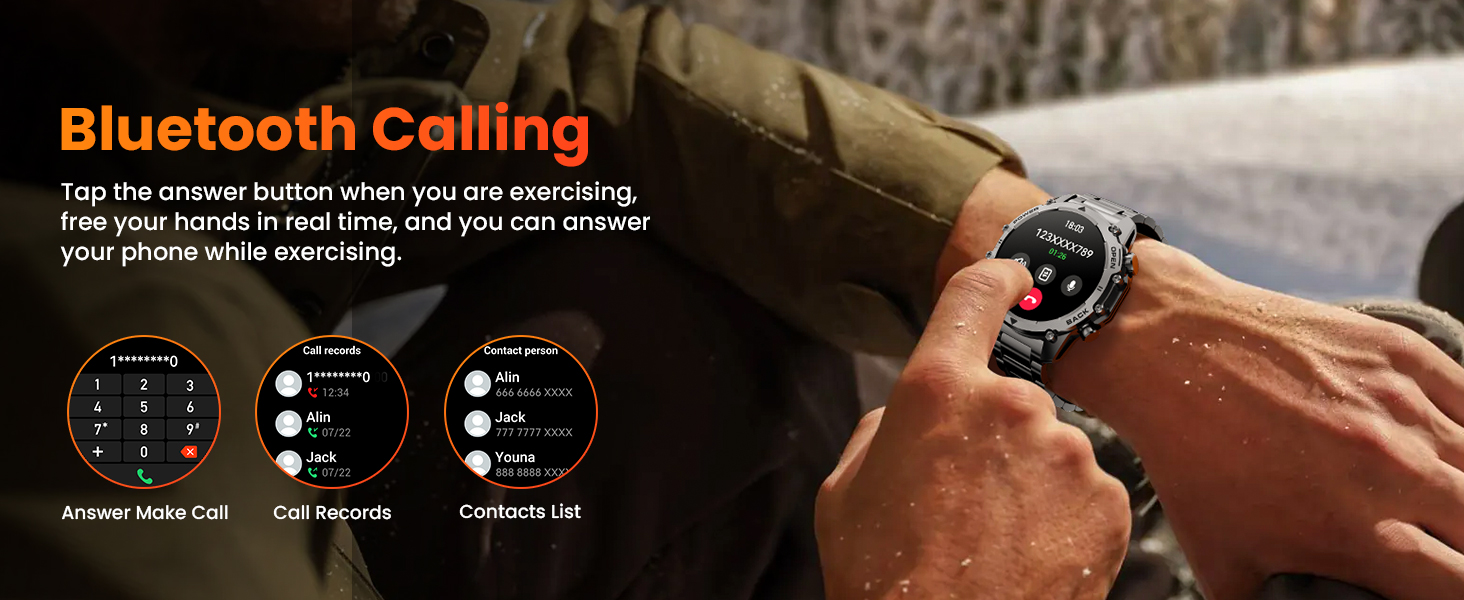
Image: The 1.52-inch HD screen of the Hwagol Smart Watch.
3.3 Interchangeable Straps
The watch comes with multiple strap options, including silicone and stainless steel, allowing you to customize its look for various occasions, from outdoor adventures to business settings. The quick-release design facilitates easy strap changes.
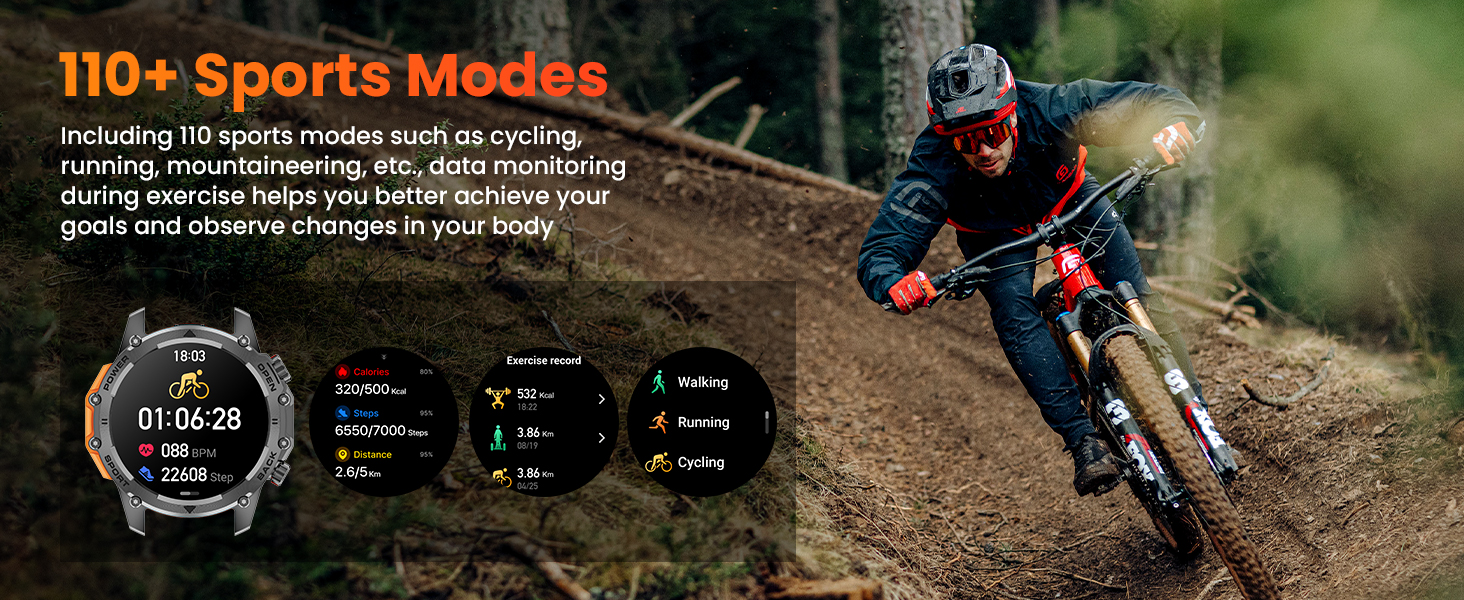
Image: Interchangeable straps for the Hwagol Smart Watch.
4. Setup Guide
4.1 Charging the Device
Before initial use, fully charge your Hwagol Smart Watch. Connect the charging cable to the watch's charging port and a USB power source. The watch display will indicate charging status.
4.2 App Installation and Pairing
To unlock the full potential of your smart watch, download the companion app on your Android or iOS smartphone. Scan the QR code displayed on the watch screen or in the manual to find and install the app. Once installed, open the app and follow the on-screen instructions to pair your watch via Bluetooth. Ensure Bluetooth is enabled on your phone.
Video: This video demonstrates the unboxing, pairing process, and various features of the Hwagol Smart Watch, including durability tests and UI navigation.
During the pairing process, the app will guide you through connecting the watch. Confirm any binding requests on both your phone and watch. Once successfully paired, you can customize settings and access data through the app.
5. Operating Instructions
5.1 Basic Navigation
- Touchscreen: Swipe left, right, up, or down to navigate through menus and features. Tap to select.
- Side Buttons: The watch features multiple side buttons. Refer to the watch's on-screen prompts or the app for specific button functions, which typically include power on/off, back, and quick access to sports modes or other features.
5.2 Call and Notification Management
Once paired with your smartphone, the Hwagol Smart Watch allows you to make and answer calls directly from your wrist. You will also receive SMS and app notifications (e.g., Facebook, WhatsApp, Twitter) directly on the watch display.
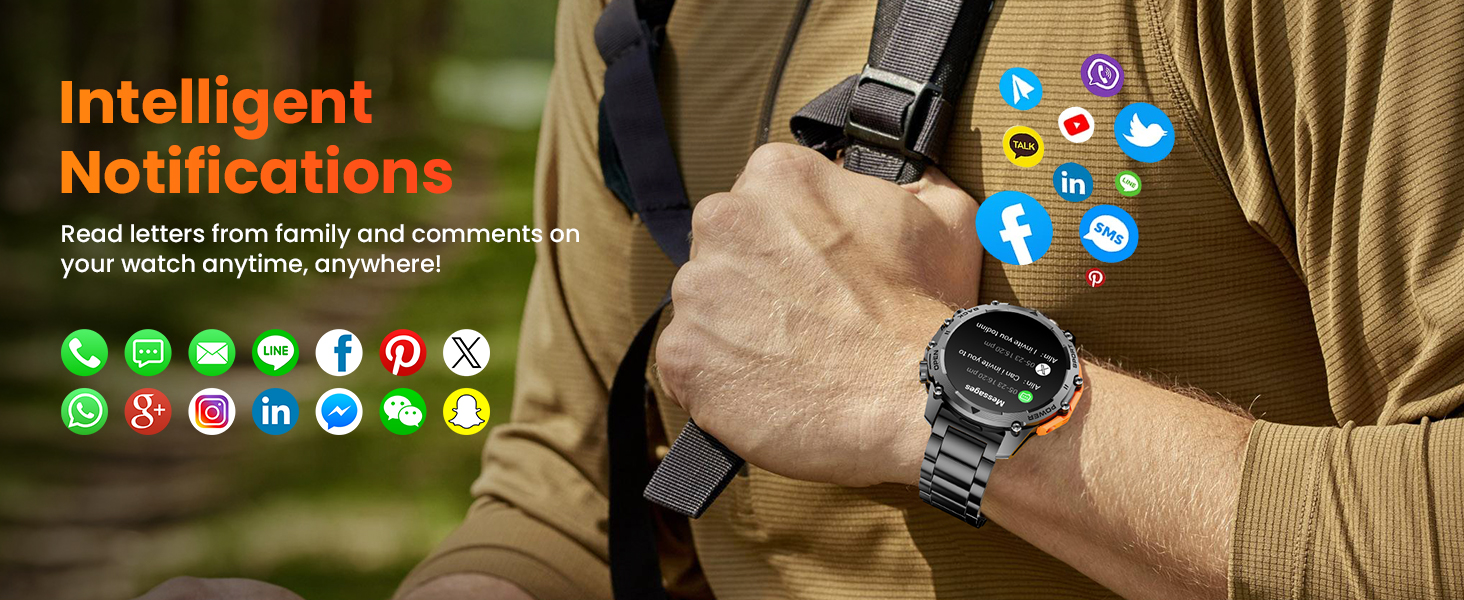
Image: Bluetooth calling and smart notifications on the Hwagol Smart Watch.
5.3 Health Monitoring
The watch continuously monitors your heart rate, blood oxygen levels, and sleep patterns. You can view real-time data on the watch or detailed trends in the companion app. Enable all-day heart rate monitoring in the app for comprehensive tracking.
- Heart Rate Monitor: Tracks your heart rate throughout the day.
- Blood Oxygen Monitor: Measures your SpO2 levels.
- Sleep Quality Tracking: Analyzes deep sleep, light sleep, and REM sleep stages.
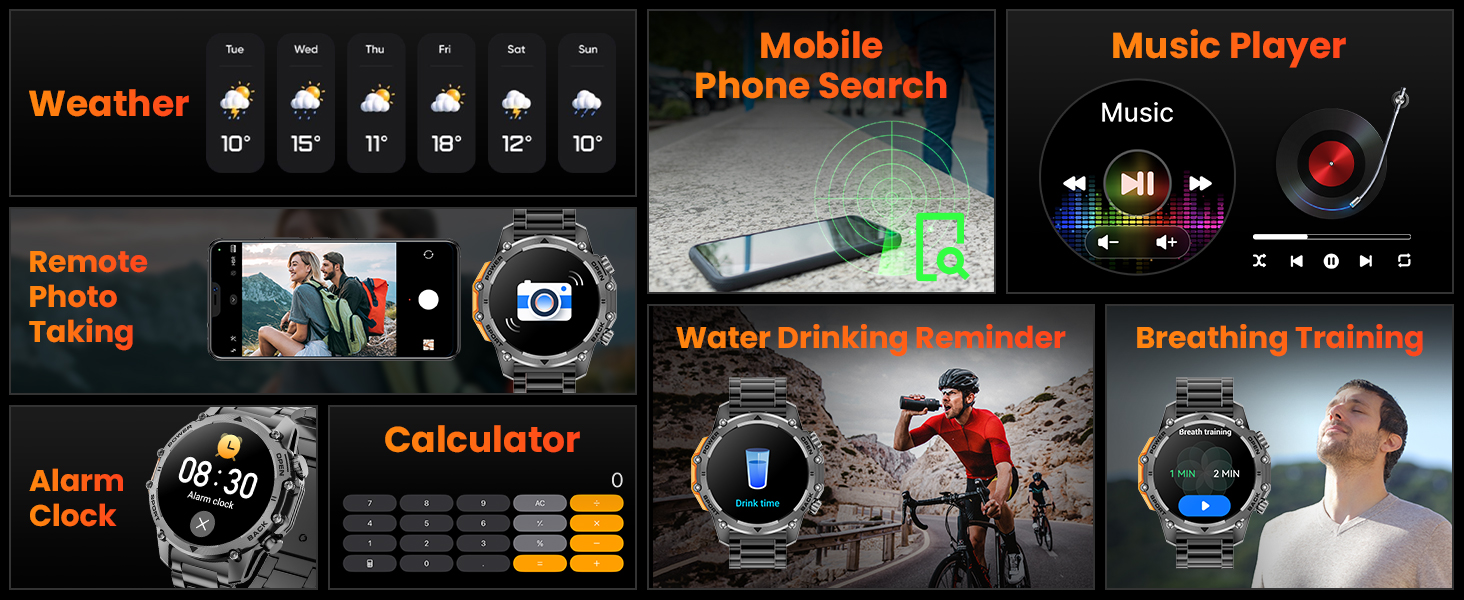
Image: 24/7 Health Monitoring features of the Hwagol Smart Watch.
5.4 Sports and Fitness Tracking
With over 100 indoor and outdoor sports modes, the watch tracks steps, distance, calories burned, and more. Connect to the app to view exercise tracks, set goals, and review your fitness records.

Image: Over 100 sports modes available on the Hwagol Smart Watch.
5.5 Additional Smart Features
- Music Control: Control music playback on your smartphone directly from the watch.
- Weather Forecast: Get real-time weather updates.
- Remote Photo Taking: Use the watch as a remote shutter for your phone's camera.
- Flashlight: Activate a powerful flashlight feature for convenience in low-light conditions.
- Alarm Clock: Set alarms directly on your watch.
- Calculator: A basic calculator function is available.
- Voice Assistant: Control watch functions with voice commands.
- Customizable Watch Faces: Choose from a variety of pre-installed watch faces or create your own using photos from your phone via the app.
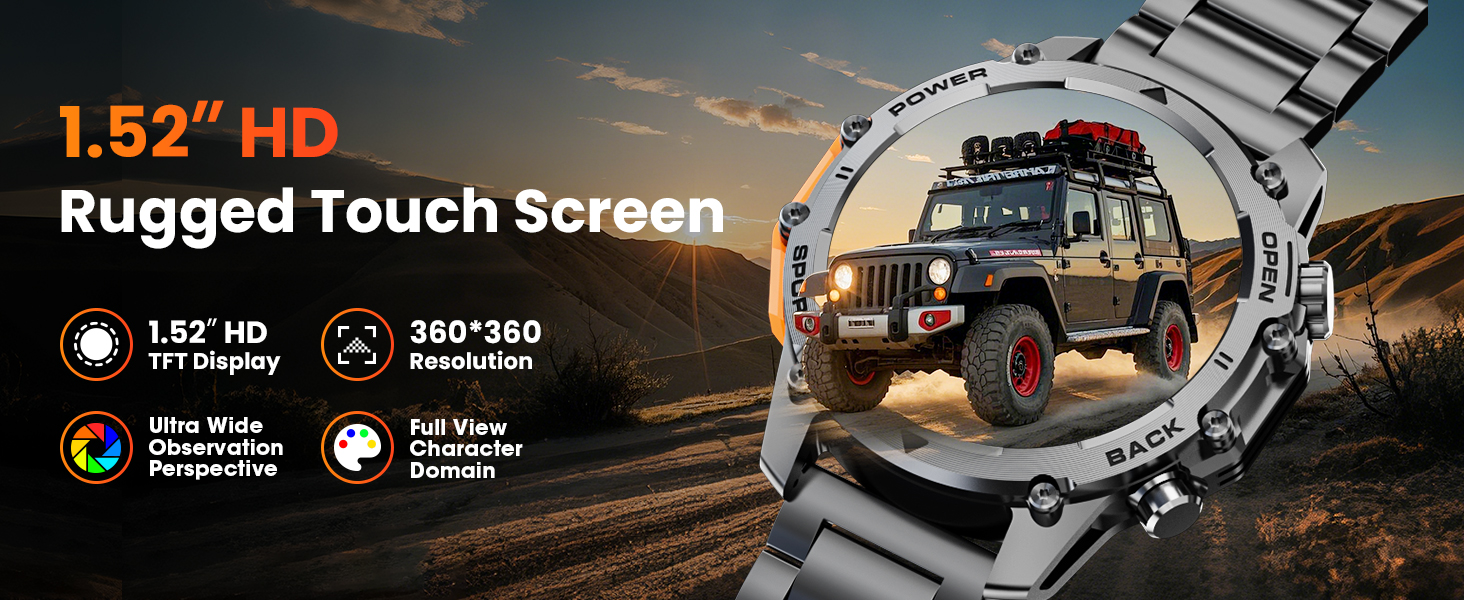
Image: Various smart features of the Hwagol Smart Watch.
6. Maintenance
6.1 Water Resistance
The Hwagol Smart Watch is designed to be water-resistant, suitable for activities like swimming. However, it is not recommended for use in hot showers, saunas, or diving, as steam and high temperatures can compromise the seals and cause damage.

Image: Water resistance guidelines for the Hwagol Smart Watch.
6.2 Cleaning and Care
- Wipe the watch and straps regularly with a soft, damp cloth.
- Avoid using harsh chemicals or abrasive materials, which can damage the finish.
- Ensure the charging contacts are clean and dry before charging.
6.3 Battery Care
- Avoid extreme temperatures, which can affect battery life.
- Charge the watch using only the provided charging cable.
- Do not attempt to replace the battery yourself. Contact customer support if battery issues arise.
7. Troubleshooting
| Problem | Possible Cause | Solution |
|---|---|---|
| Watch does not turn on | Low battery | Charge the watch for at least 30 minutes. |
| Cannot pair with phone | Bluetooth off, app not open, watch not in pairing mode | Ensure Bluetooth is on, open the app, and restart the watch to enter pairing mode. |
| Notifications not received | App permissions, notification settings | Check app notification permissions on your phone. Ensure notifications are enabled in the watch app. |
| Inaccurate health data | Improper fit, sensor obstruction | Ensure the watch is worn snugly on your wrist. Clean the sensor on the back of the watch. |
If you encounter issues not listed here, please refer to the support section or contact customer service.
8. Specifications
| Feature | Detail |
|---|---|
| Model Number | 619704313783 |
| Brand | Hwagol |
| Screen Size | 1.52 Inches |
| Operating System | Android, iOS compatible |
| Connectivity Technology | Bluetooth |
| Special Features | Activity Tracker, Alarm Clock, Music Player, Voice Control, Weather Forecast, Heart Rate Monitor, Sleep Monitor, Pedometer |
| Battery | 1 AAA batteries required (included) (Note: This specification may be a data entry error. Smartwatches typically use internal rechargeable batteries.) |
| Item Weight | 10.5 ounces |
| Package Dimensions | 6.54 x 3.78 x 1.3 inches |
9. Warranty and Support
The Hwagol Smart Watch comes with a standard manufacturer's warranty. For specific warranty terms and conditions, please refer to the warranty card included in your package or visit the official Hwagol website. For technical support, troubleshooting assistance, or any product-related inquiries, please contact Hwagol customer service through the contact information provided on our website or in the product packaging.


