
1. Introduction
This manual provides detailed instructions for the safe and efficient operation, setup, and maintenance of your BROMECH Shipping Scale BPT01 and BROMECH Commercial Kitchen Scale BCS07AA. Please read this manual thoroughly before using the scales and retain it for future reference.
The BROMECH BPT01 Shipping Scale is designed for accurate weighing of packages up to 440lb, suitable for various shipping needs. The BROMECH BCS07AA Commercial Kitchen Scale offers high-precision weighing up to 66lb (30kg) with advanced features for commercial applications.
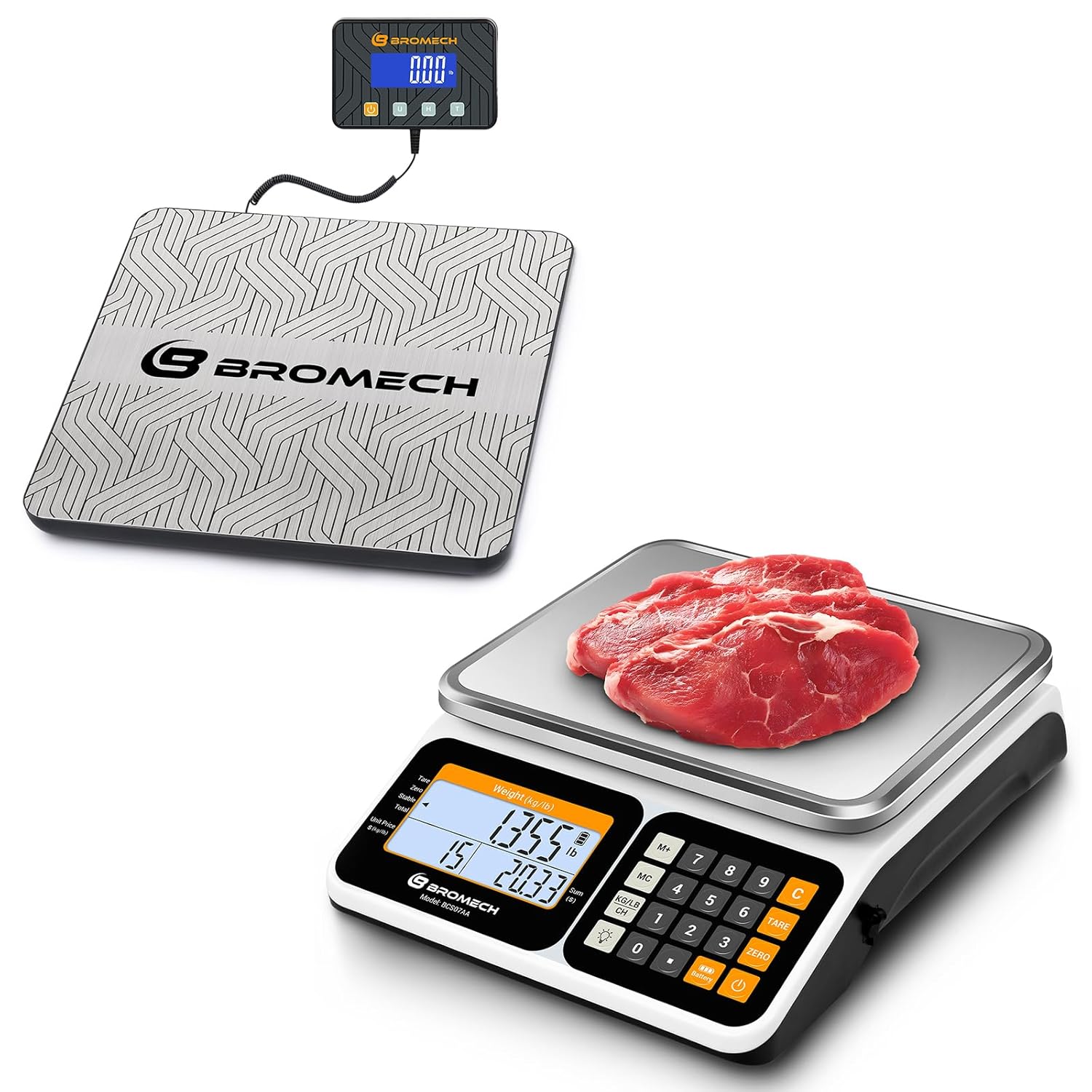
Image: The BROMECH Shipping Scale BPT01 (left) and Commercial Kitchen Scale BCS07AA (right) displayed together. The shipping scale features a large platform and a remote display, while the commercial kitchen scale has a smaller platform with an integrated display and keypad.
2. Safety Information
To ensure safe operation and prolong the life of your scales, please observe the following safety precautions:
- Do not overload the scales beyond their maximum capacity.
- Place the scales on a stable, level surface to ensure accurate readings.
- Avoid exposing the scales to extreme temperatures, humidity, or direct sunlight.
- Keep the scales away from strong electromagnetic fields.
- Do not immerse the scales in water or other liquids.
- Clean the scales with a soft, damp cloth. Do not use abrasive cleaners.
- This commercial kitchen scale is not approved for legal trade.
3. Package Contents
Please check the package contents upon receipt to ensure all items are present:
- BROMECH Shipping Scale BPT01 (Platform and Remote Display)
- BROMECH Commercial Kitchen Scale BCS07AA
- Power Adapter/Charger (for BCS07AA)
- AAA Batteries (for BPT01, typically 2xAAA)
- USB Charging Cable (for BPT01)
- User Manual (this document)
4. Setup Instructions
4.1 BROMECH Shipping Scale BPT01 Setup
- Placement: Place the scale platform on a firm, level surface. Ensure there are no obstructions beneath the platform.
- Connect Display: Connect the remote display unit to the scale platform using the coiled cable.
- Power On: Insert 2xAAA batteries into the remote display unit or connect the USB charging cable to a power source. Press the ON/OFF button to power on the scale.
- Calibration Check: The scale will perform a self-check. Ensure the display reads "0.00" before weighing.

Image: The BROMECH Shipping Scale BPT01 remote display showing a weight of 32.755 lbs. Below it are illustrations of 2xAAA batteries and a USB charging cable, indicating versatile power options for the scale.
4.2 BROMECH Commercial Kitchen Scale BCS07AA Setup
- Placement: Position the scale on a stable, level countertop. Adjust the feet at the bottom of the scale if necessary to ensure stability.
- Power Connection: Connect the power adapter to the scale and plug it into a suitable electrical outlet. The scale can also operate on its internal rechargeable battery.
- Power On: Press the ON/OFF button. The display will light up and show "0.000" after a brief self-test.
- Tray Placement: Carefully place the stainless steel weighing tray onto the scale platform.

Image: An exploded view of the BROMECH Commercial Kitchen Scale BCS07AA, highlighting its stainless steel tray, ABS body, adjustable feet, LCD display, and control buttons (ON/OFF, TARE, Light).
5. Operating Instructions
5.1 BROMECH Shipping Scale BPT01 Operation
- Weighing: Place the item to be weighed directly onto the center of the scale platform. The weight will be displayed on the remote unit.
- Unit Conversion (LB/KG): Press the UNIT button on the remote display to switch between pounds (lb) and kilograms (kg).
- Tare Function: To weigh items in a container, first place the empty container on the scale. Press the TARE button. The display will reset to "0.00". Now, place the items into the container, and only the weight of the items will be displayed.
- Hold Function: Press the HOLD button to lock the displayed weight, even after removing the item from the scale. Press again to release.

Image: Illustrations showing the practical functions of the BROMECH Shipping Scale BPT01. The top panel demonstrates the "HOLD" function, keeping the weight displayed after an item is removed. The bottom panel illustrates the "TARE" function, subtracting the weight of a container to measure only its contents.
5.2 BROMECH Commercial Kitchen Scale BCS07AA Operation
- Basic Weighing: Place items on the stainless steel tray. The weight will be shown on the display.
- Unit Conversion (KG/LB): Press the KG/LB CH button to toggle between kilograms (kg) and pounds (lb).
- Tare Function: Place an empty container on the tray, then press the TARE button. The display will zero out. Add items to the container to weigh only their net weight.
- Pricing Function:
- Place the item on the scale.
- Enter the unit price using the numeric keypad.
- The scale will automatically calculate the total price.
- Accumulation Function: Use this to sum up the total weight or price of multiple items. Consult the full manual for specific key sequences.
- Change Calculation: After a pricing transaction, enter the amount paid by the customer, and the scale can calculate the change due.
- Backlight Adjustment: Press the LIGHT button to adjust the brightness of the LCD display.

Image: The BROMECH Commercial Kitchen Scale BCS07AA displaying weight in kilograms (1.650 kg) and pounds (3.640 lb), demonstrating the instant unit switching capability via the KG/LB CH button.

Image: Two views of the BROMECH Commercial Kitchen Scale BCS07AA, showing the "Seller View" with a full keypad and detailed display, and the "Buyer View" with a simpler display, illustrating the clear dual-screen design.
6. Maintenance
- Cleaning: Wipe the scale surfaces with a soft, damp cloth. For the stainless steel tray of the commercial scale, mild soap and water can be used. Ensure the scale is dry before storage or next use.
- Storage: Store the scales in a cool, dry place away from direct sunlight and extreme temperatures.
- Battery Replacement (BPT01): If the display becomes dim or the scale does not power on, replace the AAA batteries in the remote display unit.
- Recharging (BCS07AA): When the battery indicator shows low power, connect the scale to the power adapter for recharging.
7. Troubleshooting
| Problem | Possible Cause | Solution |
|---|---|---|
| Scale does not power on. | Low or dead batteries (BPT01). Power adapter not connected or faulty (BCS07AA). | Replace AAA batteries (BPT01). Ensure power adapter is securely connected and working (BCS07AA). Charge the internal battery (BCS07AA). |
| Inaccurate readings. | Scale not on a level surface. Overloaded. External vibrations. | Place scale on a stable, level surface. Do not exceed maximum capacity. Avoid vibrations during weighing. |
| Display shows "Err" or "OL". | Overload. | Remove the item from the scale immediately. Ensure the weight is within the scale's capacity. |
| Display is dim or flickering (BPT01). | Low batteries. | Replace AAA batteries. |
8. Specifications
8.1 BROMECH Shipping Scale BPT01
- Capacity: 440 lb (200 kg)
- Accuracy: 0.35 oz (10g) for 0.05-20kg; 3.5 oz (100g) for 20-200kg
- Minimum Weight: 0.08 lb (0.04 kg)
- Units: lb, kg
- Power: 2xAAA Batteries (included), USB Charging Cable (included)
- Functions: Tare, Hold, Unit Conversion

Image: A diagram illustrating the "Two-Stage Division" of the BROMECH Shipping Scale BPT01, showing different accuracy levels for weight ranges (0.05-20kg: 10g/0.11-44lb: 0.35oz; 20-200kg: 100g/44-440lb: 3.5oz). It also highlights a maximum capacity of 440lb (220kg) and a minimum weight of 0.08lb (0.04kg).
8.2 BROMECH Commercial Kitchen Scale BCS07AA
- Capacity: 66 lb (30 kg)
- Accuracy: 0.01 lb (5 g)
- Units: kg, lb (default lb)
- Display: Dual White Backlit LCD Screens
- Platform Material: Stainless Steel
- Base Material: ABS Plastic
- Power: Rechargeable Battery (up to 60 hours), AC Power Adapter (90-240V, US plug)
- Functions: Pricing, Counting, Accumulation, Change Calculation, Tare, Unit Conversion, Backlight Adjustment

Image: The BROMECH Commercial Kitchen Scale BCS07AA with key dimensions labeled (e.g., 9.45" platform width, 12.01" base length) and highlighting its maximum capacity of 66lb (30kg) and precision to 0.01lb (5g).
9. Warranty and Support
BROMECH products are designed for reliability and performance. For warranty information or technical support, please refer to the contact details provided with your purchase documentation or visit the official BROMECH website. Please have your model number (BPT01 or BCS07AA) and purchase date available when contacting support.
For additional information, you may visit the BROMECH Store on Amazon.