1. Introduction
Thank you for choosing the realme Watch 5 Smartwatch. This manual provides essential information for setting up, operating, maintaining, and troubleshooting your device. Please read it carefully to ensure optimal performance and longevity of your smartwatch.

Image 1.1: The realme Watch 5 Smartwatch, featuring a square AMOLED display and a black silicone strap.
2. Package Contents
Upon opening the package, please verify that all items are present:
- realme Watch 5 Smartwatch
- Charging Cable
- User Manual (this document)
3. Setup
3.1 Initial Charging
Before first use, fully charge your realme Watch 5. Connect the charging cable to the charging port on the back of the watch and plug the USB end into a power adapter (not included) or a computer's USB port. The watch display will indicate charging status.
3.2 Pairing with Your Smartphone
- Download the official realme companion application (e.g., realme Link) from your smartphone's app store.
- Ensure Bluetooth is enabled on your smartphone.
- Open the realme application and follow the on-screen instructions to add a new device.
- Select 'realme Watch 5' from the list of available devices.
- Confirm the pairing request on both your smartphone and the smartwatch.
4. Operating Instructions
4.1 Display and Navigation
The realme Watch 5 features a 1.97-inch AMOLED touchscreen display. Navigate through menus and functions using swipes and taps. The aluminum alloy crown on the side can also be used for navigation and selection.
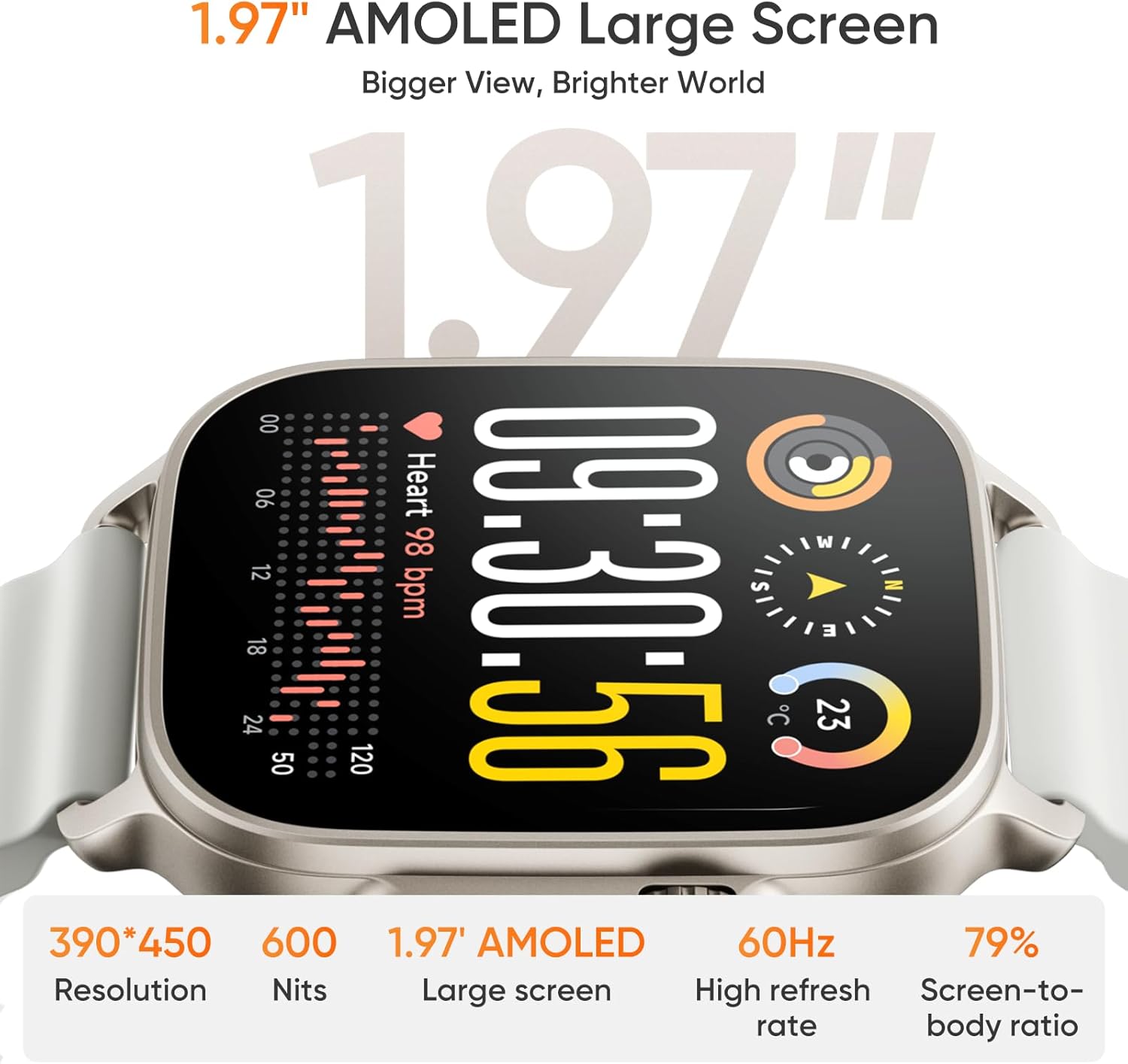
Image 4.1: The 1.97-inch AMOLED display of the realme Watch 5, highlighting its resolution, brightness, and refresh rate.
4.2 Sports Modes
The watch supports 108 types of sports modes. To access, swipe on the watch face or use the app to select your desired activity. The watch will track key indicators during your workout.
4.3 Health Monitoring
The realme Watch 5 provides comprehensive health monitoring features:
- Heart Rate Monitoring: Continuously tracks your heart rate.
- Sleep Monitoring: Analyzes your sleep patterns and quality.
- Pressure Monitoring: Helps assess stress levels.
- Blood Oxygen Monitoring: Measures your blood oxygen saturation (SpO2).
These features are designed to help you become more aware of your health. Consult a medical professional for any health concerns.
4.4 Independent GPS
The watch features built-in independent GPS with 5 GNSS (Global Navigation Satellite System) support. This allows for precise satellite positioning during outdoor activities without needing your phone.

Image 4.2: The realme Watch 5 demonstrating its independent GPS functionality during an outdoor activity, displaying route and exercise details.
4.5 NFC Functionality
The realme Watch 5 includes NFC technology. This feature can be used for access control, smart door unlocking, and similar applications. Please note that NFC payment functionality may not be supported in all regions.
4.6 Bluetooth Calling
With its integrated microphone and speaker, the realme Watch 5 supports Bluetooth calling, allowing you to make and receive calls directly from your wrist when connected to your smartphone.
4.7 Watch Faces
Personalize your watch with over 300 customizable watch face themes available through the companion application.

Image 4.3: A selection of the 300+ watch face themes available for the realme Watch 5, showcasing customization options.
5. Maintenance
5.1 Water Resistance
The realme Watch 5 is rated IP68 for water and dust resistance. This provides protection against sweat, rain, and splashes during daily use. Do not immerse the watch in water, and avoid using it during swimming or showering to prevent damage.

Image 5.1: The realme Watch 5 in different strap colors, illustrating its water-resistant design and comfortable 3D-wave strap.
5.2 Cleaning
Clean the watch and strap regularly with a soft, dry cloth. For stubborn dirt, a slightly damp cloth can be used. Ensure the watch is completely dry before charging. Avoid using harsh chemicals or abrasive materials.
6. Troubleshooting
- Watch not turning on: Ensure the watch is fully charged. Connect it to the charger for at least 30 minutes.
- Cannot pair with phone: Ensure Bluetooth is enabled on your phone and the watch is within range. Restart both devices and try pairing again through the realme application.
- Inaccurate health data: Ensure the watch is worn snugly on your wrist, not too tight or too loose. Clean the sensors on the back of the watch.
- Short battery life: Reduce screen brightness, disable unnecessary notifications, and limit continuous heart rate monitoring if not required.
7. Specifications
| Model Name | realme Watch 5 |
| Display | 1.97-inch AMOLED Touchscreen |
| Connectivity | Bluetooth |
| GPS | Built-in GPS (5 GNSS) |
| Water Resistance | IP68 |
| Health Monitoring | Heart Rate, Sleep, Pressure, Blood Oxygen |
| Sports Modes | 108 Types |
| NFC | Supported (functionality may vary by region) |
| Battery Life | Up to 16 days (standard use) |
| Manufacturer | realme |

Image 7.1: Overview of key features of the realme Watch 5, including its 1.97-inch AMOLED display, 16-day battery life, 108 sports modes, independent GPS, IP68 rating, and NFC capabilities.
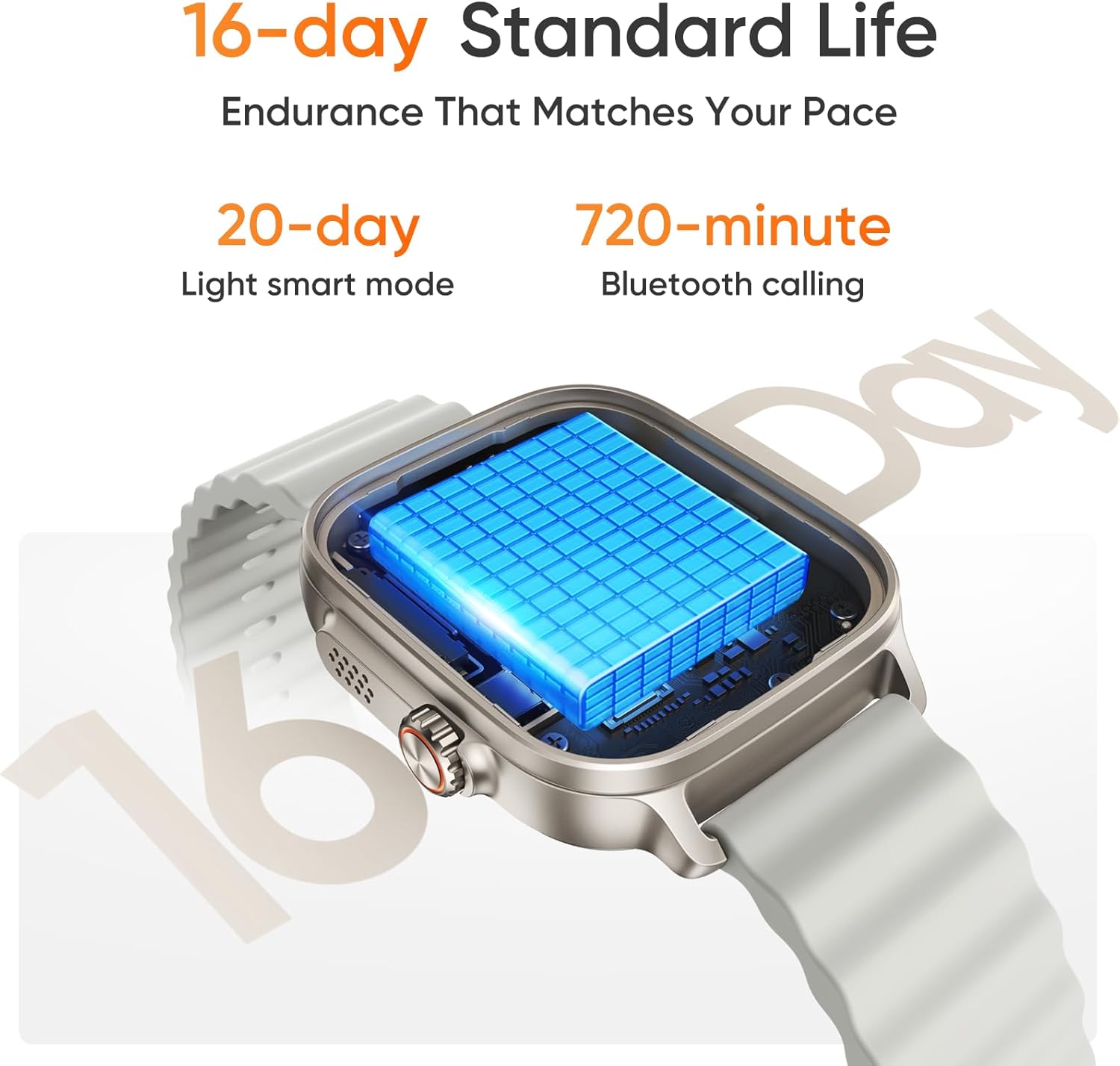
Image 7.2: Details on the realme Watch 5's battery performance, indicating up to 16 days of standard use and 20 days in light smart mode.
8. Warranty and Support
The realme Watch 5 is covered by a manufacturer's warranty. For detailed warranty terms, conditions, and support, please refer to the warranty card included in your product packaging or visit the official realme support website. Keep your proof of purchase for warranty claims.


