
Introduction
This manual provides detailed instructions for the assembly, operation, and maintenance of your TIQLAB 55-inch Executive Office Desk with Drawers. Please read all instructions carefully before beginning assembly and retain this manual for future reference.
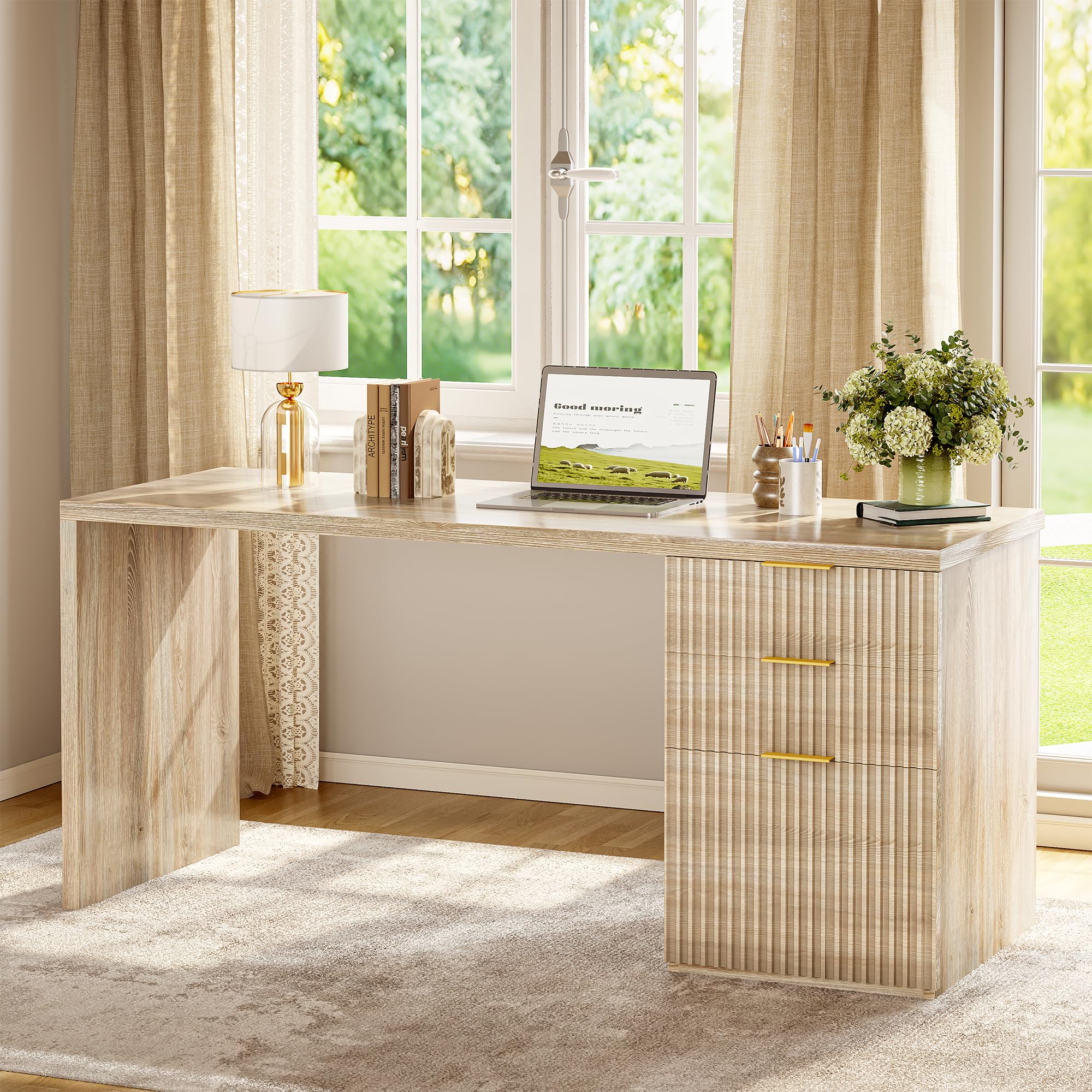
Image: The TIQLAB 55-inch Executive Office Desk in Maple finish, showcasing its overall design with the integrated drawer unit.
Safety Information
Always follow the assembly instructions provided. Be cautious of the desk's weight limit and ensure it is properly anchored to prevent instability. Do not overload drawers. Keep small parts away from children during assembly.
Package Contents
Before assembly, verify that all components and hardware are present. The desk comes with all necessary installation tools.
- Desk Top Panel
- Side Panels (Left and Right)
- Drawer Unit Components (panels, drawer slides, handles)
- Assembly Hardware (screws, dowels, brackets)
- Assembly Tools (e.g., Allen wrench, screwdriver)
Setup and Assembly
The TIQLAB Executive Office Desk requires assembly. Clear instructions and all necessary tools are included. Follow the step-by-step guide provided in the packaging for proper construction.
Flexible Configuration
The file cabinet can be placed on either the left or right side of the desk to suit your workspace layout and preferences. This reversible design allows for customization.

Image: Illustration showing the desk with the drawer unit positioned on the right and then on the left, demonstrating its reversible design.
Reinforced Support
The desk features reinforced metal supports to enhance stability. Ensure these supports are correctly installed during assembly.

Image: A close-up view of the reinforced metal support bracket installed at a corner of the desk, highlighting its structural contribution.
Operating Instructions
Drawer Functionality
The desk includes two box drawers for general storage and one file drawer designed for Letter/A4 size files. The drawers operate on freely sliding rails for smooth access.

Image: A view of the desk's drawer unit, illustrating the two upper box drawers for small items and the lower file drawer for hanging files.

Image: Close-up of the file drawer, demonstrating its capacity for both Letter and A4 sized hanging files, and the freely sliding rail mechanism.
Desktop Usage
The spacious one-piece desktop provides ample surface area for various tasks, suitable for use as a computer desk, study station, or vanity table.

Image: An overhead view of the desk's spacious one-piece desktop, showing a laptop, books, and other office items, highlighting its functional area.
Maintenance
To maintain the appearance and longevity of your desk, follow these guidelines:
- Cleaning: Wipe surfaces with a soft, damp cloth. Avoid harsh chemicals or abrasive cleaners that may damage the finish.
- Spills: Clean spills immediately to prevent staining or damage to the engineered wood.
- Heat and Moisture: Protect the desktop from direct heat and excessive moisture using coasters or protective pads.
- Inspection: Periodically check all screws and fasteners to ensure they are tight. Retighten as necessary to maintain stability.
Troubleshooting
| Problem | Possible Cause | Solution |
|---|---|---|
| Desk is wobbly | Loose fasteners; uneven floor; incorrect assembly. | Ensure all screws and bolts are tightened. Adjust desk levelers if present, or place shims under legs on uneven surfaces. Review assembly instructions. |
| Drawers do not slide smoothly | Drawer slides are misaligned or damaged; drawer is overloaded. | Check drawer slide alignment and ensure they are free of obstructions. Reduce weight in the drawer. Inspect slides for damage and replace if necessary. |
| Missing parts or damaged components upon arrival | Shipping damage; packaging error. | Contact TIQLAB customer support immediately with your purchase details for assistance. |
Specifications
| Feature | Detail |
|---|---|
| Brand | TIQLAB |
| Model | 55*22 inch Executive Desk |
| Color | Maple |
| Product Dimensions (Overall) | 23"D x 58"W x 6"H (Note: This seems to be package dimensions, actual desk dimensions are 55"W x 22"D based on variant title and image) |
| Actual Desk Dimensions (Approx.) | 55" (140cm) Width x 21.7" (55cm) Depth x 29.5" (75cm) Height (based on image "Product Dimensions") |
| Desktop Thickness | 1.2 Inches |
| Material Type | Engineered Wood |
| Number of Drawers | 2 (Box Drawers) |
| Number of Cabinets | 1 (File Cabinet) |
| Drawer Type | File Drawer, Utility Drawer |
| Assembly Required | Yes |
| Includes Assembly Tools | Yes |

Image: A diagram illustrating the detailed dimensions of the TIQLAB Executive Office Desk, including overall width, depth, height, and internal drawer measurements.
Warranty and Support
Specific warranty details are not provided in this manual. For information regarding warranty coverage, please refer to your purchase documentation or contact the retailer.
For any issues during setup, missing parts, or operational concerns, our professional support team is available to assist you. Please contact TIQLAB customer support through the retailer's platform or the official TIQLAB website for prompt assistance.
Contact Information:
- Visit the TIQLAB Store on Amazon
- Refer to your purchase invoice for direct seller contact details.