
1. Introduction
This user manual provides comprehensive instructions for the safe and efficient operation of your BAOFENG UV-5RM Battery Charger Base. Please read this manual thoroughly before using the product to ensure proper function and to prevent damage.
2. Safety Information
To ensure safe operation and extend the lifespan of your charger, observe the following safety precautions:
- Do not expose the charger to rain or moisture.
- Do not disassemble the charger. Refer all servicing to qualified personnel.
- Use only with specified Li-ion batteries and compatible radio models.
- Ensure the power outlet voltage matches the charger's input requirements (100-240V).
- Keep the charger away from heat sources and direct sunlight.
- The charger features built-in protection mechanisms against overcurrent, overtemperature, short circuit, and overcharge to enhance safety and product longevity.
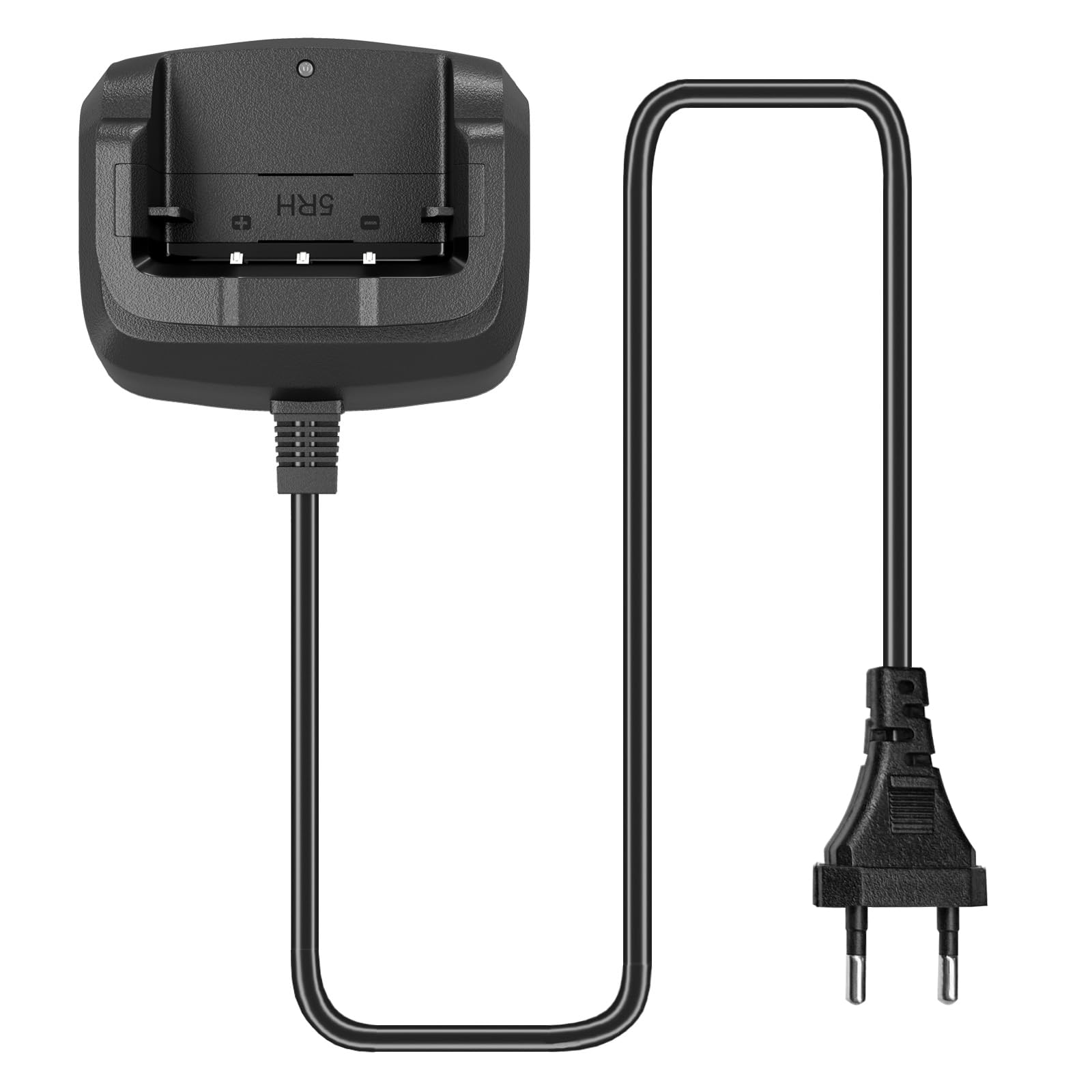
Image: Safety icons illustrating protection against overcharge, temperature, overcurrent, short circuit, and high voltage.
3. Product Overview
The BAOFENG UV-5RM Battery Charger Base is designed for efficient and safe charging of Li-ion batteries used in various Baofeng walkie-talkie models. It features an intuitive LED indicator and robust safety functions.
Key Features:
- Perfect Original Battery Compatibility: Designed for a seamless fit with original Baofeng batteries, ensuring reliable performance.
- Advanced Safety Protection: Incorporates low heat dissipation, overcurrent protection, and overtemperature protection.
- Intuitive LED Charging Indicator: A red light indicates charging in progress, and a green light indicates charging is complete.
- Wide Model Compatibility: Compatible with GM-5RH, UV-5G Plus GMRS, UV-5RM, UV-5RH Pro Max, UV-5RH Pro, BAOFENG K5Plus, BAOFENG K5 Pro Max, UV-16M, and AR-5RM models.

Image: The BAOFENG UV-5RM Battery Charger Base with its integrated power cord.

Image: Diagram showing the dimensions of the charger base: 3.58 inches (width), 3.04 inches (depth), and 1.75 inches (height).
4. Setup
Follow these steps to set up your charger base:
- Unpack the charger base and ensure all components are present and undamaged.
- Connect the integrated power cord of the charger base to a standard 100-240V AC power outlet.
- Place the charger base on a stable, flat surface, away from direct sunlight and heat sources.

Image: Close-up view of the integrated power cord connection to the charger base.
5. Operating Instructions
To charge your radio battery:
- Ensure the charger base is connected to a power source.
- Carefully insert the radio (with battery attached) or the battery alone into the charging slot of the base. Ensure it is seated correctly and makes proper contact with the charging terminals.
- Observe the LED indicator on the charger base:
- A RED light indicates that the battery is currently charging.
- A GREEN light indicates that the battery is fully charged.
- Once the green light appears, the charging process is complete. You may remove the radio or battery from the charger.

Image: The LED indicator on the charger base, showing red for 'Charging' and green for 'Charged Complete'.

Image: A Baofeng walkie-talkie correctly placed in the charger base for charging.

Image: A BAOFENG K5 Plus two-way radio, illustrating compatibility with the charger base.

Image: A BAOFENG UV-5RM two-way radio, illustrating compatibility with the charger base.
6. Maintenance
Proper maintenance ensures the longevity and optimal performance of your charger base:
- Cleaning: Disconnect the charger from the power outlet before cleaning. Use a soft, dry cloth to wipe the surface of the charger. Do not use liquid cleaners or solvents.
- Storage: When not in use, store the charger in a cool, dry place, away from extreme temperatures and humidity.
- Inspection: Periodically inspect the power cord and charger base for any signs of damage. If damage is found, discontinue use and contact support.
7. Troubleshooting
If you encounter issues with your charger, refer to the following common problems and solutions:
| Problem | Possible Cause | Solution |
|---|---|---|
| Charger LED is off, no charging. | No power to the charger; improper battery/radio placement. | Check power outlet connection. Re-seat the battery/radio firmly in the charging slot. |
| LED remains red after extended charging. | Battery fault; charger fault. | Try charging a different compatible battery. If the issue persists, contact technical support. |
| Charger feels excessively hot. | Poor ventilation; internal fault. | Ensure adequate airflow around the charger. Discontinue use if overheating persists and contact support. |
8. Specifications
- Charger Type: Li-ion Battery Charger
- Input Voltage: 100-240V AC
- Output Voltage: DC 8.4V
- Output Current: 0.25A / 500mA
- Dimensions (L x W x H): Approximately 9.1 x 5.4 x 1.6 cm (3.58 x 3.04 x 1.75 inches)
- Compatible Devices: Baofeng K5Plus, GM-5RH, UV-5G Plus, UV-5RM, UV-5RH Pro Max, UV-5RH Pro, UV-16M, AR-5RM Radios
- Manufacturer: BAOFENG Electronics Co., Ltd
- Country of Origin: China
9. Warranty and Support
Your BAOFENG UV-5RM Battery Charger Base comes with a warranty and dedicated support:
- Warranty: A 3-month warranty is provided exclusively through "Shiqun Electronics Co., Ltd". Please retain your proof of purchase for warranty claims.
- Technical Support: If you encounter any problems or have questions regarding the use of your charger with compatible models, professional technical support services are available. Please feel free to contact us for assistance to ensure the best user experience.