
1. Introduction
This manual provides essential information for the safe and effective use of your Vannect X390AS Treadmill. Please read all instructions carefully before operation and retain this manual for future reference. The Vannect X390AS is a versatile walking pad and treadmill designed for home fitness, featuring a 2.75HP motor, adjustable incline, LED display, and a magnetic remote control. It is designed for ease of use with no assembly required.
2. Safety Information
Important Safety Precautions:
- Always consult with a healthcare professional before starting any new exercise program.
- Ensure the treadmill is placed on a flat, stable surface with adequate clear space around it (at least 2 meters behind and 0.6 meters on each side).
- Do not allow children or pets near the treadmill during operation.
- Wear appropriate athletic footwear and clothing.
- Do not operate the treadmill if it is damaged or malfunctioning.
- Keep hands and feet clear of all moving parts.
- Use the safety key/clip if available (consult product for specific safety features).
- The maximum user weight capacity for this treadmill is 150 kg. Do not exceed this limit.
- The running belt features a 5-layer anti-slip design and 10 silicone shock absorbers to reduce impact on joints.

Image: Comparison of Vannect treadmill features (2.75 HP, 150 kg capacity, 10 km/h, silent) against other models, highlighting the robust steel frame.

Image: Illustration of the treadmill's 150 kg weight capacity and 10 shock absorbers for joint protection.
3. Product Components
The Vannect X390AS treadmill includes the following main components:
- Treadmill Unit: Main body with running belt, motor, and frame.
- LED Display: Integrated into the front panel, showing time, speed, distance, and calories burned.
- Magnetic Remote Control: For adjusting speed and pausing the workout. It can be magnetically attached to the treadmill to prevent loss.
- Power Cable: For connecting the treadmill to an electrical outlet.
- Adjustment Tool: For belt tension adjustments.

Image: The wireless remote control and LED display, showing metrics like distance, speed, time, and calories.

Image: The magnetic remote control storage feature, allowing it to be securely attached to the treadmill.
4. Setup Instructions
The Vannect X390AS treadmill requires no assembly and is ready to use in seconds.
- Unpack the Box: Carefully remove the treadmill from its packaging.
- Position the Treadmill: Place the treadmill on a flat, stable surface. Ensure there is sufficient space around the unit for safe operation.
- Plug In: Connect the power cable to the treadmill and then to a suitable electrical outlet.
- Start Walking: The treadmill is now ready for use.
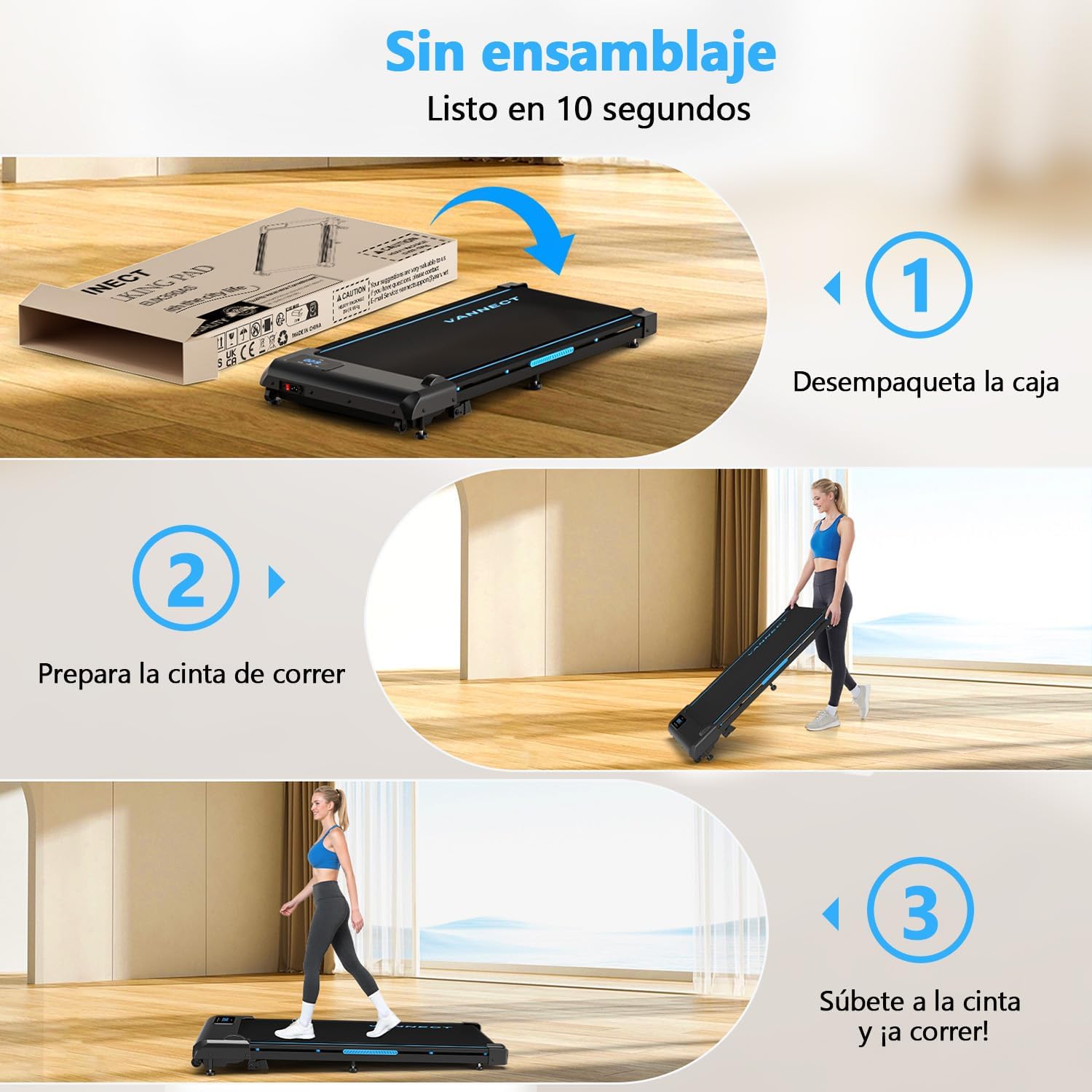
Image: Simple 3-step setup process: Unpack the box, prepare the treadmill, and begin exercising.
Storage
This treadmill is designed for compact storage. It features integrated transport wheels for easy movement. When not in use, it can be stored flat under a sofa or bed, or upright against a wall.

Image: Demonstrates the ease of moving the treadmill using transport wheels and its compact storage capabilities under a sofa or bed.
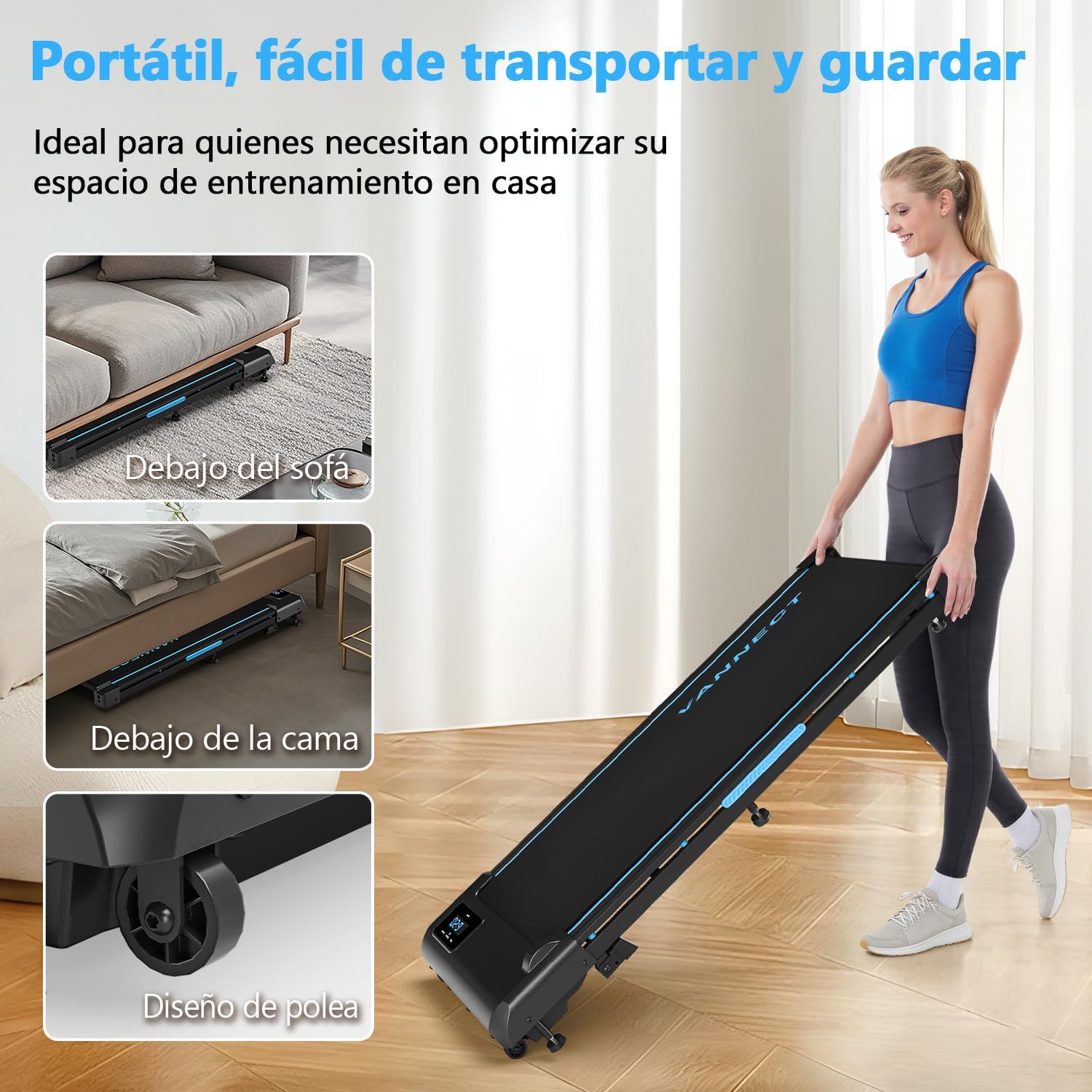
Image: Illustrates the treadmill's portability and ease of storage, fitting under furniture and featuring a pulley design for transport.
5. Operating Instructions
The Vannect X390AS treadmill offers various modes and adjustable settings for your workout.
Power On/Off
- To power on, ensure the treadmill is plugged in and press the power button on the unit or remote control.
- To power off, press the power button again.
Using the Remote Control
The magnetic remote control allows for easy adjustment of speed and pausing your workout.
- Use the speed buttons to increase or decrease the belt speed.
- Press the pause button to temporarily stop your workout. All data will be saved, allowing you to resume from where you left off.
Speed Modes
The treadmill supports speeds from 1 km/h to 10 km/h, accommodating various exercise intensities:
- Relaxing Walk: 1 to 3 km/h
- Brisk Walk: 4 to 6 km/h
- Running: 7 to 10 km/h

Image: Various exercise scenarios and speed ranges, including climbing mode (3-6 km/h), exercise at work (1-3 km/h), walking mode (4-6 km/h), and running mode (7-10 km/h).
Adjustable Incline
The treadmill features an adjustable incline of up to 9%, simulating uphill walking or running to intensify your workout and increase calorie expenditure. Refer to the product's physical adjustment mechanism for changing the incline level.

Image: Illustrates the manual adjustable incline feature, showing increased calorie burn (from 200 kcal/h to 360 kcal/h) when using a 9% incline compared to 0%.
LED Display
The integrated LED panel displays real-time workout data:
- Time
- Speed
- Distance
- Calories Burned
6. Maintenance
Regular maintenance ensures the longevity and optimal performance of your treadmill.
Belt Adjustment
The running belt may require occasional adjustment to ensure it remains centered and properly tensioned. Use the included tool to adjust the belt as needed. Refer to the specific adjustment points on your treadmill for correct procedure.

Image: Demonstrates how to adjust the treadmill belt using the provided tool to maintain proper tension and alignment.
Lubrication Program
Regular lubrication of the running deck is crucial for smooth operation and to prevent wear. The frequency of lubrication depends on your usage:
| Frequency of Use | Maintenance Frequency (Lubrication) |
|---|---|
| Less than 3 hours/week | Every 2 months |
| 4-7 hours/week | Every 1 month |
| 8 hours/week or more | Every 2 weeks |

Image: Visual guide for the lubrication program, showing how to apply lubricant under the running belt.
Cleaning
Wipe down the treadmill with a damp cloth after each use to remove sweat and dust. Do not use abrasive cleaners.
7. Troubleshooting
If you encounter any issues with your Vannect X390AS treadmill, refer to the following common troubleshooting steps:
- Treadmill does not power on:
- Ensure the power cable is securely plugged into both the treadmill and a working electrical outlet.
- Check the main power switch on the treadmill (if present).
- Verify the outlet is functional by plugging in another device.
- Running belt slips or stops:
- The belt may need tensioning. Refer to the "Belt Adjustment" section in Maintenance.
- The belt may need lubrication. Refer to the "Lubrication Program" section in Maintenance.
- Ensure the user's weight does not exceed the maximum capacity of 150 kg.
- Unusual noise during operation:
- Check for any loose parts or foreign objects under the belt.
- Ensure the treadmill is on a level surface.
- Lubricate the belt if it has not been done recently.
- Remote control not responding:
- Check the battery in the remote control and replace if necessary.
- Ensure there are no obstructions between the remote and the treadmill's receiver.
If the issue persists after attempting these steps, please contact customer support.
8. Specifications
| Feature | Specification |
|---|---|
| Model Number | X390AS |
| Brand | Vannect |
| Motor Horsepower | 2.75 HP (Brushless) |
| Speed Range | 1 - 10 km/h |
| Maximum Incline | 9% (Adjustable) |
| Maximum User Weight | 150 kg |
| Running Belt Layers | 5-layer anti-slip |
| Shock Absorption | 10 silicone shock absorbers |
| Noise Level | Below 30 dB |
| Display Type | LED (Time, Speed, Distance, Calories) |
| Control Method | Magnetic Remote Control |
| Assembly Required | No |
| Power Source | Electric Cable |
| Product Dimensions (Approx. unfolded) | 116 cm (Length) x 50 cm (Width) |
| Product Height (Approx. folded) | 12.5 cm |
| Product Weight | 21 kg |
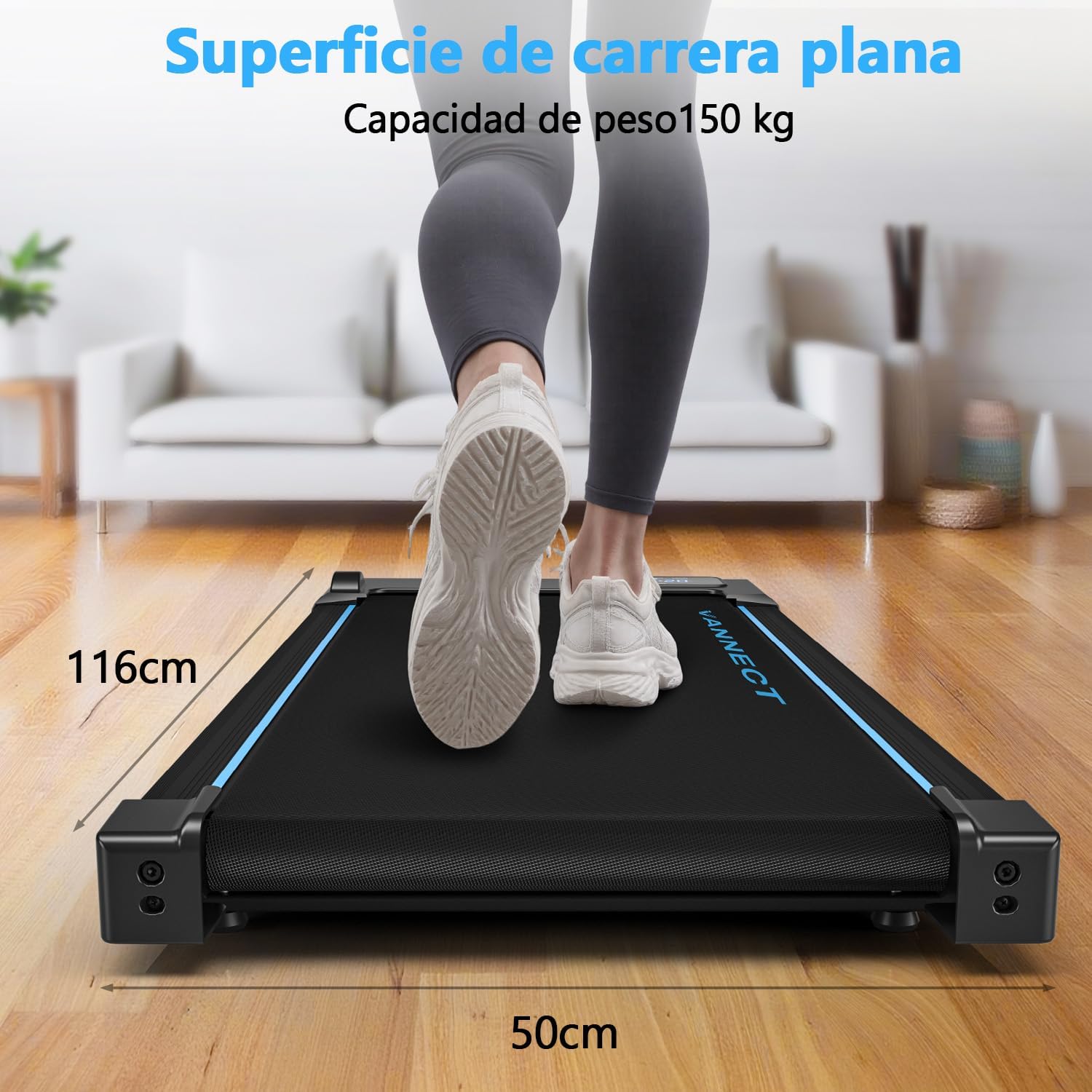
Image: Dimensions of the flat running surface, showing a length of 116 cm and a width of 50 cm.

Image: Highlights the 2.75 HP silent brushless motor, indicating a speed range of 0.6-4 MPH (approx. 1-6.4 km/h) and noise level below 30dB for quiet operation.
9. Warranty and Support
The Vannect X390AS treadmill comes with a 5-year warranty for free spare parts.
For any inquiries, technical assistance, or warranty claims, please contact Vannect customer support. Customer support is available 24/7.
Please refer to your purchase documentation or the official Vannect website for specific contact details.
