
1. Introduction
This manual provides essential instructions for the installation, operation, and maintenance of your Anern AN-SCI-ECO 3200W 24V Hybrid Solar Inverter. This device is an integrated solution featuring a pure sine wave inverter, an 80A MPPT solar charge controller, and a battery charger, designed for off-grid photovoltaic systems. It is compatible with 24V lead-acid, gel, and lithium batteries, offering flexible power management for various applications.
Please read this manual thoroughly before installation and use to ensure proper operation and safety.
2. Safety Instructions
Observe the following safety precautions to prevent injury and damage to the inverter:
- Installation must be performed by qualified personnel in accordance with all local electrical codes.
- Do not attempt to disassemble or repair the inverter yourself. Refer all servicing to authorized service personnel.
- Ensure proper grounding of the inverter.
- Avoid exposing the inverter to rain, snow, spray, or any liquids.
- Do not operate the inverter if it has been physically damaged or if any cables are frayed or damaged.
- Ensure adequate ventilation around the inverter to prevent overheating.
- Always disconnect all power sources (PV array, battery, AC input) before performing any maintenance or wiring.
3. Product Overview
The Anern AN-SCI-ECO 3200W 24V Hybrid Solar Inverter combines multiple functions into one compact unit, providing a reliable power solution for your off-grid needs.
Key Features:
- Integrated Design: Combines a 3200W pure sine wave inverter, an 80A MPPT solar charge controller, and a battery charger.
- High Efficiency MPPT: Maximizes solar power harvesting with up to 95% conversion efficiency.
- Battery Compatibility: Supports 24V lithium, lead-acid, and gel batteries, with activation function for lithium batteries.
- Configurable LCD Display: User-friendly interface for monitoring and setting parameters such as charging current, AC/solar charger priority, and input voltage range.
- Comprehensive Protection: Equipped with multiple safeguards against overheating, overcurrent, overvoltage, undervoltage, short circuit, and overload.

Figure 3.1: Front view of the Anern 3200W 24V Hybrid Solar Inverter, showing the integrated LCD display and control buttons.

Figure 3.2: Diagram illustrating the 'All-in-One' concept, combining an MPPT charge controller, AC battery charger, and power inverter into a single unit.
Protection Features:
The inverter incorporates robust protection mechanisms to ensure safe and reliable operation:
- Short Circuit Protection: Prevents damage from short circuits.
- Overload Protection: Safeguards against excessive power draw.
- Overcurrent Protection: Protects components from high current.
- Overvoltage Protection: Prevents damage from input voltage spikes.
- Undervoltage Protection: Ensures stable operation by preventing low voltage conditions.
- Overtemperature Protection: Shuts down the unit if internal temperatures become too high.
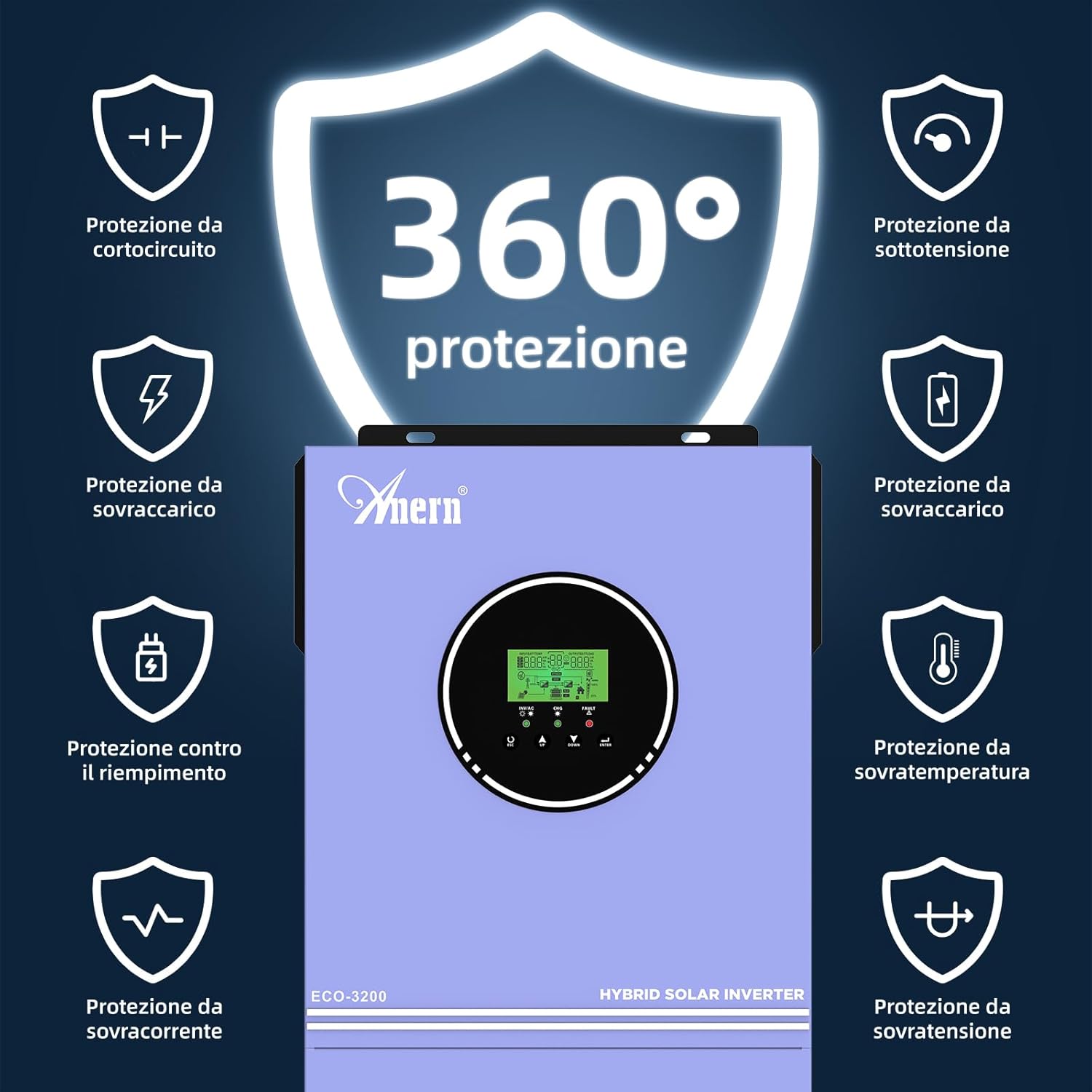
Figure 3.3: Visual representation of the comprehensive 360-degree protection features, including safeguards against short circuit, overload, overcurrent, overvoltage, undervoltage, and overtemperature.
4. Setup
Careful installation is crucial for the performance and longevity of your hybrid inverter. Follow these general guidelines:
4.1 Site Selection:
- Install the inverter indoors in a clean, dry, and well-ventilated area.
- Ensure the ambient temperature is within the recommended operating range.
- Mount the inverter vertically on a non-flammable surface, allowing sufficient clearance for airflow around the unit.
4.2 Wiring Connections:
All wiring should be done with appropriate gauge cables and connectors, following local electrical codes.
- Battery Connection: Connect the 24V battery bank to the inverter's battery terminals. Ensure correct polarity (positive to positive, negative to negative).
- PV Array Connection: Connect the solar panel array to the PV input terminals. Verify that the PV open circuit voltage does not exceed 400V DC.
- AC Input Connection: Connect the utility grid (if applicable) to the AC input terminals.
- AC Output Connection: Connect your loads (appliances) to the AC output terminals.
- Grounding: Ensure the inverter chassis is properly grounded.

Figure 4.1: Connection diagram illustrating how solar collectors, utility grid, battery, and household appliances connect to the hybrid inverter for power management.
5. Operating
Once installed, the inverter can be configured and operated via its LCD display and control buttons.
5.1 Initial Power-Up:
- Ensure all connections are secure and correct.
- Turn on the battery breaker.
- Turn on the PV array breaker.
- Turn on the AC input breaker (if connected to utility).
- Press the power button on the inverter to turn it on.
5.2 LCD Display and Settings:
The LCD display provides real-time status and allows configuration of various operating parameters. Refer to the detailed instructions in the full product manual for specific menu navigation and parameter adjustments.
5.3 Charging Modes:
The inverter supports multiple charging priority modes to optimize energy usage:
- Solar Priority: Solar power is the primary source for charging batteries and powering loads. Utility power is used only when solar power is insufficient.
- Solar + Utility: Both solar and utility power are used simultaneously to charge batteries and power loads.
- Solar Only: Only solar power is used for charging. Utility power is not used for charging.
5.4 Output Modes:
The inverter can be configured to prioritize different power sources for output:
- Solar Priority, then Battery, then Utility: Loads are powered first by solar, then by battery, and finally by the utility grid if both solar and battery are insufficient.
- Solar Priority, then Utility, then Battery: Loads are powered first by solar, then by the utility grid, and finally by the battery if both solar and utility are unavailable.
Figure 5.1: Diagram detailing the three possible charging modes (Solar Priority, Solar+Utility, Solar Only) and two output modes (Solar then Battery then Utility, or Solar then Utility then Battery).
6. Maintenance
Regular maintenance ensures optimal performance and extends the lifespan of your inverter.
- Cleaning: Periodically clean the inverter's exterior with a dry cloth. Ensure ventilation openings are free from dust and debris.
- Connection Checks: Annually inspect all electrical connections (PV, battery, AC input/output) for tightness and signs of corrosion.
- Battery Health: Monitor battery voltage and health according to the battery manufacturer's recommendations.
- Environmental Check: Ensure the installation environment remains dry, well-ventilated, and within the specified temperature range.
7. Troubleshooting
If you encounter issues with your inverter, refer to the following common problems and solutions. For complex issues, contact technical support.
Common Issues:
- No Power Output: Check battery connections, PV input, AC input, and ensure the inverter is turned on. Verify that no protection features (e.g., undervoltage, overload) have been triggered.
- Battery Not Charging: Check PV array connections and voltage. Ensure solar panels are receiving adequate sunlight. Verify charging settings on the LCD display.
- Overload Warning: Reduce the connected load. The inverter will automatically attempt to restart after an overload condition.
- Overtemperature Warning: Ensure adequate ventilation around the inverter. Clear any obstructions from cooling vents. Allow the unit to cool down.
- Fault Codes: Refer to the full product manual for a list of specific fault codes displayed on the LCD and their corresponding troubleshooting steps.
8. Specifications
Detailed technical specifications for the Anern AN-SCI-ECO 3200W 24V Hybrid Solar Inverter:
| Parameter | Value |
|---|---|
| Model | AN-SCI-ECO-3200W |
| Rated Power | 3200W |
| Nominal DC Input Voltage | 24V |
| AC Output Voltage | 220V/230V AC |
| Frequency | 50/60 Hz |
| Max. PV Input Power | 3200W |
| PV Voltage Range | 30-400V DC |
| Max. Open Circuit PV Voltage | 400V DC |
| Max. Charge Current (MPPT) | 80A |
| Display Type | LED |
| Dimensions (Product) | 35 x 20 x 49 cm |
| Weight (Product) | 7 kg |
| Power Source | Solar and Battery Powered |
9. Warranty and Support
Specific warranty details are not provided in this document. For warranty information, technical support, or service inquiries, please contact Anern customer service or your authorized dealer. Keep your purchase receipt as proof of purchase.


