1. Introduction
This manual provides essential instructions for the setup, operation, maintenance, and troubleshooting of your Hwagol Smart Watch. Please read this manual thoroughly before using the device to ensure proper function and to maximize your user experience.

Image 1.1: Hwagol Smart Watch, front view. This image displays the watch's main interface with time and date, highlighting its sleek design and vibrant display.
2. What's in the Box
Verify that all items are present upon unboxing:
- Hwagol Smart Watch (1 unit)
- Charging Cable (1 unit)
- User Manual (this document)
3. Setup Guide
3.1 Charging the Device
Before initial use, fully charge your Hwagol Smart Watch. Connect the provided charging cable to the watch's charging port and a standard USB power adapter (not included). A full charge typically takes approximately 1.5 hours and provides up to 10 days of battery life, depending on usage.
3.2 App Installation and Pairing
To unlock the full functionality of your smart watch, download and install the "JYOUpro" fitness tracking application on your smartphone. The app is compatible with devices running iOS 8.2 or above and Android 5.1 or above, with Bluetooth 5.0 or higher.
- Scan the QR code in the watch's settings or search for "JYOUpro" in your smartphone's app store.
- Install the application.
- Open the JYOUpro app and follow the on-screen instructions to create an account or log in.
- Enable Bluetooth on your smartphone.
- Within the JYOUpro app, navigate to the device pairing section and select your Hwagol Smart Watch from the list of available devices.
- Confirm the pairing request on both your watch and smartphone.
For Bluetooth calling functionality, a single, stable Bluetooth pairing connection is required between the watch and your smartphone.
3.3 Customizing the Watch Face
Personalize your smart watch by changing the watch face. The JYOUpro app offers a variety of pre-designed watch faces, and you can also create your own custom watch face using your phone's photos.
- Open the JYOUpro app on your smartphone.
- Navigate to the 'Dial' or 'Watch Face' section.
- Browse available watch faces or select the DIY option to upload a personal image.
- Synchronize your selection with the watch.

Image 3.1: Customizing the watch dial. This image illustrates the variety of digital and analog watch faces available, including options for displaying health data and app shortcuts.
4. Operating Instructions
4.1 Display and Navigation
The Hwagol Smart Watch features a 1.83-inch full HD touchscreen display, offering clear visuals and smooth interaction. Swipe across the screen to navigate through menus, access notifications, and view various functions.
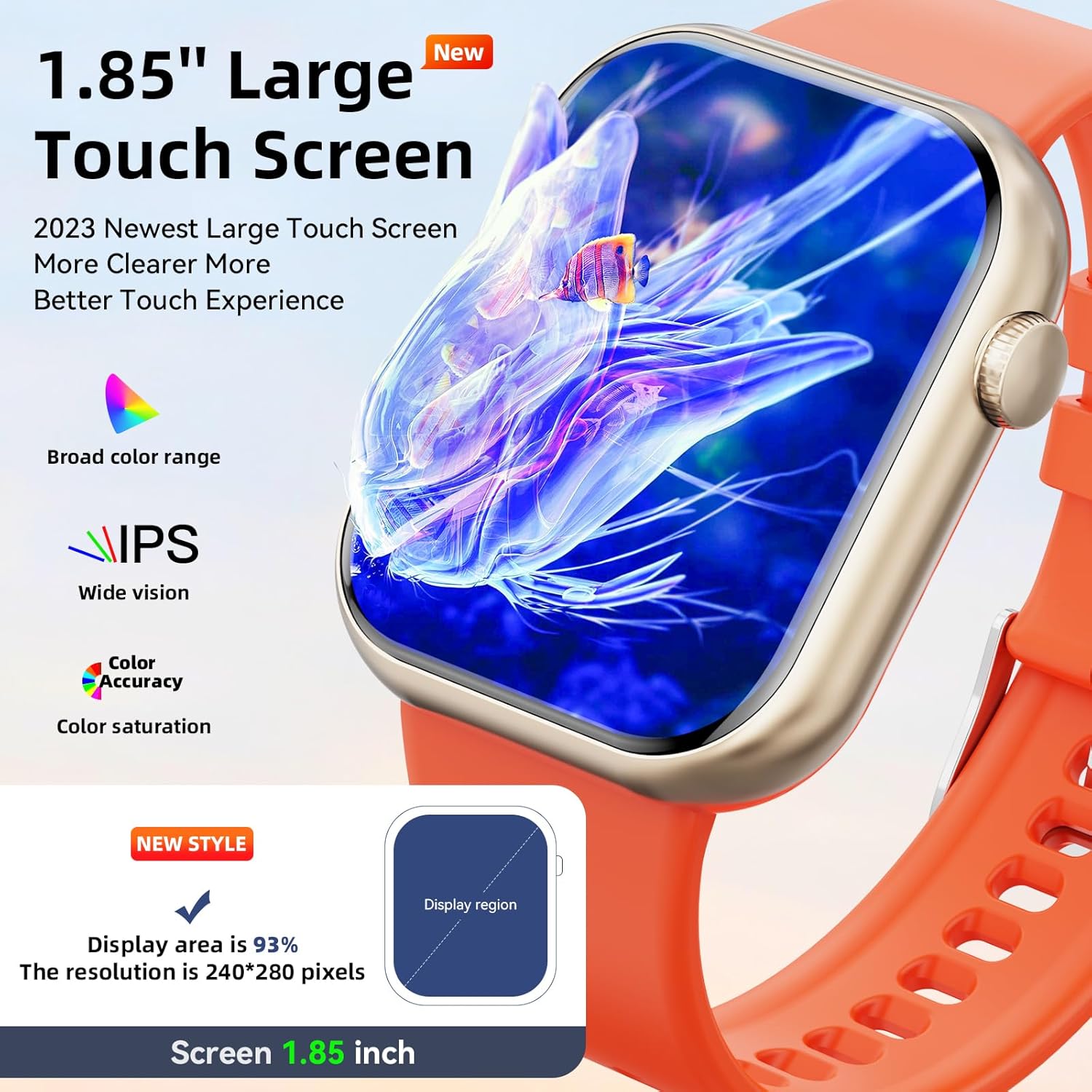
Image 4.1: Large Touch Screen Display. This image highlights the watch's expansive and vibrant display, showcasing its visual clarity and broad color range.
4.2 Bluetooth Calls and Notifications
Once paired with your smartphone, the smart watch allows you to make and receive calls directly from your wrist. You will also receive notifications from various social media applications and messages.
- Making Calls: Access the phone dialer or contact list on the watch to initiate a call.
- Receiving Calls: Answer or hang up incoming calls directly from the watch.
- Notifications: View alerts from apps like Facebook, WhatsApp, Instagram, and Twitter.

Image 4.2: Bluetooth Calling Functionality. This image displays the watch's interface for phone calls, including a dial pad, incoming call screen, call history, and contact list.

Image 4.3: Smart Notifications and Voice Assistant. This image illustrates how the watch displays notifications from messaging and social media apps, and how to interact with the voice assistant for tasks like checking weather or starting a sport mode.
4.3 Multi-Sport Modes
The smart watch supports over 100 sport modes to track your physical activities. It records exercise data such as steps, distance, calories burned, and heart rate, helping you monitor your fitness progress.
- Available Modes: Walking, running, cycling, basketball, football, badminton, rope skipping, table tennis, tennis, baseball, yoga, and more.
- Data Tracking: Access detailed reports of your workouts through the JYOUpro app.

Image 4.4: Multi-Sport Modes and Activity Tracking. This image shows the watch tracking a running activity, with corresponding data like heart rate, calories, and steps displayed on a connected smartphone app.
4.4 Health Monitoring
The Hwagol Smart Watch is equipped with sensors to monitor key health metrics throughout the day and night.
- Heart Rate Monitor: Provides 24/7 heart rate tracking.
- Sleep Monitor: Records sleep duration and quality (light sleep, deep sleep, awake time).
- Blood Oxygen Monitor (SpO2): Measures blood oxygen levels.
All health data can be viewed in detail within the JYOUpro application.

Image 4.5: Health Monitoring Features. This image illustrates the watch's ability to track sleep patterns, heart rate, and blood oxygen levels, providing a comprehensive overview of your health data.
4.5 Other Practical Tools
The smart watch includes several convenient tools for daily use:
- Alarm Clock: Set alarms directly from the watch or app.
- Stopwatch & Timer: For timing activities.
- Music Controller: Control music playback on your connected smartphone.
- Weather Forecast: Get real-time weather updates.
- Sedentary Reminder: Alerts you to move after periods of inactivity.
- Find Your Phone: Helps locate your paired smartphone.
- Voice Assistant: Interact with your phone's voice assistant for quick commands.
- Adjustable Brightness: Customize screen brightness for optimal viewing.
4.6 Water Resistance (IP67)
The Hwagol Smart Watch is IP67 waterproof, meaning it is resistant to splashes, rain, and can be worn during hand washing or light outdoor activities. It is not suitable for hot water, saunas, or prolonged submersion.

Image 4.6: IP67 Waterproof Feature. This image shows the watch being exposed to water, demonstrating its resistance to splashes and hand washing.
5. Maintenance
Proper maintenance ensures the longevity and optimal performance of your smart watch.
- Cleaning: Wipe the watch screen and band regularly with a soft, dry, lint-free cloth. For stubborn dirt, a slightly damp cloth can be used, followed by immediate drying.
- Avoid Chemicals: Do not use harsh chemicals, cleaning solvents, or strong detergents, as these can damage the watch's finish and seals.
- Storage: Store the watch in a cool, dry place away from direct sunlight and extreme temperatures when not in use.
- Charging Port: Keep the charging contacts clean and free of debris to ensure efficient charging.
6. Troubleshooting
If you encounter issues with your Hwagol Smart Watch, refer to the following common solutions:
| Problem | Possible Cause | Solution |
|---|---|---|
| Watch not turning on | Low battery; device malfunction | Charge the watch for at least 30 minutes. If it still doesn't turn on, contact support. |
| Unable to pair with smartphone | Bluetooth off; app not running; incompatible OS; watch too far | Ensure Bluetooth is on for both devices. Restart the JYOUpro app. Check phone OS compatibility (iOS 8.2+, Android 5.1+). Keep devices close during pairing. |
| Notifications not appearing | App permissions; notification settings; Bluetooth disconnected | Check notification permissions for JYOUpro in your phone settings. Ensure app notifications are enabled within JYOUpro. Verify Bluetooth connection. |
| Inaccurate health data | Improper fit; sensor obstruction; movement during measurement | Ensure the watch is worn snugly on your wrist, not too tight or too loose. Clean the sensor on the back of the watch. Remain still during measurements. |
| Watch freezes or lags | Software glitch; too many background processes | Restart the watch by holding down the side button. Ensure the JYOUpro app and watch firmware are updated to the latest version. |
7. Specifications
| Feature | Detail |
|---|---|
| Brand | Hwagol |
| Model | Smart Watch 1.83" |
| Screen Size | 1.83 inches |
| Operating System Compatibility | Android 5.1+, iOS 8.2+ |
| Connectivity | Bluetooth 5.0 |
| Water Resistance Rating | IP67 |
| Battery Life | Up to 10 days (typical usage) |
| Charging Time | Approx. 1.5 hours |
| Health Monitoring | Heart Rate, Sleep, Blood Oxygen (SpO2) |
| Sport Modes | 100+ modes |
| Item Weight | 5 ounces |
| Package Dimensions | 6.46 x 2.91 x 1.1 inches |
8. Warranty and Support
For warranty information and customer support, please refer to the documentation included with your purchase or visit the official Hwagol website. Keep your purchase receipt as proof of purchase for warranty claims.


