
1. Introduction
Thank you for choosing the Poounur T80 Smart Watch. This manual provides essential information for setting up, operating, and maintaining your device. Please read it thoroughly to ensure proper use and to maximize the watch's features. Keep this manual for future reference.
2. Package Contents
Ensure all items are present in the package:
- Poounur T80 Smart Watch
- Charging Cable
- User Manual (this document)
3. Product Overview
The Poounur T80 Smart Watch features a 1.95-inch HD curved display with 3D tempered glass, offering a clear visual experience. It is designed for comfort with a slim 8mm profile and a weight of 32g. The watch integrates various sensors for health and fitness monitoring.
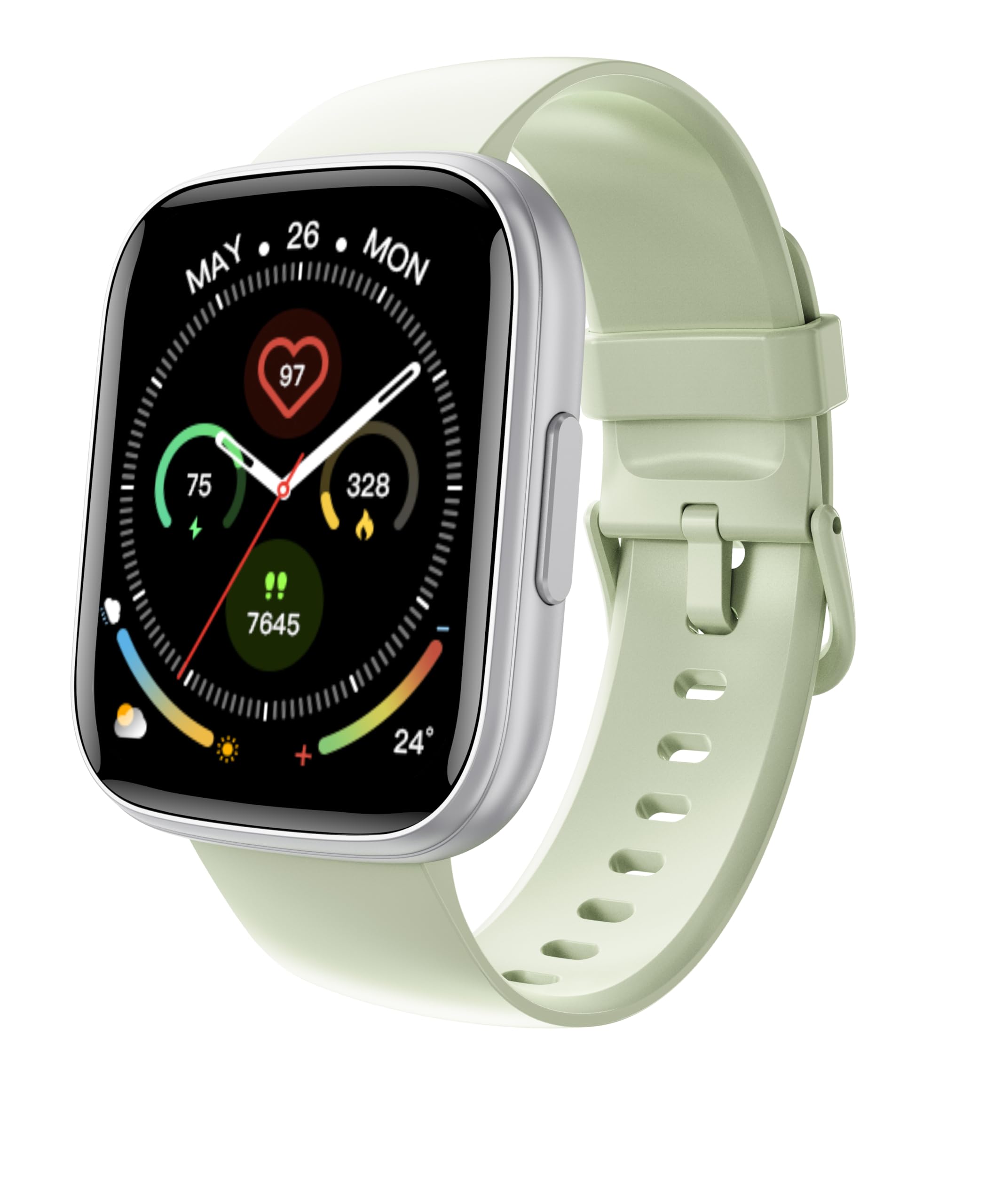
Figure 3.1: Front view of the Poounur T80 Smart Watch, showing its 1.95-inch HD curved display and sleek design.
3.1 Components
- Display: 1.95-inch HD curved touchscreen with 3D tempered glass.
- Side Button(s): For power, menu navigation, and screen activation.
- Sensors: Located on the rear, for heart rate and sleep monitoring.
- Charging Contacts: Magnetic contacts on the rear for charging.
- Microphone: For Bluetooth calling functionality.
- Speaker: For audio output during calls.
4. Setup
4.1 Charging the Device
Before first use, fully charge your smart watch. Connect the magnetic charging cable to the charging contacts on the back of the watch and plug the USB end into a standard USB power adapter (not included) or a computer's USB port. The watch will display a charging indicator.

Figure 4.1: Connecting the magnetic charging cable to the back of the Poounur T80 Smart Watch.
4.2 Power On/Off
- Power On: Press and hold the side button for a few seconds until the screen lights up.
- Power Off: Press and hold the side button, then select the "Power Off" option on the screen.
4.3 App Installation and Pairing
To unlock the full functionality of your Poounur T80 Smart Watch, you need to install the companion application on your smartphone. Refer to the watch screen or the quick start guide for the specific app name (e.g., "FitPro" or similar) and QR code to download it from your phone's app store (Google Play Store for Android, Apple App Store for iOS).
- Download and install the companion app on your smartphone.
- Ensure Bluetooth is enabled on your smartphone.
- Open the app and follow the on-screen instructions to create an account or log in.
- In the app, navigate to the "Device" or "Add Device" section.
- Select your Poounur T80 Smart Watch from the list of available devices. The watch's Bluetooth name typically includes "T80" or "Poounur".
- Confirm the pairing request on both your smartphone and the watch if prompted.
Once paired, the watch will synchronize data with your phone, and you can customize settings through the app.

Figure 4.2: Companion app interface on a smartphone, demonstrating the device pairing process.
5. Operating Instructions
5.1 Basic Navigation
- Swipe Up/Down: Scroll through menus or notifications.
- Swipe Left/Right: Access quick functions or different widgets (e.g., heart rate, weather).
- Tap: Select an item or confirm an action.
- Press Side Button: Return to the home screen, wake up the screen, or access the main menu.
5.2 Bluetooth Calling
After successful pairing, your Poounur T80 Smart Watch supports Bluetooth calling. Ensure the watch is connected to your phone via Bluetooth.
- Making Calls: Access the dial pad or contact list on the watch to initiate a call.
- Receiving Calls: When a call comes in, the watch will display the caller ID. Tap the green icon to answer or the red icon to reject.
- Volume Adjustment: Adjust call volume directly on the watch screen during a call.
5.3 Fitness Tracking
The watch automatically tracks your daily steps, distance traveled, and calories burned. View your progress directly on the watch or in the companion app for detailed statistics.
5.4 Heart Rate Monitoring
The Poounur T80 Smart Watch is equipped with a high-precision optical sensor for heart rate monitoring.
- Manual Measurement: Navigate to the heart rate interface on the watch and tap to start a measurement.
- Continuous Monitoring: Enable 24-hour real-time heart rate monitoring through the companion app settings.
5.5 Sleep Monitoring
Wear the watch to bed, and it will automatically monitor your sleep patterns, including deep sleep, light sleep, and wake-up times. View detailed sleep analysis in the companion app.
5.6 Sports Modes
The watch supports over 110 sports modes. To access:
- From the main menu, select the "Sports" or "Workout" icon.
- Browse and select your desired activity (e.g., running, cycling, swimming).
- Tap to start the activity. The watch will record relevant data such as duration, heart rate, and calories.
- Swipe right or press the side button to pause or end the workout.
5.7 Notifications
Enable app notifications through the companion app settings. Once enabled, the watch will display incoming calls, messages, and alerts from selected applications on your phone.

Figure 5.1: Displaying fitness tracking data and notifications on the Poounur T80 Smart Watch.
6. Maintenance
6.1 Cleaning
Regularly clean your watch and strap to prevent skin irritation and maintain device functionality.
- Wipe the watch screen and body with a soft, lint-free cloth.
- For stubborn dirt, slightly dampen the cloth with water. Do not use harsh chemicals or abrasive materials.
- Clean the charging contacts periodically with a dry cloth to ensure good connection.
6.2 Water Resistance (IP68)
The Poounur T80 Smart Watch is IP68 rated, meaning it is resistant to dust and can withstand immersion in water up to 1.5 meters for up to 30 minutes. This makes it suitable for daily use, hand washing, and light rain.
- Do not use the watch in hot water, saunas, or steam rooms.
- Avoid prolonged immersion or high-pressure water exposure (e.g., diving, high-pressure washing).
- If the watch gets wet, dry it thoroughly before charging or using the side button.
7. Troubleshooting
If you encounter issues with your Poounur T80 Smart Watch, refer to the following common solutions:
| Problem | Solution |
|---|---|
| Watch does not power on. | Ensure the watch is fully charged. Connect it to the charging cable for at least 30 minutes. |
| Cannot pair with smartphone. |
|
| Inaccurate heart rate/step readings. |
|
| Notifications not appearing. |
|
| Short battery life. |
|
8. Specifications
| Feature | Detail |
|---|---|
| Model Number | T80 |
| Display | 1.95-inch HD Curved Touchscreen (320x385 resolution) |
| Dimensions (Package) | 6.85 x 3.74 x 0.75 inches |
| Item Weight | 3.17 ounces (approx. 90g) |
| Battery Capacity | 300 mAh Lithium Polymer |
| Battery Life | 5-7 days (typical usage) |
| Water Resistance | IP68 |
| Connectivity | Bluetooth |
| Operating System | Android Wear 1.1 (Note: This is likely a generic OS reference, actual OS may be proprietary) |
| Special Feature | Camera (Note: This feature is listed in specifications but not typically a primary function for this type of fitness tracker. Functionality may vary or refer to remote camera control.) |
| GPS | Via Smartphone (Connected GPS) |
9. Warranty and Support
For warranty information and customer support, please refer to the warranty card included with your product or contact Poounur customer service directly. Contact details can typically be found on the official Poounur website or through the companion application.
10. Safety Information
- Do not attempt to disassemble or modify the watch.
- Keep the watch away from extreme temperatures and direct sunlight.
- Avoid exposing the watch to strong impacts or drops.
- Consult a medical professional before starting any new exercise regimen, especially if you have pre-existing health conditions.
- The watch is not a medical device and should not be used for medical diagnosis or treatment.
- Keep out of reach of children.


