
1. Introduction
Thank you for choosing the Jugeman S30 Smart Watch. This manual provides essential information for setting up, operating, and maintaining your device. Please read it carefully to ensure optimal performance and longevity of your smartwatch.
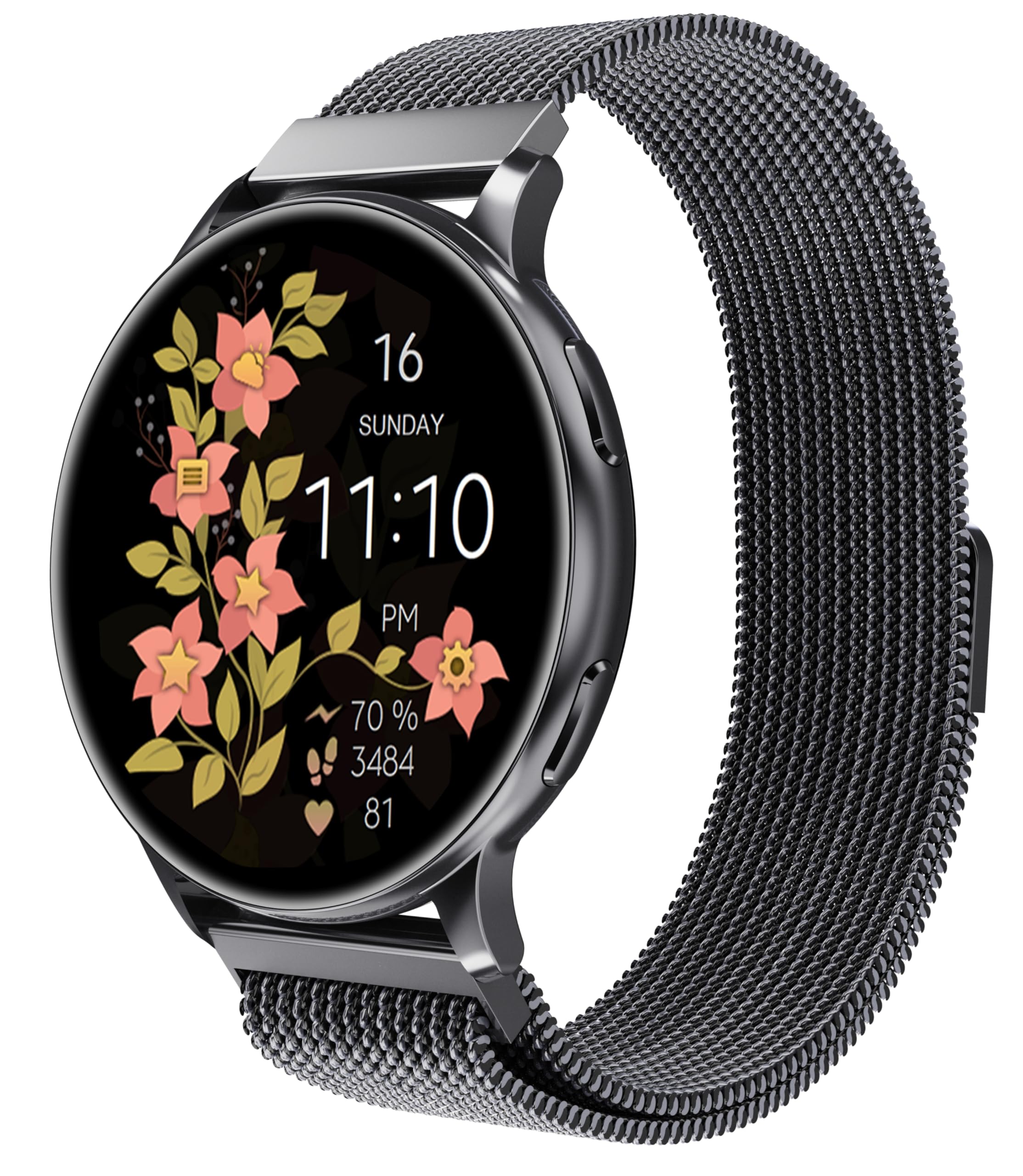
Figure 1: Jugeman S30 Smart Watch. This image displays the smartwatch on a wrist, showcasing its square face with a colorful digital display of time, date, and various activity metrics. The watch has a black strap and a sleek design.
2. Setup Guide
2.1 Unboxing and Initial Charge
Upon unboxing, ensure all components are present: the Jugeman S30 Smart Watch and the charging cable. The watch comes pre-charged, but a full charge before first use is recommended.
2.2 Charging the Smart Watch
Connect the magnetic charging cable to the charging points on the back of the watch. Plug the USB end into a compatible power adapter (not included) or a computer's USB port. A full charge typically takes approximately one hour. The watch features a built-in magnet with two poles (South and North) to ensure correct cable attachment.
Video 1: How to correctly use the data cable to charge the Jugeman S30 Smart Watch. This video demonstrates attaching the magnetic charging cable to the back of the smartwatch, highlighting the correct orientation for charging.
2.3 App Installation and Pairing
Scan the QR code displayed on the watch screen or found in the included quick start guide to download the companion app. The app is available for both Android and iOS devices. Follow the on-screen instructions within the app to pair your smartwatch via Bluetooth. This process typically takes less than three minutes.
Video 2: Introduction to the Jugeman S30 Smart Watch. This video provides an overview of the smartwatch's features and its connection process with a smartphone, demonstrating the ease of setup and synchronization.
2.4 Adjusting the Watch Strap
The watch comes with a comfortable, adjustable strap. To adjust the strap, locate the pins on the underside of the strap where it connects to the watch face. Use the provided tool (if applicable) or a small, pointed object to release the pin and adjust the strap length as needed. Ensure the strap is securely fastened for accurate sensor readings.
Video 3: How to replace and adjust a watch strap. This video illustrates the process of detaching and reattaching the watch strap, showing how to use a tool to manipulate the pins for adjustment.
3. Operating Instructions
3.1 Navigating the Interface
The smartwatch features a responsive touchscreen display. Use swipes and taps to navigate through menus and select functions. A power button is located on the side of the watch for turning the device on/off and waking the screen.
3.2 Key Features
- Call and Message Functionality: Once paired with your smartphone, the S30 Smart Watch allows you to answer and make calls directly from your wrist. You will also receive message notifications.
- Heart Rate Monitoring: The watch continuously monitors your heart rate, providing real-time data and historical trends through the app.
- Activity Tracking: Track daily steps, calories burned, and distance covered. The watch supports various sports modes including walking, running, yoga, and cycling.
- Sleep Tracking: Monitor your sleep patterns and quality, with detailed analysis available in the companion app.
- Music Control: Control music playback on your connected smartphone directly from the watch.
- Customizable Watch Faces: Personalize your watch face display through the app, choosing from a variety of designs.
- Weather Notifications: Receive real-time weather updates when connected to the app.
Video 4: Overview of the Jugeman S30 Smart Watch features. This video highlights the smartwatch's capabilities for women, including fashion aspects, fitness tracking, and daily wear convenience.
4. Maintenance and Care
- Cleaning: Wipe the watch screen and strap regularly with a soft, dry cloth. For stubborn dirt, a slightly damp cloth can be used. Avoid harsh chemicals.
- Water Resistance: The Jugeman S30 Smart Watch is water-resistant. It can withstand splashes, sweat, and light rain. However, it is not recommended for swimming or showering.
- Storage: Store the watch in a cool, dry place when not in use. Avoid extreme temperatures.
5. Troubleshooting
- Watch not turning on: Ensure the watch is fully charged. Connect it to the charger for at least 10-15 minutes.
- Cannot pair with phone:
- Ensure Bluetooth is enabled on your phone.
- Make sure the watch is within close proximity to your phone.
- Restart both your phone and the smartwatch.
- Check if the app is updated to the latest version.
- Inaccurate sensor readings: Ensure the watch strap is snug but comfortable on your wrist. Clean the sensor area on the back of the watch.
- Notifications not appearing: Check your phone's app settings to ensure notifications are enabled for the smartwatch app and that the app has necessary permissions.
6. Specifications
| Feature | Detail |
|---|---|
| Brand | Jugeman |
| Model Number | S30 |
| Screen Size | 1.32 Inches |
| Shape | Round |
| Connectivity | Bluetooth |
| Operating System | Tizen 1.0 |
| Memory Storage Capacity | 2 GB |
| Battery | 1 A Lithium Polymer (included) |
| Item Weight | 0.176 ounces |
| Special Feature | Accelerometer, Built-in GPS |
7. Warranty and Support
For warranty information and customer support, please refer to the documentation included in your product packaging or visit the official Jugeman website. Keep your purchase receipt for warranty claims.

