1. Introduction
The ONE XPLAYER ONEXGPU Lite is a portable external graphics card dock designed to significantly boost the graphical performance of compatible laptops, handhelds, and mini-PCs. Featuring the powerful AMD Radeon RX 7600M XT GPU with RDNA 3 architecture and 8GB GDDR6 VRAM, it delivers enhanced capabilities for gaming, 4K video editing, and 3D rendering. This manual provides essential information for setting up, operating, and maintaining your ONEXGPU Lite.
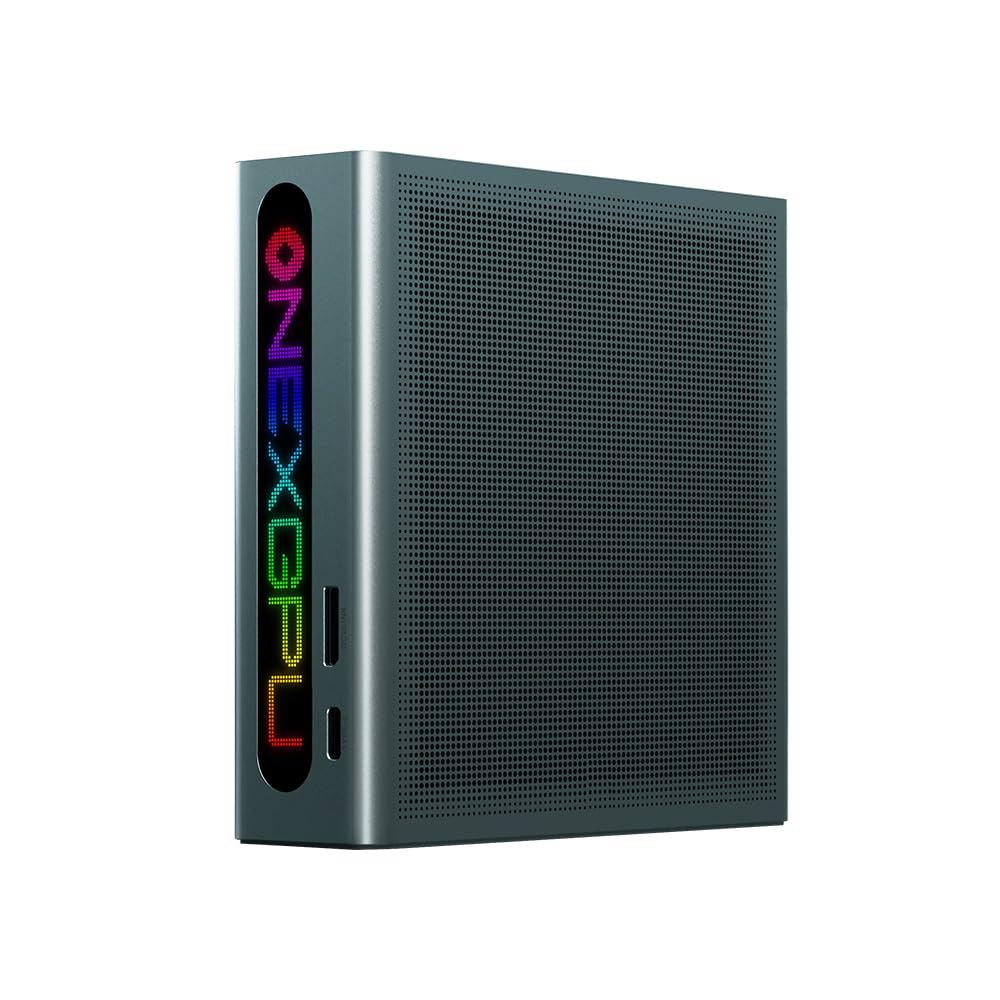
Figure 1.1: The ONE XPLAYER ONEXGPU Lite Graphic Card Dock.
Video 1.1: Overview of the Graphic Card Dock, highlighting its design and features.
2. Setup Guide
2.1 Package Contents
Before proceeding with the setup, ensure all items are present in the package:
- ONE XPLAYER ONEXGPU Lite Graphic Card Dock
- 300W Power Brick with correct plug adapter for your region
- USB4 Cable
- User Manual
Video 2.1: Unboxing and initial overview of the ONEXGPU Lite, including its components.
2.2 Physical Overview and Connections
The ONEXGPU Lite is designed for portability and efficient connectivity. It measures approximately 7.7 x 4.7 x 1.2 inches (19.6 x 12.0 x 3.2 cm) and weighs around 863g.
- Right Side: Power Button, Turbo Button, RGB Cycle Button, 2x USB 3.0 Ports.
- Back Panel: Gigabit Ethernet Port, 2x DisplayPort, 2x HDMI 2.1, Oculink Port, USB 4.0 Port, Power Input.
- Bottom Panel: Removable cover for M.2 2280 SSD (PCIe 3.0 NVMe SSD) expansion.

Figure 2.1: Detailed view of the ONEXGPU Lite's ports and features.
2.3 Connecting the ONEXGPU Lite
- Power Connection: Connect the 300W power brick to the ONEXGPU Lite.
- Device Connection: Connect the ONEXGPU Lite to your laptop, handheld, or mini-PC using the provided USB4 cable. For optimal performance, especially with compatible devices, use an Oculink cable (not included) if your device supports it.
- Display Connection: Connect your external monitor(s) to the ONEXGPU Lite using HDMI 2.1 or DisplayPort 1.4 cables. The dock supports up to four 4K@120Hz displays.
- Power On: Press the power button on the ONEXGPU Lite to turn it on.
Video 2.2: Step-by-step guide on how to connect and set up the graphics dock for the first time.
Video 2.3: Guide on connecting the Oculink port for optimal performance.
Video 2.4: Instructions for installing a Thunderbolt 4 / USB 4 eGPU dock, applicable for USB4 connections.
2.4 Driver Installation and Software Update
After connecting the ONEXGPU Lite, you may need to install the latest AMD Radeon drivers for optimal performance. Refer to the manufacturer's website for the most up-to-date drivers.
- Ensure your host device (laptop/handheld) is connected to the internet.
- Visit the ONE XPLAYER support website to download the latest AMD Radeon RX 7600M XT drivers.
- Follow the on-screen instructions to install the drivers. A system restart may be required.
- Check for any firmware updates for the ONEXGPU Lite via the manufacturer's software or website.
3. Operating Instructions
3.1 Power On/Off and Turbo Mode
- Power On: Press the Power Button on the right side of the dock.
- Power Off: Press and hold the Power Button until the device shuts down, or shut down your host device normally.
- Turbo Mode: Press the Turbo Button to switch between 180W and 130W power modes. Higher wattage provides maximum performance, while lower wattage reduces fan noise and power consumption.
3.2 RGB Lighting Control
The ONEXGPU Lite features customizable RGB lighting. Press the RGB Cycle Button on the right side of the dock to cycle through different lighting patterns and colors.
3.3 Storage Expansion
The ONEXGPU Lite includes an M.2 2280 slot for PCIe 3.0 NVMe SSDs, allowing you to expand your storage capacity.
- Ensure the device is powered off and disconnected from the host.
- Gently remove the magnetic cover on the bottom panel.
- Insert your M.2 2280 SSD into the slot, securing it with the provided screw.
- Replace the magnetic cover.

Figure 3.1: The Oculink interface provides near-zero loss data transfer for optimal performance.
4. Maintenance
To ensure the longevity and optimal performance of your ONEXGPU Lite, follow these maintenance guidelines:
- Cleaning: Use a soft, dry cloth to clean the exterior of the device. Avoid using liquid cleaners or abrasive materials.
- Ventilation: Ensure the ventilation grilles are free from dust and obstructions to maintain efficient heat dissipation.
- Storage: Store the device in a cool, dry place away from direct sunlight and extreme temperatures when not in use.
- Cable Management: Handle cables with care to prevent damage to connectors and ports.
5. Troubleshooting
If you encounter issues with your ONEXGPU Lite, refer to the following common problems and solutions:
- No Display Output:
- Ensure all display cables (HDMI/DisplayPort) are securely connected to both the ONEXGPU Lite and your monitor.
- Verify that the ONEXGPU Lite is powered on and connected to your host device.
- Check if the correct display input is selected on your monitor.
- Update or reinstall the graphics drivers on your host device.
- Poor Performance:
- Ensure the latest AMD Radeon drivers are installed.
- Activate Turbo Mode on the ONEXGPU Lite for maximum power delivery.
- Verify that your host device's USB4 or Oculink port is functioning correctly.
- Close unnecessary background applications on your host device.
- Device Not Recognized:
- Ensure the USB4 or Oculink cable is securely connected.
- Restart both the ONEXGPU Lite and your host device.
- Check your host device's BIOS/UEFI settings to ensure external GPU support is enabled (if applicable).
- Overheating/Loud Fan Noise:
- Ensure the ONEXGPU Lite's ventilation grilles are not obstructed.
- Consider switching to the 130W Turbo Mode to reduce heat and fan noise.
- Ensure the device is placed on a flat, stable surface with adequate airflow.
6. Specifications
| Feature | Specification |
|---|---|
| Graphics Coprocessor | AMD Radeon RX 7600M XT |
| Graphics RAM Size | 8 GB GDDR6 |
| Architecture | AMD RDNA 3.0 |
| Stream Processors | 2048 |
| Connectivity | Thunderbolt 5 (80Gbps), USB4, Oculink |
| Video Output Interface | 2x HDMI 2.1, 2x DisplayPort 1.4 |
| Max Display Output | 4K@120Hz (up to 4 displays) |
| Power Delivery | 65W reverse charging |
| Dimensions (LxWxH) | 117 x 114 x 35mm (approx. 4.6 x 4.5 x 1.4 inches) |
| Weight | 482.6g (approx. 1.06 lbs) |
| Storage Expansion | M.2 2280 SSD slot (PCIe 3.0 NVMe) |
| Cooling | Finely perforated ventilation, metal thermal conductivity |
| Noise Level | Approx. 46 dB |
7. Warranty and Support
For warranty information, technical support, or service inquiries, please refer to the warranty card included in your product packaging or visit the official ONE XPLAYER website. Keep your proof of purchase for warranty claims.


