
1. Introduction
This manual provides detailed instructions for the installation, operation, and maintenance of your SSV Works Overhead Soundbar, Model 250-WP3-RXP1O2A. This soundbar is specifically designed for 2024-2026 Polaris RZR XP 1000 and 4XP 1000 models, offering a seamless integration with your vehicle's factory roll cage and mirror.
The system includes a built-in 200-watt 4-channel amplifier, two 6.5" 120W A6 powersports speakers, and an MRB3S Bluetooth radio with AM/FM and weather band capabilities. An integrated dome light is also included for enhanced visibility.
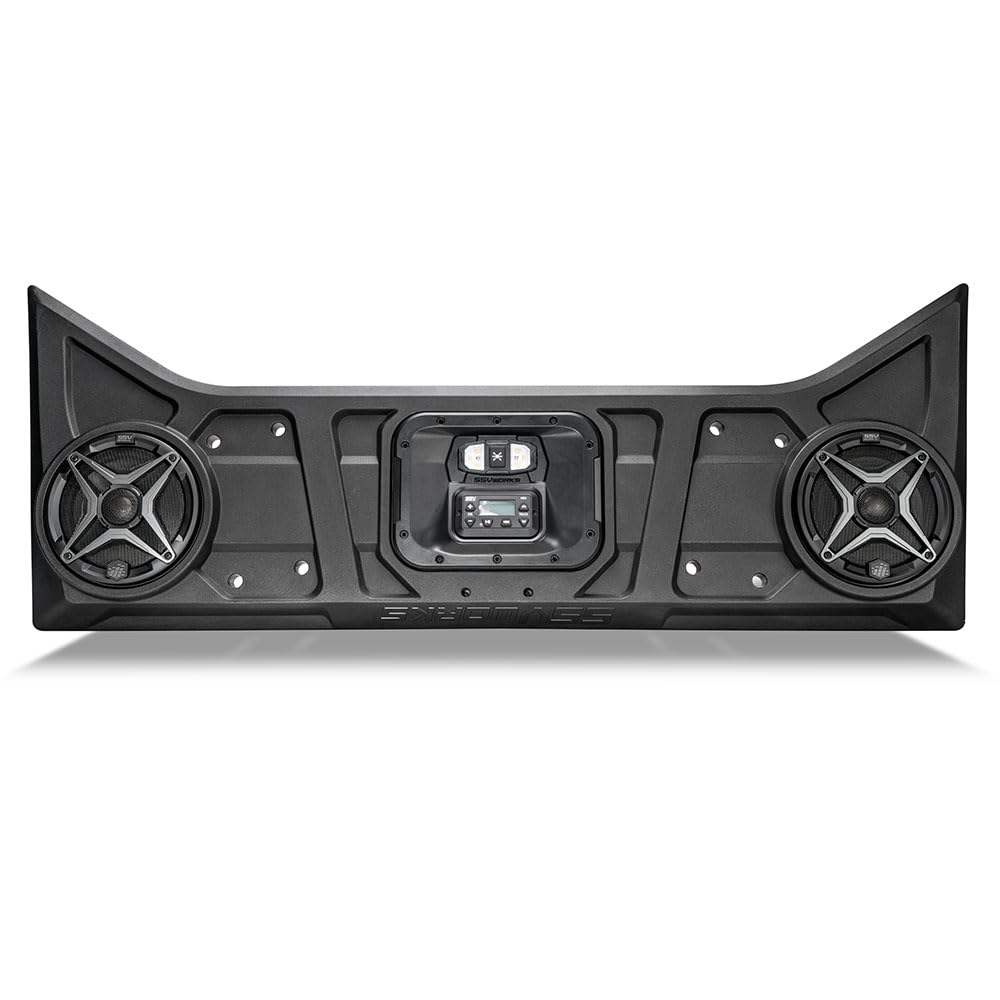
Figure 1: The SSV Works Overhead Soundbar, Model 250-WP3-RXP1O2A.

Figure 2: Detail of the 6.5" SSV A6 Powersports Speaker.
2. Package Contents
Before beginning installation, please verify that all components are present:
- Overhead Soundbar Enclosure
- MRB3S Radio/Amplifier Unit
- Two SSV A6 Speakers (6.5 inches)
- Integrated Dome Light
- Wiring Harness
- Mounting Hardware
3. Installation Guide
The SSV Works Overhead Soundbar is designed for easy, bolt-on installation without requiring cutting or modifications to your vehicle. The pre-assembled enclosure simplifies the setup process.
3.1 Mounting the Soundbar
- Position the soundbar against the factory roll cage. Ensure proper alignment and that it does not interfere with headroom.
- Secure the soundbar to the roll cage using the provided mounting clamps and hardware. Tighten all fasteners to ensure a stable fit.
- Verify that the soundbar retains compatibility with the OEM roof and mirror. The design allows for the factory rearview mirror to be retained within the enclosure.
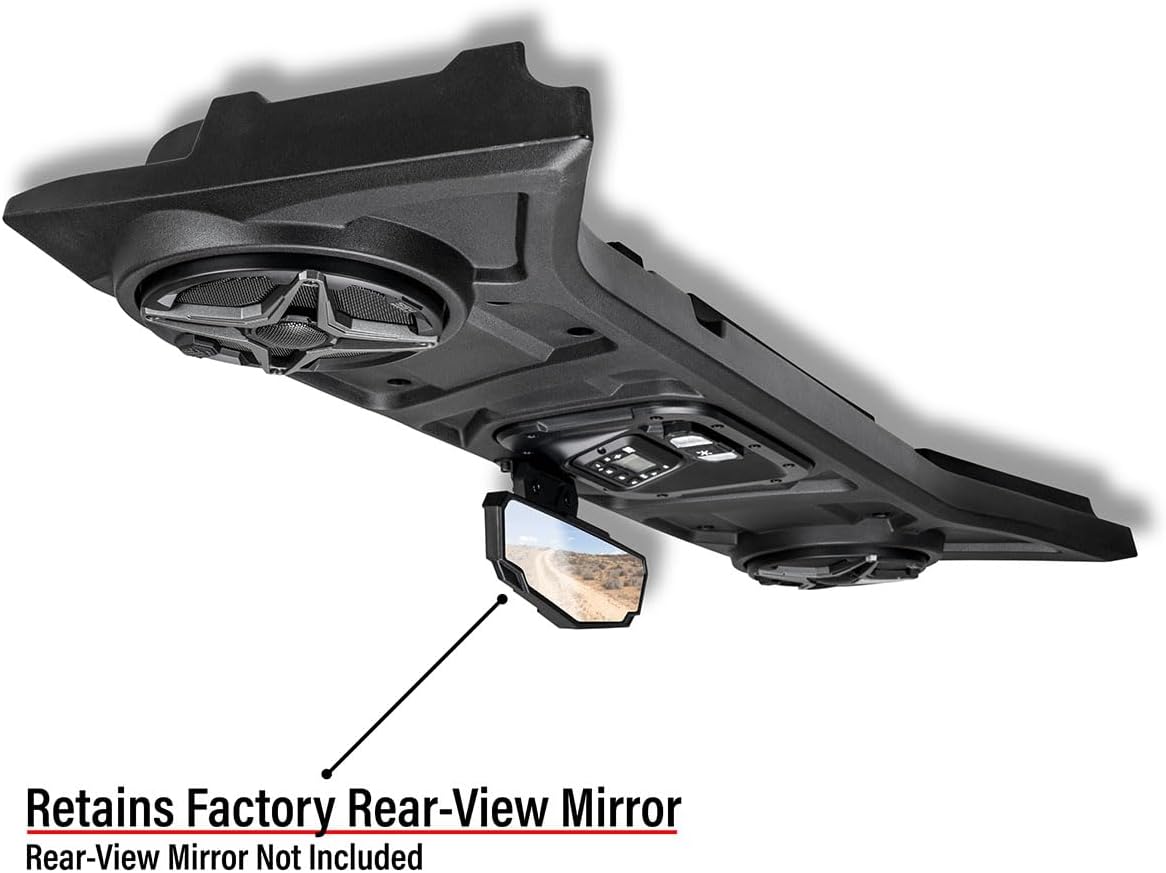
Figure 3: Soundbar installed, demonstrating retention of the factory rearview mirror.

Figure 4: Side view of the soundbar installation, confirming no interference with headroom.
3.2 Electrical Connections
The system features a two-wire installation process.
- Connect the main power wire from the soundbar to your vehicle's battery (positive terminal).
- Connect the ground wire from the soundbar to a suitable ground point on your vehicle's chassis (negative terminal).
- Ensure all connections are secure and properly insulated to prevent short circuits.
Video 1: This video demonstrates the installation process of the SSV Works Overhead Soundbar, including mounting and electrical connections. It highlights the ease of installation and the integrated features.
4. Operating Instructions
Your SSV Works soundbar is equipped with an MRB3S Bluetooth radio, providing multiple audio input options and controls.
4.1 MRB3S Radio Controls
- Power Button: Press and hold to turn the unit on or off.
- Volume Control: Use the +/- buttons to adjust the audio output level.
- Mode Button: Cycle through available audio sources: Bluetooth, AM/FM radio, Aux-in.
- Track/Tune Buttons: Use these buttons to skip tracks in Bluetooth/Aux mode or tune radio stations in AM/FM mode.
- Weather Band: Access weather band frequencies for local weather alerts.

Figure 5: Detailed view of the MRB3S Bluetooth radio and dome light controls.

Figure 6: User interacting with the MRB3S radio controls.
4.2 Bluetooth Pairing
- Ensure the MRB3S radio is powered on and in Bluetooth mode.
- On your mobile device, navigate to Bluetooth settings and search for available devices.
- Select "SSV Works MRB3S" from the list to pair. A confirmation tone will sound upon successful pairing.
4.3 Integrated Dome Light
The soundbar includes an integrated LED dome light. Use the dedicated button near the radio controls to turn the light on or off, providing illumination for your vehicle's interior at night.
4.4 System Expansion
The MRB3S radio features a 4V RCA low-level preout, allowing for expansion with additional speakers or subwoofers. Plug-and-play rear cage speaker pods can be added to create a 4-speaker system, utilizing the existing amplifier.
5. Maintenance
To ensure the longevity and optimal performance of your SSV Works soundbar, follow these maintenance guidelines:
- Cleaning: The soundbar is designed to be weatherproof. Clean the enclosure and speakers with a mild soap and water solution. Avoid high-pressure washing directly on the speakers or radio unit.
- Connections: Periodically check all electrical connections for tightness and corrosion. Ensure wiring is secure and free from damage.
- Speaker Grilles: Keep speaker grilles free from debris, mud, or sand to maintain clear audio output.
- Storage: If storing the vehicle for an extended period, ensure the soundbar is clean and disconnected from the power source if necessary.
6. Troubleshooting
If you encounter issues with your soundbar, refer to the following common troubleshooting steps:
| Problem | Possible Cause | Solution |
|---|---|---|
| No power to the unit. | Loose power/ground connection, blown fuse. | Check battery and ground connections. Inspect the inline fuse (if applicable) and replace if blown. |
| No audio output. | Incorrect source selected, low volume, un-paired Bluetooth device. | Verify the correct input mode (Bluetooth, AM/FM, Aux). Increase volume. Re-pair Bluetooth device. |
| Distorted sound. | Volume too high, damaged speaker, poor connection. | Reduce volume. Inspect speakers for damage. Check speaker wire connections. |
| Bluetooth not connecting. | Device too far, radio in wrong mode, previous device still connected. | Ensure device is within range. Switch radio to Bluetooth mode. Disconnect from other Bluetooth devices. |
If these steps do not resolve the issue, please contact SSV Works customer support.
7. Specifications
| Feature | Detail |
|---|---|
| Model Number | 250-WP3-RXP1O2A |
| Compatibility | 2024-2026 Polaris RZR XP 1000 / 4XP 1000 |
| Speaker Type | 6.5" SSV A6 Powersports Coaxial Speakers |
| Speaker Max Output Power | 120 Watts (per speaker) |
| Amplifier | Built-in 200-watt 4-channel amplifier |
| Radio Unit | MRB3S Bluetooth Radio (Bluetooth, AM/FM, Aux-in, Weather Band) |
| Connectivity Technology | Bluetooth |
| Audio Output Mode | Stereo |
| Enclosure Material | High Strength Roto-Mold |
| Water Resistance Level | Water Resistant (Fully Weatherproof) |
| Input Voltage | 12 Volts (Vehicle Battery / Pulse Bar) |
| Item Dimensions (D x W x H) | 20"D x 48"W x 7.6"H |
| Item Weight | 10 Pounds |
| Additional Features | Easy Install, Pre-Built, Integrated Dome Light, Retains Factory Rearview Mirror |
8. Warranty and Support
SSV Works stands behind the quality of its products. Your soundbar comes with the following warranty:
- SSV Works Components: Limited Lifetime Warranty
- Kicker Speakers: Limited 3-Year Warranty
For warranty claims, technical assistance, or further support, please contact SSV Works customer service directly. Refer to the official SSV Works website for the most current contact information.


