Introduction
This manual provides essential information for the safe and effective operation of your Potensic ATOM 2 drone and RC PTD 1 remote controller. Please read this manual thoroughly before operating the product to ensure proper usage and to maximize your flying experience.
Package Contents
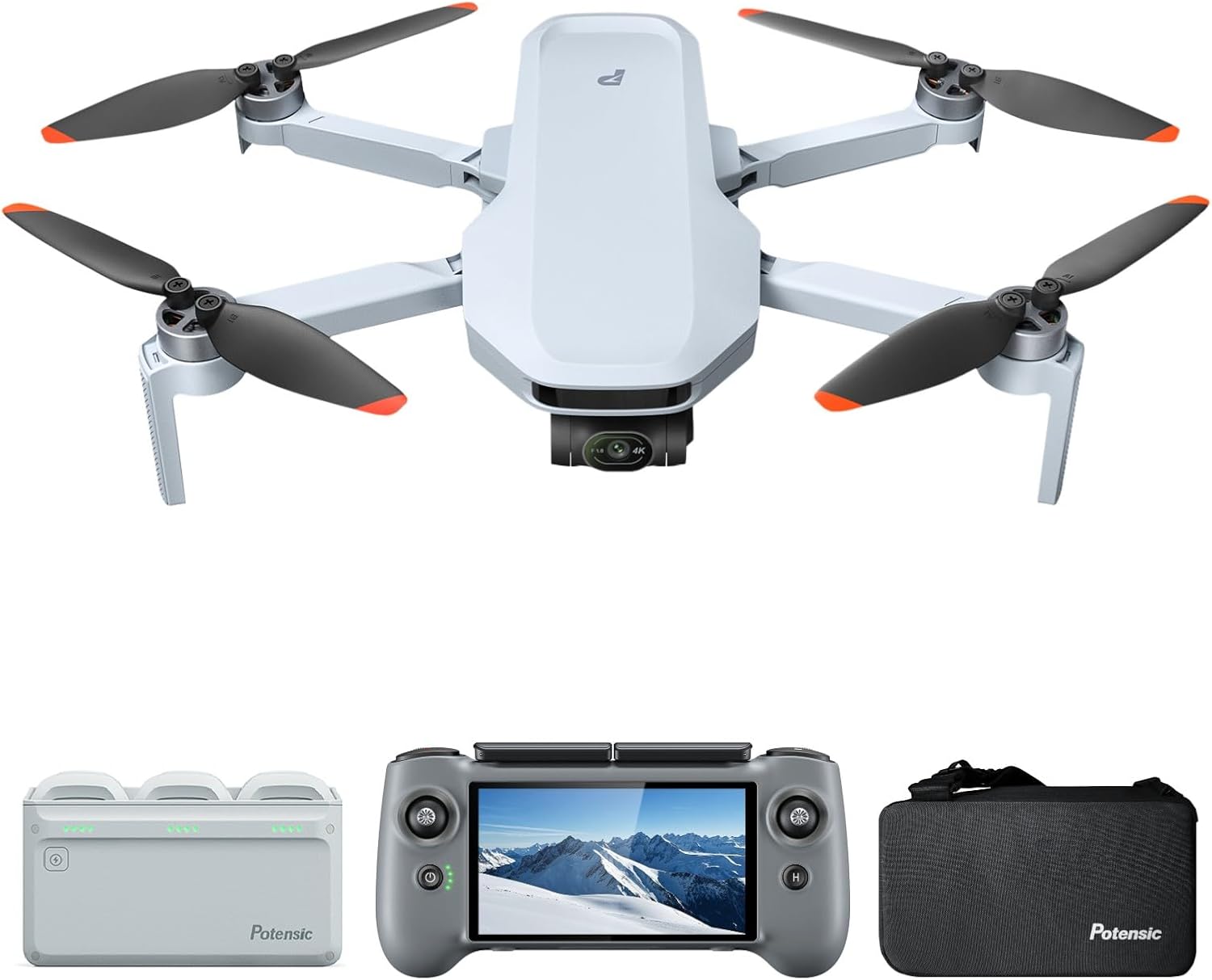
The Potensic ATOM 2 Fly More Combo includes the following items:
- 1 x ATOM 2 Drone
- 1 x Remote Controller with Display (RC PTD 1)
- 1 x Shoulder Bag
- 3 x Batteries
- 1 x Gimbal Protector
- 1 x Parallel Charging Hub
- 1 x Charging Hub Adapter
- 1 x Propeller Holder Strap
- 16 x Spare Propellers (8 Pairs)
- 16 x Spare Screws
- 1 x Screwdriver
- 1 x USB-C Charging Cable

Setup
1. Drone Preparation
- Unfold the drone arms carefully.
- Remove the gimbal protector.
- Insert a fully charged battery into the drone.
2. Controller Setup (RC PTD 1)
- Extend the controller antennas.
- Gently screw the joysticks into place.
- Power on the controller by pressing and holding the power button.
- Ensure the controller battery is sufficiently charged. The controller supports 27W fast charging, reaching 90% in approximately 85 minutes.
3. Battery Charging
The Fly More Combo includes a parallel charging hub that supports quick-charging for three batteries simultaneously, completing a full charge in approximately 1.3 hours.
Key Features
Camera and Imaging
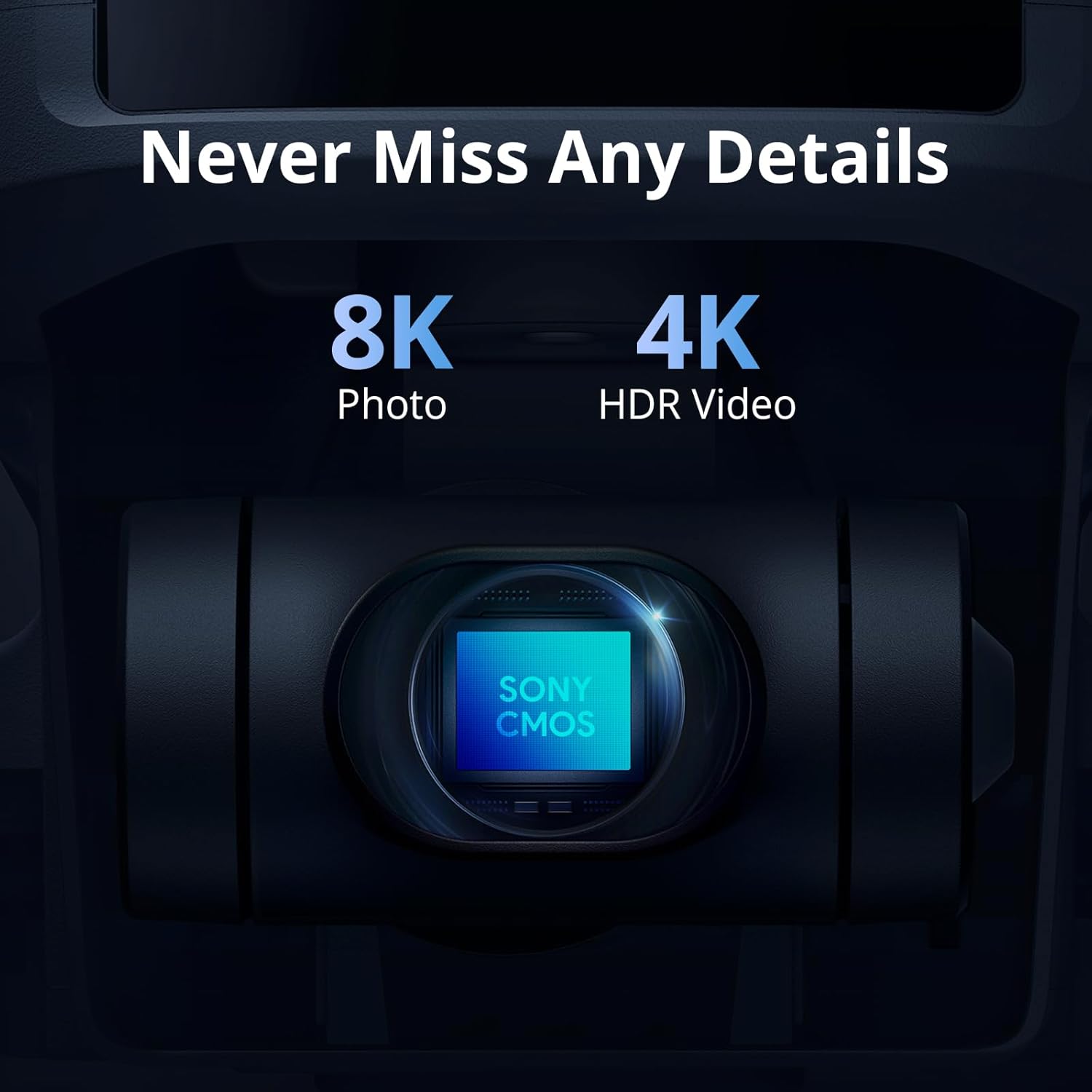
- Sensor: Equipped with a 1/2" Sony CMOS sensor.
- Photo Resolution: Captures 8K photos (48MP).
- Video Resolution: Records 4K/30fps HDR stable videos within a 3-axis gimbal.
- Low-Light Performance: F1.8 aperture and 4-in-1 pixels enhance low-light performance, detail, and color.
- P-Log Mode: Assists in obtaining vivid and realistic images with greater editing flexibility.
- Vertical Shooting: Supports 2.7K vertical shooting, perfectly framed for social media.
- Digital Zoom: Features 4x digital zoom (supported in 1080p 24/25/30fps video).
- Photo Modes: Includes panoramic, burst mode, and interval timer shooting.
- Video Modes: Offers Dolly Zoom, Slow Motion, and QuickShots for cinematic videos.
- AI Night Shot: AI model intelligently identifies scenes and applies precise enhancements for clear night videos.
Flight Performance
- Weight: Under 249g, eliminating the need for FAA and Remote ID registration.
- Transmission: PixSync 4.0 technology provides stable control and 1080p/30fps live video up to 10KM with 120ms latency.
- Flight Time: Up to 32 minutes per battery, with the Fly More Combo offering up to 96 minutes with three batteries.
- Stability: Features a 3-axis gimbal for stable video and level 5 wind resistance.

RC PTD 1 Remote Controller
- Integrated Display: 5.5-inch FHD touchscreen (1920x1080) with 700 nits brightness for clear visibility even in bright conditions.
- Battery Life: Provides up to 3 hours of runtime.
- Fast Charging: Supports 27W fast charging (90% in 85 minutes).
- Storage: 32GB built-in storage with an expandable MicroSD card slot.
- Dedicated Screen: Eliminates phone interruptions during flight.
- Controls: Features customizable C1/C2 function buttons and precise control sticks.
Operating Instructions
AI Track Modes
The ATOM 2 drone, powered by an AI model, offers premium object locking and imagery technology. Frame your target to access the following tracking modes:
- Spotlight: Keeps the subject in the center of the screen, allowing for camera movement at different angles.
- Follow: The drone tracks the target while maintaining the same geographical orientation in relation to the target.
- Parallel: The drone flies alongside the target, capturing footage from a side perspective.

Smart Flight Features
- GNSS Positioning: Offers precise positioning with a customizable HOME Point.
- Smart Return-to-Home (RTH): Automatically returns the drone to its take-off point.
- Cruise Control: Maintains a set speed and direction.
- Auto Takeoff and Landing: Simplifies the most critical phases of flight.
- QuickShots: Pre-programmed flight paths for capturing cinematic video clips with ease.
Maintenance
Regular maintenance ensures the longevity and optimal performance of your Potensic ATOM 2 drone.
- Propeller Inspection: Regularly check propellers for any damage (nicks, bends, cracks). Replace damaged propellers immediately using the provided spare parts and screwdriver. Always replace propellers in balanced pairs (clockwise with clockwise, counter-clockwise with counter-clockwise).
- Battery Care: Fully charge batteries before each flight. Store batteries in a cool, dry place. Avoid overcharging or completely draining batteries.
- Cleaning: Use a soft, dry cloth to clean the drone body, camera lens, and controller screen. Avoid using harsh chemicals.
- Firmware Updates: Periodically check the Potensic Eve app for firmware updates to ensure optimal performance and access to new features.
Troubleshooting
If you encounter any issues with your Potensic ATOM 2 drone, please refer to the following general troubleshooting tips:
- Connection Issues: Ensure the drone and controller are fully charged and within range. Restart both devices and attempt to reconnect.
- Flight Instability: Check propellers for damage and replace if necessary. Ensure the drone is calibrated correctly before flight. Avoid flying in strong winds.
- Image/Video Quality: Clean the camera lens. Ensure proper lighting conditions or utilize AI Night Shot for low-light scenarios.
- App Malfunctions: Ensure the Potensic Eve app is updated to the latest version. Restart the app or your mobile device.
For more detailed assistance, utilize the in-app chat service available through the Potensic Eve app.
Specifications
| Feature | Specification |
|---|---|
| Brand | Potensic |
| Model Name | ATOM 2 |
| Item Weight | 245 Grams (8.6 ounces) |
| Product Dimensions | 5.6"L x 3.5"W x 2.28"H |
| Video Capture Resolution | 4K |
| Effective Still Resolution | 48 MP (8K Photo) |
| Max Transmission Range | 10KM |
| Max Flight Time | 32 Mins (per battery) |
| Gimbal | 3-Axis |
| Controller Display | 5.5" FHD Touchscreen (700 nits) |
| Controller Battery Life | Up to 3 hours |
| Connectivity Technology | Wi-Fi |
Warranty and Support
Potensic Care is available through our new Potensic Eve app, offering comprehensive accident coverage and instant support via in-app chat service. Enjoy your flight without concern.
For direct support, you may contact Potensic Customer Support:
- Phone Service: +1 833 549 7772 (Sat-Mon 7 AM - 10 PM EST, Tue-Fri 9 AM - 6 PM EST)
- Email: Support@potensic.com