
1. Introduction
The SYNCO AI Mini Wireless Lavalier Microphone (SMIC) is designed for content creators using Android USB-C devices. It features AI noise reduction, automatic voice leveling, and integration with the SYNCO AI app for real-time translation, instant summaries, and mind maps. This manual provides instructions for setting up, operating, and maintaining your SMIC microphone system.

Image: The SYNCO AI Mini Wireless Lavalier Microphone system, including two transmitters, a USB-C receiver, and a charging case.
2. What's in the Box
Verify that all components are present in your package:
- 2 x Transmitters (TX)
- 2 x Full-Cover Windshield Foam
- 1 x USB-C Receiver (RX)
- 1 x Carrying Pouch
- 1 x Charging Case
- 1 x User Manual (this document)
- 2 x Square Magnets
- 1 x Charging Cable (USB-C)

Image: A visual representation of all items included in the SYNCO AI Mini Wireless Lavalier Microphone package.
3. Setup
- Charge the Devices: Before first use, fully charge the transmitters and the charging case using the provided USB-C cable. The charging case indicates charging status.
- Connect the Receiver: Plug the USB-C receiver into the USB-C port of your Android smartphone or tablet. Ensure the connection is secure.
- Enable OTG Function (for Android devices): For the microphone to be recognized, you may need to enable the OTG (On-The-Go) function in your Android device's settings.
Video: Instructions on how to enable the OTG function on an Android device to ensure the SYNCO AI microphone is recognized.
Steps to enable OTG: Go to your device's Settings, search for "OTG", and toggle the function ON. The exact location may vary by Android device model.
- Attach Transmitters: Clip the transmitters onto your clothing, ideally near your mouth for optimal sound capture. You can use the included square magnets for hidden wear if preferred.
- Install SYNCO AI App: Download and install the "SYNCO AI" app from the Google Play Store. This app is essential for accessing AI features like translation, summaries, and mind maps.
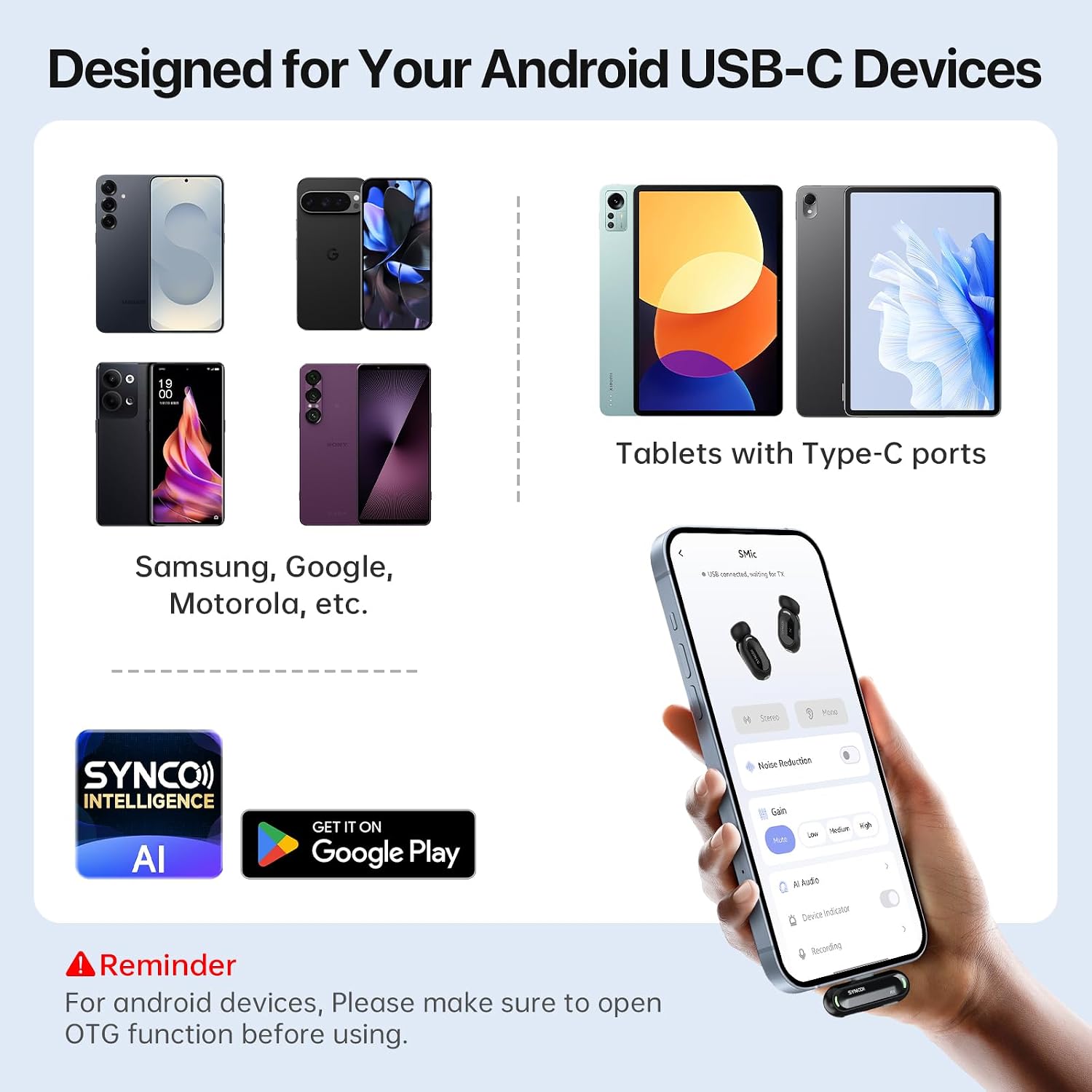
Image: The SYNCO AI app interface on a smartphone, demonstrating connectivity with the microphone system and compatibility with various Android USB-C devices.
4. Operating Instructions
4.1 Basic Recording
- Once the receiver is connected and transmitters are powered on, the system is plug-and-play. Your device should automatically recognize the external microphone.
- Open your preferred recording app (camera app, voice recorder, or the SYNCO AI app) and begin recording.
- The microphone features automatic voice leveling to maintain consistent audio levels during movement or changes in speaking distance.
4.2 AI Noise Reduction
- The SMIC utilizes AI noise reduction to minimize background distractions and enhance speech clarity. This feature is active by default to provide clear audio in various environments.
- For optimal performance, ensure the windshield foam is used, especially in windy or noisy outdoor settings.

Image: The microphone's AI capabilities for cleaning audio, reducing the need for extensive post-production editing.
4.3 SYNCO AI App Features
The SYNCO AI app unlocks advanced functionalities:
- AI Summaries & Mind Maps: The app can process recorded speech to generate concise summaries and visual mind maps, aiding in content organization and planning.
- AI Translation: Real-time translation features are available for multilingual conversations, interviews, or content creation.
- Voice Q&A: Utilize AI for question-and-answer sessions based on your recorded content.
Video: Demonstration of the SYNCO AI app's meeting summary and Q&A features.
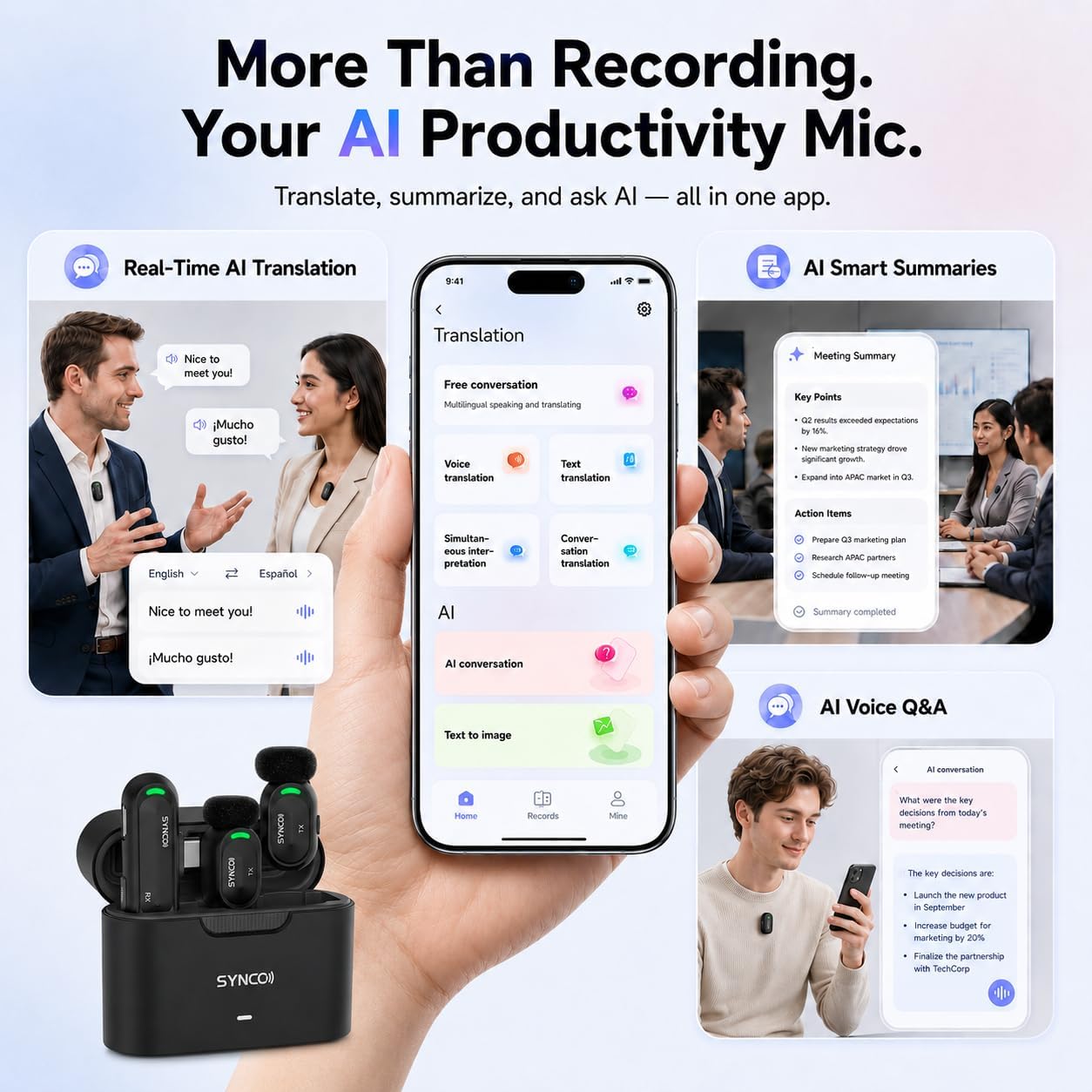
Image: The SYNCO AI app interface showcasing its translation, summary, and Q&A capabilities.
5. Maintenance
- Cleaning: Use a soft, dry cloth to clean the microphone transmitters, receiver, and charging case. Avoid using liquids or abrasive cleaners.
- Storage: When not in use, store the microphones and receiver in the charging case to protect them and keep them charged. Store in a cool, dry place away from direct sunlight.
- Battery Care: To prolong battery life, avoid fully discharging the devices frequently. Charge them regularly, even if not in constant use.
6. Troubleshooting
| Problem | Possible Cause | Solution |
|---|---|---|
| Microphone not detected by Android device. | OTG function is disabled on the Android device. | Go to your Android device's Settings, search for "OTG", and enable it. Refer to Section 3.3 for detailed instructions. |
| Poor audio quality or excessive background noise. | Windshield foam not used, or microphone placed too far from the sound source. | Ensure windshield foam is properly attached. Position the microphone closer to the speaker. Verify AI Noise Reduction is active in the app. |
| Microphone not pairing or connecting. | Low battery on transmitters or receiver, or interference. | Ensure all devices are fully charged. Reinsert the USB-C receiver. Move away from potential sources of wireless interference. |
| SYNCO AI app features (translation, summary) not working. | App not updated, internet connection issues, or permissions not granted. | Ensure the SYNCO AI app is updated to the latest version. Check your device's internet connection. Grant all necessary permissions to the app in your device settings. |
7. Specifications
| Feature | Detail |
|---|---|
| Brand | SYNCO |
| Model Name | SMIC |
| Connectivity Technology | 2.4 GHz Wireless |
| Connector Type | USB Type-C |
| Special Features | AI Noise Cancellation, AI Smart Summaries, AI Voice Q&A, Plug-And-Play, Real-Time AI Translation |
| Compatible Devices | Android Smartphones and Tablets with USB-C (OTG support required) |
| Audio Sensitivity | 114 dB |
| Microphone Form Factor | Lavalier |
| Power Source | Battery Powered |
| Signal-to-Noise Ratio | 68 dB |
| Frequency Response | 48 KHz |
| Enclosure Material | Plastic |
| Battery Life (Single Charge) | Up to 6 Hours |
| Battery Life (with Charging Case) | Up to 12 Hours |
8. Warranty and Support
For detailed warranty information, please refer to the documentation included with your purchase or contact SYNCO customer support directly. SYNCO offers 365 days of customer service.
You can visit the official SYNCO website for further support, FAQs, and contact information.
