Introduction
Thank you for choosing the Infinix XW4 Smartwatch. This manual will guide you through the features and functions of your new device, ensuring a smooth and enjoyable experience. Please read this manual carefully before using the product and keep it for future reference.
What's in the Box
- Infinix XW4 Smartwatch
- Magnetic Charging Cable
- User Manual
Setup
1. Charging the Smartwatch
Before initial use, fully charge your Infinix XW4 Smartwatch. Connect the magnetic charging cable to the charging points on the back of the watch and to a standard USB power adapter (not included).

Image: Rear view of the Infinix XW4 Smartwatch, highlighting the magnetic charging contacts and health sensors.
2. Powering On/Off
- Power On: Press and hold the side button until the screen lights up.
- Power Off: Press and hold the side button, then select 'Power Off' on the screen.
3. Pairing with Your Smartphone
To unlock all features, pair your smartwatch with the companion app on your Android smartphone via Bluetooth V5.3.
- Download and install the official Infinix smartwatch app from your phone's app store.
- Ensure Bluetooth is enabled on your smartphone.
- Open the app, create an account or log in, and follow the on-screen instructions to add your device.
- Select 'XW4' from the list of available devices in the app to complete the pairing process.
Operating Instructions
Basic Navigation
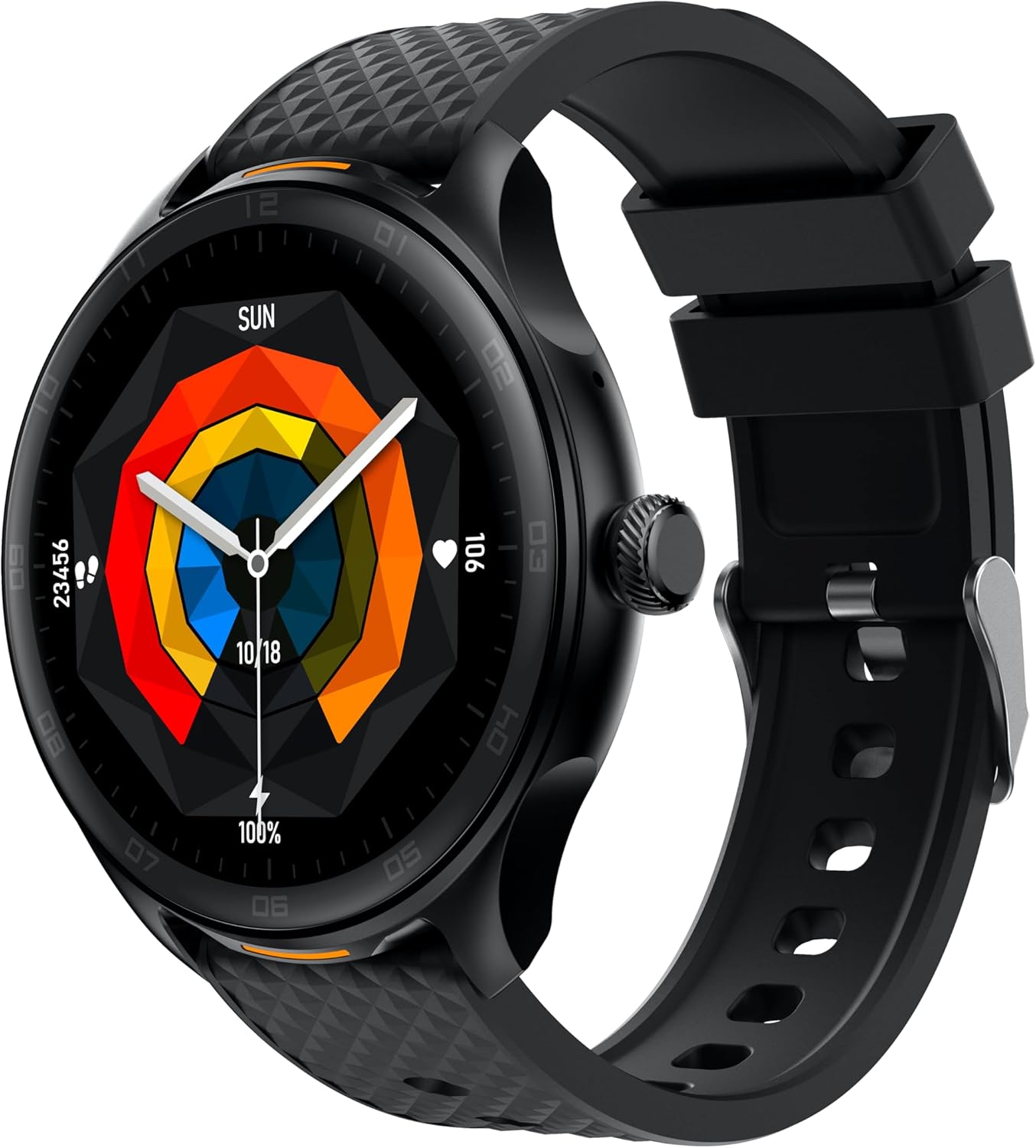
Image: Front view of the Infinix XW4 Smartwatch, displaying its 1.39-inch HD AMOLED screen.
- Touchscreen: Swipe left/right, up/down to navigate menus and notifications. Tap to select.
- Side Button: Press to return to the home screen or wake the device. Long press for power options.
Call Function
The Infinix XW4 supports Bluetooth calling. Once paired with your smartphone, you can answer, reject, or make calls directly from your watch.
- Answering Calls: Tap the green icon on the watch screen when a call comes in.
- Making Calls: Access the dialer or contact list through the watch menu.
Health Monitoring
The smartwatch features integrated sensors for health tracking.
- Heart Rate Monitoring: Access the heart rate function from the menu to measure your current heart rate. Continuous monitoring can be enabled via the app.
- Blood Oxygen (SpO2) Monitoring: Use the SpO2 function to measure your blood oxygen levels.
- Blood Pressure Monitoring: The device includes a blood pressure monitor. For accurate readings, ensure the watch is worn correctly and remain still during measurement.
Note: This device is not a medical device. Health data is for reference only and should not be used for medical diagnosis or treatment.
Other Features
- Notifications: Receive alerts for calls, messages, and app notifications directly on your wrist.
- Activity Tracking: Monitor steps, distance, calories burned, and various sports modes.
- Sleep Monitoring: Tracks sleep patterns and quality.
- Music Control: Control music playback on your paired smartphone.
Maintenance
Cleaning Your Smartwatch
Regular cleaning helps maintain the device's performance and appearance.
- Wipe the screen and body with a soft, lint-free cloth.
- For stubborn dirt, slightly dampen the cloth with water. Avoid using harsh chemicals or abrasive materials.
- Clean the charging contacts periodically to ensure efficient charging.
Water Resistance (IP68)
The Infinix XW4 Smartwatch is IP68 water-resistant, meaning it can withstand dust, dirt, and sand, and is resistant to submersion up to a maximum depth of 1.5m for up to 30 minutes.
- Do not use the watch in hot water, saunas, or steam rooms.
- Avoid direct exposure to high-pressure water.
- Dry the watch thoroughly after exposure to water to prevent corrosion of charging contacts.
Battery Care
The 300mAh battery provides up to 12 days of typical usage. To prolong battery life:
- Avoid extreme temperatures.
- Charge the device before the battery is completely depleted.
- Do not leave the watch charging for extended periods after it is fully charged.
Troubleshooting
| Problem | Solution |
|---|---|
| Watch does not power on | Ensure the watch is fully charged. If it still doesn't turn on, try a hard reset by holding the side button for 10-15 seconds. |
| Cannot pair with smartphone | Check if Bluetooth is enabled on your phone. Ensure the watch is within range. Restart both the watch and phone, then try pairing again through the app. |
| Inaccurate health readings | Ensure the watch is worn snugly on your wrist, not too tight or too loose. Clean the sensors on the back of the watch. Avoid movement during measurements. |
| Short battery life | Reduce screen brightness, turn off continuous heart rate monitoring, and limit excessive notifications. Ensure the watch is fully charged. |
Specifications
| Feature | Detail |
|---|---|
| Model | XW4 (N4) |
| Display | 1.39-inch HD AMOLED |
| Water Resistance | IP68 |
| Battery Capacity | 300mAh |
| Typical Usage Battery Life | Up to 12 days |
| Connectivity | Bluetooth V5.3 |
| Health Monitoring | Heart Rate, Blood Oxygen, Blood Pressure |
| Special Features | Voice Call Support, Magnetic Charging |
| Operating System | Android compatible |
| GPS | No built-in GPS |
| Shape | Round |
Warranty Information
The Infinix XW4 Smartwatch comes with a standard manufacturer's warranty. Please refer to the warranty card included in your product packaging or visit the official Infinix website for detailed terms and conditions regarding warranty coverage and service.
Customer Support
If you encounter any issues or have questions regarding your Infinix XW4 Smartwatch, please contact Infinix customer support. You can find contact information on the official Infinix website or through the companion app.


