
Introduction
This manual provides comprehensive instructions for the OPPO A6 Pro 5G smartphone. It covers essential information for setup, operation, maintenance, and troubleshooting to ensure optimal use of your device. The OPPO A6 Pro 5G features a 6500mAh battery, 80W SUPERVOOC fast charging, a 6.57-inch 120Hz AMOLED display, a 50MP AI camera system, and IP69 water and dust resistance.
Setup
1. Unboxing and Initial Inspection
Carefully remove all components from the packaging. Verify that all items listed in the 'What's in the Box' section are present and undamaged. The package includes the OPPO A6 Pro 5G smartphone and a USB cable.
2. SIM Card Insertion
- Locate the SIM card tray on the side of the device.
- Insert the SIM ejector tool into the small hole next to the tray and press firmly until the tray pops out.
- Place your Nano SIM card(s) into the tray with the gold contacts facing down. Ensure proper orientation. This device supports a single SIM card.
- Gently push the tray back into the slot until it clicks into place.
3. Initial Power On and Setup
- Press and hold the Power button until the OPPO logo appears.
- Follow the on-screen prompts to select your language, region, and connect to a Wi-Fi network.
- Sign in with your Google account or create a new one to access Android services and the Google Play Store.
- Configure security settings, including facial recognition, PIN, pattern, or fingerprint.
Operating Instructions
1. Battery and Charging
The OPPO A6 Pro 5G is equipped with a 6500mAh battery and supports 80W SUPERVOOC fast charging. Use the provided USB cable and a compatible 80W SUPERVOOC charger for optimal charging speed. The device also supports reverse charging, allowing it to act as a power bank for other devices.

2. Display Features
The 6.57-inch AMOLED display offers a 120Hz refresh rate and a peak brightness of 1400 nits, providing vivid and clear visuals. Adjust display settings such as brightness, color mode, and refresh rate in the 'Settings' menu under 'Display & Brightness'.

3. Camera Usage
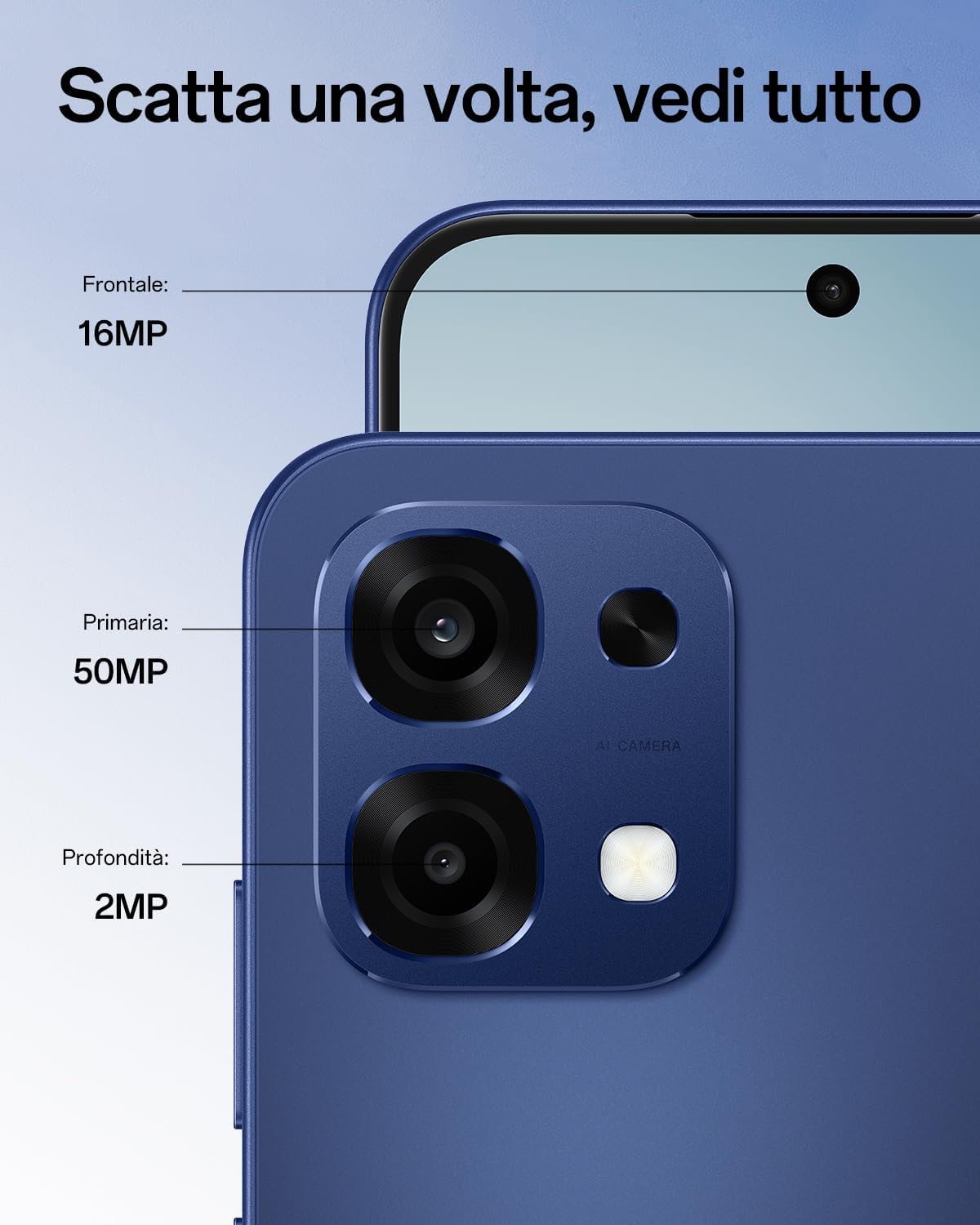
The device features a 50MP main wide-angle camera, a 2MP monochrome sensor, and a 16MP front camera. Utilize AI photo modes such as Underwater mode for clear shots below the surface, AI Night mode for improved low-light photography, and AI Portrait Retouch for enhanced selfies.

4. Network Connectivity
The OPPO A6 Pro 5G supports 5G connectivity, enhanced by AI LinkBoost 3.0 technology for reliable network coverage. Ensure your SIM card is 5G compatible and your service plan supports 5G for optimal performance.
5. Durability Features
The smartphone boasts military-grade shock resistance and IP69 water and dust resistance, protecting it from drops, impacts, high-pressure water jets, and fine dust.
6. Performance and Cooling
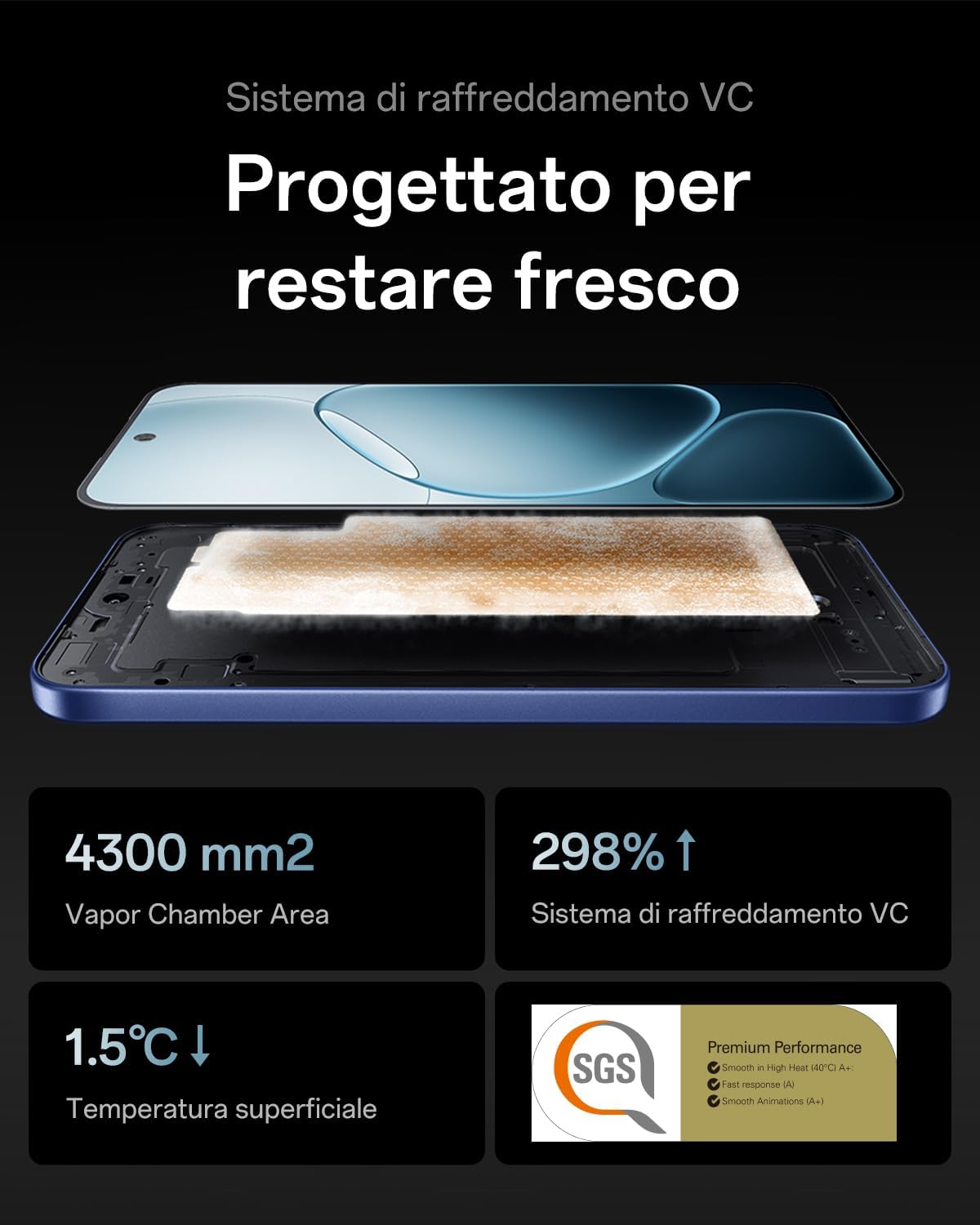
The SuperCool VC cooling system efficiently dissipates heat, ensuring smooth and stable performance during intensive tasks like gaming or multitasking.

7. AI Features
The device integrates AI GameBoost 2.0 for enhanced gaming performance and AI LinkBoost 3.0 for optimized network connectivity. It also includes Outdoor Mode 2.0 and Glove Touch for usability in various conditions.

8. Official Product Videos
This video demonstrates the exceptional battery autonomy of the OPPO A6 Pro 5G smartphone, highlighting its long-lasting power.
This video showcases the intelligent charging capabilities of the OPPO A6 Pro 5G smartphone, focusing on its rapid and efficient power delivery.
Maintenance
1. Cleaning Your Device
Use a soft, lint-free cloth to clean the screen and body of your phone. Avoid using harsh chemicals or abrasive materials. For stubborn smudges, slightly dampen the cloth with water or a screen cleaner designed for electronics.
2. Software Updates
Regularly check for and install software updates to ensure your device has the latest features, security patches, and performance improvements. Navigate to 'Settings' > 'About device' > 'Software update' to check for available updates.
3. Storage Management
To maintain optimal performance, periodically manage your device's storage. Delete unnecessary files, uninstall unused applications, and clear cache data. You can check storage usage in 'Settings' > 'Storage'.
Troubleshooting
1. Device Not Turning On
If your device does not turn on, ensure it is sufficiently charged. Connect it to the charger for at least 15-30 minutes, then try pressing and holding the Power button again. If the issue persists, perform a forced restart by holding the Power button and Volume Down button simultaneously for about 10-15 seconds.
2. Network Connectivity Issues
If you experience problems with network connectivity (no signal, slow data), check the following:
- Ensure your SIM card is correctly inserted.
- Toggle Airplane Mode on and off.
- Restart your device.
- Check your network settings in 'Settings' > 'Mobile network'.
3. Camera Malfunction
If the camera app is not working correctly, try clearing the camera app's cache and data in 'Settings' > 'Apps' > 'Camera' > 'Storage usage'. If the problem continues, restart your phone. Ensure there are no physical obstructions on the camera lenses.
4. Screen Unresponsive
If the screen becomes unresponsive, try restarting the device. If a restart does not resolve the issue, contact customer support.
Specifications
| Feature | Specification |
|---|---|
| Brand | OPPO |
| Model | A6 Pro 5G |
| RAM Memory Size | 8 GB |
| CPU Model | Mediatek Dimensity 900 |
| Storage Capacity | 256 GB |
| Screen Size | 6.57 Inches |
| Resolution | 2372 x 1080 |
| Refresh Rate | 120 Hz |
| Wireless Service Provider | Unlocked |
| Cellular Technology | 5G |
| Connectivity Technology | 4G, 5G |
| Color | Stellar Black |
| Number of SIM Card Slots | Single SIM |
| Input Port | USB-C |
| Form Factor | Bar |
| Biometric Identification | Facial Recognition |
| SIM Card Format | Nano |
| Water Resistance Level | IP69 Waterproof |
| Headphone Jack | 3.5 mm |
| Front Camera Resolution | 16 MP |
| Rear Camera Resolution | 50 MP |
| Number of Rear Cameras | 2 |
| Number of Front Cameras | 1 |
| Battery Capacity | 6500 mAh |
| Average Battery Life (Longevity) | 5 Years |
| Phone Talk Time | 24 Hours |
| Screen Type | AMOLED |
| Model Year | 2025 |
| Item Weight | 185 Grams |
| Video Capture Resolution | 1080p |
| Frame Rate | 30 fps |
Warranty and Support
The OPPO A6 Pro 5G comes with a standard manufacturer's warranty. For specific warranty terms and conditions, please refer to the warranty card included with your product or visit the official OPPO support website. Spare parts for this device are available for up to 5 years within the EU.
For technical assistance, troubleshooting beyond this manual, or to inquire about repairs, please contact OPPO customer support through their official channels. You can typically find contact information on the OPPO website or within the device's 'Settings' menu under 'About device' > 'Customer service'.


