
Introduction
This manual provides essential information for the safe and effective use of your REDLIRO Walking Treadmill, Model JK14F. Designed with a focus on safety and ease of use, this foldable treadmill features long handrails, adjustable incline, and a user-friendly console, making it suitable for seniors and individuals undergoing home recovery or seeking general fitness.
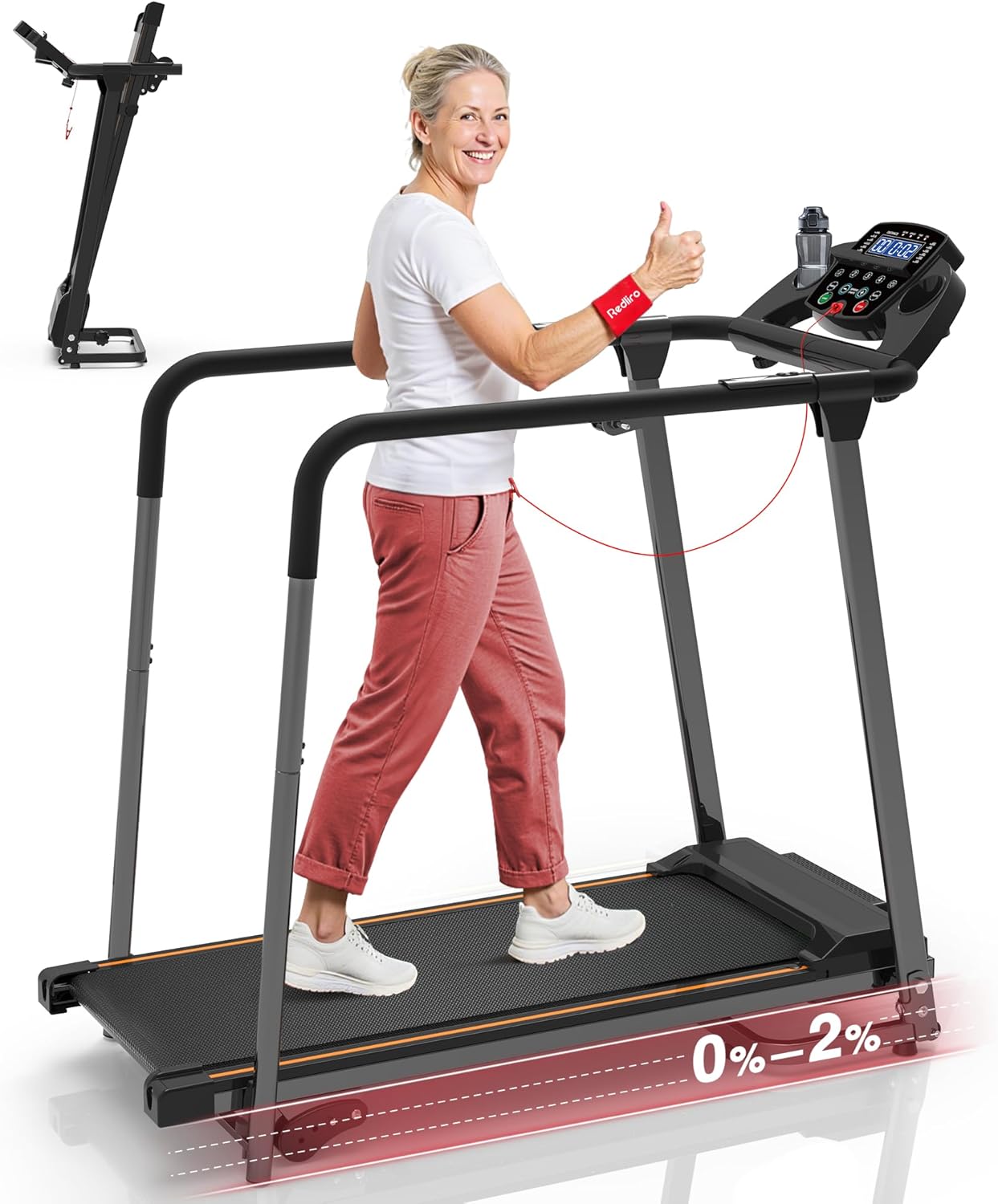
Image: The REDLIRO Walking Treadmill in use, with a smaller image showing its folded state.
Safety Information
Before operating the treadmill, please read and understand all safety instructions. Failure to do so may result in injury or damage to the product.
- Placement: Position the treadmill on a flat, stable surface. Ensure adequate clearance around the unit.
- Power: Use a grounded electrical outlet. Do not use extension cords. Unplug the treadmill when not in use or before cleaning/maintenance.
- User Weight: The maximum user weight capacity for this treadmill is 300 lbs. Do not exceed this limit.
- Safety Key: Always attach the safety key to your clothing before starting the treadmill. In case of an emergency or loss of balance, the safety key will detach, immediately stopping the machine.
- Handrails: Utilize the extra-long handrails for stability and support, especially when starting, stopping, or adjusting speed.
- Footwear: Wear appropriate athletic footwear while using the treadmill.
- Children and Pets: Keep children and pets away from the treadmill during operation.
- Medical Conditions: Consult a physician before starting any exercise program, especially if you have pre-existing medical conditions.

Image: The long handrails provide enhanced safety and balance for users.
Product Features
- Extra-Long Handrails: Designed for enhanced safety and stability, providing a steady grip across the entire deck.
- Easy-to-Use Console: Features a dual-data display with large, clear numbers for heart rate, time, speed, distance, and calories. Includes quick speed shortcuts, mute, and a screen-off button.
- Adjustable Incline (0%-2%): Offers true 0% incline for a smooth, low-impact walk, with options to adjust up to 2% for a gentle challenge.
- Foldable Design & Move Wheels: Easily folds for compact storage (21.7"L x 22.8"W x 47.1"H) and features two external wheels for convenient repositioning without needing to fold.
- Powerful & Quiet Motor: Equipped with a 2.25 HP motor, supporting up to 300 lbs and offering a speed range of 0.5-5 mph with low noise operation (<45 dB).
- Comfort Running Belt: Features an 8-shock absorber system and a 5-layer running belt (39.3" x 14.8") for a comfortable and joint-friendly workout.
- Integrated Accessories: Includes a handy cup holder and phone stand for convenience during workouts.
- Pre-Set Programs: Offers 12 pre-set programs for varied and scientific workout routines.
- Pause Function: Allows pausing workouts while continuously recording data without loss.

Image: Adjustable incline settings for varied workout intensity.

Image: User-friendly console with clear display and controls.

Image: Treadmill folding mechanism for space-saving storage.
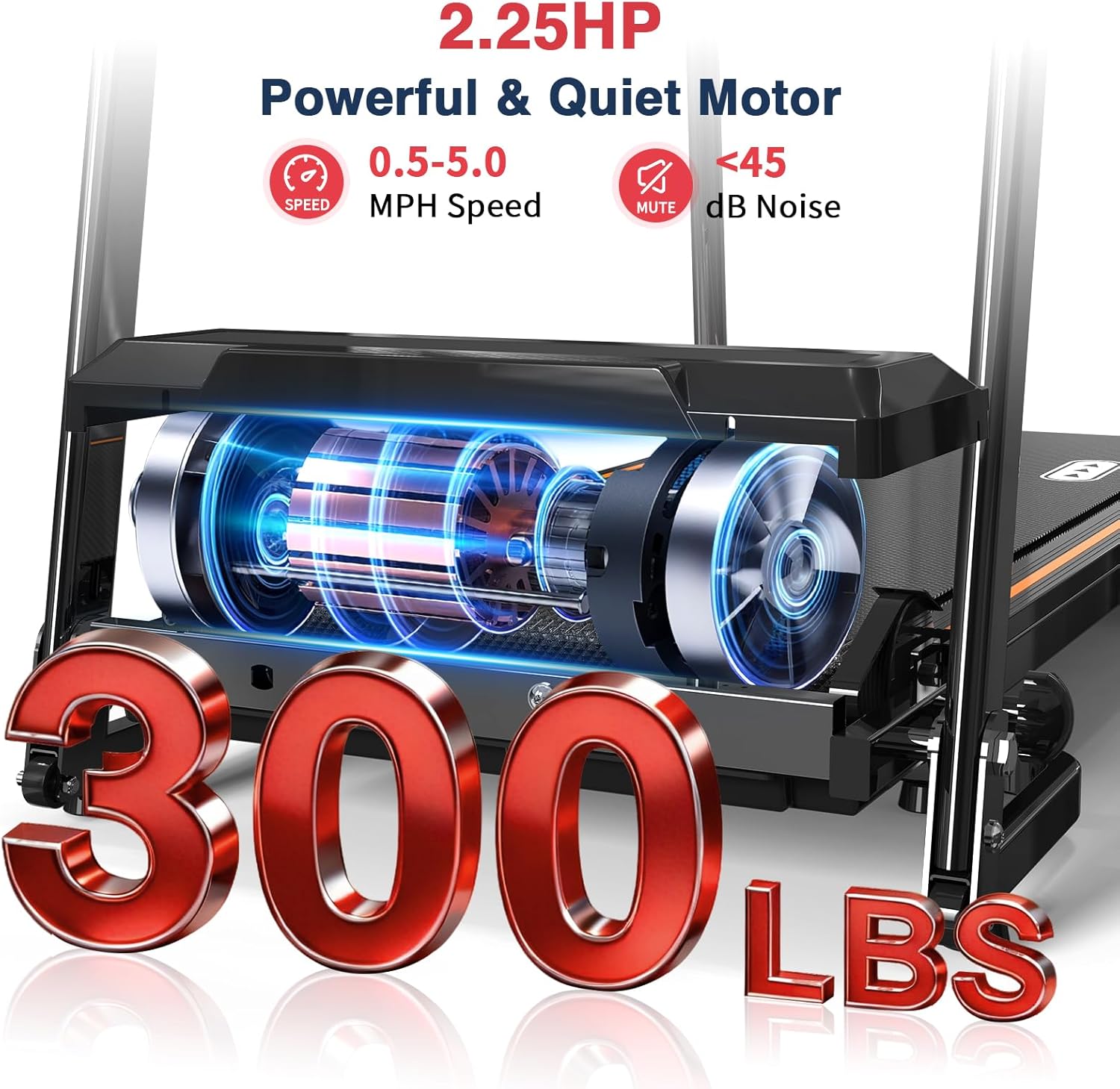
Image: Powerful and quiet 2.25 HP motor with 300 lbs capacity.
Setup Instructions
Follow these steps to assemble your REDLIRO JK14F Treadmill. It is recommended to have assistance during assembly.
- Unboxing: Carefully remove all components from the packaging. Ensure all parts listed in the packing list are present.
- Raise Uprights: Gently raise the treadmill uprights to a suitable position.
- Secure Uprights: Use the provided M8x16 screws and M8 flat washers to secure the uprights on both sides. Tighten them with the L-style wrench.
- Rotate Control Console: Rotate the control console to its horizontal operating position.
- Attach Console: Secure the console to the uprights using the M8x55 screws and M8 curved washers. Tighten them securely.
- Assemble Armrests (if detached): Remove any pre-installed M5x16 screws and M6 curved washers from the armrest components. Connect the armrest sections and reinstall the screws and washers, tightening them securely.
- Tighten M16 Knob: Tighten the M16 knob to further secure the main frame.
- Install Cup Holders: Place the two cup holders into their designated slots on the console.
- Secure Console (M6 Knobs): Remove the pre-installed screws from the back of the console. Secure the console in place using the M6 knobs and plastic semicircular spacers.
- Place Safety Key: Insert the safety key into its designated slot on the console.
- Snap on Handlebar Covers: Attach the handlebar decorative covers.
- Adjust Incline: Adjust the incline pins on both sides to the desired height (0%, 1%, or 2%). Ensure both pins are at identical height positions for stability.
- Stabilize Treadmill: If the treadmill wobbles, adjust the support feet and rear cushion feet until the treadmill is completely stable. Tighten the M12 knob.
Assembly Video Guide:
Video: Detailed assembly instructions for the Redliro JK14F Treadmill.
Operating Instructions
- Power On: Plug the treadmill into a grounded outlet and flip the power switch located at the base of the treadmill to the 'ON' position.
- Attach Safety Key: Secure the safety key clip to your clothing. Insert the magnetic end of the safety key into the designated slot on the console. The display will illuminate.
- Start Workout: Press the START button on the console or the handrail. The treadmill will begin at a low speed (e.g., 0.5 mph) after a short countdown.
- Adjust Speed: Use the SPEED + or SPEED - buttons on the console or handrails to increase or decrease the walking speed (range: 0.5-5 mph). Quick speed shortcuts (e.g., 2, 3, 4) are also available on the console.
- Select Program: Press the PROG button to cycle through the 12 pre-set workout programs. Each program offers varying speed and intensity profiles.
- Change Mode: Press the MODE button to switch between different display modes (e.g., scan, distance, time, calories).
- Mute Function: Press the MUTE button to silence console beeps or other audio feedback.
- Screen Off / Sleep Mode: Press the SLEEP button to turn off the console display for short pauses without losing workout data.
- Pause/Stop: To temporarily pause your workout, press the STOP button. To end your workout, press the STOP button again or pull the safety key.
- Heart Rate Monitoring: Grip the heart rate sensors on the handrails to display your heart rate on the console.

Image: Console with easy-to-reach buttons, including a 'Sleep' function.

Image: Handrail buttons for convenient speed and start/stop control.
Maintenance
Regular maintenance ensures the longevity and optimal performance of your treadmill.
- Lubrication: The running belt requires periodic lubrication to reduce friction and wear. Use the provided silicone lubricant. Refer to the table below for frequency.
- Cleaning: Regularly wipe down the treadmill with a damp cloth to remove dust and sweat. Do not use abrasive cleaners.
- Belt Adjustment: Periodically check the running belt for proper tension and alignment. Adjust as needed according to the instructions in the full product manual (not provided here).
- Storage: When not in use, especially for extended periods, fold the treadmill and store it in a dry, safe place.
Lubrication Frequency:
| Usage Frequency | Maintenance Frequency |
|---|---|
| <3 Hours/Week | 2 Months |
| 4-7 Hours/Week | 1 Month |
| >8 Hours/Week | 2 Weeks |

Image: Location of the oil hole for easy lubrication.
Troubleshooting
If you encounter any issues with your treadmill, please refer to the following common solutions:
- Treadmill Not Starting:
- Ensure the power cord is securely plugged into a grounded outlet.
- Check that the power switch at the base of the treadmill is in the 'ON' position.
- Verify that the safety key is correctly inserted into the console.
- Belt Slipping or Sticking:
- The running belt may require lubrication. Refer to the Maintenance section.
- The running belt may need adjustment (tension or alignment). Consult the full product manual for detailed instructions or contact customer support.
- Unusual Noises:
- Check for any loose parts or debris under the belt.
- Ensure the treadmill is on a flat, stable surface and all bolts are tightened.
- If the noise persists, contact customer support.
- Console Display Not Working:
- Check power connections and safety key insertion.
- If the issue persists, power cycle the treadmill (turn off, unplug, wait 30 seconds, plug in, turn on).
For issues not covered here or if problems persist, please contact REDLIRO Customer Support.
Specifications
| Feature | Detail |
|---|---|
| Brand | REDLIRO |
| Model Name | JK14F |
| Color | Black |
| Product Dimensions (Unfolded) | 46.8"D x 22.6"W x 44.1"H |
| Folded Size | 21.7"L x 22.8"W x 47.1"H |
| Item Weight | 58.6 Pounds |
| Material | Alloy Steel |
| Maximum Speed | 5 Miles per Hour |
| Minimum Speed | 0.5 Miles per Hour |
| Maximum Horsepower | 2.25 Horsepower |
| Maximum Incline Percentage | 2.0% |
| Maximum Weight Recommendation | 300 Pounds |
| Power Source | Corded Electric |
| Metrics Measured | Heart Rate, Time, Speed, Distance, Calories |
| Special Feature | Foldable, Long Handrails |
| Assembly Required | Yes |
Folding and Storage
The REDLIRO JK14F treadmill is designed for convenient storage with its foldable mechanism and transport wheels.
- Power Off: Ensure the treadmill is turned off and unplugged from the power outlet.
- Fold the Deck: Gently lift the running deck until it locks into an upright position.
- Secure with Knob: Use the M16 knob to secure the folded deck to prevent it from accidentally unfolding.
- Reposition: Utilize the external wheels located at the base of the treadmill to easily roll the unit to your desired storage location. The treadmill can be moved both folded and unfolded.

Image: Demonstrating the folding and moving capabilities of the treadmill.
Warranty and Support
REDLIRO is committed to providing quality products and customer satisfaction.
- Warranty: The product includes 12 months of free parts replacement.
- Customer Support: For any inquiries, technical assistance, or warranty claims, please contact REDLIRO Customer Support. They aim to reply within 24 hours.
- Contact Information: Refer to the product packaging or the official REDLIRO website for the most up-to-date contact details.

Image: REDLIRO's commitment to customer support and product quality.