
Introduction
Thank you for choosing the EarFun Air Pro 4+ Adaptive Noise Cancelling Wireless Earbuds. This manual provides detailed instructions to help you set up, operate, and maintain your earbuds for optimal performance. Please read this manual thoroughly before use and retain it for future reference.
What's in the Box
- EarFun Air Pro 4+ Earbuds
- Charging Case
- USB-C Charging Cable
- User Manual
- Multiple Sizes of Eartips
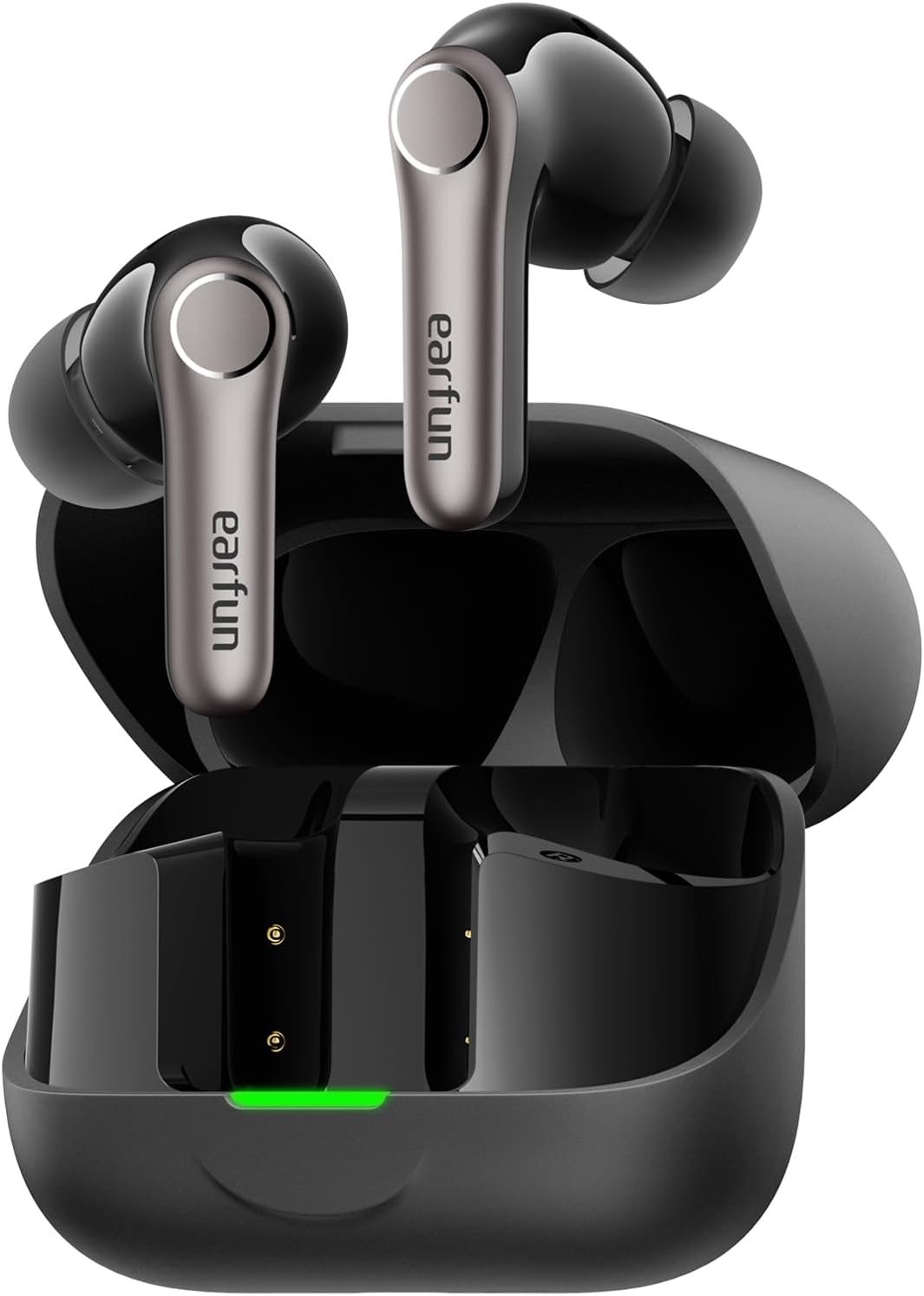
Setup
1. Initial Charging
- Place both earbuds into the charging case.
- Connect the USB-C cable to the charging port on the case and a power source.
- Ensure the earbuds and case are fully charged before first use. The LED indicator on the case will show charging status.

2. Selecting the Right Eartips
A proper fit is crucial for sound quality and noise cancellation. Experiment with the included eartips to find the size that provides the best seal and comfort for your ears.

3. Pairing with Your Device
- Open the charging case. The earbuds will automatically enter pairing mode (LEDs will flash).
- On your device (smartphone, tablet, etc.), enable Bluetooth.
- Search for "EarFun Air Pro 4+" in the list of available devices and select it to connect.
- For Android devices, Google Fast Pair is supported for quick connection.

Operating Instructions
1. Power On/Off
- Power On: Open the charging case, and the earbuds will automatically power on.
- Power Off: Place the earbuds back into the charging case and close the lid.
2. Touch Controls
The EarFun Air Pro 4+ features customizable touch controls. Refer to the EarFun App for detailed customization options.
| Action | Function (Default) |
|---|---|
| Single Tap (Left/Right) | Volume Down / Volume Up |
| Double Tap (Left/Right) | Play/Pause |
| Triple Tap (Left/Right) | Previous Track / Next Track |
| Long Press (Left/Right) | Noise Control / Voice Assistant |
3. Noise Control Modes
Utilize the EarFun QuietSmart 3.0 technology for various listening experiences:
- Adaptive Hybrid Active Noise Cancellation (ANC): Reduces ambient noise by up to 50dB, intelligently adjusting based on your surroundings.
- Ambient Sound Mode: Allows you to hear your surroundings while listening to audio.
- Normal Mode: Standard audio playback without noise cancellation or ambient sound.
- Wind Noise Cancelling: Specifically designed to reduce wind interference during calls or listening outdoors.
4. Multipoint Connection
The earbuds support connecting to two devices simultaneously (e.g., phone and laptop) for seamless switching between audio sources.
5. Auracast Broadcast Audio
With Auracast technology, you can share audio with others or tune into public audio broadcasts in compatible environments.
6. Smart In-Ear Detection
Audio playback automatically pauses when you remove an earbud and resumes when you put it back in.
7. Gaming Mode (Low Latency)
Activate Gaming Mode via the EarFun App for ultra-low latency (under 50ms), enhancing your gaming and video experience.
8. Call Management
Equipped with 6-Mic AI Beamforming and Qualcomm cVc 8.0 technology, the earbuds ensure clear calls by focusing on your voice and suppressing background noise.
Charging and Battery
- Battery Life: Up to 12 hours on a single charge (normal mode), and up to 54 hours with the charging case.
- Fast Charging: A 10-minute charge provides approximately 3 hours of playtime.
- Charging Case: Supports both USB-C cable charging and wireless charging.
Maintenance and Care
- Water & Dust Resistance: The earbuds are IP55 rated, protecting against sweat, light rain, and dust. The charging case is not water-resistant.
- Cleaning: Regularly clean the earbuds and charging case with a soft, dry cloth. Ensure charging contacts are free of debris.
- Storage: Store the earbuds in their charging case when not in use to protect them and maintain battery life.
Troubleshooting
If you encounter any issues, please refer to the EarFun App's FAQ section or contact customer support. Common issues and solutions include:
- No Sound: Check device volume, earbud battery, and Bluetooth connection.
- Pairing Issues: Ensure earbuds are in pairing mode, disable/enable Bluetooth on your device, or reset the earbuds.
- Poor Sound Quality: Check eartip fit, clean earbuds, or adjust EQ settings in the EarFun App.
- Noise Cancellation Ineffective: Ensure proper eartip seal and select the appropriate ANC mode.
Specifications
| Feature | Detail |
|---|---|
| Model Name | EarFun Air Pro 4+ |
| Model Number | TW700B |
| Noise Control | Adaptive Hybrid Active Noise Cancellation (up to 50dB) |
| Audio Drivers | Dual-Driver Synergy: 10mm composite dynamic driver + ultra-light FeatherBA balanced armature |
| Connectivity | Bluetooth 6.0 |
| Audio Codecs | Qualcomm aptX Lossless, Snapdragon Sound, LDAC, LC3, LE Audio, SBC, AAC |
| Microphones | 6-Mic AI Beamforming with Qualcomm cVc 8.0 ENC |
| Battery Life (Earbuds) | Up to 12 hours (Normal Mode) |
| Total Playtime (with Case) | Up to 54 hours (Normal Mode) |
| Water Resistance | IP55 (Earbuds only) |
| Special Features | Multipoint Connection, Auracast Broadcast Audio, Google Fast Pair, Smart In-Ear Detection, Gaming Mode (<50ms latency) |
| Control Method | App, Touch |
| Item Weight | 1.87 ounces (53 Grams) |
| Product Dimensions | 2.36 x 1.97 x 1.1 inches |
Warranty and Support
EarFun products typically come with a manufacturer's warranty. Please refer to the warranty card included in your product packaging or visit the official EarFun website for detailed warranty information and support options. For technical assistance or inquiries, contact EarFun customer service.


