
1. Introduction
The BEBIRD EarSight Ultra 5G is an advanced, all-in-one ear care solution designed for visual ear examination, cleaning, and maintenance. This device integrates a high-definition camera with a flexible otoscope, providing a clear view of the ear canal for precise and safe earwax removal. Equipped with 5G Wi-Fi, it ensures smooth, real-time image transmission to your connected device.
This kit includes a variety of interchangeable tips and a visual ear drop applicator, making it suitable for different types of earwax and comprehensive ear hygiene. It is designed for use by adults and children, offering a convenient and effective way to monitor and care for ear health at home.
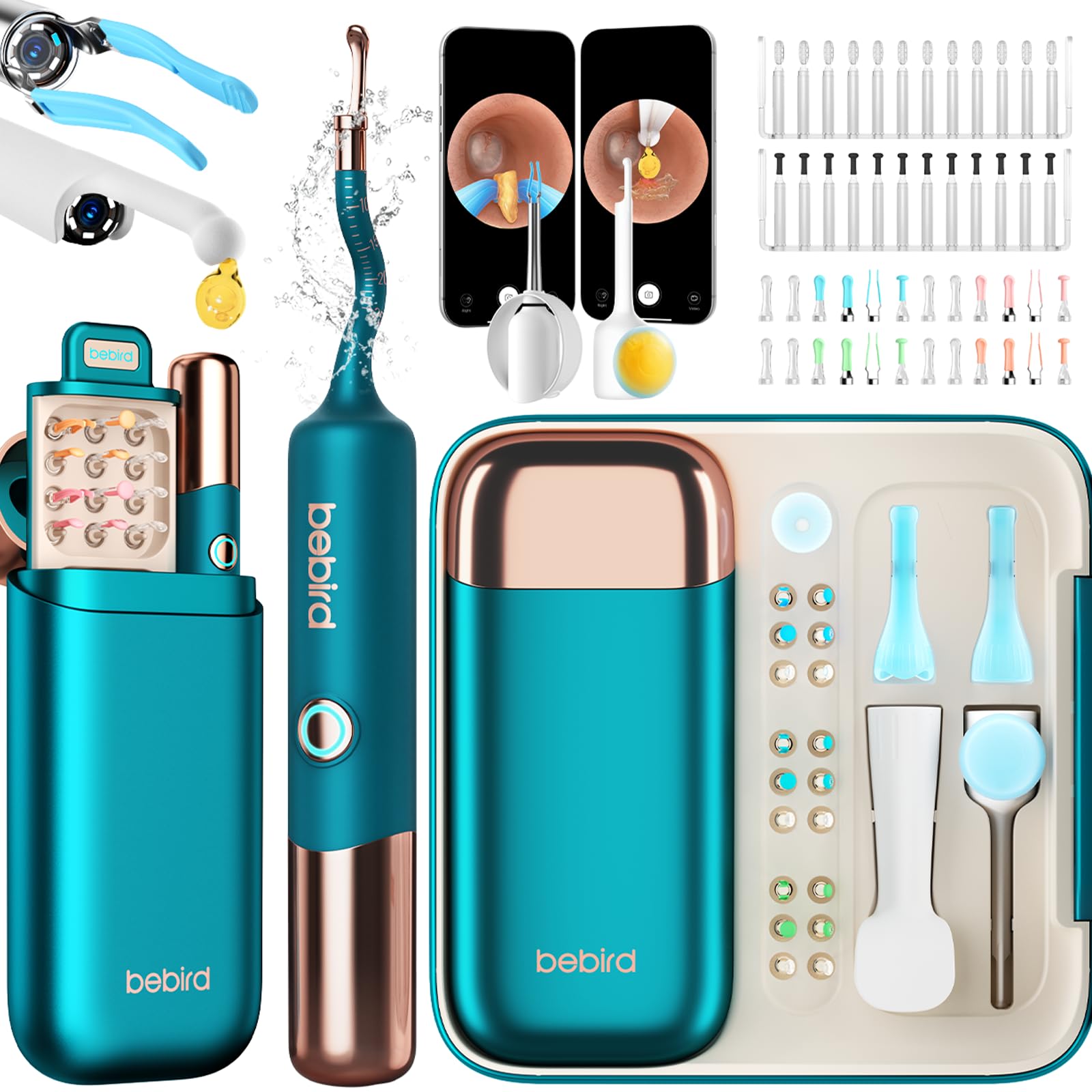
Image 1.1: The BEBIRD EarSight Ultra 5G Ear Cleaning Kit, showcasing the main device and various accessories.
2. Safety Information
Please read all safety instructions before using the BEBIRD EarSight Ultra 5G. Failure to follow these instructions may result in injury or damage to the device.
- Consult a Professional: If you experience ear pain, discharge, or hearing loss, consult a medical professional before using this device.
- Gentle Use: Always use the device gently. Avoid inserting the otoscope or cleaning tips too deeply into the ear canal to prevent injury to the eardrum.
- Children's Use: When used on children, adult supervision is required. Ensure the child remains still during the procedure.
- Cleanliness: Clean all tips and the otoscope lens before and after each use to prevent infection.
- Damage: Do not use the device if any part is damaged. Contact customer support for assistance.
- Power Source: Use only the provided charging cable and adapter.
3. Package Contents
Verify that all items are present in your BEBIRD EarSight Ultra 5G package:
- BEBIRD EarSight Ultra 5G Main Device (with flexible otoscope camera)
- Interchangeable Ear Cleaning Tips (various types: scoops, tweezers, sponge tips)
- Visual Ear Drop Applicator
- Charging Cable
- User Manual

Image 3.1: Contents of the BEBIRD EarSight Ultra 5G kit, showing the main device, multiple ear tips, and other accessories.
4. Setup
4.1 Charging the Device
- Connect the charging cable to the charging port on the BEBIRD EarSight Ultra 5G device.
- Plug the other end of the cable into a compatible USB power adapter (not included) or a USB port.
- The indicator light on the device will show charging status. A full charge typically takes approximately 1-2 hours.
4.2 App Installation and Connection
- Download the official BEBIRD app from your smartphone's app store (iOS or Android).
- Turn on the BEBIRD EarSight Ultra 5G device by pressing and holding the power button. The device's Wi-Fi signal will activate.
- On your smartphone, go to Wi-Fi settings and connect to the BEBIRD device's Wi-Fi network (e.g., "BEBIRD-XXXX").
- Open the BEBIRD app. The device's camera feed should automatically appear, providing a real-time view of the ear canal.
5. Operating Instructions
5.1 Attaching Cleaning Tips
Select the appropriate cleaning tip based on the type of earwax (soft, hard, dry, oily) and attach it securely to the end of the otoscope camera. Ensure it clicks into place to prevent it from detaching during use.

Image 5.1: Illustration of various interchangeable ear cleaning tips, including scoops, tweezers, and sponge tips.
5.2 Visual Ear Examination and Cleaning
- With the app open and connected, gently insert the otoscope with the attached tip into the ear canal.
- Observe the ear canal and eardrum on your smartphone screen. The flexible otoscope allows for easy navigation.
- Using the chosen tip, carefully and slowly remove visible earwax. For stubborn earwax, use the tweezers. For softer wax, use the scoops. For oily wax, the sponge tips are effective.
- Avoid pushing earwax deeper into the canal. If you encounter resistance or pain, stop immediately.
- After cleaning, gently withdraw the device.

Image 5.2: A user operating the BEBIRD EarSight Ultra 5G, observing the ear canal through the connected smartphone application.
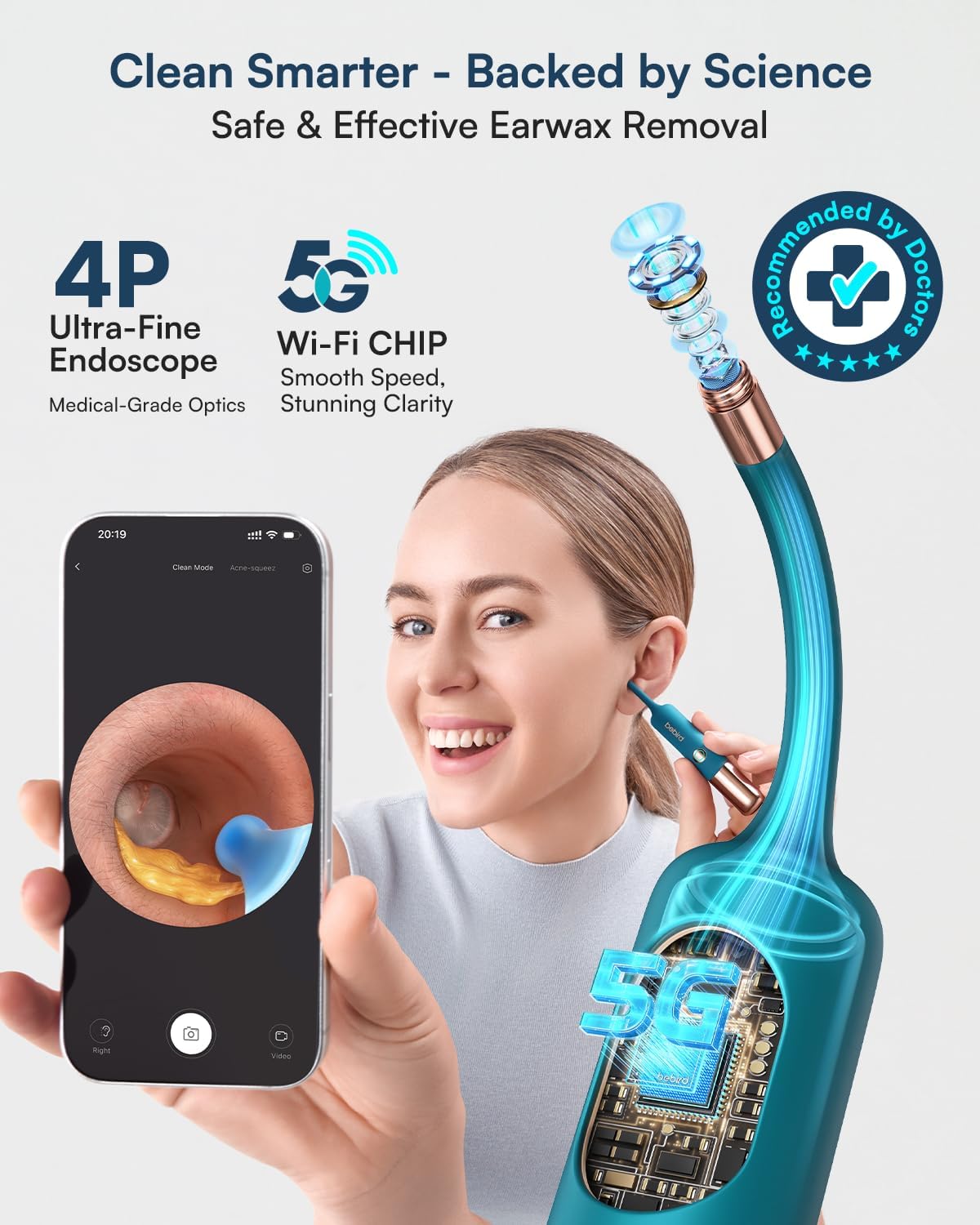
Image 5.3: A detailed view of the flexible otoscope camera navigating within the ear canal.
5.3 Using the Visual Ear Drop Kit
The visual ear drop applicator allows for precise application of ear drops, either to soften earwax before cleaning or to soothe the ear canal after cleaning.
- Fill the visual ear drop applicator with the recommended ear drops (ear drops are not included).
- Attach the applicator to the device.
- Using the visual guidance from the app, carefully apply the drops to the desired area of the ear canal.
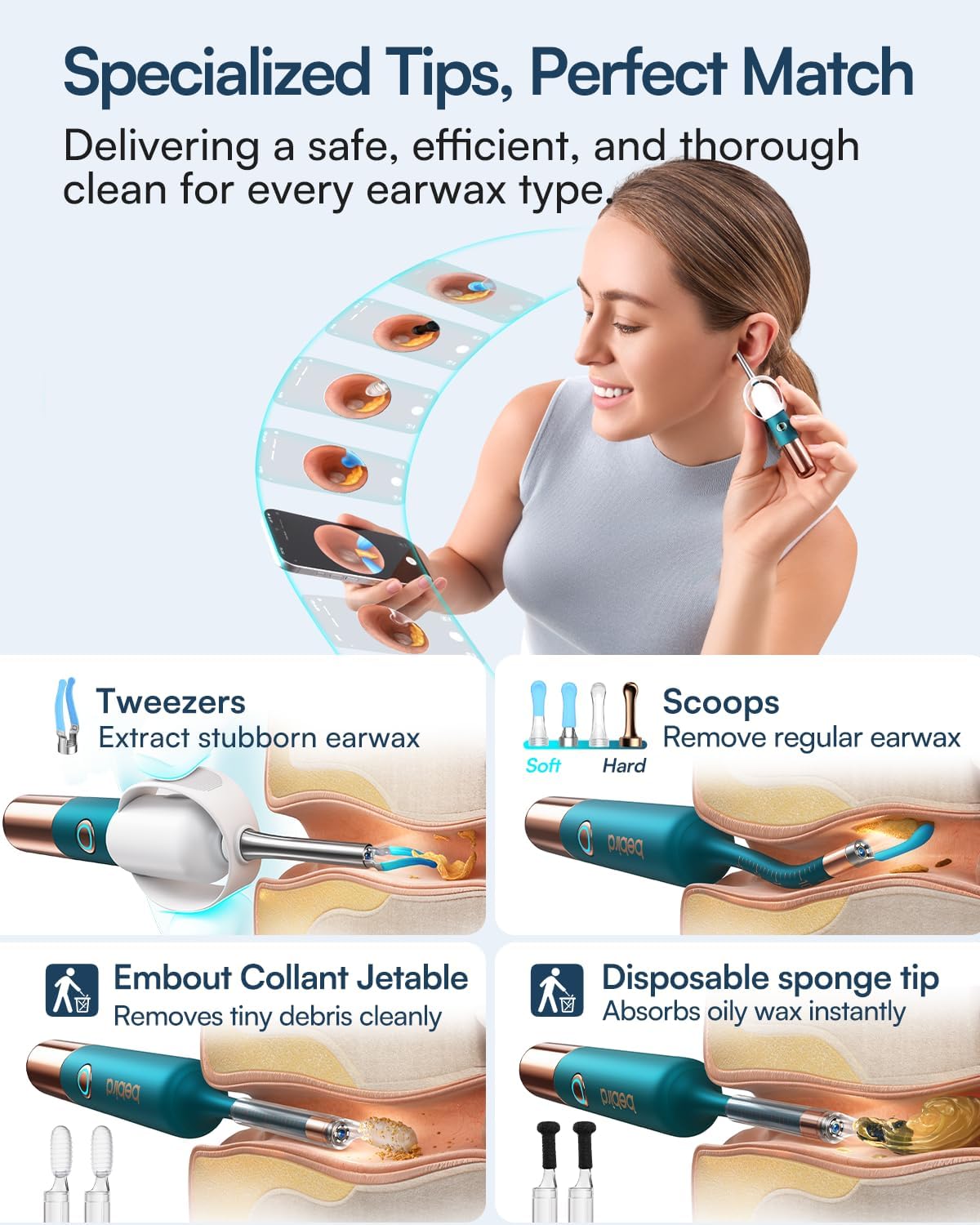
Image 5.4: A person demonstrating the use of the visual ear drop applicator, guided by the BEBIRD app on a smartphone.
6. Maintenance
6.1 Cleaning the Otoscope Lens
After each use, gently wipe the otoscope lens with a soft, dry, lint-free cloth. If necessary, use a small amount of lens cleaning solution on the cloth, not directly on the lens.
6.2 Cleaning the Ear Tips
Remove the used ear tip from the device. Wash reusable tips with mild soap and warm water, then rinse thoroughly and allow them to air dry completely before storing. Dispose of single-use tips after each use.
6.3 Storage
Store the BEBIRD EarSight Ultra 5G and its accessories in a clean, dry place, away from direct sunlight and extreme temperatures. Keep out of reach of children.
7. Troubleshooting
| Problem | Possible Cause | Solution |
|---|---|---|
| Device does not turn on | Low battery; Device malfunction | Charge the device fully; Contact customer support |
| Cannot connect to Wi-Fi | Wi-Fi not enabled on device; Incorrect Wi-Fi network selected; App issue | Ensure device Wi-Fi is on; Select the correct "BEBIRD-XXXX" network; Restart the app and device |
| Blurred image on app | Dirty camera lens; Wi-Fi interference | Clean the otoscope lens; Move closer to the device or away from other Wi-Fi sources |
| Ear tip detaches during use | Tip not securely attached | Ensure tip clicks firmly into place before use |
8. Specifications
- Model Number: Bebird Earsight Ultra
- Connectivity: 5G Wi-Fi
- Camera Resolution: 1920p HD
- Endoscope Type: Flexible
- Package Dimensions: 24.7 x 18.2 x 4.4 cm (9.72 x 7.17 x 1.73 inches)
- Item Weight: 640 grams (1.41 pounds)
- Manufacturer: BEBIRD
- ASIN: B0FSKM3DTD
- Launch Date on Amazon.com.be: September 25, 2025
9. Warranty and Support
BEBIRD offers a reliable quality guarantee for the EarSight Ultra 5G. This product is backed by high-quality technology and dedicated customer support. We are committed to your total satisfaction for worry-free ear hygiene.
For technical assistance, warranty claims, or any questions regarding your device, please contact BEBIRD customer support through the official BEBIRD website or the contact information provided in your product packaging. Please have your model number and purchase details ready when contacting support.
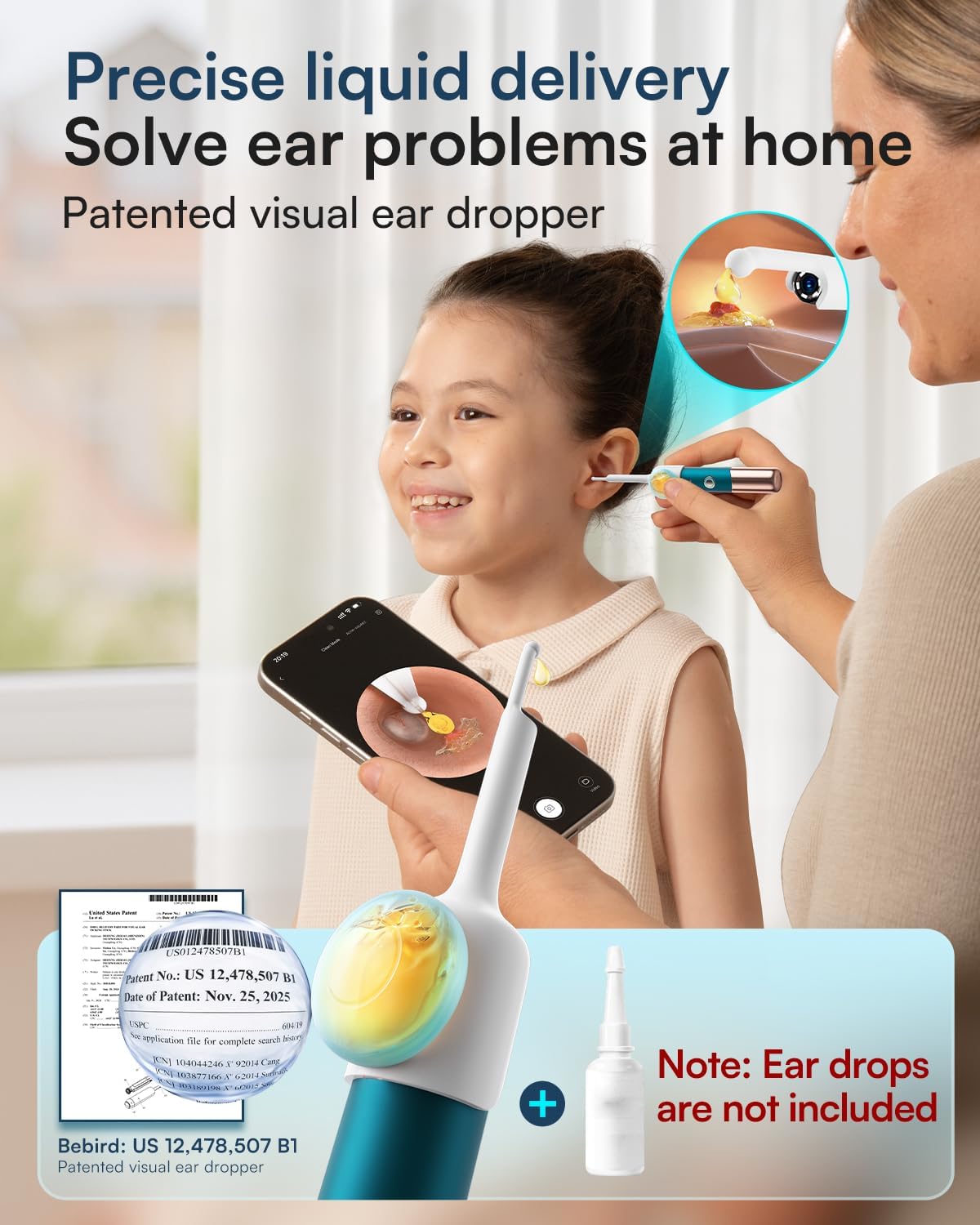
Image 9.1: A display of various awards and certifications received by BEBIRD, highlighting product quality and innovation.


