
1. Introduction
Thank you for choosing the VILTROX Spark Z3-F TTL Camera Flash. This compact and powerful flash unit is designed to enhance your photography with versatile lighting options. Featuring TTL automatic mode, manual control, and wireless slave functions, the Spark Z3-F offers reliable performance for various shooting scenarios. This manual will guide you through the setup, operation, and maintenance of your new flash.
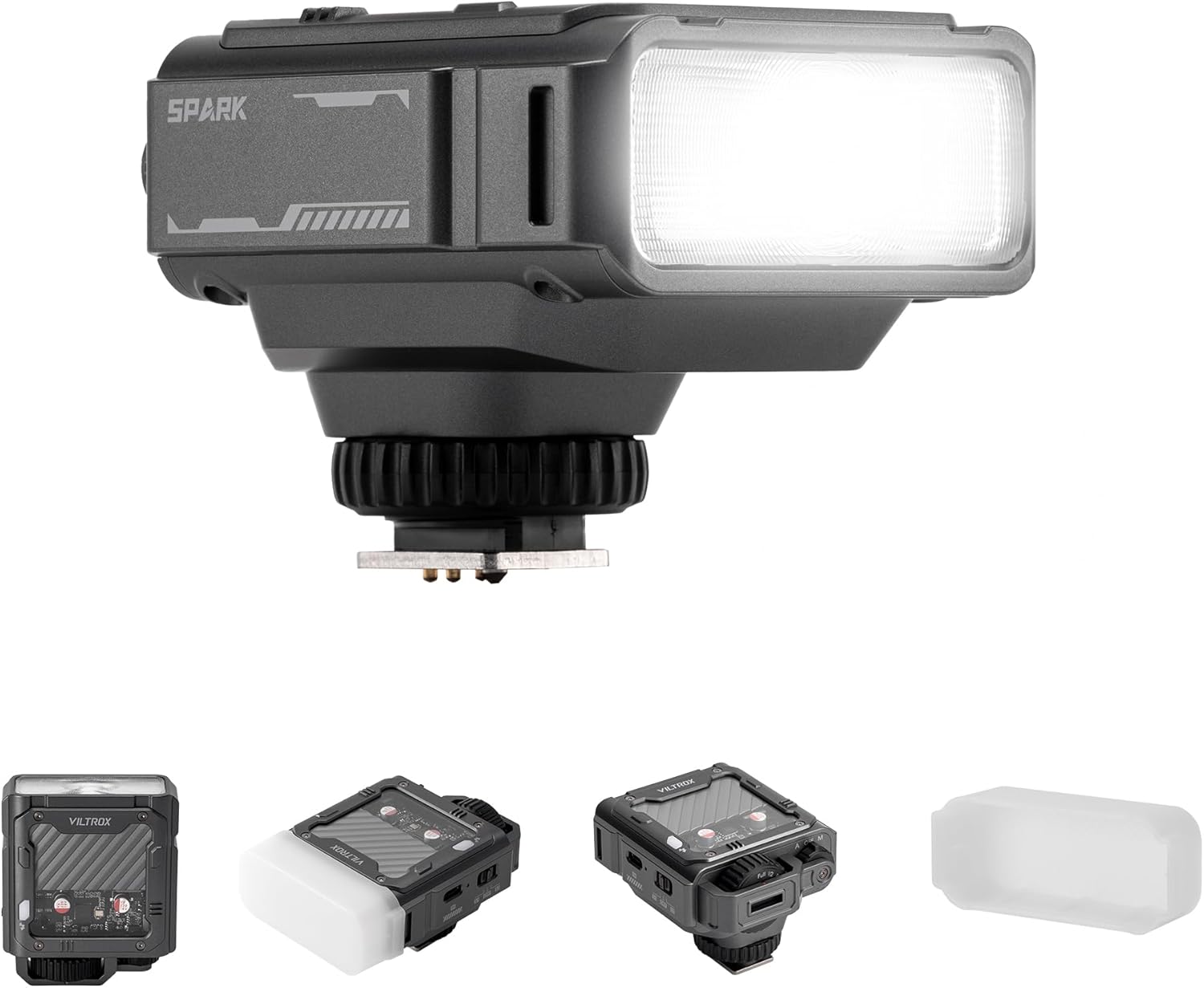
Figure 1.1: The VILTROX Spark Z3-F TTL Camera Flash, a compact and powerful lighting solution.
2. Package Contents
Please verify that all items are present in your package:
- Spark Z3 Camera Flash x1
- Diffuser x1
- User Manual x1
- Box x1

Figure 2.1: Illustration of the items included in the VILTROX Spark Z3-F product package.
3. Product Overview
The VILTROX Spark Z3-F features a robust design with intuitive controls. Familiarize yourself with the various parts of the flash unit:
- Flash Head: Emits light for illumination.
- Hot Shoe Mount: Connects the flash to your camera's hot shoe.
- Mode Dial (A/OFF/M): Selects between Automatic (TTL), Off, and Manual modes.
- Power Adjustment Dial: Controls flash output in Manual mode (Full to 1/64).
- USB-C Charging Port: For recharging the built-in battery.
- Slave Mode Switch (S1/OFF/S2): Activates wireless slave functions.
- Built-in Diffuser: Softens light for more natural portraits.
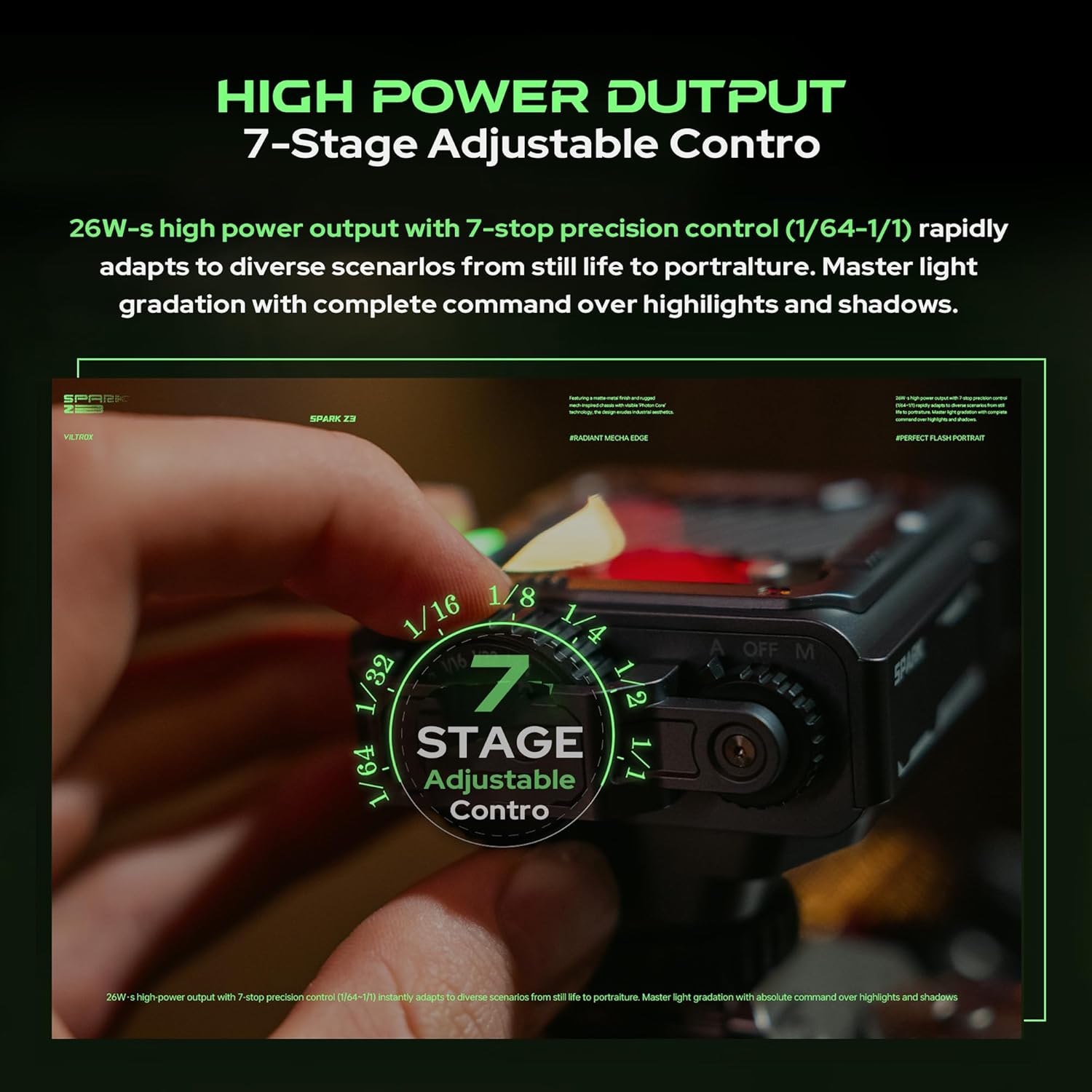
Figure 3.1: Side view of the VILTROX Spark Z3-F, showing the USB-C port and slave mode switch.

Figure 3.2: The transparent design of the VILTROX Spark Z3-F, showcasing its internal 'light core engine'.
4. Setup
4.1 Initial Charging
Before first use, fully charge the flash unit. Connect the provided USB-C cable to the flash's charging port and to a compatible USB power source. The charging indicator will show the charging status. A full charge takes approximately 70 minutes.

Figure 4.1: The VILTROX Spark Z3-F connected via USB-C for charging, indicating its long-lasting power capabilities.
4.2 Mounting the Flash
To attach the flash to your camera:
- Ensure the flash is turned OFF.
- Slide the flash's hot shoe into your camera's hot shoe mount.
- Tighten the locking ring on the flash to secure it firmly to the camera.

Figure 4.2: The VILTROX Spark Z3-F securely mounted on a compatible Fuji camera.
5. Operating Modes
The Spark Z3-F offers several operating modes to suit different photographic needs.
Video 5.1: A demonstration of how the VILTROX Spark Z3-F On-Camera Flash functions, including its various modes and controls.
5.1 TTL (Automatic) Mode
In TTL (Through-The-Lens) mode, the flash automatically adjusts its output based on the camera's metering system. This is ideal for beginners or situations requiring quick, accurate exposure.
- Set the mode dial to 'A' (Auto).
- The flash will communicate with your camera to determine the optimal flash power.

Figure 5.1: Close-up of the VILTROX Spark Z3-F's mode dial, highlighting the 'A' (TTL Automatic) setting.
5.2 Manual (M) Mode
Manual mode provides full control over the flash output, allowing for precise lighting adjustments. This mode is suitable for experienced users who prefer to craft their lighting.
- Set the mode dial to 'M' (Manual).
- Use the power adjustment dial to select the desired flash output, ranging from Full (1/1) to 1/64 power.

Figure 5.2: The 7-stage adjustable power control dial on the VILTROX Spark Z3-F, allowing precise manual flash output.
5.3 Wireless Slave Modes (S1/S2)
The Spark Z3-F can be triggered wirelessly by another flash unit, offering flexible off-camera lighting possibilities.
- S1 Mode (Synchronous Flashing): The flash will fire when it detects a flash from a master unit. This mode is suitable for manual flash systems.
- S2 Mode (Anti Pre-Flash Triggering): The flash will ignore the pre-flash from a TTL master unit and fire on the main flash. This prevents premature triggering in TTL systems.
- Slide the slave mode switch to 'S1' or 'S2' as required.
- Position the Spark Z3-F off-camera, ensuring its sensor can detect the master flash.

Figure 5.3: The VILTROX Spark Z3-F used in a multi-light wireless sync setup, demonstrating its off-camera capabilities.
6. Creative Features
6.1 Soft Diffuser Attachment
The included soft diffuser can be attached to the flash head to soften the light output, reducing harsh shadows and creating more natural-looking illumination, especially for portraits.

Figure 6.1: The VILTROX Spark Z3-F with its snap-on soft diffuser, designed to eliminate harsh glare.
6.2 Fast Recycling Time
The Spark Z3-F boasts a 1-second recycling time at full power, allowing for rapid consecutive shots and ensuring you don't miss critical moments.

Figure 6.2: The VILTROX Spark Z3-F's rapid 1-second recycling time, enabling continuous shooting.
7. Power Management
7.1 Battery Life
The built-in battery provides long-lasting power, capable of up to 650 flashes at maximum power on a full charge. This ensures extended shooting sessions without frequent recharging.
7.2 Charging
Recharge the flash using the USB-C port. The unit supports fast charging, reaching full capacity in approximately 70 minutes. It also supports simultaneous charging and usage, allowing you to continue shooting while the battery recharges.
8. Specifications
| Feature | Specification |
|---|---|
| Guide Number (GN) | GN16 |
| Power Output | 26W-s |
| Color Temperature | 6500K |
| Power Control | 7-stop (1/1 to 1/64) |
| Recycling Time | 1 second (at full power) |
| Flashes per Charge | Up to 650 (at full power) |
| Charging Port | USB-C |
| Full Charge Time | Approx. 70 minutes |
| Dimensions | 2.2 x 2.65 x 3.09 inches |
| Item Weight | 9 ounces |
| Compatible Mountings | Fujifilm X |
9. Troubleshooting
If you encounter issues with your VILTROX Spark Z3-F, please refer to the following common problems and solutions:
- Flash not firing:
- Ensure the flash is securely mounted on the camera's hot shoe.
- Check that the flash is turned ON and in the correct operating mode (A or M).
- Verify the battery has sufficient charge.
- If using slave mode, ensure the master flash is firing and the slave unit's sensor is unobstructed.
- Flash not charging:
- Confirm the USB-C cable is properly connected to both the flash and the power source.
- Try a different USB-C cable or power adapter.
- Ensure the power source is active and providing sufficient power.
- Inconsistent flash output:
- In TTL mode, ensure your camera's metering is set appropriately for the scene.
- In Manual mode, double-check your power setting on the dial.
- Check for any obstructions between the flash and the subject, or if the diffuser is incorrectly attached.
10. Warranty and Support
The VILTROX Spark Z3-F comes with a manufacturer's warranty. Please refer to the separate Warranty Card included in your product package for detailed information regarding warranty terms, conditions, and duration. For technical support, service, or further inquiries, please contact VILTROX customer service through their official website or the contact information provided on the warranty card.