
Introduction
Thank you for choosing the RetroAudio JM-101 Portable Bluetooth Vintage Vinyl Record Player. This device combines classic aesthetics with modern functionality, allowing you to enjoy your vinyl collection and stream digital music wirelessly. This manual provides essential information for proper setup, operation, and maintenance of your record player.
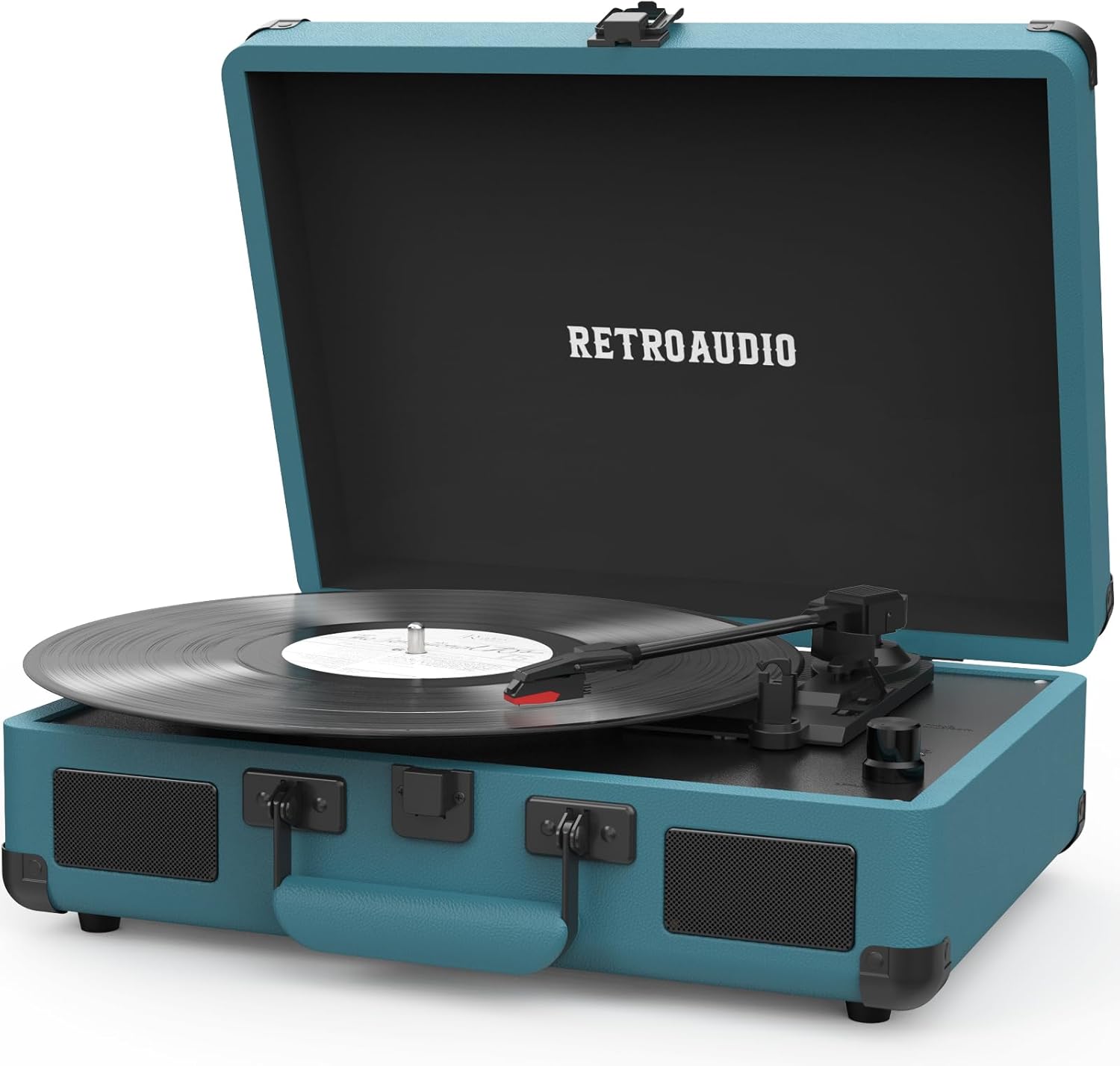
RetroAudio JM-101 Portable Bluetooth Vintage Vinyl Record Player in Smoke Blue, closed.
Safety Information
- Read all instructions before operating the unit.
- Keep the unit away from water, moisture, and direct sunlight.
- Do not place the unit near heat sources such as radiators or stoves.
- Use only the power adapter provided by the manufacturer.
- Unplug the unit during lightning storms or when unused for long periods.
- Do not attempt to repair the unit yourself. Refer all servicing to qualified personnel.
Package Contents
Ensure all items are present in the package:
- RetroAudio JM-101 Turntable Unit
- Power Cord
- Instruction Manual
Product Overview
Familiarize yourself with the components of your RetroAudio JM-101 record player:

Detailed diagram of the RetroAudio JM-101 record player components.
- 45 RPM Adapter: Used for playing 45 RPM records with a large center hole.
- Tonearm Lever: Lifts and lowers the tonearm.
- PHONO/BLUETOOTH Switch: Selects between vinyl playback (PHONO) and Bluetooth input.
- 33.3/45/78 RPM Switch: Selects the playback speed for vinyl records.
- Tonearm: Holds the stylus and tracks the record grooves.
- Bluetooth Indicator Light: Illuminates when Bluetooth is active.
- Power Indicator Light: Illuminates when the unit is powered on.
- Volume Knob: Adjusts the audio output volume.
- Turntable: The rotating platter where records are placed.
- Needle (Stylus): The component that reads the record grooves.
- Ear Jack (Headphone Output): 3.5mm jack for connecting headphones.
- RCA OUT LINE: RCA output jacks for connecting to external speakers or an amplifier.
- Power In (5V 1A): DC input for connecting the power adapter.
Setup
1. Unpacking and Placement
- Carefully remove the record player from its packaging.
- Place the unit on a stable, level surface away from dust, vibrations, and direct heat sources.
- Remove any protective packaging materials from the tonearm and turntable.
2. Power Connection
- Connect the provided power cord to the 'Power In (5V 1A)' port on the back of the unit.
- Plug the other end of the power cord into a suitable wall outlet.
Operating Instructions
Playing Vinyl Records
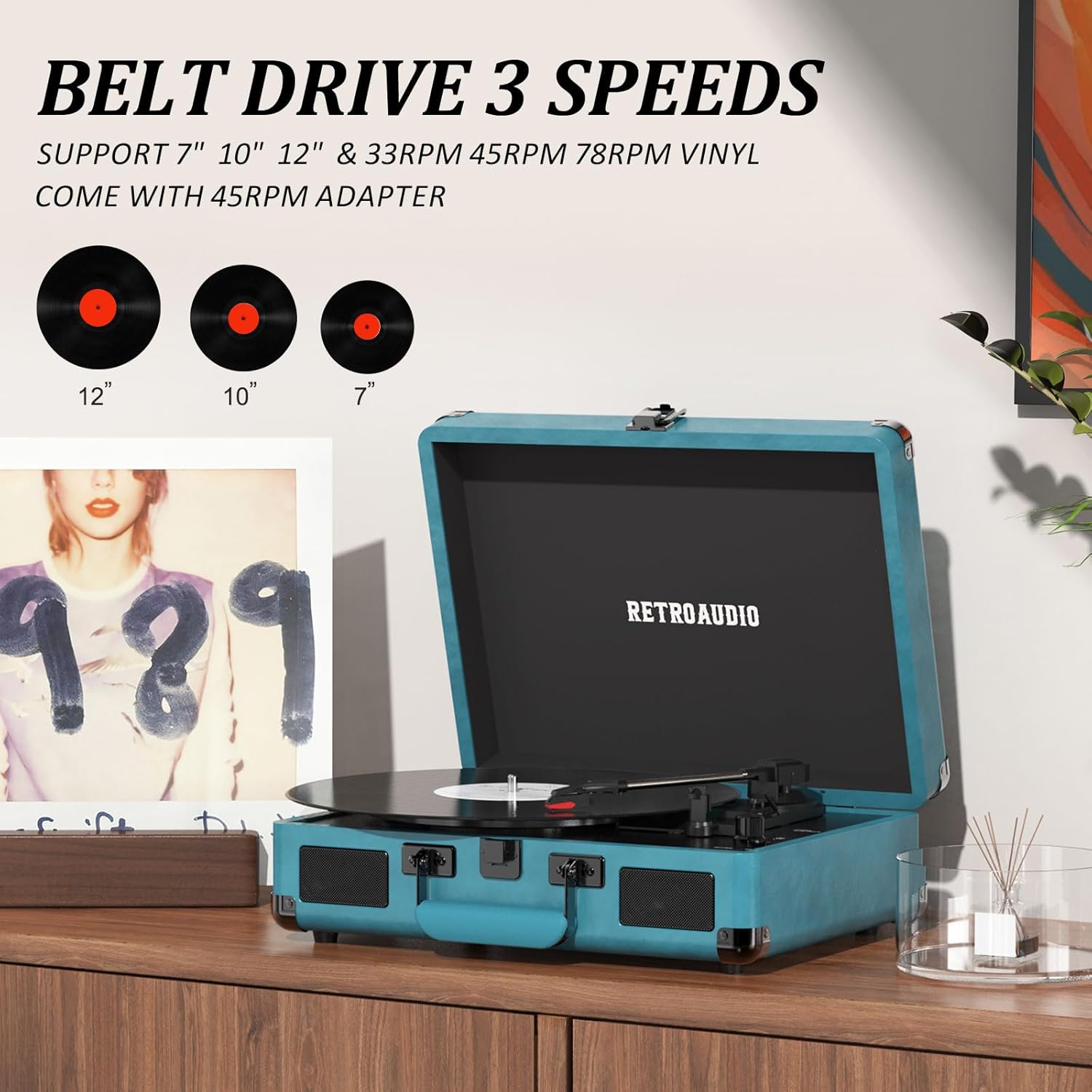
The record player supports 7", 10", and 12" vinyl records at 33 1/3, 45, and 78 RPM.
- Open the lid of the record player.
- Ensure the 'PHONO/BLUETOOTH' switch is set to 'PHONO'.
- Place a vinyl record on the turntable. If playing a 45 RPM record with a large center hole, place the 45 RPM adapter on the spindle first.
- Select the correct speed (33.3, 45, or 78 RPM) using the '33.3/45/78 RPM Switch'.
- Gently lift the tonearm using the tonearm lever.
- Move the tonearm over the desired starting track of the record.
- Slowly lower the tonearm using the tonearm lever. The stylus will make contact with the record, and playback will begin.
- Adjust the volume using the 'Volume Knob'.
- At the end of the record, the tonearm will automatically return to its rest position (auto-stop function). If the auto-stop function is not desired, it can usually be disabled via a switch (refer to specific model details if available).
Bluetooth Pairing

Stream music wirelessly to your record player via Bluetooth.
- Ensure the 'PHONO/BLUETOOTH' switch is set to 'BLUETOOTH'. The Bluetooth indicator light will flash, indicating it is in pairing mode.
- On your smartphone, tablet, or other Bluetooth-enabled device, enable Bluetooth and search for available devices.
- Select 'Turntable' (or similar name) from the list of devices to pair.
- Once paired, the Bluetooth indicator light will stop flashing and remain solid.
- You can now play music from your device through the record player's built-in speakers. Adjust volume using the 'Volume Knob' on the record player and/or your connected device.
External Audio Connections
- Headphone Output: Connect 3.5mm headphones to the 'Ear Jack' for private listening. The built-in speakers will be muted.
- RCA Output: Connect external powered speakers or an amplifier to the 'RCA OUT LINE' jacks using an RCA cable (not included) for enhanced sound. Ensure the external audio system is properly configured.
Maintenance
Cleaning the Stylus
- Use a soft brush (not included) to gently clean the stylus. Brush from back to front, never side to side.
- Avoid touching the stylus with your fingers.
Cleaning the Unit
- Wipe the unit with a soft, dry cloth.
- Do not use harsh chemicals or abrasive cleaners.
Storage
- When not in use, close the lid to protect the turntable from dust.
- Store the unit in a cool, dry place.
Troubleshooting
| Problem | Possible Cause | Solution |
|---|---|---|
| No power | Power cord not connected; outlet not active. | Ensure power cord is securely connected to the unit and a working outlet. |
| No sound from speakers | Volume too low; PHONO/BLUETOOTH switch incorrect; headphones connected. | Increase volume. Ensure correct mode is selected. Disconnect headphones. |
| Record skipping | Record is dirty or scratched; unit is not level; stylus is dirty or worn. | Clean record. Place unit on a stable, level surface. Clean or replace stylus. |
| Bluetooth not pairing | Unit not in pairing mode; device too far; incorrect device selected. | Ensure PHONO/BLUETOOTH switch is on BLUETOOTH. Move device closer. Select 'Turntable' from device list. |
Specifications
- Brand: RetroAudio
- Model Name: JM-101
- Maximum Rotational Speed: 78 rpm
- Supported Speeds: 33 1/3, 45, 78 RPM
- Supported Vinyl Sizes: 7", 10", 12"
- Connectivity: Bluetooth Reception, 3.5mm Headphone Jack, RCA Output
- Speakers: Dual Built-in Stereo Speakers
- Material: Engineered Wood, Metal, PU Leather
- Power Input: 5V 1A DC
- Item Dimensions (L x W x H): 13.1" x 10" x 4"
- Included Components: Turntable, Power Cord, Instruction Manual
Warranty and Support
This RetroAudio JM-101 record player comes with a 1-year limited warranty from the date of purchase, covering manufacturing defects. Please retain your proof of purchase for warranty claims.
For technical support, troubleshooting assistance, or warranty inquiries, please contact RetroAudio customer service through the retailer where the product was purchased or visit the official RetroAudio website for contact information.