
Introduction
The Ajblg Android Smart Tag is a compact, IP68 waterproof Bluetooth item finder designed to help you locate your valuables. This 4-pack of smart tags works seamlessly with the Google Find My Device app on Android smartphones and tablets, providing both nearby and distant tracking capabilities. Each tag features a replaceable CR2032 battery with a life of up to one year and includes a protective case for durability.
Package Contents
Your Ajblg Android Smart Tag 4-pack includes the following items:
- Smart Tag x 4
- Silicone Protector x 4
- Lanyard x 4
- Spare CR2032 Battery x 1 (in addition to pre-installed batteries)

Image: Contents of the Ajblg Smart Tag 4-pack, showing four smart tags, four silicone protectors, four lanyards, and one spare CR2032 battery.
Setup Guide
Follow these steps to set up your Ajblg Android Smart Tags and connect them to your Android device.
- Step 1: Download the Google Find My Device App
On your Android smartphone or tablet, open the Google Play Store and search for "Google Find My Device". Download and install the application. - Step 2: Activate the Smart Tag
Press the power button on your Smart Tag once to put it into pairing mode. The tag will emit a sound or light indicator to confirm it's ready for connection. - Step 3: Connect the Smart Tag
Open the Google Find My Device app. The connection page should appear automatically, detecting your Smart Tag. Click on the "Connect" button within the app to pair your device. - Step 4: Connection Established
Once connected, the app will confirm that the connection is established, and your Smart Tag is ready for use. You can now name your tag and customize settings.

Image: Visual guide showing the four steps to set up the Ajblg Smart Tag, including downloading the Google Find My Device app, activating the tag, connecting via the app, and confirming the connection.
Compatibility
The Ajblg Smart Tag is designed to work exclusively with Android smartphones and tablets that support the Google Find My Device network. Apple and Huawei devices are not supported.

Image: Illustrates compatibility with various Android phone brands like Samsung, Google, Xiaomi, Vivo, and OPPO, explicitly stating that Apple and Huawei devices are not supported.
Operating Instructions
Finding Items Nearby
When your Smart Tag is within Bluetooth range (up to 120 feet / 350 feet in optimal conditions), you can use the "Play Sound" feature in the Google Find My Device app. The tag will emit a loud beep (80-100dB) to help you locate it quickly, even if it's hidden under cushions or in another room.

Image: A smartphone screen showing the "Play sound" option in the Google Find My Device app, with a visual representation of the Smart Tag emitting sound waves on a sofa.
Finding Items Far Away (Global Tracking)
If your Smart Tag is out of Bluetooth range, you can still locate it using the Google Find My Device network. Billions of Android devices worldwide contribute to this network, anonymously reporting the location of your tag. Open the app to view your tag's last known location on a map and use the navigation feature to guide you to its vicinity.
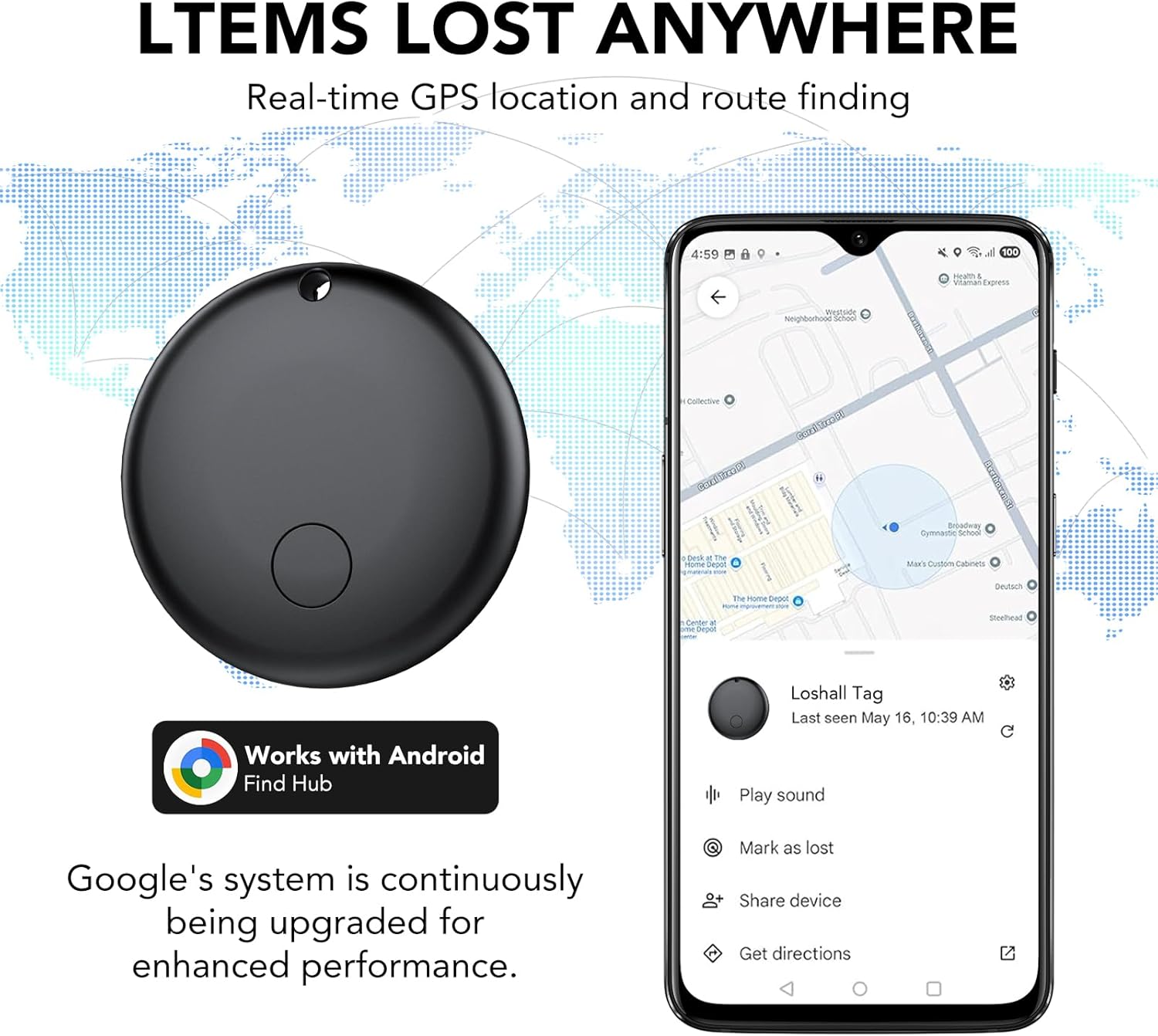
Image: A map showing global tracking capabilities with a Smart Tag and a smartphone displaying its location on the Google Find My Device app interface.
Left-Behind Reminder
The Smart Tag can notify you if you leave an item behind. Your phone will receive an instant notification when your tag is no longer detected near you, showing its last known location on the map. This helps prevent loss before it happens.

Image: A notification on a smartphone indicating that a "Key" has been left behind, with the Smart Tag attached to keys on a table.
Lost Mode
If an item with your Smart Tag is lost, you can activate "Lost Mode" in the app. This leverages the Google Find My Device network to help locate your tag. All location information is anonymous and encrypted to ensure your privacy and security.
Sharing Your Items
The app allows you to share access to your Smart Tag's location with friends and family. This feature is useful for shared items like car keys or luggage, enabling multiple users to track them.

Image: A split image showing the "Share This Item" feature on a smartphone screen with user icons, and the Smart Tag submerged in water, demonstrating its IP68 waterproof rating.
Usage Scenarios
The Ajblg Smart Tag is versatile and can be attached to various items you want to keep track of:
- Keys
- Wallets
- Backpacks
- Handbags
- Luggage

Image: A collage showing the Ajblg Smart Tag attached to various items such as keys, a backpack, a handbag, and luggage, illustrating its diverse applications.
Maintenance
Battery Replacement
Each Ajblg Smart Tag uses a standard CR2032 coin cell battery, which provides approximately one year of battery life. The battery is replaceable. To replace the battery:
- Gently twist the back cover of the Smart Tag counter-clockwise to open it.
- Remove the old CR2032 battery.
- Insert a new CR2032 battery with the positive (+) side facing up.
- Align the back cover and twist clockwise to secure it.

Image: A visual representation of the Smart Tag with its back cover removed, showing the CR2032 battery being replaced, highlighting the 365-day battery life.
Water Resistance
The Ajblg Smart Tag is IP68 rated, meaning it is resistant to dust and can withstand immersion in water up to 1.5 meters for up to 30 minutes. This makes it durable for everyday use and accidental exposure to water.
Troubleshooting
| Issue | Possible Cause / Solution |
|---|---|
| Smart Tag not connecting or frequently disconnecting. |
|
| Smart Tag not responding (no sound, no light). |
|
| Location accuracy is poor or not updating. |
|
| Left-Behind Reminder not working. |
|
Specifications
| Feature | Detail |
|---|---|
| Brand | Ajblg |
| Model Number | F08-ALEU3-4BK |
| Connectivity Technology | Bluetooth |
| Compatible Devices | Android Smartphones, Android Tablets |
| Control Method | Application (Google Find My Device) |
| Battery Type | CR2032 (1 per tag, included) |
| Battery Life | Up to 365 days |
| Battery Maintenance | Replaceable |
| Water Resistance Rating | IP68 |
| Bluetooth Range | Up to 120 feet (approx. 36 meters) |
| Number of Items | 4 Smart Tags per pack |
| Dimensions (approx.) | 29mm (diameter) x 7.8mm (thickness) |
| Weight (approx.) | 7g per tag |
Warranty and Support
Warranty Information
The Ajblg Android Smart Tag comes with a 1-year warranty from the date of purchase. This warranty covers manufacturing defects and malfunctions under normal use. It does not cover damage caused by misuse, accidents, unauthorized modifications, or normal wear and tear.
Customer Support
For technical assistance, warranty claims, or any questions regarding your Ajblg Android Smart Tag, please contact the seller or manufacturer directly through the platform where you purchased the product. Please have your purchase details and model number (F08-ALEU3-4BK) ready when contacting support.