1. Introduction
The Generic ST-126 Plus is a versatile wireless handheld vacuum cleaner designed for various cleaning needs. With its 120W motor and 20000PA suction power, it offers excellent performance for car interiors, homes, and offices. Featuring Type-C charging for convenience and a washable filter for easy maintenance, its compact and lightweight design ensures portability. This manual provides essential information for safe and effective operation.
2. Safety Instructions
- Read all instructions before use.
- Keep the vacuum cleaner away from water or other liquids.
- Do not use to vacuum flammable or combustible materials, hot ashes, or sharp objects.
- Ensure the filter is properly installed before operation.
- Do not operate with a damaged cord or plug.
- Keep hair, loose clothing, fingers, and all parts of the body away from openings and moving parts.
- This appliance is not intended for use by persons (including children) with reduced physical, sensory or mental capabilities, or lack of experience and knowledge, unless they have been given supervision or instruction concerning use of the appliance by a person responsible for their safety.
- Only use the charging cable provided or a compatible Type-C charger (DC5V/2A).
3. Package Contents
Verify that all items are present in the package:
- ST-126 Plus Handheld Vacuum Cleaner Unit
- Long Flat Nozzle
- Brush Attachment
- Slender Mouthpiece
- Inflatable Nozzles (Swimming Ring, Large)
- Type-C Charging Cable
- User Manual
4. Product Overview
Familiarize yourself with the main components of your ST-126 Plus vacuum cleaner.
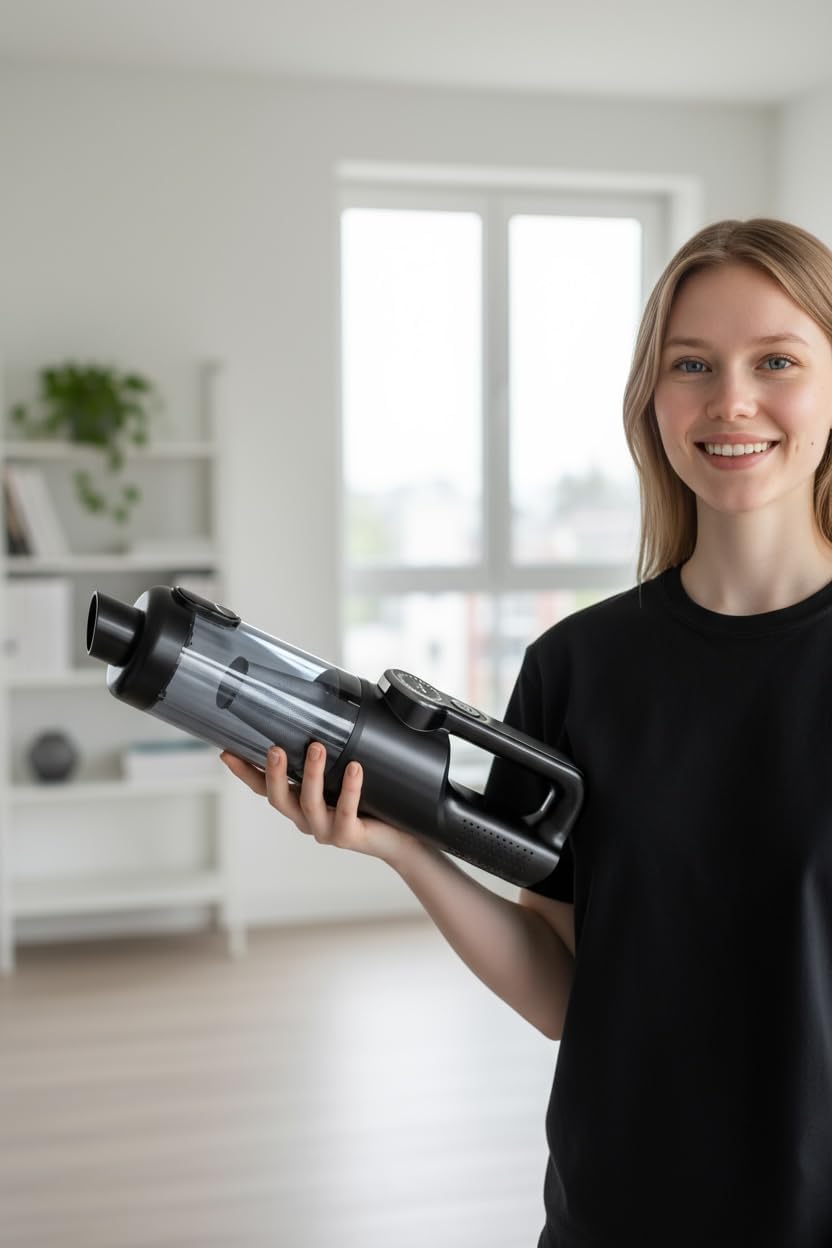
Figure 1: The ST-126 Plus handheld vacuum cleaner, showcasing its compact design.

Figure 2: Digital display screen for real-time monitoring of battery level and power modes.
5. Setup
5.1 Charging the Vacuum Cleaner
- Connect the Type-C charging cable to the charging port on the vacuum cleaner.
- Plug the other end of the cable into a compatible USB power adapter (DC5V/2A recommended).
- The digital display will indicate the battery charging status. Charge fully before first use.
5.2 Attaching Accessories
Select the appropriate nozzle or brush for your cleaning task and firmly attach it to the suction inlet of the vacuum cleaner.
6. Operating Instructions
6.1 Power On/Off and Mode Selection
- Press the power button to turn on the vacuum cleaner. It will typically start in ECO mode.
- Press the power button again to switch to BOOST mode for maximum suction power.
- Press the power button a third time to turn off the vacuum cleaner.
6.2 Using Cleaning Attachments
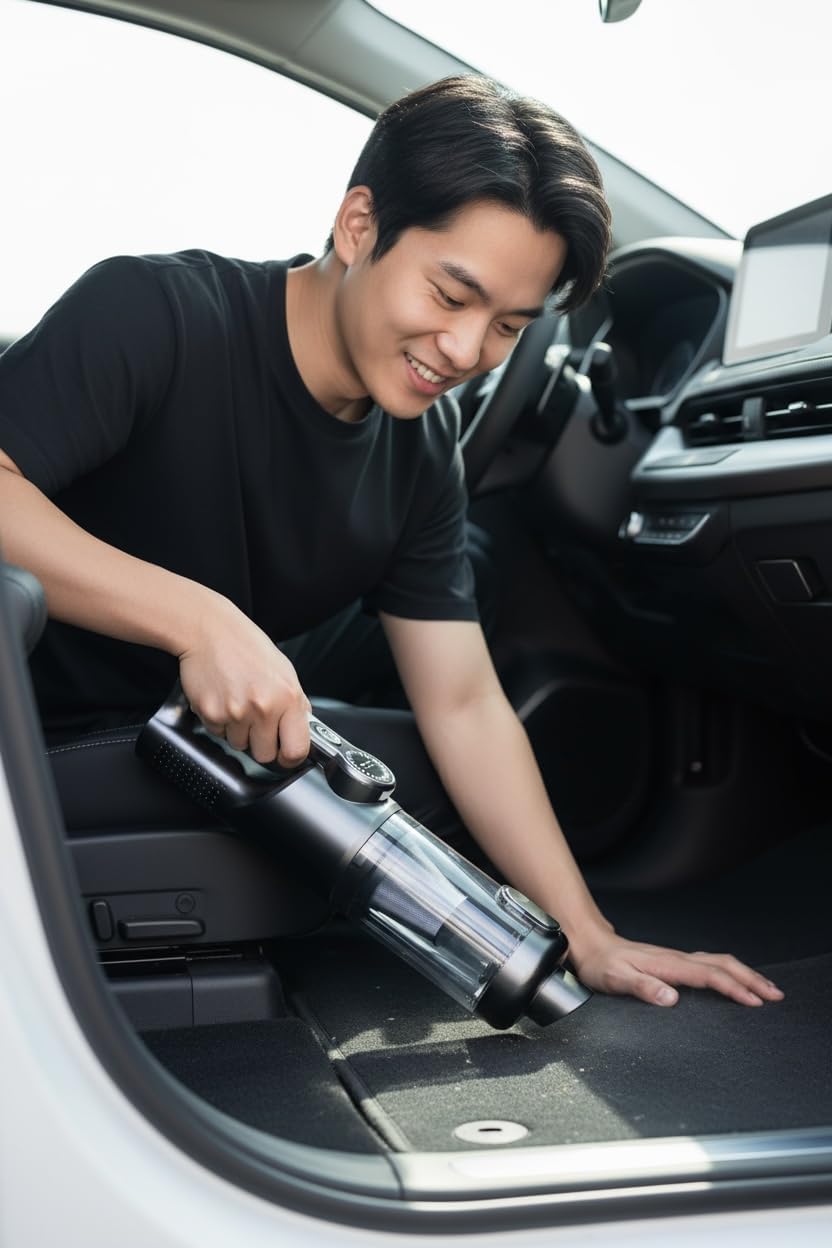
Figure 3: The ST-126 Plus is ideal for cleaning car interiors.
- Long Flat Nozzle + Brush: This combination is effective for reaching narrow spaces, car door gaps, window corners, and other blind spots.

Figure 4: Using the long flat nozzle and brush for detailed cleaning.
- Slender Mouthpiece + Brush: Use this for delicate tasks such as cleaning keyboard crevices, removing dust from computer chassis, or assisting with outdoor fire ignition by providing airflow.
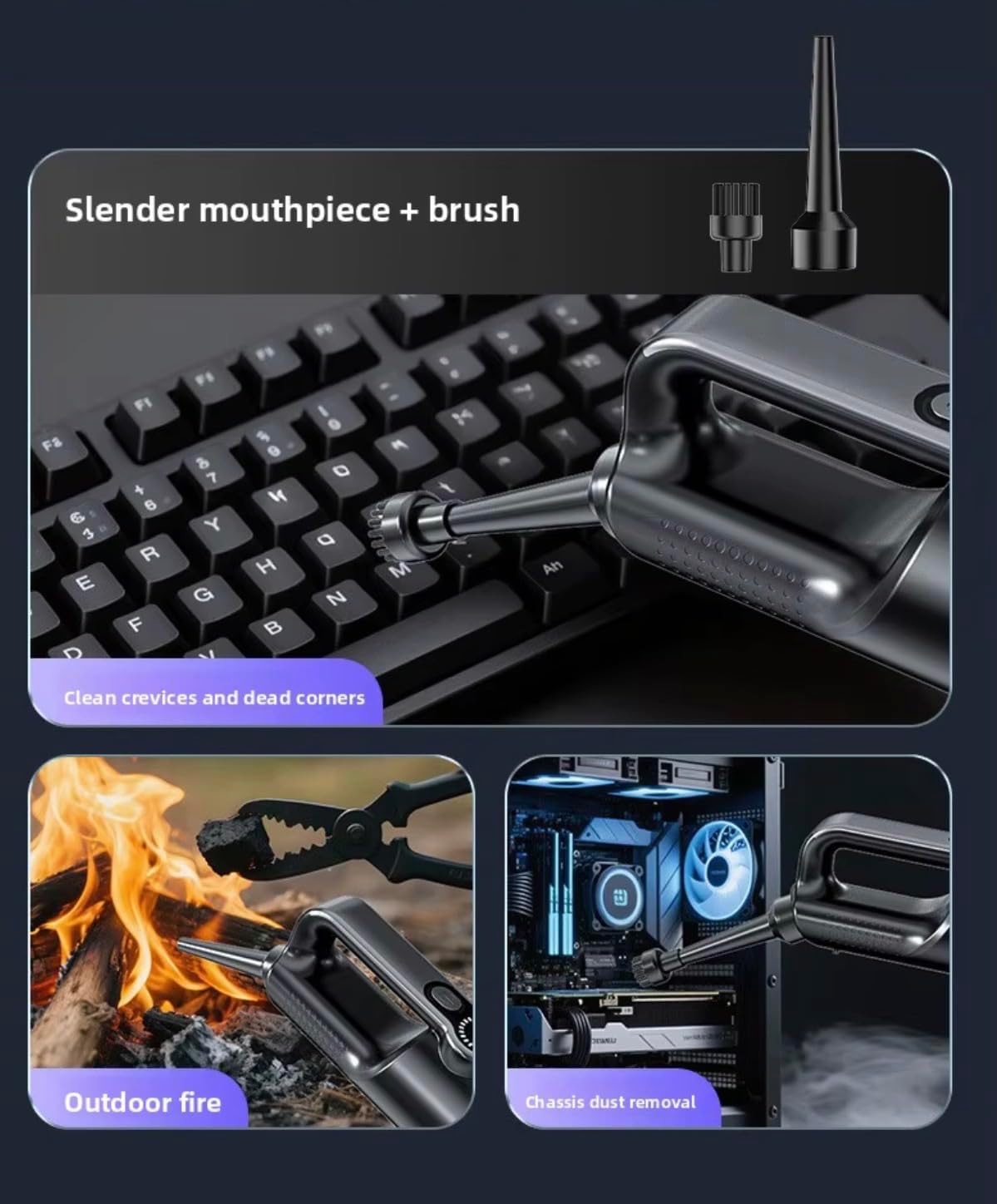
Figure 5: Versatile use of the slender mouthpiece and brush.
6.3 Using Inflatable Nozzles
The ST-126 Plus also functions as an air blower for inflation tasks.
- Swimming Ring Inflatable Mouth: Use for inflating small items like swimming rings or lifebuoys.
- Large Inflatable Mouth: Suitable for larger inflatables such as swimming pools or cushion beds.
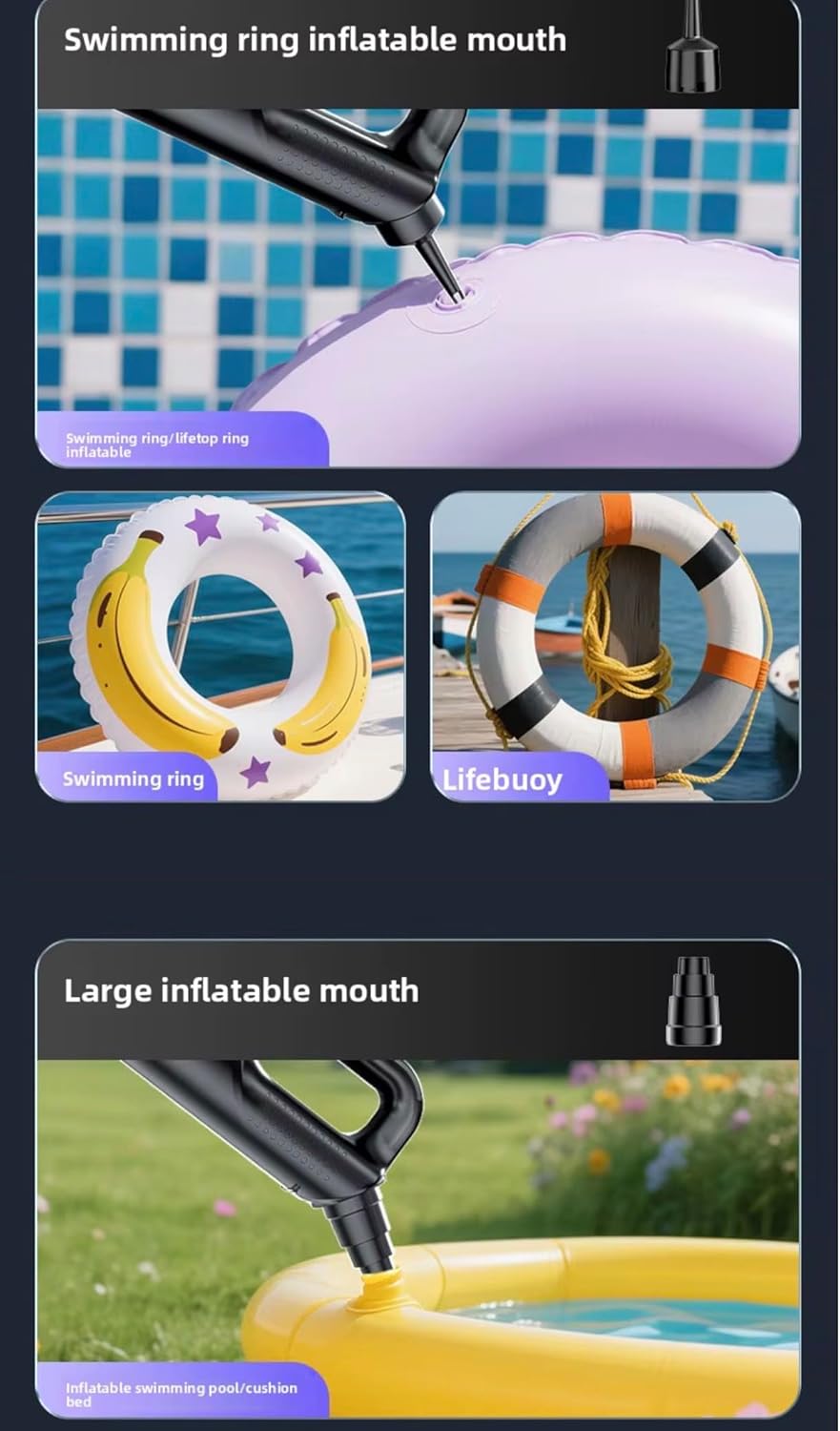
Figure 6: Inflatable nozzles for various items.
7. Maintenance
7.1 Emptying the Dustbin
Empty the dustbin regularly to maintain optimal suction power.
- Ensure the vacuum cleaner is turned off.
- Twist or unlatch the dustbin from the main unit.
- Carefully empty the collected debris into a trash receptacle.

Figure 7: Emptying the dustbin.
7.2 Cleaning the Washable Filter
The HEPA filter is washable and reusable. Clean it periodically to ensure efficient filtration and suction.
- Remove the filter from the dustbin.
- Rinse the filter under running water until clean.
- Allow the filter to air dry completely before reinserting it into the dustbin. Do not use the vacuum with a wet filter.
8. Troubleshooting
- No Power: Ensure the battery is charged. Check the charging cable and adapter.
- Weak Suction: Empty the dustbin. Clean or replace the filter. Check for blockages in the nozzle or suction inlet.
- Unusual Noise: Check for any foreign objects caught in the vacuum or attachments. Ensure all parts are securely assembled.
- Short Battery Life: Ensure the unit is fully charged. Battery performance may decrease over time with prolonged use.
9. Specifications
| Feature | Specification |
|---|---|
| Model Name | ST-126 Plus |
| Brand | Generic |
| Power/Wattage | 120W |
| Suction Power | 20000PA (as per product description) |
| Voltage | 120 Volt |
| Capacity | 0.5 Litre |
| Filter Type | HEPA Filter (Washable) |
| Power Source | Battery Powered (Type-C Charging) |
| Noise Level | 65 Decibel |
| Material | Plastic |
| Color | Black-Grey |
| Package Dimensions | 21 x 20 x 6.5 cm |
| Weight | 850 grams |
10. Warranty and Support
For warranty information and customer support, please refer to the documentation provided at the time of purchase or contact your retailer. Keep your proof of purchase for any warranty claims.


