Maycall MC-398 Global Unlimited Range 4G LTE POC Walkie Talkie User Manual
Model: MC-398
Introduction
This manual provides detailed instructions for the safe and efficient operation of your Maycall MC-398 Global Unlimited Range 4G LTE POC Walkie Talkie. Please read this manual thoroughly before using the device to ensure optimal performance and longevity.
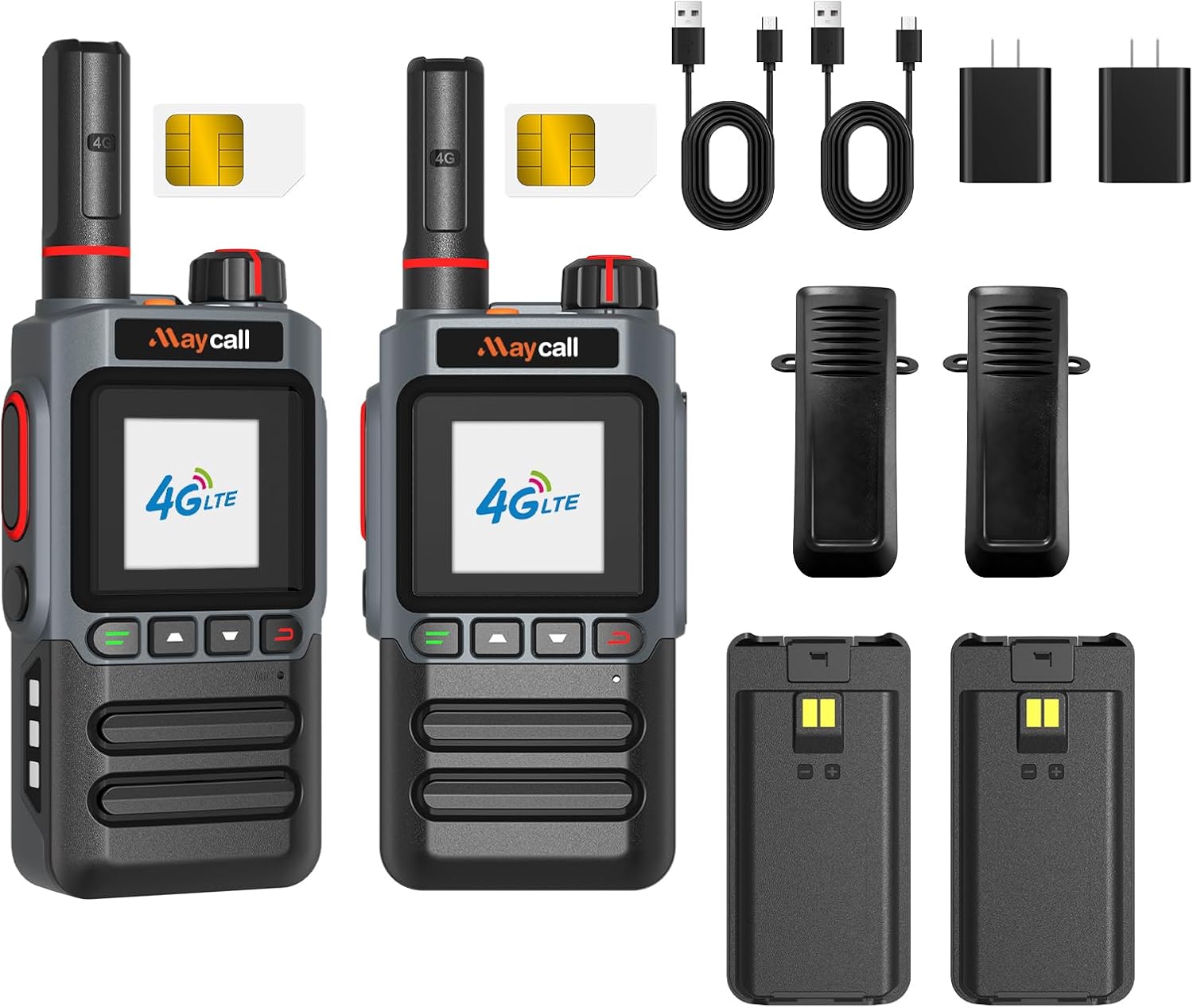
Image: Maycall MC-398 Global Unlimited Range 4G LTE POC Walkie Talkie.
What's in the Box
Upon unboxing your Maycall MC-398, verify that all components are present:
- Maycall MC-398 Walkie Talkie Unit (x2)
- 3000mAh Battery (x2)
- Back Clip (x2)
- Type-C Charging Cable (x2)
- Charging Head (x2)
- SIM Card (x2)
- Instruction Manual
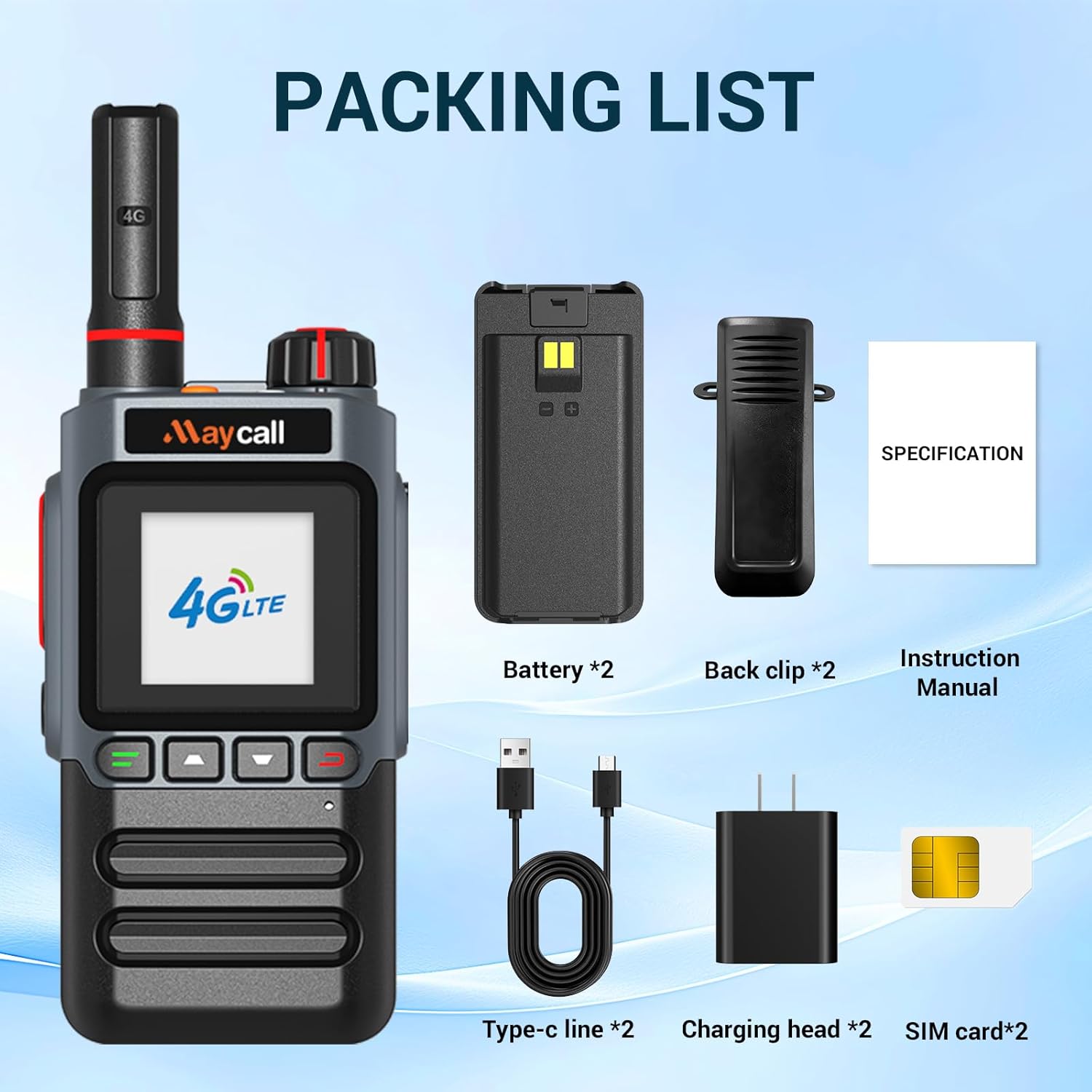
Image: Contents of the Maycall MC-398 product package, including two walkie talkies, batteries, charging accessories, SIM cards, and manual.
Video: Unboxing the Maycall MC-398 Global Walkie Talkies, showing all included components.
Product Overview
The Maycall MC-398 is a robust 4G LTE Push-to-Talk Over Cellular (POC) radio designed for extensive communication range and reliability. Key features include:
- Unlimited Range Communication: Utilizes 2G/3G/4G LTE technology for communication exceeding 3,000 miles, supporting individual and group calls.
- Versatile Calling Modes: Supports one-on-one calls and group chats with a responsive Push-to-Talk (PTT) button.
- High-Fidelity Audio: Advanced noise-canceling technology ensures clear conversations in noisy environments.
- Long-Lasting Battery: Powered by a 3000mAh battery, offering up to 3 days of continuous use or 7 days on standby. Features smart power-saving mode and USB-C charging.
- Integrated Flashlight: A built-in 300-lumen high-brightness LED flashlight for practical emergency use.
- Lifetime Service: No subscription, monthly, or annual fees. Utilizes major U.S. carriers (Verizon, AT&T, T-Mobile) with automatic signal switching.

Image: Illustration highlighting the lifetime free SIM card service with no additional fees.

Image: Overview of the Maycall MC-398's unlimited range, 3000mAh battery, single/group call, global intercom, dual SIM, and 2G/3G/4G network support.
Setup Instructions
1. SIM Card and Battery Installation
- Remove the battery cover from the back of the walkie talkie.
- Locate the SIM card slot. The SIM cards should be broken apart to the smallest possible unit.
- Insert the SIM card(s) with the notch in the lower right-hand corner and the metal contacts facing the pins. Slide the metal plate up and lock it to firmly install the SIM card.
- Insert the 3000mAh battery into its compartment.
- Replace the battery cover.
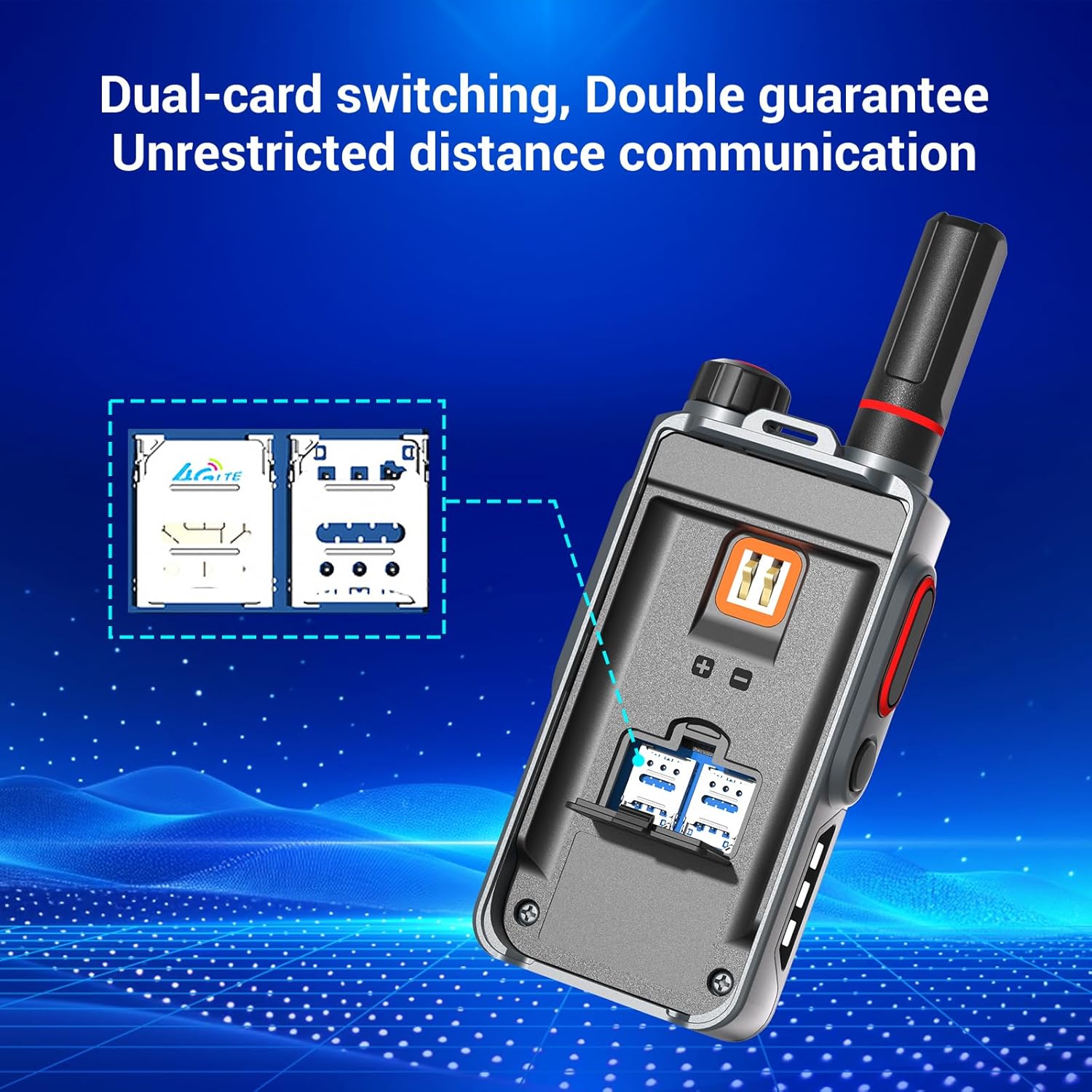
Image: Close-up view of the Maycall MC-398's dual SIM card slot for installation.

Image: Illustration showing the 3000mAh battery being inserted into the Maycall MC-398 walkie talkie.
2. Initial Power On
- Rotate the power knob located at the top of the device clockwise until it clicks and the screen illuminates.
- The device will display "Maycall Global walkie-talkie" and then "Welcome to use POC radio Initializing...".
- Allow approximately five minutes for the device to initialize and connect to the network.
3. Device Registration and Pairing
To activate and pair your walkie talkies, follow these steps:
- Locate the QR code on the product packaging.
- Using a smartphone, open a QR code scanner or your mobile browser's scanning function.
- Scan the QR code on the box. This will direct you to the registration page.
- On the registration page, enter the phone number used when receiving the goods (your recipient's phone number).
- Enter a desired username or group name.
- Scan the QR code displayed on the screen of your Maycall MC-398 walkie talkie to input its IMEI number. Repeat for additional devices if you have more than one.
- Click the "Submit" button. The units should activate within approximately one minute.
Video: A guide demonstrating the pairing process for the Maycall Global Walkie-Talkie.
Operating Instructions
1. Power On/Off
- To Power On: Rotate the top-right knob clockwise until the device powers on and displays the Maycall logo.
- To Power Off: Rotate the top-right knob counter-clockwise until the device powers off.
2. Push-to-Talk (PTT) Function
To communicate, press and hold the large red PTT button on the left side of the device. Speak clearly into the microphone. Release the button to listen.
3. Flashlight Operation
- To Turn On: Press the small black button located below the PTT button on the left side of the device. The flashlight will illuminate.
- To Turn Off: Press the same small black button again.
- Burst Mode: Press the red button on the top of the device to activate the burst light mode. Press again to turn off.

Image: The Maycall MC-398 walkie talkie demonstrating its high-brightness LED flashlight feature.
4. Charging
The device charges via a USB-C port located at the bottom. Connect the provided Type-C charging cable to the walkie talkie and a charging head. The battery indicator on the screen will show charging status.
Video: An introductory video showcasing the features and basic operation of the Maycall MC-398 Global Walkie Talkies.
Maintenance
- Keep the device clean using a soft, dry cloth. Avoid abrasive cleaners or solvents.
- Ensure the USB-C port cover is securely closed when not charging to maintain water resistance.
- Store the walkie talkie in a cool, dry place away from direct sunlight and extreme temperatures.
- Regularly charge the battery, even if not in use, to maintain battery health.
Troubleshooting
| Problem | Possible Cause | Solution |
|---|---|---|
| Device does not power on | Low battery; Power knob not fully rotated | Charge the battery; Ensure power knob is fully rotated clockwise. |
| No network signal / Offline status | SIM card not properly installed; Device not registered; Poor network coverage | Re-install SIM card correctly; Complete device registration via QR code; Move to an area with better 4G LTE coverage. |
| Cannot communicate with other devices | Devices not paired to the same group; PTT button not pressed correctly | Ensure all devices are registered and assigned to the same group; Press and hold the PTT button firmly while speaking. |
| Poor audio quality / Noise | Environmental interference; Microphone/speaker obstruction | Move away from sources of interference; Ensure microphone and speaker are clear of debris. |
Specifications
| Feature | Detail |
|---|---|
| Model Number | MC-398 |
| Item Weight | 1.46 pounds |
| Product Dimensions | 4.45 x 1.4 x 2.36 inches |
| Batteries | 2 LR44 batteries required (included) |
| Number of Channels | 10000 |
| Talking Range Maximum | 3000 Miles |
| Water Resistance Level | Waterproof |
| Special Features | Integrated Flashlight, Long-distance, Power Saving Mode, Rechargeable |
| Compatible Devices | Maycall two-way radios, 4G LTE devices, USB-C chargers |
Warranty & Support
Your Maycall MC-398 Walkie Talkie comes with a 1 Year Manufacturer Warranty. For warranty claims or technical support, please refer to the contact information provided on the product packaging or the official Maycall website.


