
1. Introduction and Overview
Thank you for choosing the Kakanuo Cordless Rechargeable Table Lamp. This manual provides essential information for the safe and efficient use of your new lamp. This wireless lamp offers versatile lighting solutions for various indoor and outdoor settings.
Key Features:
- Dimmable Lighting with Stepless Control: Offers three color temperatures (3000K warm, 4000K natural, 5000K white) and smooth stepless dimming with memory function.
- Rechargeable and Portable: Equipped with a powerful 5000mAh battery and a USB-C rechargeable interface for up to 40 hours of continuous use.
- Versatile Design: Features an assemblable design with a two-section lamp pole for adjustable heights and a grid-textured non-slip base for stability.
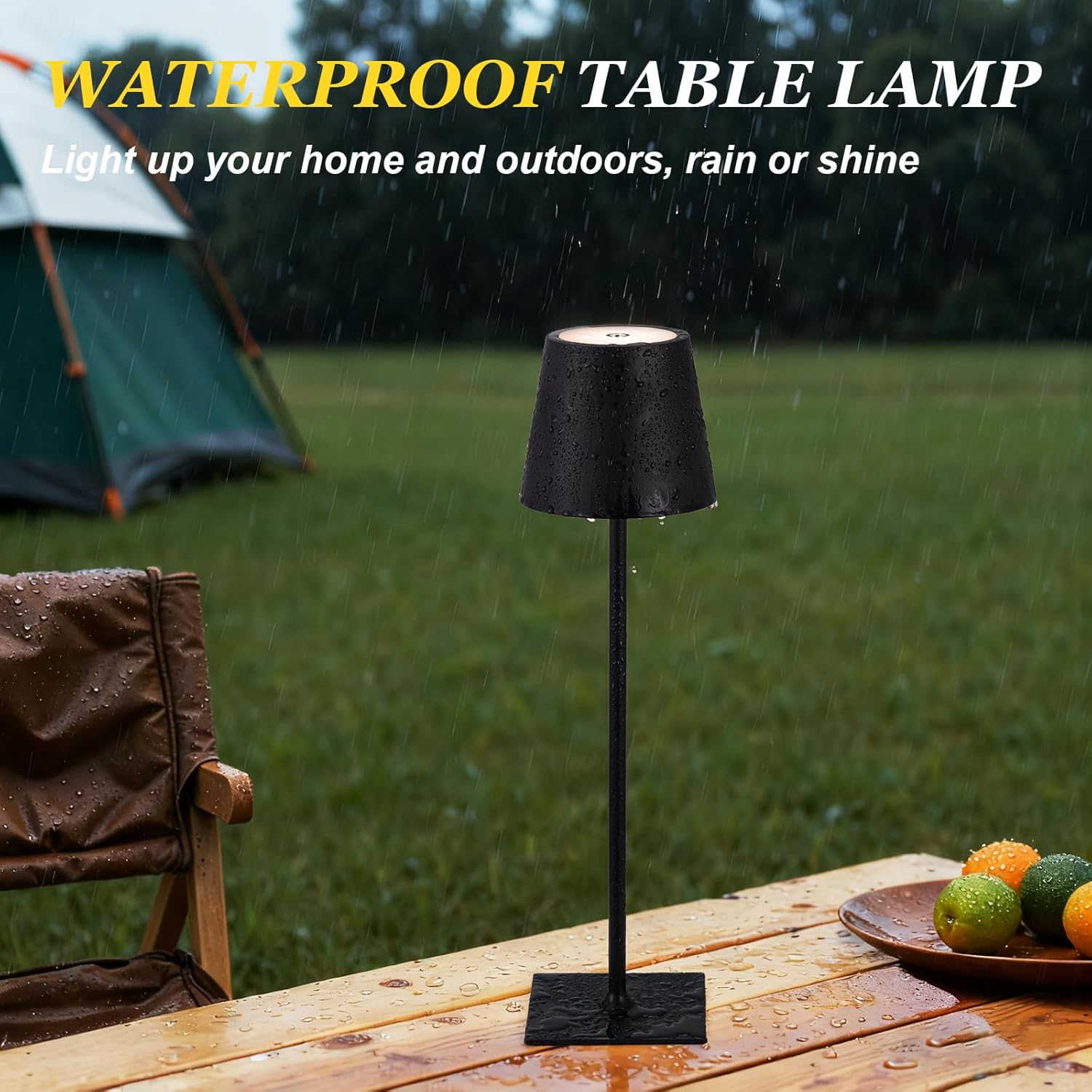
- Waterproof Construction: Engineered with a robust water-resistant build, suitable for diverse environments including outdoor patios and camping.
2. Setup Instructions
Your Kakanuo table lamp is designed for easy assembly and immediate use.
2.1 Package Contents
- Lamp Shade with integrated LED and touch control
- Two-section lamp pole
- Square base with non-slip texture
- USB-C charging cable (19.7in UL-certified)
- User Manual
2.2 Assembly
- Unpack all components from the box.
- Screw the first section of the lamp pole into the square base. Ensure it is securely tightened.
- For a taller lamp, screw the second section of the lamp pole onto the first section. For a shorter lamp, skip this step.
- Carefully screw the lamp shade assembly onto the top of the assembled lamp pole. Ensure the USB-C port on the underside of the lamp head is accessible.


2.3 Initial Charging
Before first use, fully charge the lamp. Connect the provided USB-C cable to the charging port on the lamp shade and plug the other end into a compatible USB power adapter (not included). The charging indicator light will show the charging status.

A full charge takes approximately 3.5-4 hours and provides up to 40 hours of continuous use, depending on the brightness setting.
Video 1: Rechargeable Lamp with Versatile Function. This video demonstrates the lamp's rechargeable nature and its versatile functionality, including assembly and placement in various settings. It highlights the convenience of its cordless design.
3. Operating Instructions
The Kakanuo table lamp features intuitive touch controls for easy operation.
3.1 Power On/Off
Lightly touch the power symbol on the top of the lamp shade to turn the lamp on or off.

3.2 Adjusting Color Temperature
With the lamp on, lightly tap the power symbol to cycle through the three available color temperatures:
- 3000K Warm Light: Ideal for creating a cozy and relaxing ambiance.
- 4000K Natural Light: A balanced light suitable for general tasks and reading.
- 5000K White Light: Bright and clear, perfect for focused work or illuminating larger areas.
3.3 Stepless Dimming
To adjust the brightness, turn on any mode, then lightly touch and hold the power symbol. The light will gradually brighten or dim. Release your finger when the desired brightness level is reached. The lamp features a memory function, retaining your last brightness setting.

Video 2: Dimmable Lighting with Stepless Control. This video demonstrates the seamless transition between the three color temperatures and the smooth stepless dimming feature of the Kakanuo table lamp, showcasing its user-friendly touch controls.
4. Maintenance
To ensure the longevity and optimal performance of your Kakanuo table lamp, follow these maintenance guidelines:
- Cleaning: Wipe the lamp with a soft, damp cloth. Avoid using harsh chemicals or abrasive cleaners, as these can damage the finish.
- Water Resistance: The lamp is designed with water-resistant construction, making it suitable for outdoor use. However, avoid submerging it in water or exposing it to heavy rainfall for extended periods.
- Storage: When not in use for an extended period, store the lamp in a cool, dry place. Ensure it is fully charged before storage to maintain battery health.
5. Troubleshooting
If you encounter any issues with your Kakanuo table lamp, please refer to the following common troubleshooting steps:
| Problem | Possible Cause | Solution |
|---|---|---|
| Lamp does not turn on. | Low battery or no charge. | Connect the lamp to a power source using the USB-C cable and charge fully. |
| Light is dim or flickers. | Low battery. | Recharge the lamp. |
| Cannot change color temperature or dimming. | Incorrect touch operation. | Ensure you are lightly tapping for color change and long-pressing for dimming. |
| Lamp is unstable. | Loose assembly or uneven surface. | Check that all lamp pole sections and the base are securely tightened. Place on a flat, stable surface. |
6. Specifications
| Feature | Detail |
|---|---|
| Product Dimensions | 4"D x 4"W x 14.7"H |
| Lamp Type | Table Lamp |
| Shade Color | Black |
| Shade Material | Plastic |
| Switch Type | Touch |
| Style | Modern |
| Brand | Kakanuo |
| Color | Black |
| Special Feature | Adjustable Color Temperature, Cordless, Dimmable, Memory Function, Rechargeable |
| Light Source Type | LED |
| Material | Metal, Plastic |
| Power Source | Battery Powered |
| Included Components | Battery, User Manual |
| Is Waterproof | True |
| Wattage | 2 watts |
| Number of Items | 2 |
| Control Method | Touch |
| Indoor/Outdoor Usage | Indoor, Outdoor |
| Voltage | 5 Volts (DC) |
| Is Cordless? | Yes |
| Assembly Required | Yes |
| Model Name | 9RT81 |
| Item Weight | 2.77 pounds |
| Batteries | 2 Nonstandard Battery batteries required. (included) |
7. Warranty and Support
For warranty information and customer support, please refer to the documentation included with your product or contact Kakanuo customer service through their official channels. Keep your purchase receipt for warranty claims.