
1. Introduction
The OUPES Mega 1 Solar Generator is a portable power station designed to provide reliable electricity for various applications, including RV travel, camping, home backup, and power outages. Featuring a 1024Wh LiFePO4 battery, 2000W pure sine wave AC output, and expandable capacity up to 5120Wh, it offers versatile power solutions. This manual provides essential information for safe and efficient operation, maintenance, and troubleshooting of your Mega 1 unit.
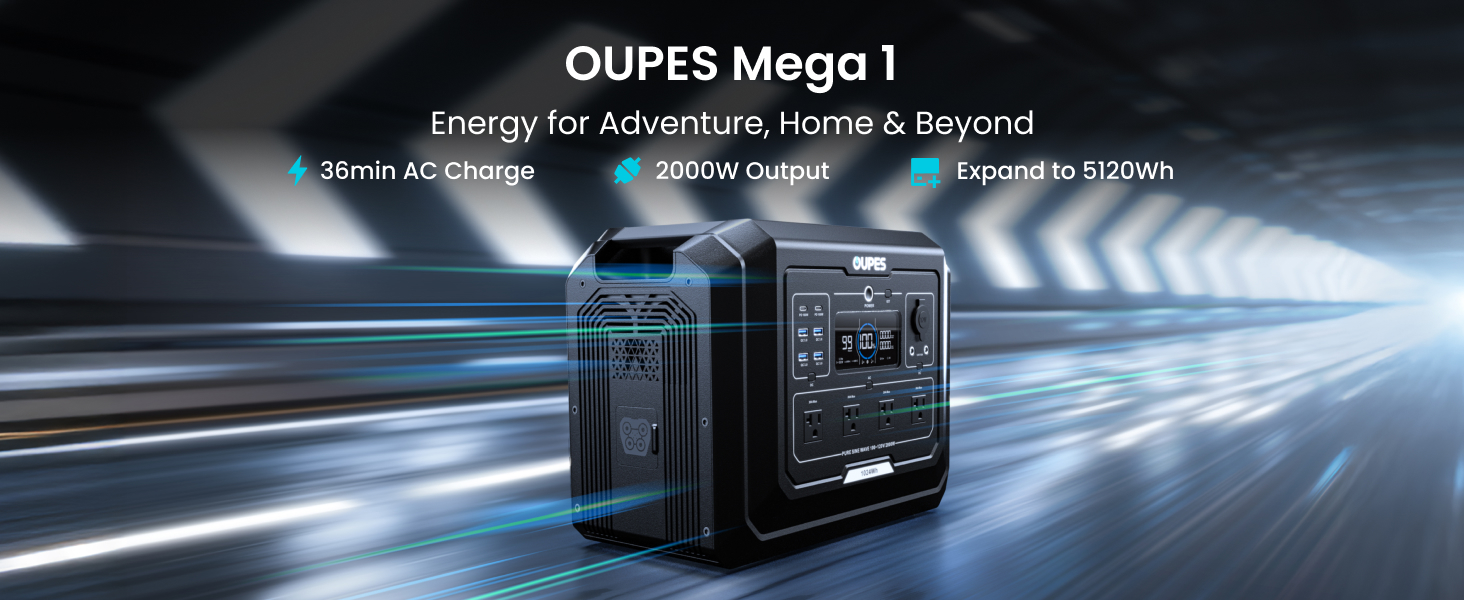
Figure 1.1: OUPES Mega 1 Power Station Overview
2. Product Features
- 2000W Pure Sine Wave AC Output (4500W Surge): Capable of powering heavy-duty appliances and handling demanding startups.
- Massive & Expandable Capacity (1024Wh → 5120Wh): Base 1024Wh capacity, expandable by adding up to two B2 Extra Batteries.
- 36-Minute Fast Charge (0-80% via AC): Rapid recharging capability for quick turnaround.
- Solar-Ready Kit: Includes a 100W solar panel. Supports up to 800W solar input for efficient off-grid charging.
- Smart APP Control & Rich Info Display: Monitor and control the power station remotely via Bluetooth/Wi-Fi app. Intuitive LCD screen provides real-time data.
- Upgraded Safety with LiFePO4 Battery: Utilizes durable Lithium Iron Phosphate (LiFePO4) cells with over 3500+ life cycles and enhanced thermal stability.
- 13 Versatile Ports: Includes 4x120V/2000W AC, 2x USB-C PD 100W, 4x USB-A QC3.0 (18W), 2x DC5521 (12V/10A), and 1x Car Socket (12V/10A).
- <20ms UPS for Critical Home Backup: Provides uninterruptible power supply for sensitive electronics during outages.
- Portable Design: Weighs 27.8 lbs with a compact size for easy transport.
- Dual Charging: AC + Solar Simultaneously (0-80% in 26 mins) for maximum efficiency.

Figure 2.1: 2000W Pure Sine Wave AC Output Capabilities
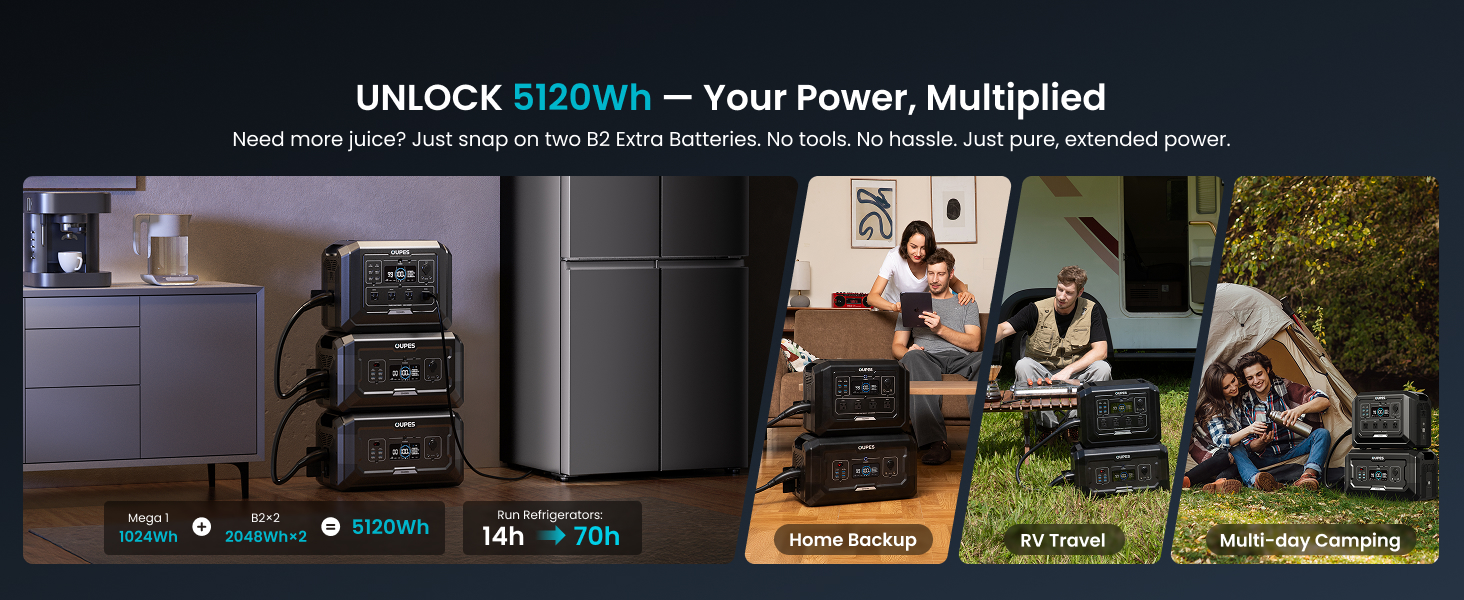
Figure 2.2: Expandable Capacity up to 5120Wh
3. Package Contents
Verify that all items are included in your package:
- 1x OUPES Mega 1 Portable Power Station
- 1x OUPES Portable Solar Panel 100W
- 1x AC Charging Cable
- 1x Anderson to MC4 Cable
- 1x Anderson to Car Charging Cable
- 1x User Manual
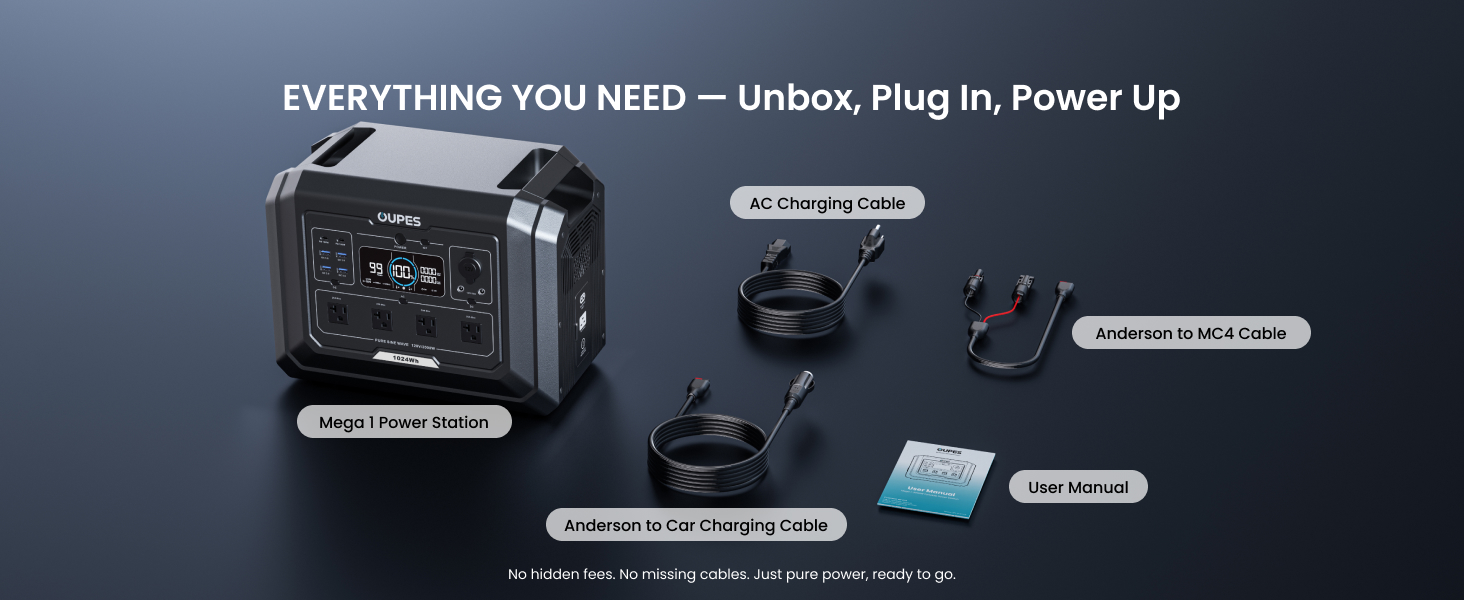
Figure 3.1: OUPES Mega 1 Package List
4. Setup
Before initial use, fully charge your OUPES Mega 1 Power Station. It is recommended to charge the unit to 100% upon receiving it to optimize battery performance.
- Unboxing: Carefully remove all components from the packaging.
- Initial Charge (AC): Connect the AC Charging Cable to the power station's AC input port and then to a wall outlet. The LCD screen will indicate charging status.
- Solar Panel Connection (Optional): If using the included 100W solar panel, connect it to the Anderson to MC4 Cable, then connect the Anderson connector to the power station's solar input port. Position the solar panel in direct sunlight for optimal charging.
- Expansion Battery Connection (Optional): If expanding capacity with B2 Extra Batteries, connect them to the main unit using the provided expansion cables.
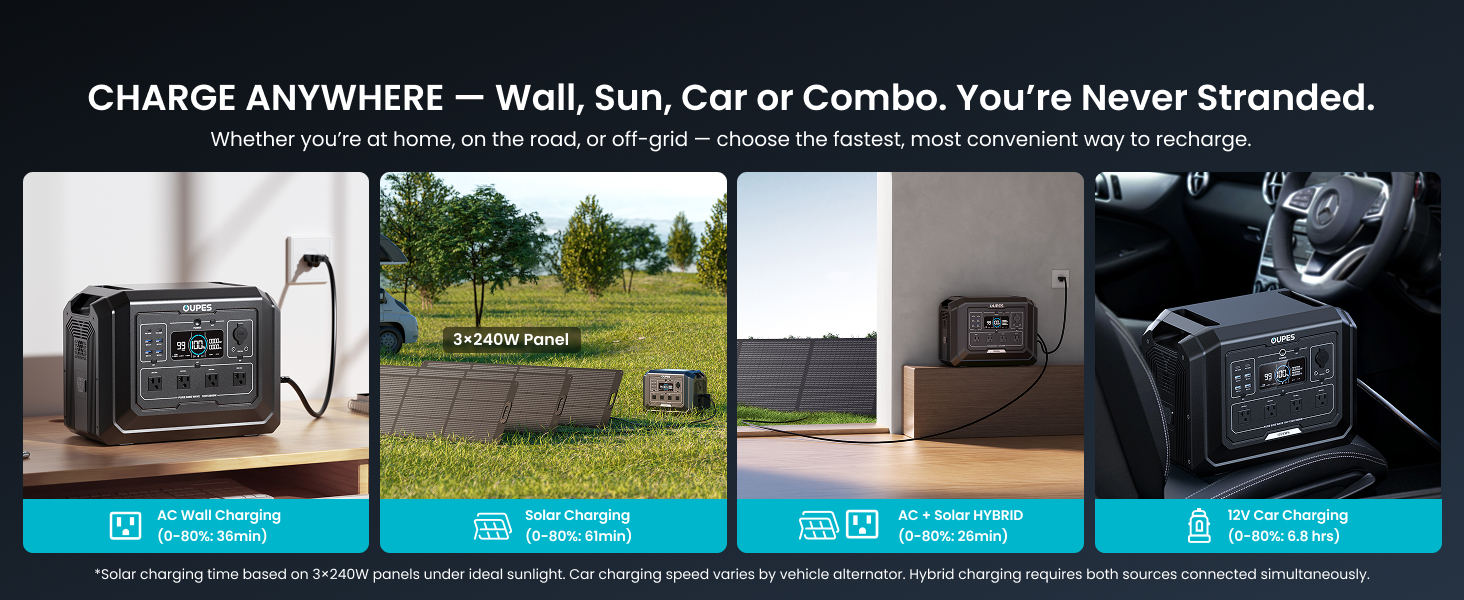
Figure 4.1: Available Charging Methods
5. Operating Instructions
5.1 Powering On/Off
Press and hold the main 'POWER' button for 3 seconds to turn the unit on or off. The LCD screen will illuminate upon activation.
5.2 Charging the Power Station
The OUPES Mega 1 supports multiple charging methods:
- AC Wall Charging: Use the provided AC Charging Cable. (0-80% in 36 minutes)
- Solar Charging: Connect compatible solar panels (up to 800W input) using the Anderson to MC4 Cable. (0-80% in 1.3 hours with optimal panels)
- Car Charging: Use the Anderson to Car Charging Cable. (0-80% in 6.8 hours)
- AC + Solar Hybrid Charging: Combine AC and solar input for the fastest charging. (0-80% in 26 minutes)
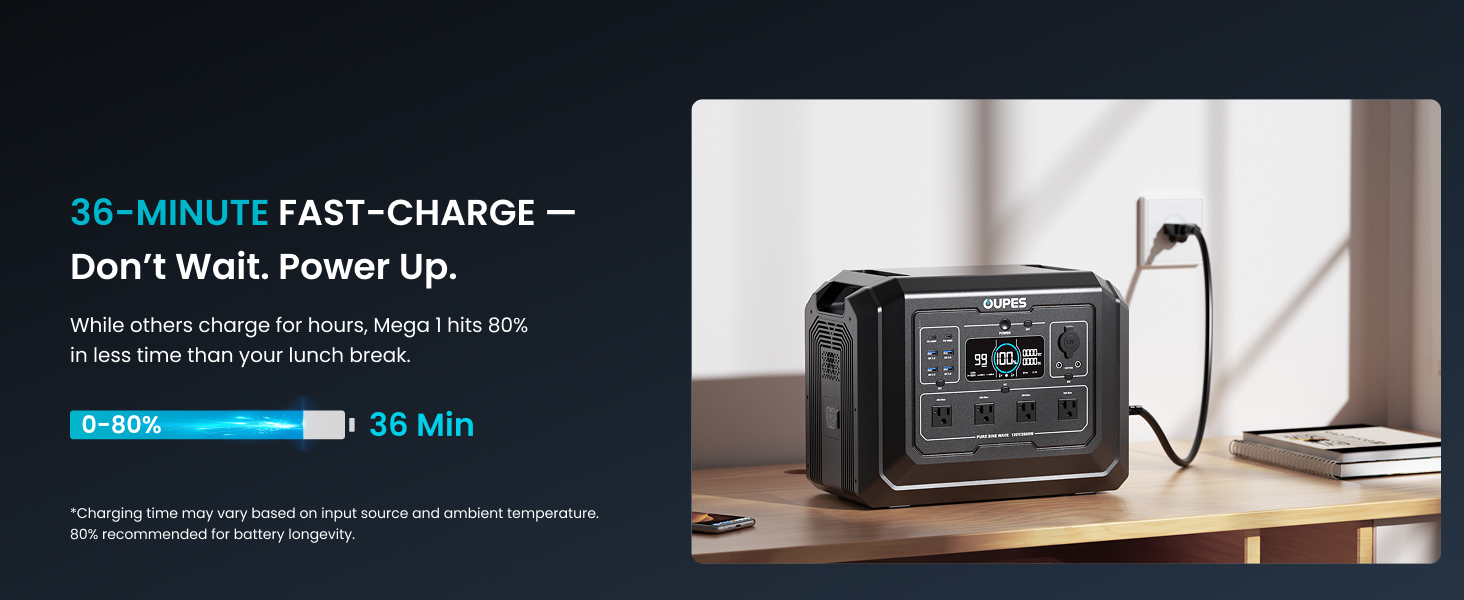
Figure 5.1: 36-Minute Fast AC Charging
5.3 Using Output Ports
Activate the desired output section (AC, DC, USB) by pressing its respective button on the control panel. The LCD screen will show active outputs and power consumption.
- AC Outputs: 4x120V/2000W ports for standard appliances.
- USB Outputs: 2x USB-C PD 100W for fast charging laptops and devices, 4x USB-A QC3.0 (18W) for smartphones and tablets.
- DC Outputs: 2x DC5521 (12V/10A) and 1x Car Socket (12V/10A) for various DC-powered devices.
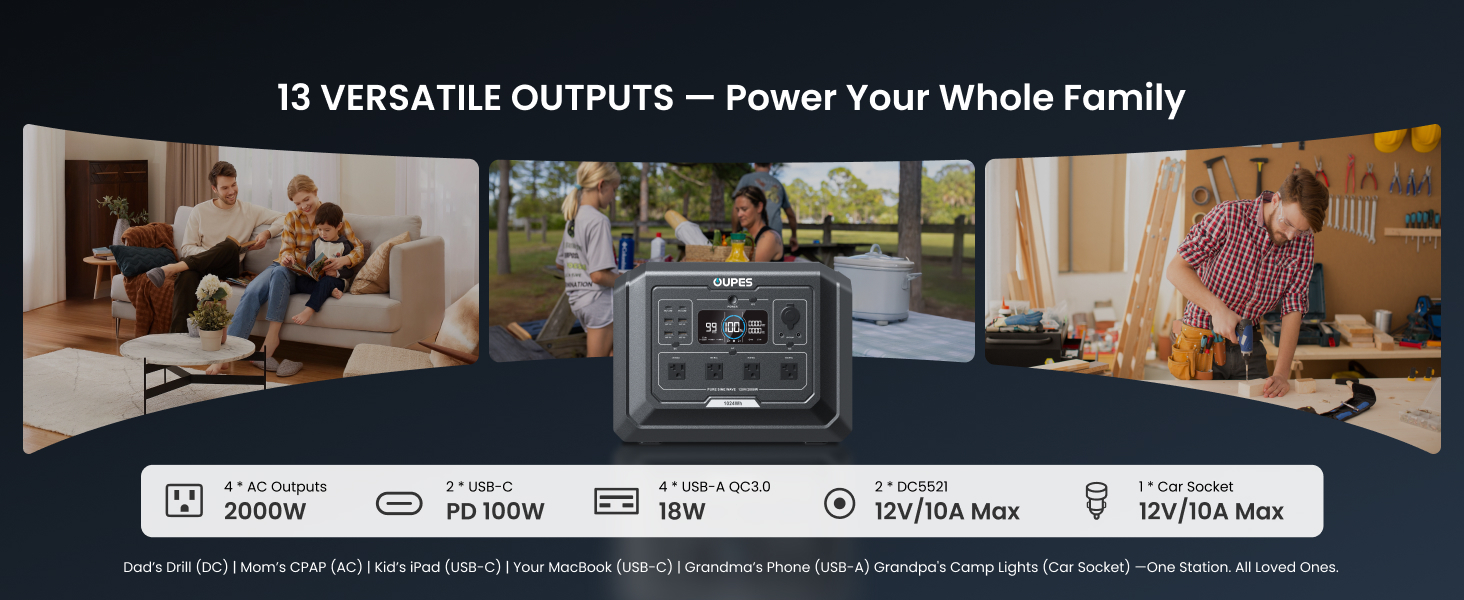
Figure 5.2: 13 Versatile Output Ports
5.4 Uninterruptible Power Supply (UPS)
The Mega 1 features a <20ms UPS function. When the unit is plugged into a wall outlet and turned ON, it can automatically switch to battery power within 20 milliseconds during a power outage, protecting sensitive electronics.
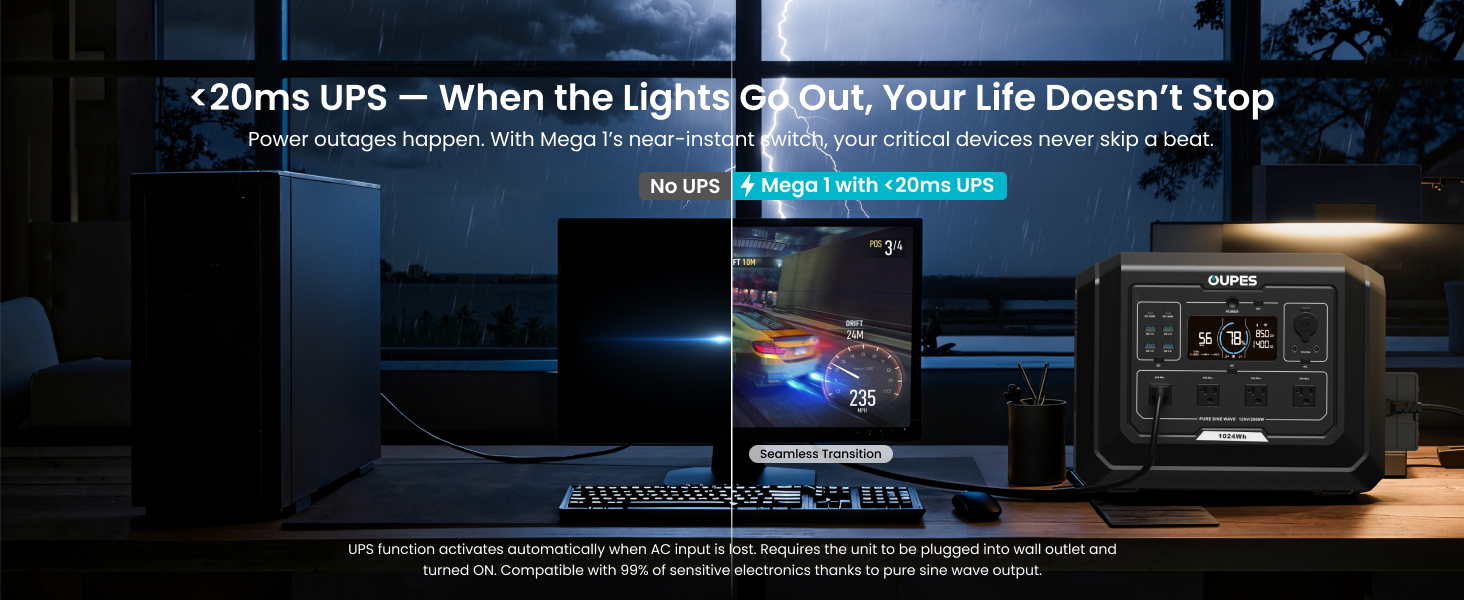
Figure 5.3: UPS Functionality
5.5 Smart APP Control
Download the OUPES app to monitor and manage your power station remotely via Bluetooth or Wi-Fi. The app provides real-time stats, allows you to adjust settings, and receive alerts.
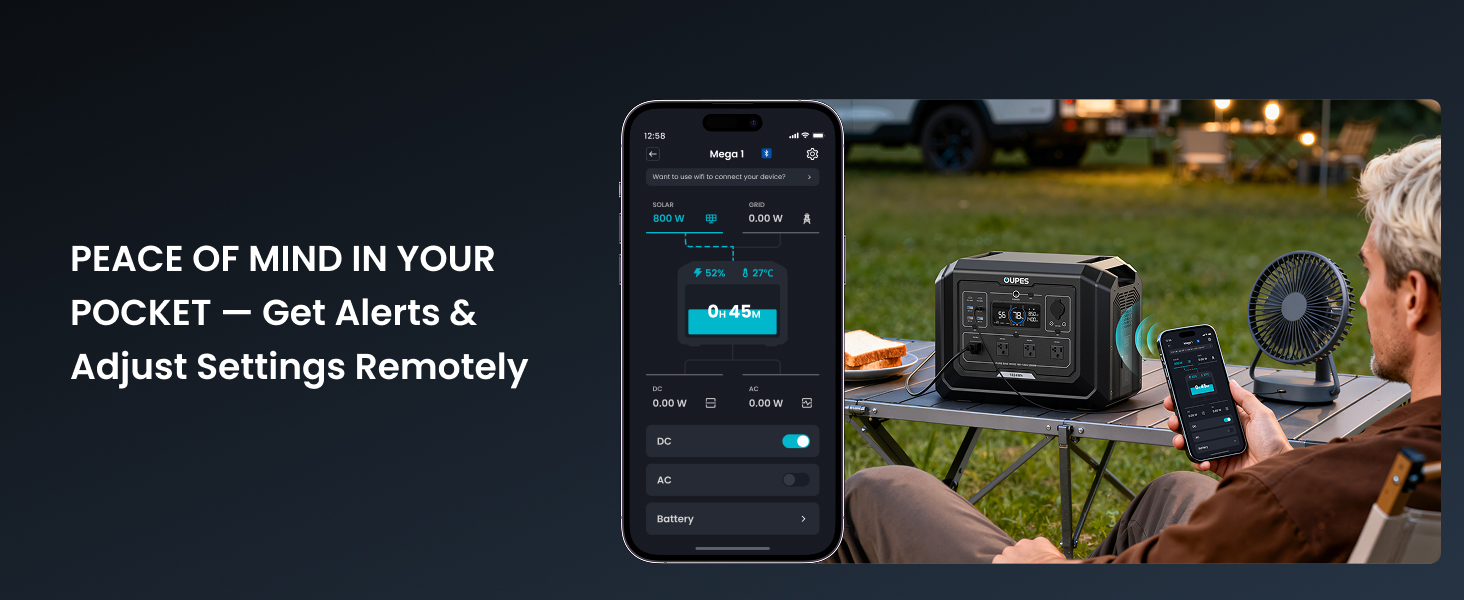
Figure 5.4: Remote Control via OUPES App
5.6 Usage Examples
The OUPES Mega 1 is versatile for various scenarios:
- Home Backup: Keep essential kitchen appliances, computers, and medical devices running during power outages.
- RV & Camping: Power your camping fridge, lights, and other devices for extended off-grid adventures.
- Work & Hobbies: Run power tools, charge laptops, and support creative projects anywhere.
Video 5.1: OUPES Mega 1 - Most Affordable 2000W Power Station (Source: OUPES-US)
Video 5.2: OUPES Mega 1 - Great Home Backup Power Supply Choice (Source: OUPES-US)
6. Maintenance
To ensure the longevity and optimal performance of your OUPES Mega 1 Solar Generator, follow these maintenance guidelines:
- Regular Charging: Recharge the unit to 100% at least once every three months, even if not in use, to maintain battery health.
- Storage: Store the power station in a cool, dry place away from direct sunlight and extreme temperatures.
- Cleaning: Use a dry, soft cloth to clean the exterior of the unit. Do not use harsh chemicals or abrasive materials.
- Inspection: Periodically check all cables and ports for any signs of damage or wear.
7. Troubleshooting
If you encounter issues with your OUPES Mega 1, refer to the following common troubleshooting steps:
- Unit Not Turning On: Ensure the battery is charged. If completely discharged, connect to AC power and allow it to charge for a few minutes before attempting to power on.
- No Output Power: Check if the specific output port (AC, DC, USB) is activated. Verify that the connected device is within the power station's wattage limits.
- Slow Charging: Ensure all charging cables are securely connected. For solar charging, confirm panels are in direct sunlight and free from obstructions. For AC charging, check the charging mode setting (fast/slow).
- Overload Protection: If the unit shuts down, it may be due to an overload. Disconnect some devices and restart the unit.
- App Connectivity Issues: Ensure Bluetooth/Wi-Fi is enabled on your device and the power station. Try restarting both the app and the power station.
For further assistance, please contact OUPES customer support.
8. Specifications
| Feature | Detail |
|---|---|
| Brand | OUPES |
| Model Name | S1 |
| Wattage | 1024 Watt-hours |
| Fuel Type | Solar |
| Power Source | Battery Powered |
| Item Weight | 27.8 Pounds |
| Voltage | 120 Volts (AC) |
| Output Wattage | 2000W (4500W Surge) |
| Special Features | 0-80% Charge in 36 Mins, Expand Capacity to 5kWh, <20ms UPS |
| Included Components | 1x OUPES Mega 1 Portable Power Station, 1x OUPES Portable Solar Panel 100W |
| Product Dimensions | 15.1"L x 9.1"W x 11.6"H |
| Material | Lithium Iron Phosphate, Monocrystalline Silicon, Steel/Aluminum |
9. Warranty & Support
The OUPES Mega 1 Solar Generator comes with a 5-year warranty, providing extensive coverage for your product. For any warranty claims, technical support, or general inquiries, please contact OUPES customer service through their official website or the contact information provided in your product packaging.
Please retain your proof of purchase for warranty validation.


