
Basike Ba-FON261
Contents
Basike Ba-FON261 Clip-on Bluetooth 5.4 Earbuds User Manual
Model: Ba-FON261
Introduction
Thank you for choosing the Basike Ba-FON261 Clip-on Bluetooth 5.4 Earbuds. These open-ear headphones are designed for comfort, stability, and high-quality audio, featuring ENC noise cancelling for clear calls and IPX5 water resistance for active lifestyles. Please read this manual carefully to ensure proper use and optimal performance of your device.

Image: The Basike Ba-FON261 clip-on earbuds in their charging case, showcasing their compact and ergonomic design.
Package Contents
- Basike Clip-on Headphones (Left and Right)
- Charging Case
- USB Type-C Charging Cable
- User Manual

Image: An illustration showing the Basike Ba-FON261 earbuds, charging case, USB-C cable, and user manual, along with product dimensions.
Setup
1. Charging the Earbuds and Case
Before first use, fully charge the earbuds and the charging case. The charging case has a 400mAh battery, and each earbud has a 40mAh battery.
- Connect the provided USB Type-C cable to the charging port on the case and to a USB power source.
- The indicator lights on the charging case will show the charging status.
- Place the earbuds into the charging case. They will begin charging automatically.
- Once fully charged, disconnect the charging cable.
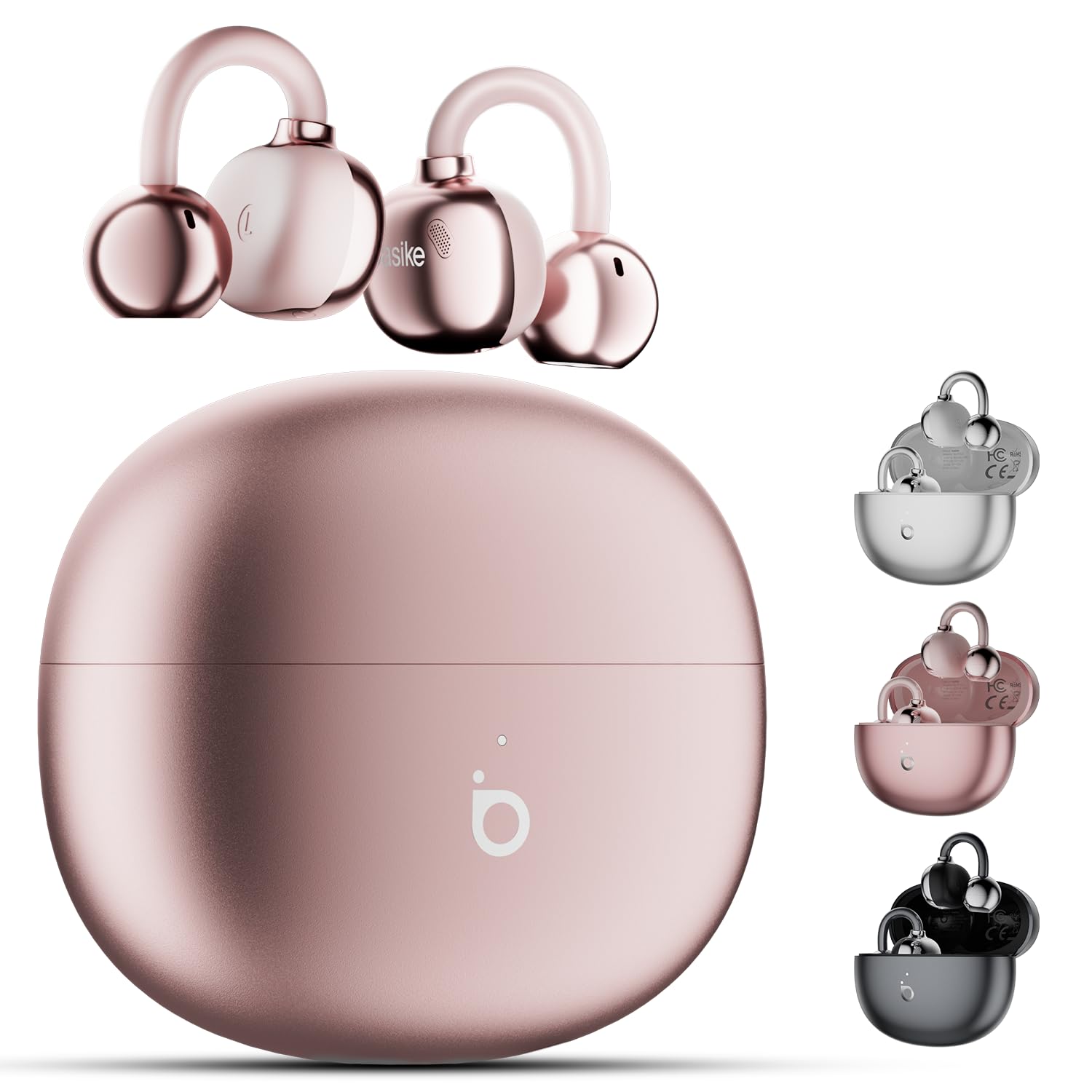
Image: The Basike Ba-FON261 charging case and earbuds, illustrating 6 hours of continuous use and 30 hours total battery life with the case, powered by a 400mAh case battery.
2. Pairing with Your Device
- Ensure the earbuds are charged and placed in the charging case.
- Open the charging case. The earbuds will automatically enter pairing mode.
- On your device (smartphone, tablet, laptop), go to Bluetooth settings and turn on Bluetooth.
- Search for available devices and select "Basike Ba-FON261" (or similar name) from the list.
- Once connected, you will hear a confirmation tone, and the earbuds will be ready for use.
- The earbuds support Bluetooth 5.4 for a stable connection up to 10 meters.
Operating Instructions
Touch Controls
The Basike Ba-FON261 earbuds feature highly responsive touch sensors. Due to reduced sensitivity to prevent accidental activation, you may need to press a little stronger for a response. Note that the touch controls for the left and right earbuds may differ.
- Play/Pause: Single tap on either earbud.
- Next Track: Double tap on the right earbud.
- Previous Track: Double tap on the left earbud.
- Answer/End Call: Single tap on either earbud.
- Reject Call: Press and hold either earbud for 2 seconds.
- Activate Voice Assistant: Triple tap on either earbud.
- Volume Up: Press and hold the right earbud.
- Volume Down: Press and hold the left earbud.
Wearing the Earbuds
The unique C-Bridge Design ensures a secure and comfortable fit for various ear shapes. The open-ear design allows you to stay aware of your surroundings.

Image: A woman running while wearing the Basike Ba-FON261 earbuds, highlighting their secure and stable fit even during intense movement.
Key Features
ENC Noise Cancelling with Two Microphones
Experience crystal-clear calls even in noisy or windy environments. The Environmental Noise Cancelling (ENC) technology with two microphones effectively reduces background noise, ensuring your voice is heard clearly.

Image: A woman using the Basike Ba-FON261 earbuds in a public setting, illustrating the effectiveness of the ENC noise cancelling feature for clear communication.
Open Ear Design and Anti-Sound Leakage Technology
The open-ear design allows you to enjoy your music while remaining aware of your surroundings, enhancing safety during outdoor activities. Directional acoustic design minimizes sound leakage, ensuring your music enjoyment does not disturb others nearby.

Image: A diagram illustrating the directional sound transmission and anti-sound leakage technology of the Basike Ba-FON261 earbuds, showing how sound is directed into the ear canal while minimizing external leakage.
High-Quality Panoramic Audio
Enjoy high-quality audio with enhanced bass and medium tones. The earbuds are designed to provide a rich sound experience while maintaining comfort for your ears.

Image: An exploded view of the Basike Ba-FON261 earbud's internal components, highlighting the high-quality audio drivers and 360-degree audio technology for an immersive sound experience.
IPX5 Water and Sweat Resistant
With an IPX5 rating and nano-hydrophobic coating, these earbuds are protected against splashes, sweat, and rain. They are ideal for workouts, running, cycling, and other outdoor activities.

Image: The Basike Ba-FON261 earbuds shown with water droplets, illustrating their IPX5 water and sweat resistance.
Maintenance
To maintain optimal performance and charging efficiency, regularly clean the charging pins on both the earbuds and inside the charging case. Use a dry, soft cloth or cotton swab to gently wipe away any dust or debris.
Troubleshooting
Q: Why do the control buttons not match the instructions?
A: The touch controls for the left and right earbuds are different. Please ensure you are using the correct earbud for the desired function. Refer to the "Operating Instructions" section for specific controls.
Q: Why has my headphone playtime decreased?
A: Over time, dust can accumulate on the charging pins inside the case, affecting charging efficiency. Regularly clean the charging pins on both the earbuds and the case to maintain performance.
Q: Why does the touch control sometimes take time to respond?
A: The touch sensitivity is intentionally reduced to prevent accidental activation. If you experience delayed responses, try pressing a little firmer on the touch sensor area.
Q: Why is the sound of the headphones low?
A: To avoid ear discomfort, the earbuds are designed with increased bass and medium tones, while the treble is softened. If you prefer a louder sound, simply adjust the volume on your connected device to your desired level.
Specifications
| Brand | Basike |
| Model Name | Ba-FON261 |
| Ear Placement | Open Ear |
| Form Factor | True Wireless |
| Connectivity Technology | Wireless (Bluetooth) |
| Bluetooth Version | 5.4 |
| Bluetooth Range | ≥10 meters |
| Headphone Battery Capacity | 40mAh (each earbud) |
| Charging Case Battery Capacity | 400mAh |
| Music Playtime | Up to 6 hours (continuous), Up to 50 hours (with charging case) |
| Call Time | Up to 3.5 hours |
| Charging Interface | Type-C |
| Sensitivity | 121dB+3dB |
| Impedance | 32 Ohms |
| Frequency Response | 20 KHz |
| Water Resistance Rating | IPX5 |
| Item Weight | 60 Grams |
Warranty and Support
Basike products are designed for reliability and performance. For any questions, technical support, or warranty inquiries, please contact your retailer or Basike customer service through their official channels. Please retain your proof of purchase for warranty claims.
Ask a question about this manual
Ask about setup, troubleshooting, compatibility, parts, safety, or missing instructions. Manuals+ will review the question and use this page’s manual context to help answer it.