
1. Product Overview
The JUOVI 25W Portable Charger (Model J2321) is a 10000mAh power bank designed for fast charging of various electronic devices. It features a built-in USB-C cable for convenience, along with additional USB-C and USB-A ports for multi-device charging. An LED display indicates the remaining battery percentage.
Key Features:
- 25W Fast Charging: Delivers up to 25W output via the dedicated USB-C port and built-in USB-C cable, and 22.5W via the USB-A port.
- Built-In USB-C Cable: Provides integrated charging convenience without needing to carry extra cables.
- 10000mAh Capacity: Sufficient power to fully recharge most smartphones multiple times.
- Charge 3 Devices Simultaneously: Equipped with a built-in USB-C cable, a USB-C port, and a USB-A port for charging up to three devices concurrently.
- Universal Compatibility: Compatible with a wide range of devices including smartphones, tablets, smartwatches, and Bluetooth headphones.
- Low-Current Mode: Safely charges sensitive devices like Bluetooth earbuds.
- LED Digital Display: Shows the exact remaining battery percentage.
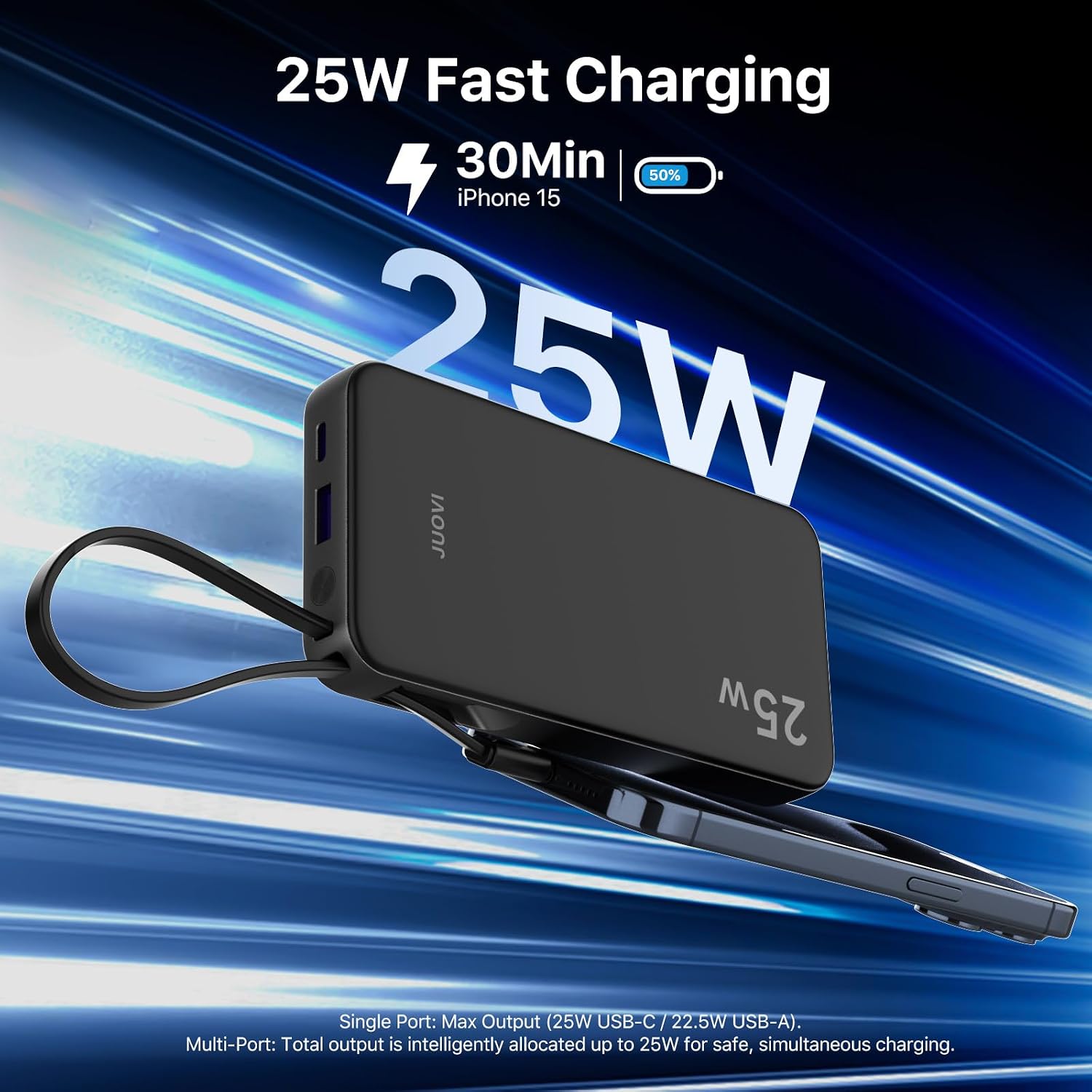
Image 1.1: The JUOVI 25W Portable Charger in use, demonstrating its fast charging capability for an iPhone 15.
2. Setup and Initial Use
2.1 Charging the Power Bank
Before first use, fully charge your JUOVI power bank. Connect the power bank to a power adapter (not included) using either the built-in USB-C cable or an external USB-C to USB-C cable plugged into the power bank's USB-C port. The LED display will show the charging progress, indicating 100% when fully charged.
- For optimal charging speed, use a power adapter that supports 18W input or higher.
- A full recharge typically takes approximately 2 hours with an 18W input.

Image 2.1: The power bank being recharged. It supports 18W input via its USB-C port or built-in cable.
2.2 Checking Battery Level
Press the power button once to activate the LED digital display, which will show the current battery percentage.
3. Operating Instructions
3.1 Charging Devices
The JUOVI power bank offers multiple ways to charge your devices:
- Using the Built-in USB-C Cable: Extend the integrated USB-C cable and plug it directly into your compatible device's USB-C port.
- Using the USB-C Port: Connect your device to the power bank's USB-C port using a separate USB-C to USB-C cable.
- Using the USB-A Port: Connect your device to the power bank's USB-A port using a separate USB-A to compatible cable.
The power bank will automatically begin charging your device. The LED display will show the power bank's remaining charge.
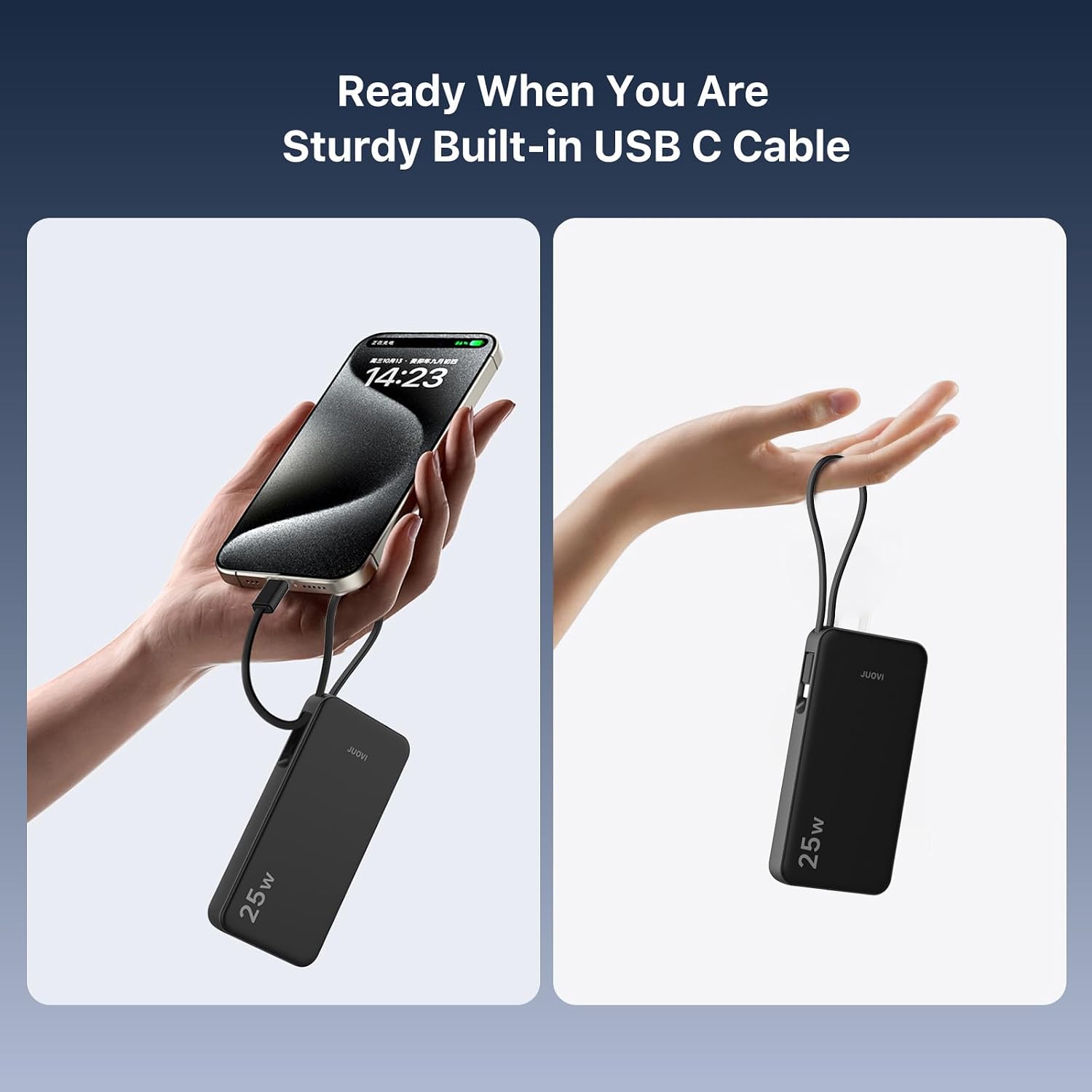
Image 3.1: The built-in USB-C cable provides convenient charging for compatible devices.

Image 3.2: The power bank can charge up to three devices at once using its built-in cable, USB-C port, and USB-A port.
3.2 Low-Current Mode
To charge low-power devices such as Bluetooth earbuds or smartwatches, activate Low-Current Mode:
- Double-press the power button.
- The LED display will indicate that Low-Current Mode is active.
- Connect your low-power device.
- To exit Low-Current Mode, double-press the power button again.
3.3 Pass-Through Charging
The power bank supports pass-through charging, allowing it to be recharged while simultaneously charging other devices. Note that this requires a wall charger with an output of 25W or higher to maintain optimal charging speeds for both the power bank and connected devices.

Image 3.3: Illustration of pass-through charging, where the power bank is recharged while also charging a connected device.
4. Maintenance and Care
- Keep the power bank away from extreme temperatures, direct sunlight, and liquids.
- Store in a cool, dry place when not in use.
- Avoid dropping or subjecting the device to strong impacts.
- Clean the exterior with a soft, dry cloth. Do not use harsh chemicals or abrasive materials.
- To prolong battery life, fully charge the power bank at least once every three months if stored for extended periods.
5. Troubleshooting
| Problem | Possible Cause | Solution |
|---|---|---|
| Power bank not charging devices. | Low battery on power bank; incorrect cable connection; device not compatible; Low-Current Mode not activated for small devices. | Recharge the power bank; ensure cables are securely connected; verify device compatibility; double-press power button to activate Low-Current Mode for low-power devices. |
| Power bank not recharging. | Faulty charging cable or adapter; power source issue. | Try a different USB-C cable and wall adapter; ensure the power source is active. |
| Slow charging speed. | Device not supporting fast charging; multiple devices charging simultaneously; cable quality. | Ensure your device supports fast charging; charge fewer devices at once; use high-quality cables. |
| LED display not working. | Power bank is off or completely drained. | Press the power button once; recharge the power bank. |
6. Specifications
| Feature | Detail |
|---|---|
| Model Name | J2321 |
| Battery Capacity | 10000mAh |
| Connector Type | USB Type-C (x1), USB Type-A (x1), Built-in USB-C Cable (x1) |
| Input (Built-in Cable / USB-C Port) | 18W |
| Output (Built-in Cable / USB-C Port) | 25W |
| Output (USB-A Port) | 22.5W |
| Battery Cell Type | Lithium Polymer |
| Voltage | 5 volts |
| Amperage | 3 A |
| Item Weight | 220 g |
| Dimensions (L x W x Thickness) | 5.59" x 2.83" x 0.75" |
| Special Features | Auto Shut-off, Built-in Cable, Digital Display, Fast Charging, Over Charging Protection |
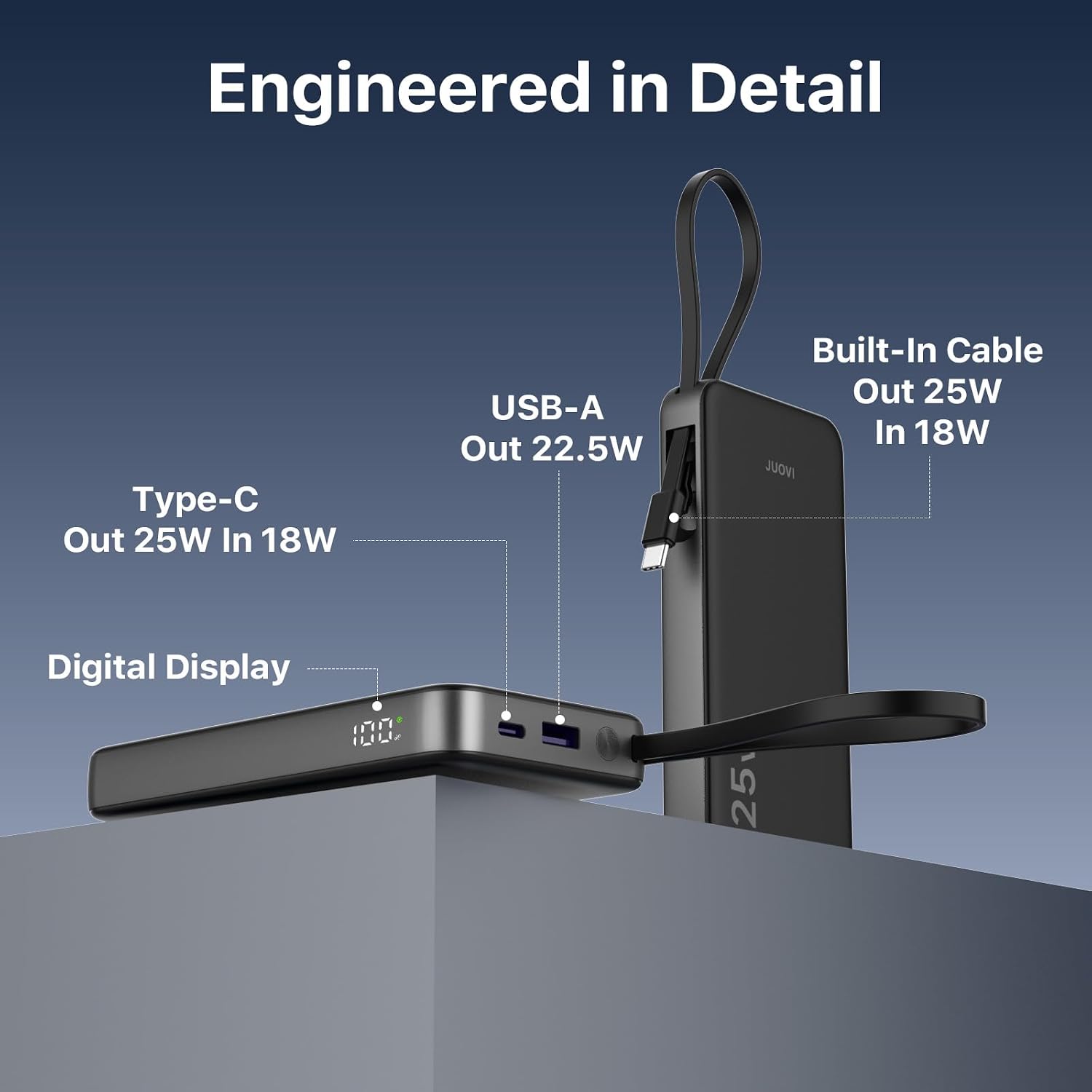
Image 6.1: Detailed view highlighting the USB-A port, USB-C port, built-in cable, and digital display.
7. Warranty and Support
7.1 Warranty Information
This JUOVI product comes with a Limited Warranty. For specific terms and conditions, please refer to the warranty card included with your purchase or contact customer support.
7.2 Customer Support
For any questions, technical assistance, or warranty claims, please contact JUOVI customer support through the retailer where the product was purchased or visit the official JUOVI brand store online.
Official JUOVI Brand Store: JUOVI Store
8. Product Videos
8.1 25W portable charger with cable
Video 8.1: An official video from the seller demonstrating the JUOVI 25W portable charger with its built-in cable. This video highlights the physical features and basic usage of the power bank.


