
1. Safety Information
Please read and understand all instructions before assembly and use of this product. Retain this manual for future reference.
- Ensure all parts are present and undamaged before assembly. Do not use if any parts are missing or broken.
- Assemble the unit on a soft, clean surface to prevent scratches.
- Keep children and pets away during assembly.
- Do not overload the table or storage compartments. Refer to the 'Specifications' section for load capacity.
- When using the power outlet, ensure all connected devices are within the specified voltage and current limits. Do not use in wet conditions.
- Always lock the casters when the table is in a stationary position to prevent accidental movement.
2. Package Contents
Verify that all components listed in the included hardware and parts list are present. If any items are missing or damaged, please contact customer support.
- Table panels (MDF)
- Folding mechanism hardware
- Casters (6 total, 3 lockable)
- Power outlet unit with USB and USB-C ports
- Thread racks (18 pegs)
- Fabric drawers (2)
- Assembly hardware (screws, dowels, etc.)
- Instruction manual
3. Setup and Assembly
Assembly is required for this product. Follow the step-by-step instructions provided in the separate assembly guide included in your package. Ensure all connections are secure before use.
3.1 Unfolding the Table
The table arrives in a compact, folded state. To unfold:
- Carefully place the folded unit on a flat, stable surface.
- Release the magnetic catch securing the folding panel.
- Gently extend the folding panel outwards until it is fully open and aligned with the main table surface.
- Ensure the support leg (if applicable) is properly positioned for stability.
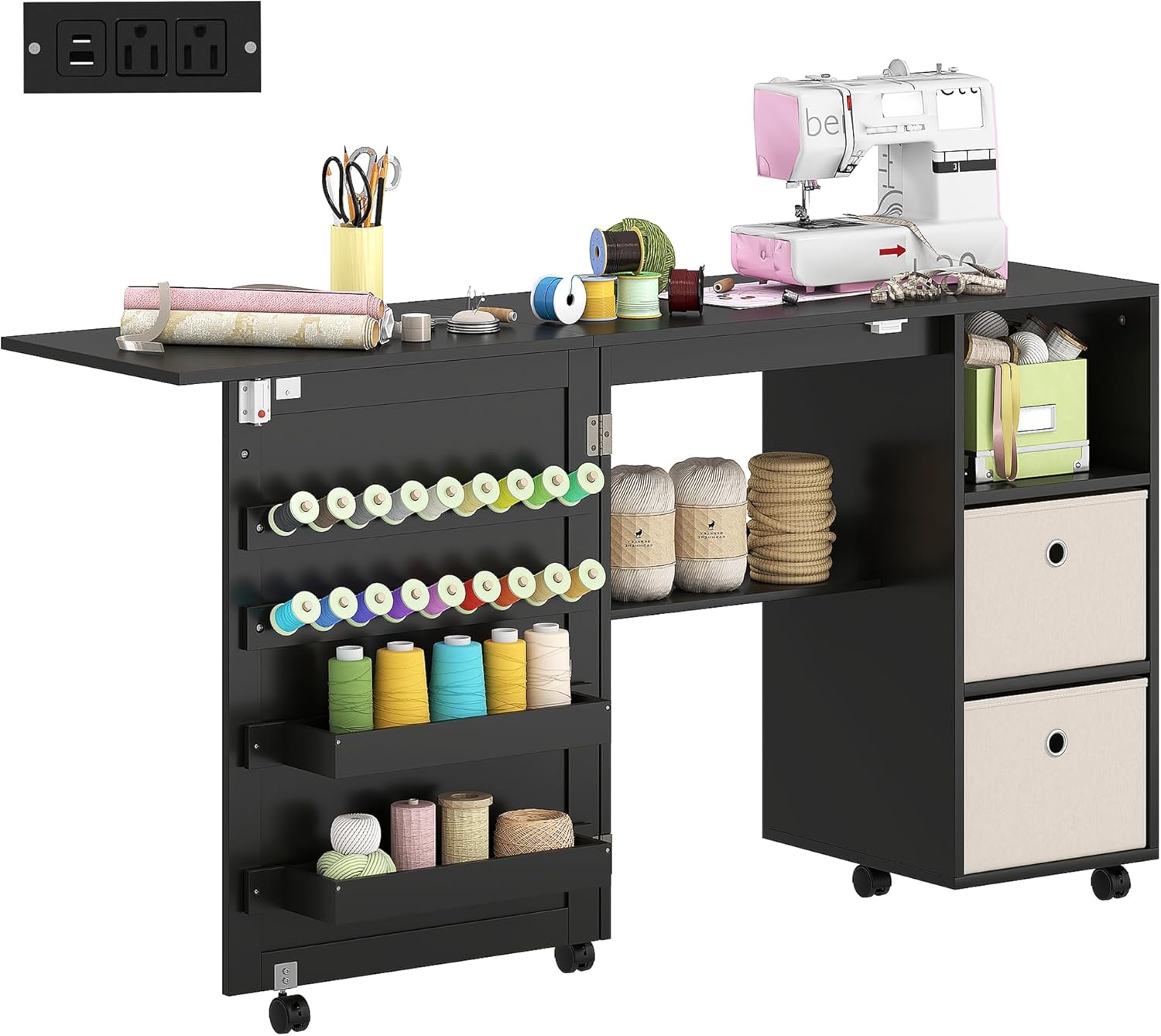
Image: The HOMCOM Folding Sewing Table fully extended, ready for use.
3.2 Installing Casters
The table is equipped with six universal casters for mobility. Three of these casters include locking mechanisms for stability.
- Attach each caster to the designated points on the bottom of the table base as per the assembly guide.
- Ensure all casters are securely fastened.
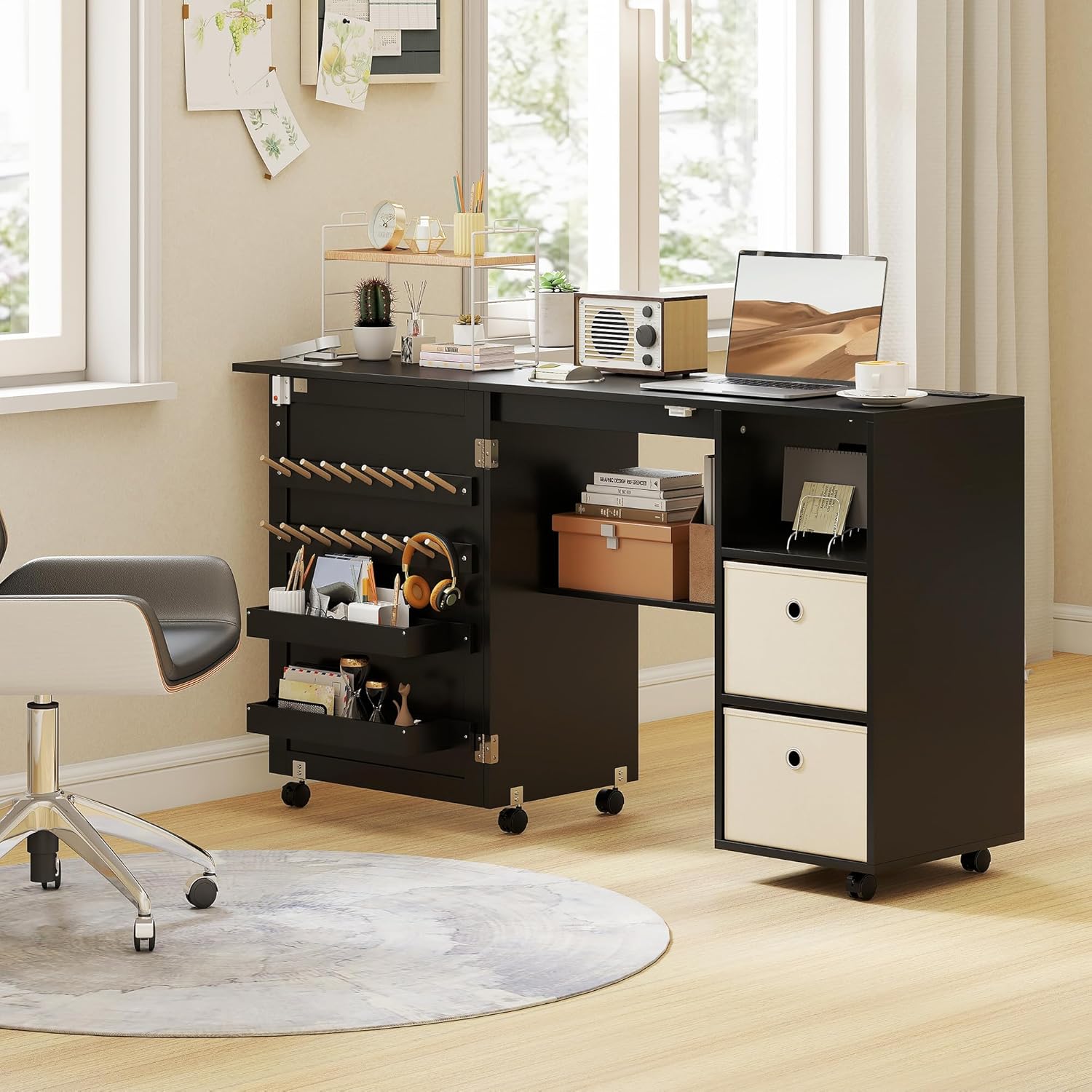
Image: Detail of a lockable caster wheel, illustrating its 360-degree rotation and locking function.
4. Operating Instructions
4.1 Folding and Unfolding
To fold the table for space-saving storage, reverse the unfolding steps. Push the extended panel inwards until it aligns with the main cabinet, then secure it with the magnetic catch.

Image: Visual representation of the table's folding mechanism for compact storage.
4.2 Utilizing Storage Space
The table offers various storage options:
- Bins: Two integrated bins are available for larger items or fabric scraps.
- Fabric Drawers: Two fabric drawers provide enclosed storage for smaller accessories.
- Thread Racks: 18 pegs are designed to hold spools of thread.
- Open Compartments: Three open compartments offer accessible storage for frequently used tools or decorative items.
- Lower Shelf: A dedicated lower shelf with a baffle is suitable for a small sewing machine or other equipment.

Image: Overview of the table's ample storage capabilities for sewing supplies.
4.3 Using the Built-In Charging Station
The table includes a convenient charging station to power your devices.
- Power Outlets: Two standard 125V/12A power outlets are available for sewing machines, lamps, or other craft accessories.
- USB Port: One 5V/2A USB port for charging compatible devices.
- USB-C Port: One 5V/3A, 9V/2A, 12V/1.5A USB-C port for faster charging of modern devices.
Plug the table's main power cord into a wall outlet to activate the charging station.

Image: The integrated charging station with power outlets, USB, and USB-C ports.
4.4 Mobility and Locking Casters
The six universal casters allow for easy movement of the table. To secure the table in place, engage the locking mechanism on the three designated casters by pressing down on the lever. To unlock, lift the lever.

Image: Examples of the table's multifunctional design, serving as a sewing table, computer desk, storage cabinet, or side table.
5. Maintenance
Regular maintenance will help prolong the life of your HOMCOM sewing table.
- Cleaning: Wipe surfaces with a soft, damp cloth. Avoid harsh chemicals or abrasive cleaners that may damage the finish. For fabric drawers, spot clean with a mild detergent if necessary.
- Hardware: Periodically check all screws and connections to ensure they remain tight. Retighten if necessary.
- Casters: Keep casters free of dust and debris to ensure smooth movement.
- Electrical Components: Ensure the power cord and outlets are free from damage. Do not attempt to repair electrical components yourself.
6. Troubleshooting
If you encounter issues with your sewing table, refer to the following common solutions:
- Table does not fold/unfold smoothly: Check for obstructions in the folding mechanism. Ensure all hardware is correctly installed and tightened.
- Casters do not roll or lock: Clean any debris from the caster wheels. Ensure the locking lever is fully engaged or disengaged.
- Power outlets/USB ports not working: Verify that the table's main power cord is securely plugged into a functional wall outlet. Check if the wall outlet itself is working. Do not attempt to open or repair the power unit.
- Drawers are stiff or stick: Ensure the fabric drawers are not overloaded or improperly inserted.
If problems persist, please contact customer support.
7. Specifications
| Brand | HOMCOM |
| Model | B0FS29KB14 |
| Material | Engineered Wood (MDF) |
| Color | Black |
| Item Weight | 62 Pounds (28.1 kg) |
| Product Dimensions (Extended) | 40D x 146.4W x 77.5H Centimetres (15.7"D x 57.6"W x 30.5"H) |
| Product Dimensions (Folded) | 40D x 89.8W x 77.5H Centimetres (15.7"D x 35.4"W x 30.5"H) |
| Load Capacity | 161 Pounds (73 kg) |
| Power Outlets | 2 (125V/12A) |
| USB Port | 1 (5V/2A) |
| USB-C Port | 1 (5V/3A, 9V/2A, 12V/1.5A) |
| Power Cord Length | 4.9 feet (1.5 meters) |
| Casters | 6 Universal Casters (3 lockable) |
| Assembly Required | Yes |
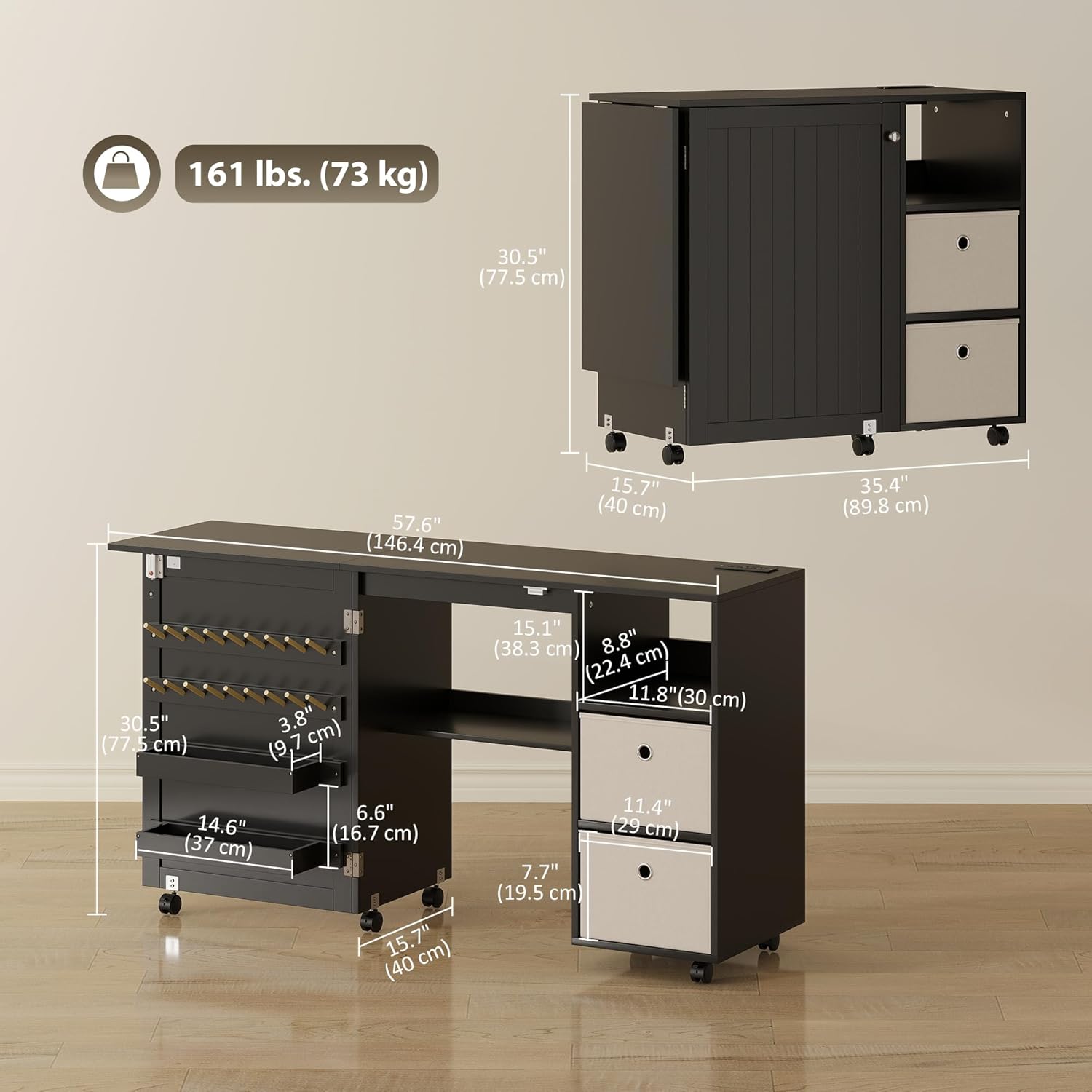
Image: Dimensional drawing of the table, illustrating its size and load capacity.
8. Warranty and Support
This product comes with a 90-day warranty against manufacturer defects from the date of purchase.
For warranty claims, missing parts, or technical support, please contact the manufacturer:
- Manufacturer: Aosom Canada
- Place of Business: Markham, Ontario, CA
- Telephone: 1-416-792-6088
Please have your model number (B0FS29KB14) and proof of purchase ready when contacting support.