
1. Introduction
The Olvy 2-in-1 Jump Starter and Power Bank (Model QS001) is a versatile and essential device designed to provide reliable emergency starting power for a wide range of 12V vehicles, including cars, trucks, motorcycles, SUVs, vans, and heavy-duty engines. Beyond its powerful jump-starting capability, it also functions as a high-capacity portable power bank and a multi-mode LED flashlight, making it an indispensable tool for any driver.
Engineered for performance in extreme conditions, this device operates effectively in temperatures ranging from -20°C to +60°C. It incorporates 9 layers of intelligent protection to ensure maximum safety and peace of mind during use.

Image: The Olvy Jump Starter is designed to operate reliably in extreme temperatures, from -20°C to +60°C, ensuring functionality in diverse climates.
2. Product Features
- Powerful Jump Starter: Delivers up to 1500A peak current to start 12V diesel and gasoline vehicles, including cars, trucks, motorcycles, SUVs, vans, and heavy-duty engines.
- Safe and Reliable: Equipped with 9 levels of intelligent protection, including reverse polarity, short circuit, overcurrent, overload, over-temperature, and over-discharge protection.
- All-Weather Operation: Designed to function in extreme conditions from -20°C to +60°C, ensuring reliable starts in cold or hot climates.
- Multi-functional Emergency Light: Integrated LED flashlight with 3 modes: bright light, strobe, and SOS signal for roadside safety and emergencies.
- Portable Power Bank: Dual USB and Type-C outputs with 8,000 mAh / 10,000 mAh capacity for charging smartphones, tablets, and other electronic devices on the go.

Image: The Olvy Jump Starter is suitable for a wide range of 12V vehicles, including sedans, motorcycles, SUVs, and even heavy-duty engines.
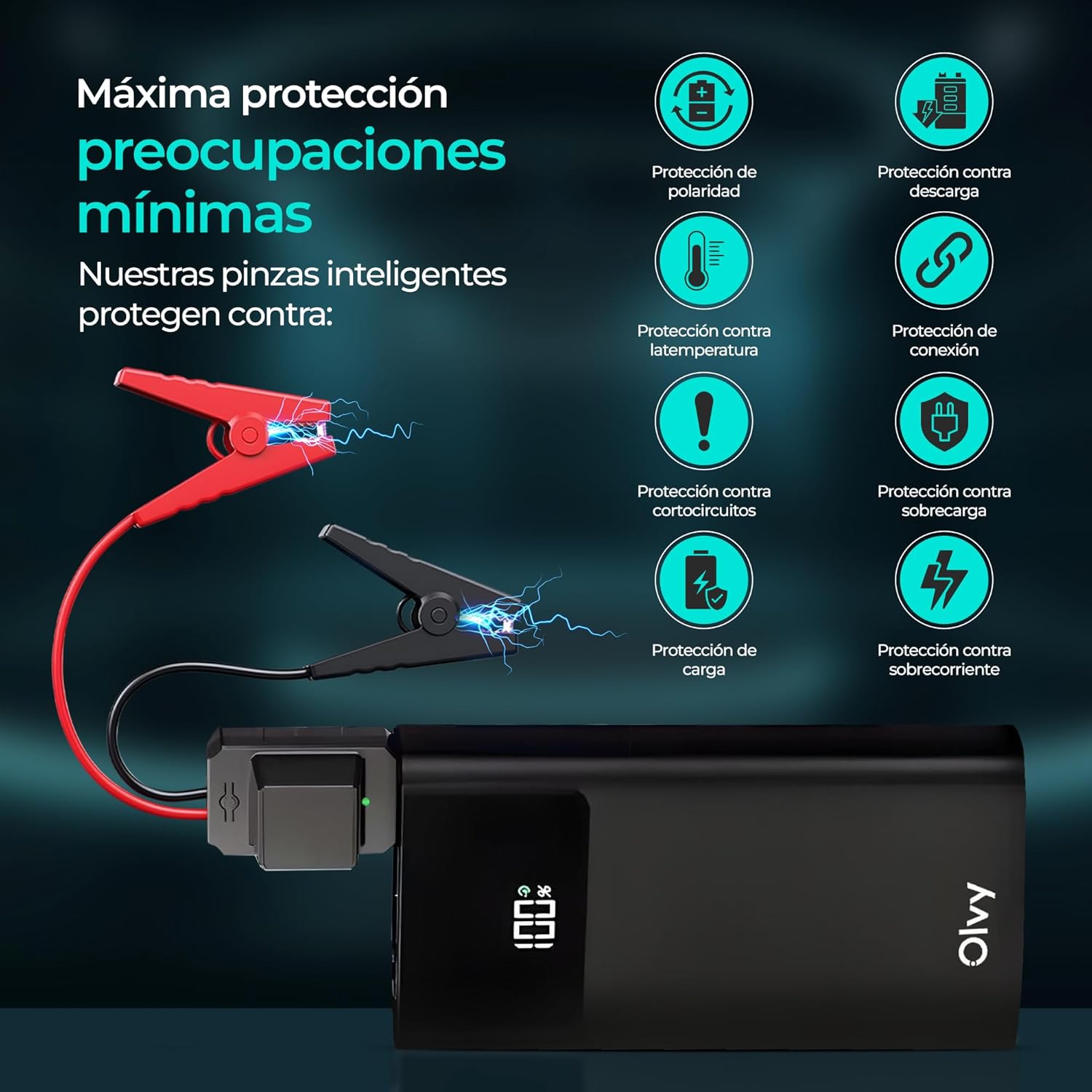
Image: The device features multiple intelligent protections, such as polarity protection, discharge protection, temperature protection, connection protection, short-circuit protection, overload protection, charge protection, and overcurrent protection.

Image: This compact and portable jump starter provides 1500A peak current and includes smart cables for safe and efficient operation.
3. Setup
3.1. Package Contents
Before first use, please ensure all items are present in the package:
- 1x Olvy Jump Starter and Power Bank
- 1x Smart Battery Clamps
- 1x USB Charging Cable
- 1x Storage Bag
- 1x User Manual

Image: The complete package includes the Olvy 2-in-1 Jump Starter, smart battery clamps, a USB charging cable, a storage bag, and a user manual.
3.2. Initial Charging
Fully charge the Olvy Jump Starter before its first use. Connect the provided USB charging cable to the device's Type-C input port and a suitable USB power adapter (not included). The LCD screen will display the charging progress. Disconnect once fully charged.
4. Operating Instructions
4.1. Jump Starting a Vehicle
- Ensure the jump starter is sufficiently charged (at least 50% recommended).
- Connect the smart battery clamps to the jump starter's dedicated port.
- Attach the red (+) clamp to the positive terminal of the vehicle's battery.
- Attach the black (-) clamp to the negative terminal of the vehicle's battery. Ensure a secure connection. The smart clamps will indicate a correct connection (e.g., a green light).
- Start the vehicle's engine.
- Once the engine starts, immediately remove the smart clamps from the vehicle battery, then disconnect them from the jump starter.

Image: Simple 4-step process for jump starting: 1. Connect the smart clamps to the jump starter. 2. Clamp to the car battery. 3. Start the car. 4. Disconnect the clamps.
4.2. Using as a Portable Power Bank
The Olvy Jump Starter can charge your electronic devices:
- Connect your device's USB or Type-C charging cable to the corresponding output port on the jump starter.
- The jump starter will automatically begin charging your device.
- Monitor the charging status on your device and the jump starter's LCD screen.

Image: The device doubles as a power bank with Type-C and USB outputs, offering 8,000 mAh capacity to charge mobile devices.
4.3. Using the LED Flashlight
The integrated LED flashlight offers three modes for various situations:
- Bright Light: Press and hold the flashlight button to turn on the bright light.
- Strobe Mode: Press the button again to switch to strobe mode for increased visibility.
- SOS Signal: Press the button a third time for the SOS signal, useful in emergencies.
- Press and hold the button to turn off the flashlight.
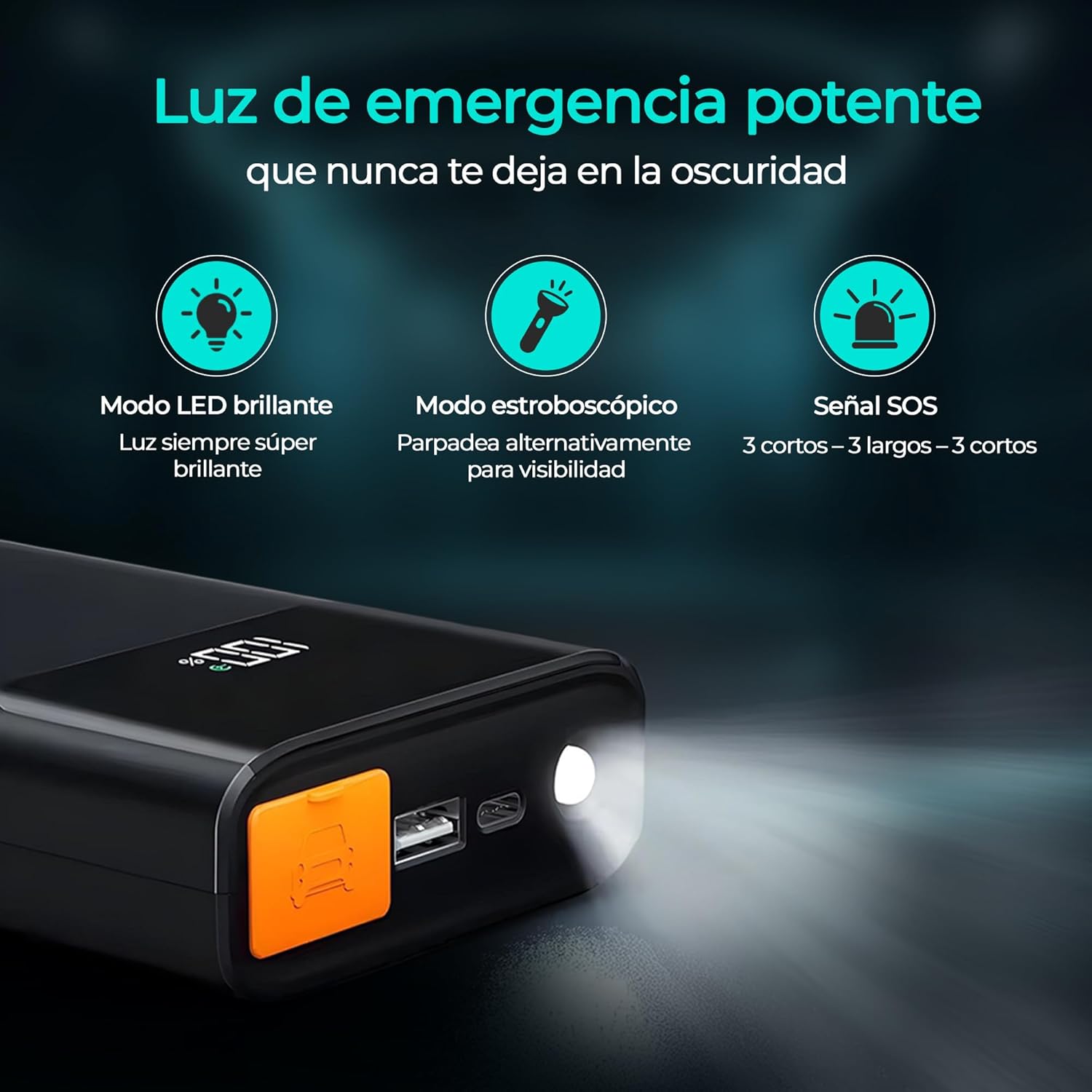
Image: The powerful emergency light features a super bright LED mode, an alternating strobe mode for visibility, and an SOS signal (3 short, 3 long, 3 short flashes).
5. Safety Information
Please read and understand all safety warnings and instructions before using this product. Failure to follow these instructions may result in electric shock, fire, and/or serious injury.
- Do not short-circuit the smart clamps.
- Do not expose the product to rain or wet conditions.
- Do not disassemble the product. Refer all servicing to qualified service personnel.
- Keep out of reach of children.
- Use only the provided smart clamps and charging cable.
- Ensure proper polarity when connecting to a vehicle battery (red to positive, black to negative). The smart clamps have built-in reverse polarity protection.
- Do not jump start a frozen battery.
- Do not use the jump starter if the cables or clamps are damaged.
- Remove the clamps from the vehicle battery immediately after the engine starts.
6. Maintenance
- Store the jump starter in a cool, dry place away from direct sunlight and extreme temperatures.
- Recharge the device every 3-6 months, even if not in use, to maintain battery health.
- Clean the exterior with a soft, damp cloth. Do not use harsh chemicals or abrasive materials.
- Keep the smart clamps clean and free of corrosion.
7. Troubleshooting
7.1. Device Not Turning On
- Ensure the device is charged. Recharge if the battery level is low.
- Press and hold the power button for a few seconds to ensure it's not just a quick press.
7.2. Vehicle Not Starting
- Check that the smart clamps are securely connected to the vehicle battery terminals with correct polarity.
- Ensure the jump starter has sufficient charge.
- The vehicle battery might be severely discharged or damaged. Consult a professional mechanic.
- If the smart clamps indicate an error (e.g., red light), refer to the smart clamp's specific error codes in the full user manual.
7.3. Device Not Charging
- Ensure the USB charging cable is properly connected to both the device and the power adapter.
- Try a different USB power adapter or charging cable.
8. Specifications
| Brand | Olvy |
| Model | QS001 |
| Peak Current | 1500 Amperes |
| Battery Capacity | 8000 mAh (10000 mAh variant also mentioned) |
| Battery Cell Composition | Lithium Ion |
| Voltage | 12 Volts (DC) |
| Operating Temperature | -20°C to +60°C |
| Dimensions | 19 x 12.7 x 9 cm |
| Weight | 1.5 kg |
| USB Output | Yes |
| Type-C Output | Yes |
9. Warranty and Support
For detailed warranty information and customer support, please refer to the warranty card included in your product package or visit the official Olvy website. Keep your purchase receipt as proof of purchase for any warranty claims.


