
Introduction
Thank you for choosing the Ecomobi MS02 4-Wheel Mobility Scooter. This manual provides essential information for the safe operation, maintenance, and care of your scooter. Please read it thoroughly before first use to ensure proper function and to maximize the lifespan of your device. This scooter is designed to enhance mobility for seniors and adults, offering convenience for daily travel on common surfaces such as sidewalks, driveways, and paved paths.
Safety Information
Your safety is paramount. Always adhere to the following guidelines:
- Always operate the scooter on stable, level surfaces. Avoid extreme off-road conditions.
- Ensure the battery is fully charged before extended use.
- Familiarize yourself with all controls, including speed adjustment, horn, and braking system, before riding.
- The scooter features a responsive braking system that slows down and stops when the throttle is released.
- Utilize the front anti-collision bumper and rear anti-tip wheels for enhanced safety.
- Do not exceed the maximum weight capacity of 300 lbs.
- Always use caution when navigating inclines; the scooter can climb up to 15 degrees.
- Ensure all removable parts (seat, baskets, battery) are securely attached before operation.
- Consult a medical professional if you have any health concerns that might affect your ability to operate a mobility scooter safely.
Setup and Assembly
The Ecomobi MS02 mobility scooter is designed for easy assembly and transport. Follow these steps to prepare your scooter for use:
- Unpacking: Carefully remove all components from the packaging. Verify that all parts are present according to the packing list.
- Attaching the Seat: Place the seat onto the scooter's base post. Ensure it clicks securely into place. The swivel seat allows for easier access.

Image: A person attaching the swivel seat to the scooter base. The seat is designed for easy installation and removal.
- Installing Baskets: Attach the front and rear baskets to their designated mounting points. These provide convenient storage.

Image: The Ecomobi MS02 scooter with both front and rear baskets attached, demonstrating storage capacity.
- Battery Installation/Charging: Insert the removable lithium battery into its compartment. The battery weighs approximately 7 lbs (or 6.94 lbs as per image) and can be charged either on the scooter or removed for indoor charging.

Image: A person demonstrating the lightweight, removable lithium battery. The battery is easy to handle for charging.

Image: Illustration of convenient charging options: directly on the scooter or by removing the battery for indoor charging.
- Tiller Adjustment: Adjust the foldable tiller to a comfortable height and secure it.
Operating Instructions
Operating your Ecomobi MS02 scooter is straightforward. Follow these steps for a safe and comfortable ride:
- Power On: Insert the key into the key switch and turn it to the 'ON' position. The power indicator will illuminate.
- Speed Adjustment: Use the speed adjustment dial to set your desired maximum speed. The scooter has a maximum speed of 7 mph.
- Driving: Use the left and right control levers on the tiller to move forward or backward. Push both levers forward to move forward, and pull both back to reverse.

Image: Detailed view of the scooter's control panel, highlighting the speed adjustment, key switch, power indicator, horn, front light button, and control levers.
- Braking: Release the control levers to engage the electromagnetic braking system. The scooter will automatically slow down and stop.
- Horn and Lights: Use the horn button for alerts and the front light button to activate the LED headlights for improved visibility.

Image: The scooter's front and rear LED lights are shown in use during nighttime, enhancing safety and visibility.
- GPS Tracker: The included GPS tracker can be attached to your keys or the scooter. Connect it to your phone via an app to locate misplaced keys or track the scooter's parking location.

Image: The GPS tracker accessory, demonstrating how it can be used with keys or the scooter for location tracking via a smartphone application.
Video Demonstrations:
Video: This video demonstrates the MS02-F 4-Wheel Foldable Mobility Scooter in use, highlighting its features and ease of operation. (Source: Ecomobi)
Video: A demonstration of the MS02 PLUS Long Range Heavy Duty Mobility Scooter, showcasing its stability and performance. (Source: Ecomobi)
Video: This video provides a comprehensive overview of the MS02 Mobility Scooter, including assembly and usage tips. (Source: Ecomobi)
Maintenance
Regular maintenance ensures the longevity and optimal performance of your Ecomobi MS02 scooter.
- Battery Care:
- Charge the lithium battery regularly, especially after each use, to maintain its capacity.
- Avoid completely draining the battery before recharging.
- Store the battery in a cool, dry place if the scooter is not in use for an extended period.
- Cleaning: Wipe down the scooter with a damp cloth. Avoid using harsh chemicals or excessive water, which can damage electronic components.
- Tire Inspection: Periodically check the solid, puncture-proof tires for wear and tear. While designed for durability, extreme conditions can affect them.
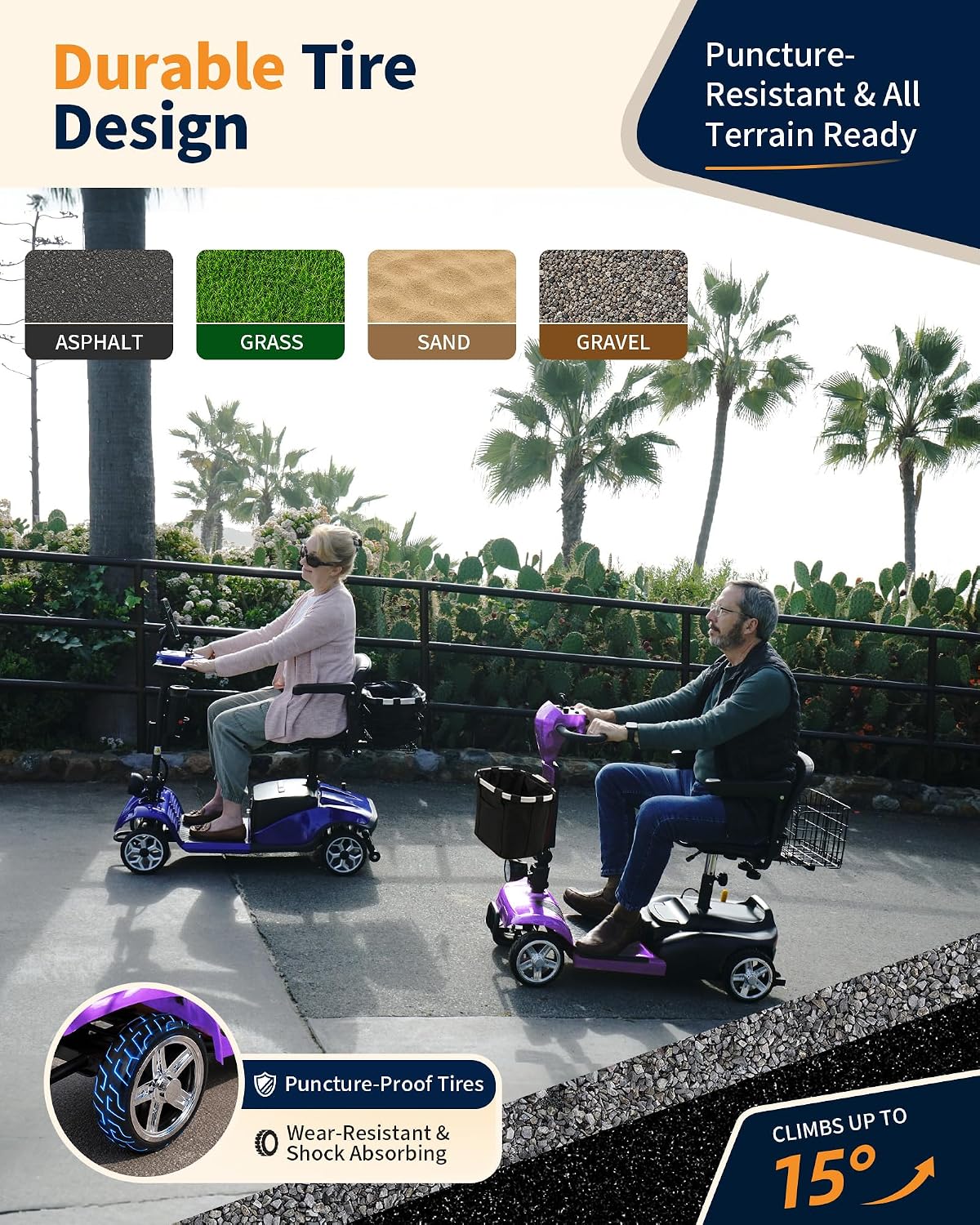
Image: A close-up view of the scooter's solid, puncture-proof tire, highlighting its robust design for various terrains.
- General Check: Regularly inspect all bolts, nuts, and connections to ensure they are tight and secure.
Troubleshooting
If you encounter issues with your Ecomobi MS02 scooter, refer to the following common problems and solutions:
| Problem | Possible Cause | Solution |
|---|---|---|
| Scooter does not power on. | Battery not charged or not properly installed; key not in 'ON' position. | Ensure battery is fully charged and correctly seated. Turn key to 'ON'. |
| Scooter moves slowly or inconsistently. | Low battery charge; speed setting too low; motor issue. | Charge battery. Adjust speed dial. If problem persists, contact customer support. |
| Brakes are not engaging properly. | Throttle levers not fully released; brake system malfunction. | Ensure levers are fully released. If issue continues, contact customer support. |
| GPS tracker not connecting. | Tracker battery low; app not installed or updated; Bluetooth issue. | Check tracker battery. Reinstall/update app. Ensure phone's Bluetooth is on. |
For issues not listed here or if troubleshooting steps do not resolve the problem, please contact Ecomobi customer support.
Specifications
| Feature | Detail |
|---|---|
| Model Name | MS02 |
| Product Dimensions (D x W x H) | 49.21" x 19.29" x 37.01" |
| Item Weight | 83.22 Pounds (scooter body approx. 63 lbs without removable parts) |
| Maximum Weight Recommendation | 300 Pounds |
| Motor Power | 350W |
| Maximum Speed | 7 Miles per Hour |
| Travel Range | 20/35/45 Miles (depending on battery option) |
| Battery Type | Removable Lithium Battery (approx. 7 lbs) |
| Wheel Type | Solid, Puncture-Proof Tires (8 Inches) |
| Brake Style | Electromagnetic |
| Turn Radius | 28 Inches |
| Seat Width | 17 Inches |
| Seat Height | 25 Inches |
| Seat Depth | 15.75 Inches |
| Handle Height | 36 Inches |
| Frame Material | Aluminum |
| Additional Features | Adjustable, GPS tracker, Long range, Portable, Removable lithium battery, Dual Baskets, Front & Rear LED Lights |
Warranty and Customer Support
Ecomobi is committed to providing reliable products and excellent customer service. For any questions regarding setup, use, maintenance, or parts support, please contact our professional customer support team.
- Return Policy: 30-day easy returns.
- Contact Information: Refer to your purchase documentation or the Ecomobi official website for the most current contact details.

Image: Ecomobi customer support details, including email and phone number for assistance.

