
1. Introduction
Thank you for choosing the Lepro Pen LED Flashlight. This compact and ultra-bright tactical penlight is designed for various applications, offering convenience and reliability. This manual provides essential information for the proper setup, operation, and maintenance of your flashlight.
2. Product Features
- 3 Lighting Modes: Provides 120 lumens for illumination with high brightness, low brightness, and flash modes for different circumstances. Flash mode can discharge for approximately 8 hours.
- Compact Size: With a diameter of 0.59 inches and a length of 5.19 inches, weighing 29g, this pocket flashlight is easy to carry and store.
- IPX4 Water-resistant: Constructed from high-performance aluminum alloy, it is sturdy, durable, and protected against splashing water from any direction.
- Intuitive Operation: Features a simple push-button switch for easy control of power and lighting modes.
- Wide Applications: Suitable for camping, hiking, medical use, emergency survival, and professional tasks for doctors, nurses, and security personnel.

Image: The Lepro Pen LED Flashlight showing its compact dimensions (13cm/5.19in length, 1.6cm/0.63in diameter) and how it easily fits into a pocket.
3. Specifications
| Manufacturer | Lepro |
| Model Number | 120023L-GN-US-2 |
| Product Dimensions | 1.6 x 1.6 x 13.21 cm; 110 g |
| Power Source | Battery Powered |
| Battery Type | 4 AAA batteries required (included) |
| Light Source Type | LED (XPE) |
| White Brightness | 120 Lumens |
| Material | Aluminum |
| Special Features | Durable, Lightweight, Portable, Waterproof (IPX4) |
4. Setup
4.1 Battery Installation
The Lepro Pen LED Flashlight requires 2 AAA batteries for operation. Please follow these steps to install the batteries correctly:
- Unscrew the tail cap of the flashlight.
- Insert two AAA batteries into the battery compartment, ensuring the positive (+) and negative (-) terminals align with the indicators inside the flashlight.
- Screw the tail cap back on securely.

Image: Exploded view of the flashlight showing the tail cap, two AAA batteries, and the main body, with an arrow indicating correct battery insertion direction.
Video: A demonstration of how to insert AAA batteries into a similar Lepro pen flashlight and operate its basic functions.
4.2 Attaching the Clip
The flashlight comes with a detachable clip for versatile carrying options. You can attach it to your pocket, backpack strap, or even reverse it to clip onto a cap brim for hands-free use.

Image: Step-by-step guide showing how to remove the clip, reverse its mounting, and clip the flashlight onto a cap brim for hands-free illumination.
5. Operating Instructions
5.1 Power On/Off and Mode Selection
The flashlight features an intuitive switch located on the tail cap for easy operation.
- To Turn On: Press the tail cap button once.
- To Change Modes: While the flashlight is on, press the tail cap button repeatedly to cycle through the modes: High Brightness → Low Brightness → Flash Mode.
- To Turn Off: Continue cycling through the modes until the flashlight turns off, or press and hold the button for a few seconds.
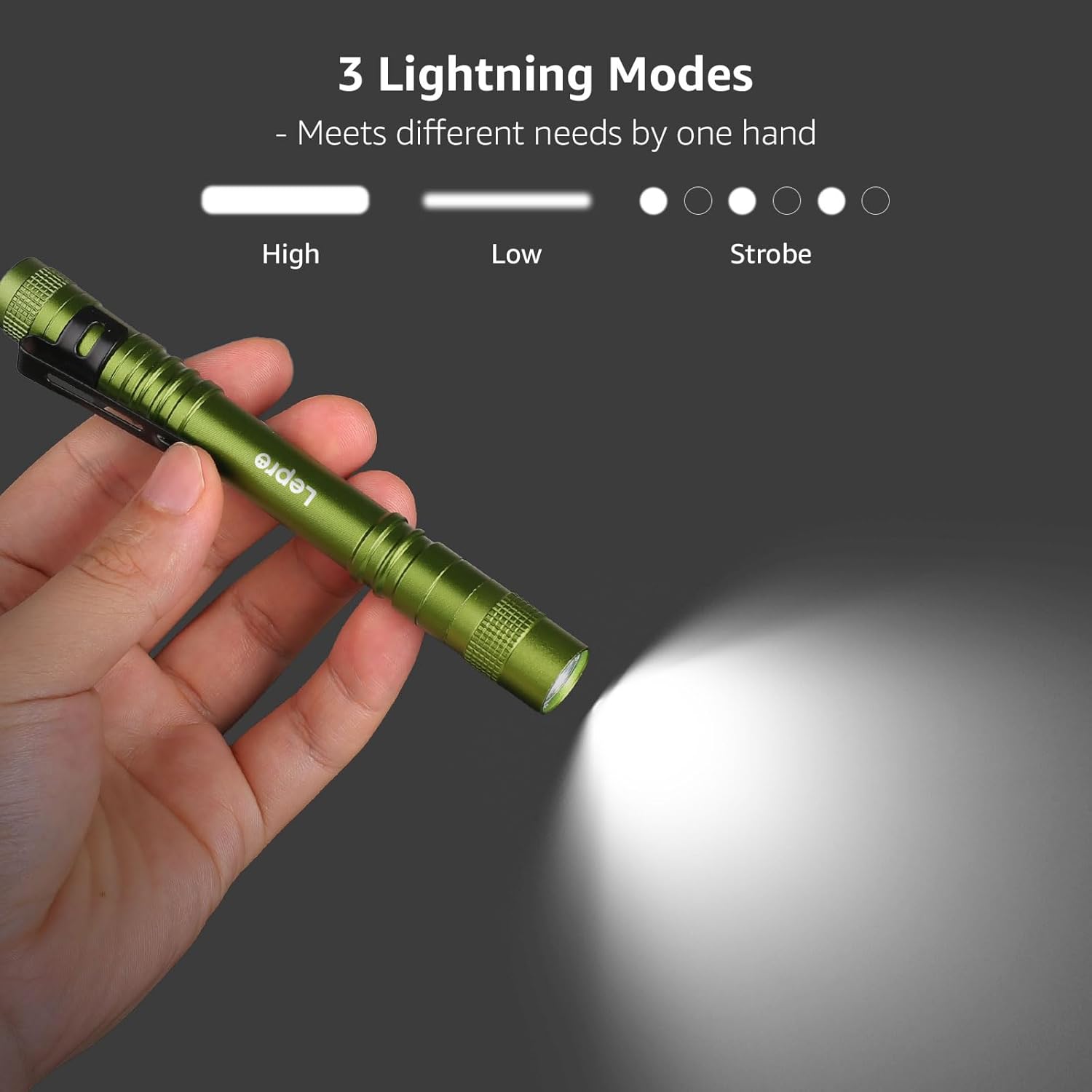
Image: Visual representation of the flashlight emitting light in High, Low, and Strobe (Flash) modes, demonstrating its versatility.
5.2 Water Resistance
The flashlight is IPX4 water-resistant, meaning it is protected against splashing water. It is suitable for use in light rain or damp conditions but should not be submerged in water.

Image: The flashlight standing upright amidst moss and leaves, with water droplets splashing around it, illustrating its IPX4 water-resistant feature.
6. Maintenance
To ensure the longevity and optimal performance of your Lepro Pen LED Flashlight, please follow these maintenance guidelines:
- Cleaning: Wipe the flashlight with a clean, soft cloth. Avoid using abrasive cleaners or solvents that may damage the finish or internal components.
- Battery Care: If the flashlight will not be used for an extended period, remove the batteries to prevent leakage and corrosion.
- Storage: Store the flashlight in a cool, dry place away from direct sunlight and extreme temperatures.
- O-rings: Periodically check the O-rings for wear and tear. Lubricate them with silicone grease if necessary to maintain water resistance.
7. Troubleshooting
If you encounter any issues with your flashlight, please refer to the following common troubleshooting steps:
| Problem | Possible Cause | Solution |
|---|---|---|
| Flashlight does not turn on | Dead or incorrectly installed batteries | Replace batteries with new ones, ensuring correct polarity. |
| Dim light output | Low battery power | Replace batteries. |
| Intermittent operation | Loose tail cap or dirty contacts | Tighten the tail cap. Clean battery contacts with a clean cloth. |
| Water ingress (despite IPX4 rating) | Damaged O-rings or improper sealing | Check O-rings for damage and replace if necessary. Ensure tail cap is fully tightened. |
8. Safety Information
Please read and adhere to the following safety precautions:
- Do not look directly into the LED light when it is on, as it may cause temporary vision impairment.
- Keep out of reach of children.
- Do not mix old and new batteries, or different types of batteries.
- Dispose of used batteries responsibly according to local regulations.
- Do not attempt to disassemble or modify the flashlight, as this may void the warranty and pose a safety risk.
9. Warranty and Support
For warranty information or technical support, please refer to the product packaging or contact Lepro customer service through their official website or the retailer where the product was purchased. Please have your model number (120023L-GN-US-2) and purchase details ready.

