1. Introduction
This manual provides instructions for the LICAEVEY Bluetooth 5.3 Audio Adapter, a versatile 2-in-1 device functioning as both a wireless transmitter and receiver. It is designed to enhance your audio experience by enabling Bluetooth connectivity for various devices such as TVs, computers, speakers, home stereo systems, and car audio systems. Please read this manual thoroughly before use to ensure proper operation and to maximize the device's capabilities.
2. Package Contents
Verify that all items listed below are included in your package:
- 1 x LICAEVEY Bluetooth 5.3 Audio Adapter
- 1 x 3.5mm Audio Cable
- 1 x USB Charging Cable
- 1 x User Manual (this document)
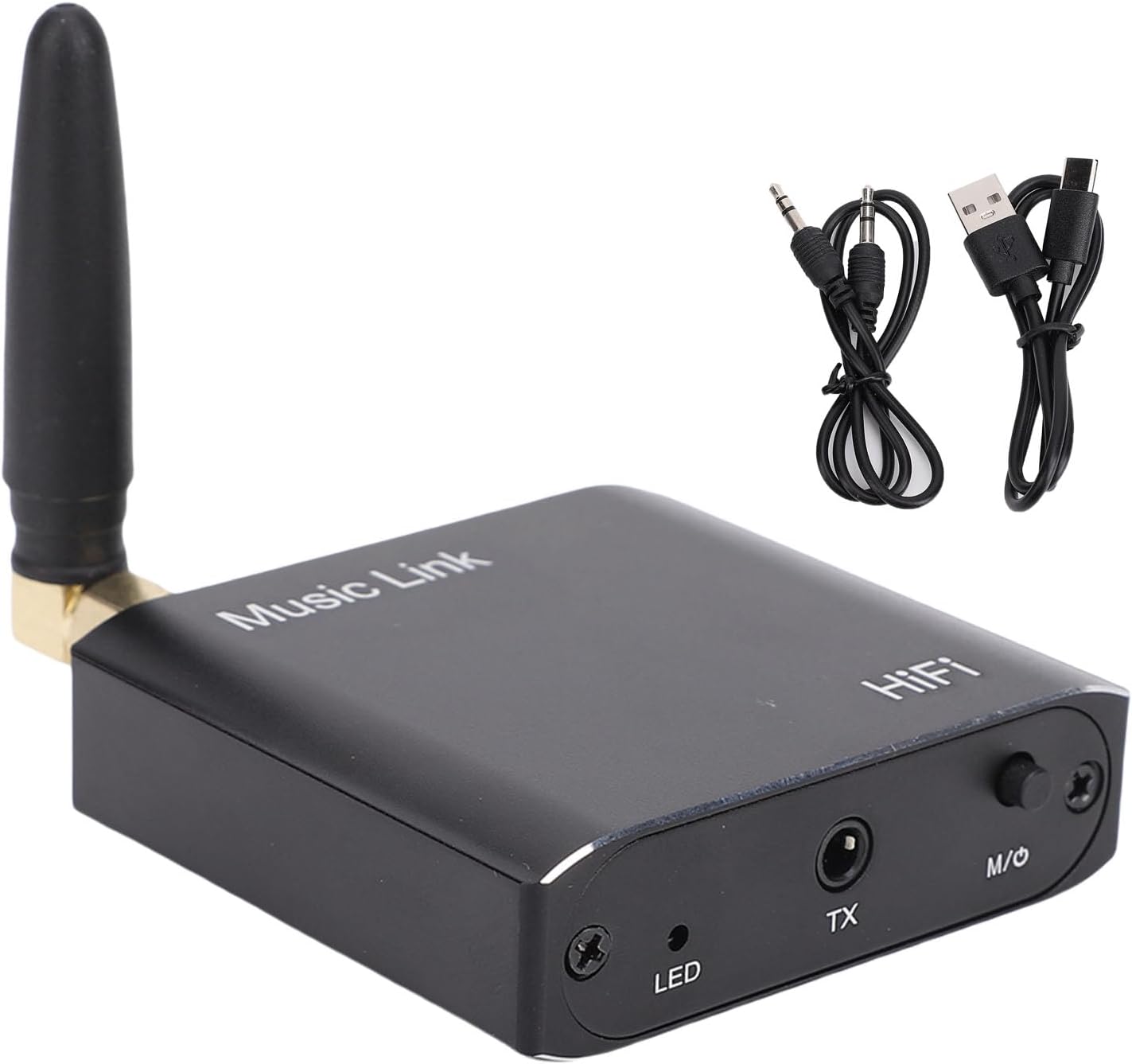
Image: The LICAEVEY Bluetooth 5.3 Audio Adapter shown alongside its 3.5mm audio cable and USB charging cable, illustrating the complete package contents.
3. Product Overview
The LICAEVEY Bluetooth 5.3 Audio Adapter is a compact device designed for seamless audio transmission and reception. It features a robust aluminum alloy construction and an external antenna for enhanced signal stability.
3.1 Device Layout and Ports

Image: A detailed view of the adapter's top and side panels, highlighting the DC5V charging port, AUX audio output, external antenna connector, LED indicator, TX audio input, and the M/O (Mode/Power) button.
- DC5V Port: USB-C port for charging the device.
- AUX OUT Port: 3.5mm audio output jack, used in Receiver Mode.
- Antenna: External antenna for improved Bluetooth signal range and stability.
- LED Indicator: Displays device status (e.g., power, pairing, mode).
- TX Port: 3.5mm audio input jack, used in Transmitter Mode.
- M/O Button: Multi-function button for power on/off and switching between Transmitter (TX) and Receiver (RX) modes.
3.2 Key Features
- Bluetooth 5.3 Technology: Provides stable, low-latency wireless audio transmission.
- 2-in-1 Functionality: Operates as both a Bluetooth audio transmitter and receiver.
- Wide Compatibility: 3.5mm audio interface ensures compatibility with various audio devices.
- Extended Range: Up to 15 meters (49 feet) transmission distance without obstacles.
- High-Fidelity Sound: Premium decoding chip delivers CD-grade sound quality.
- Long Battery Life: Built-in 250mAh lithium battery for extended use.

Image: The adapter is shown with an overlay illustrating its 15-meter long-distance transmission capability, indicating stable signal performance even across rooms.

Image: The adapter is displayed with a graphic emphasizing its immersive lossless sound quality, attributed to its premium decoding chip.
4. Specifications
| Feature | Specification |
|---|---|
| Model Number | LICAEVEYougag8mxb3 |
| Bluetooth Version | 5.3 |
| Material | Aluminum Alloy |
| Battery Type | Lithium Cell |
| Battery Capacity | 250mAh |
| Transmission Distance | Up to 15 meters (49 feet) without obstacles |
| Bluetooth Protocols | A2DP, AVRCP |
| Input/Output Method | 3.5mm (AUX) Audio Jack |
| Dimensions (L x W x H) | Approx. 72mm x 57mm x 16mm (2.83in x 2.24in x 0.63in) |
| Item Weight | Approx. 3.92 ounces |

Image: The adapter is shown with its physical dimensions clearly marked, indicating its compact size.
5. Setup and Basic Operation
5.1 Charging the Device
Before first use, fully charge the adapter. Connect the provided USB charging cable to the DC5V port on the adapter and the other end to a standard USB power source (e.g., computer USB port, USB wall adapter). The LED indicator will show charging status and turn off or change color when fully charged.
5.2 Power On/Off
- Power On: Press and hold the M/O button for approximately 3 seconds until the LED indicator lights up.
- Power Off: Press and hold the M/O button for approximately 3 seconds until the LED indicator turns off.
5.3 Switching Modes (Transmitter / Receiver)
After powering on, briefly press the M/O button to switch between Transmitter (TX) mode and Receiver (RX) mode. The LED indicator will change to reflect the current mode (refer to the LED indicator section in the full manual for specific light patterns).
6. Operating Modes
6.1 Transmitter (TX) Mode
In TX mode, the adapter transmits audio from a non-Bluetooth device (e.g., TV, computer) to a Bluetooth-enabled receiving device (e.g., Bluetooth headphones, Bluetooth speaker).
- Ensure the adapter is in TX mode. If not, briefly press the M/O button to switch.
- Connect one end of the 3.5mm audio cable to the TX port on the adapter.
- Connect the other end of the 3.5mm audio cable to the audio output jack of your non-Bluetooth device (e.g., TV headphone jack, computer audio out).
- Place your Bluetooth receiving device (headphones, speaker) into pairing mode.
- The adapter will automatically search for and connect to nearby Bluetooth devices. Once connected, the LED indicator will confirm the connection.
- Audio from your source device will now be transmitted wirelessly to your Bluetooth receiving device.
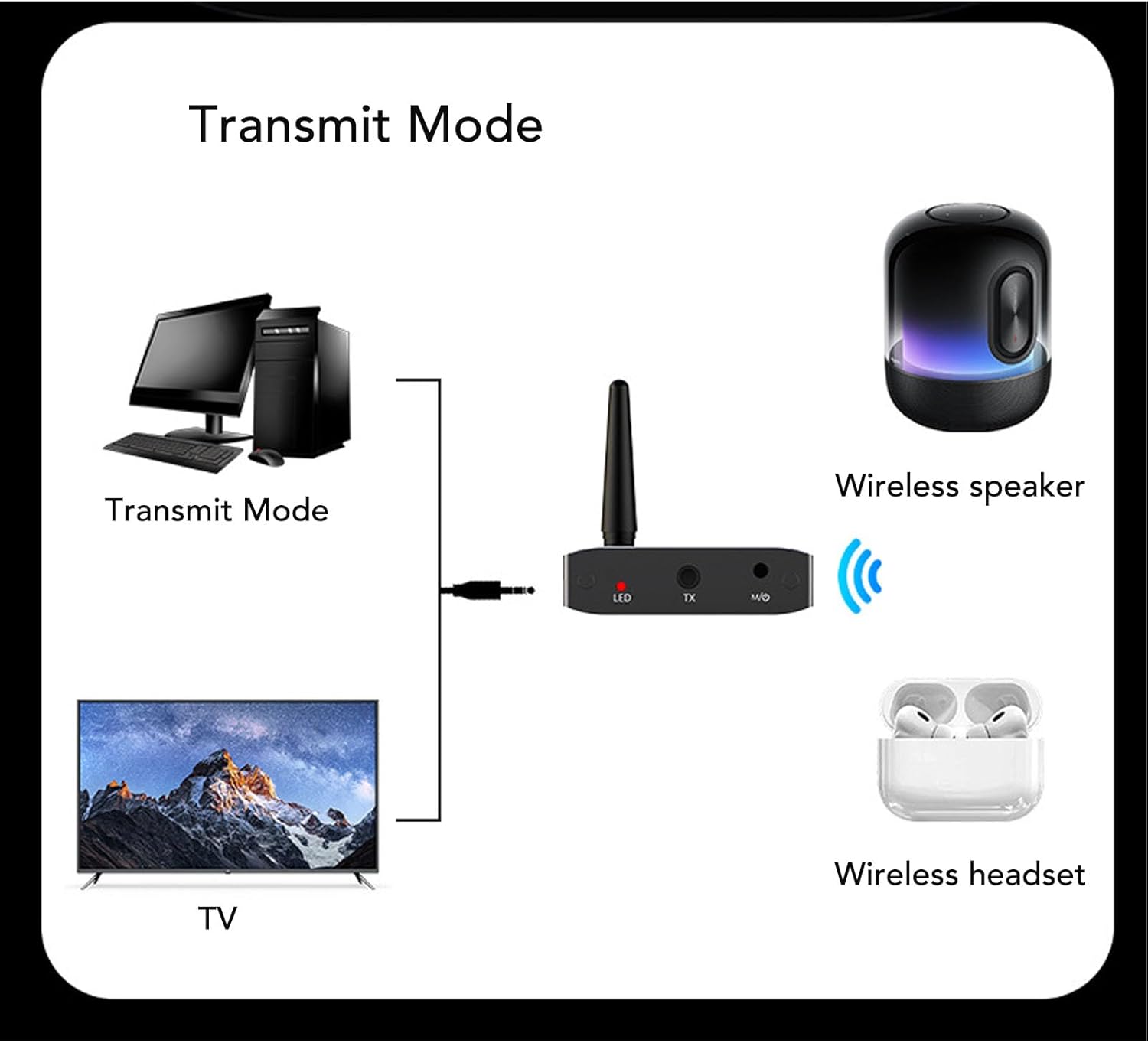
Image: A visual guide demonstrating how to set up the adapter in Transmitter Mode, showing connections from a TV or computer to the adapter, and then wirelessly to a Bluetooth speaker or headset.

Image: The adapter positioned in front of a television, illustrating a common use case for Transmitter Mode, allowing TV audio to be sent wirelessly.
6.2 Receiver (RX) Mode
In RX mode, the adapter receives audio wirelessly from a Bluetooth-enabled transmitting device (e.g., smartphone, tablet, laptop) and outputs it to a non-Bluetooth audio system (e.g., wired speakers, car stereo, home amplifier).
- Ensure the adapter is in RX mode. If not, briefly press the M/O button to switch.
- Connect one end of the 3.5mm audio cable to the AUX OUT port on the adapter.
- Connect the other end of the 3.5mm audio cable to the audio input jack of your non-Bluetooth audio system (e.g., AUX input on speakers, car stereo).
- On your Bluetooth transmitting device (smartphone, tablet, laptop), enable Bluetooth and search for "LICAEVEY Adapter" (or similar name) in the list of available devices.
- Select the adapter to pair. Once connected, the LED indicator will confirm the connection.
- Play audio on your Bluetooth transmitting device. The sound will now be streamed wirelessly to your connected audio system.

Image: A visual guide demonstrating how to set up the adapter in Receiver Mode, showing wireless connections from mobile devices or laptops to the adapter, and then wired connections to various audio output devices.
7. Troubleshooting
- No Power: Ensure the device is charged. Connect the USB charging cable and check if the LED indicator lights up.
- Cannot Pair:
- Ensure the adapter is in the correct mode (TX for transmitting, RX for receiving).
- Make sure the other Bluetooth device is in pairing mode.
- Move the devices closer to each other.
- Restart both the adapter and the other Bluetooth device.
- No Sound:
- Check all cable connections (3.5mm audio cable) are secure and in the correct ports (TX for input, AUX OUT for output).
- Ensure the volume on both the source device and the receiving device is turned up.
- Verify that the adapter is successfully paired and connected (check LED indicator).
- Confirm the audio source device is playing audio.
- Poor Sound Quality/Interference:
- Reduce the distance between the adapter and the connected Bluetooth device.
- Remove any obstacles (walls, large metal objects) between the devices.
- Avoid placing the adapter near other wireless devices that may cause interference (e.g., Wi-Fi routers, microwaves).
8. Maintenance
- Cleaning: Use a soft, dry cloth to clean the device. Do not use liquid cleaners or aerosols.
- Storage: Store the device in a cool, dry place away from direct sunlight and extreme temperatures.
- Battery Care: To prolong battery life, avoid fully discharging the battery frequently. Charge the device regularly, even if not in use for extended periods.
- Avoid Impact: Do not drop or subject the device to strong impacts, as this may damage internal components.
9. Warranty and Support
This product comes with a standard manufacturer's warranty. For specific warranty terms, conditions, and duration, please refer to the warranty card included with your purchase or contact LICAEVEY customer support directly. For technical assistance or further inquiries, please visit the official LICAEVEY website or contact their customer service department.
Please retain your proof of purchase for warranty claims.