1. Introduction
This manual provides detailed instructions for the installation, operation, and maintenance of your Luqeeg 7-Day Programmable Timer Switch. This device is designed for precise control of electrical appliances such as pool pumps, heaters, filters, and other motor-driven equipment, offering up to 28 on/off schedules per day or week. Its robust, waterproof PC casing ensures reliable performance in various environments.
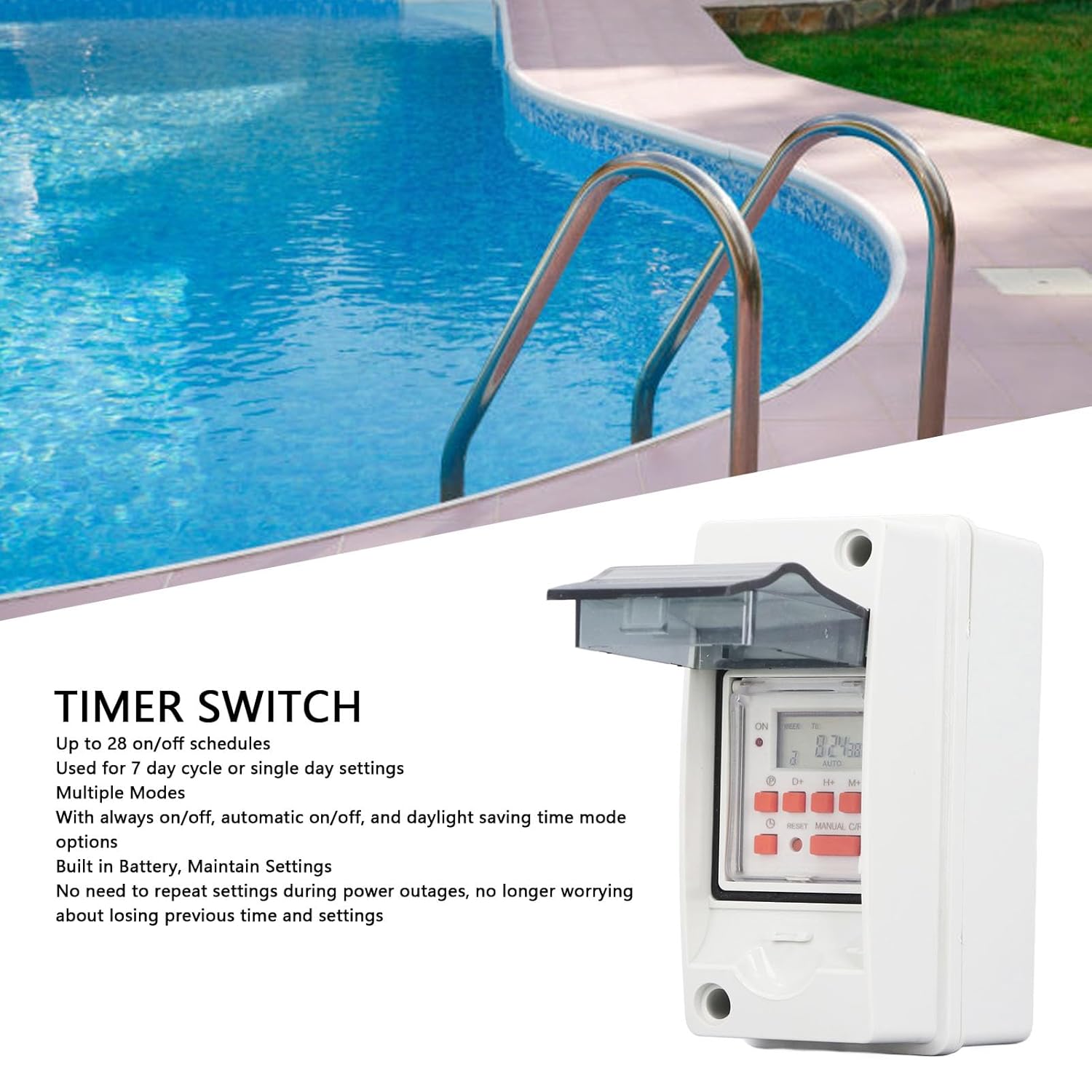
Image 1.1: The Luqeeg Timer Switch shown in an outdoor application near a swimming pool. This image illustrates the product's intended use for controlling outdoor equipment.
2. Safety Information
Please read all safety warnings and instructions carefully before installing or operating this device. Failure to do so may result in electric shock, fire, or serious injury.
- Electrical Hazard: Installation should only be performed by a qualified electrician or trained personnel. Ensure power is disconnected at the circuit breaker before installation or maintenance.
- Voltage Compatibility: Verify that the supply voltage matches the timer switch's rated voltage (AC85-265V).
- Load Capacity: Do not exceed the maximum current rating of the switch. Overloading can cause overheating and fire.
- Water Protection: While the casing is waterproof, ensure all connections are properly sealed and the casing is securely closed to maintain its protective rating.
- Operating Environment: Do not operate the device outside its specified temperature and humidity ranges.
3. Package Contents
Carefully unpack the box and ensure all items listed below are present and undamaged. If any items are missing or damaged, please contact customer support.
- 1 x Timer Switch (Upper and Lower Shell)
- 2 x Connector
- 2 x Sealing Ring
- 6 x Screw
- 2 x Ring
- 4 x Wall Anchor
- 4 x Terminal Connector
- 1 x 5m Electric Tape
- 1 x Instruction Manual (this document)

Image 3.1: The Luqeeg Timer Switch shown alongside its complete set of accessories, including connectors, sealing rings, screws, wall anchors, terminal connectors, and electrical tape.
4. Specifications
| Parameter | Value |
|---|---|
| Item Type | Timer Switch |
| Material | PC (Polycarbonate) |
| Rated Voltage | AC85-265V |
| Line Quantity Conversion Switch | SPDT |
| Error Correcting | ≤2 Seconds Per Day (at 25℃) |
| On/Off Operations | 28 Times (per day/week) |
| Power Consumption | 4.5 VA (MAXIMUM) |
| Display | LCD Screen |
| Shortest Interval | 1 Minute |
| Operating Temperature | -10℃ to +55℃ |
| Operating Humidity | 35 to 85%RH |
| Storage Power Supply | 1 x Lithium Ion Battery 200mAh (Built-in) |
| Battery Backup | ≤15 Days |
| Dimensions (L x W x H) | 6.29 x 3.93 x 3.14 inches |
| Item Weight | 12.4 ounces |
5. Setup and Installation
Proper installation is crucial for the safe and effective operation of the timer switch. Refer to the wiring diagram and follow local electrical codes.
5.1 Mounting the Switch
- Choose a suitable location for mounting, ensuring it is accessible for programming and maintenance.
- Use the provided wall anchors and screws to securely mount the timer switch casing to a flat surface.
- Ensure the casing is level and all mounting points are tightened.

Image 5.1: An angled view of the Luqeeg Timer Switch, highlighting its durable and waterproof PC casing designed for outdoor conditions. Note the two outlet holes for wiring protection.
5.2 Wiring Instructions
WARNING: Disconnect power at the main circuit breaker before attempting any wiring.
- Open the timer switch casing.
- Identify the input terminals (Power) and output terminals (Load) as shown in the wiring diagram.
- Connect the incoming live wire (L) and neutral wire (N) from your power source to the corresponding input terminals of the timer switch.
- Connect the live wire (L) and neutral wire (N) of your appliance (load) to the corresponding output terminals of the timer switch.
- Ensure all wire connections are secure and properly insulated using the provided terminal connectors and electrical tape.
- Close the casing securely, ensuring the sealing rings are properly seated to maintain waterproof integrity.

Image 5.2: A detailed wiring diagram for the Luqeeg Timer Switch, illustrating connections for neutral wire, live wire, and load. This diagram is essential for correct and safe installation.
6. Operating Instructions
The timer switch features an LCD display and several buttons for programming. Familiarize yourself with the controls before proceeding.

Image 6.1: A close-up view of the Luqeeg Timer Switch's LCD display and control buttons, including 'P' (Program), 'D+' (Day), 'H+' (Hour), 'M+' (Minute), 'RESET', and 'MANUAL C/R' buttons.
6.1 Initial Setup (First Use)
- After connecting power, the LCD display will illuminate. If the display is blank, press the RESET button using a pointed object (e.g., a pen tip).
- The built-in battery will retain settings during power outages, but it may need initial charging if the device has been stored for a long time.
6.2 Setting Current Time and Day
- Press the P button once. The display will show the current time setting.
- Press D+ to set the current day of the week.
- Press H+ to set the current hour.
- Press M+ to set the current minute.
- Press the P button again to confirm and exit time setting mode.
6.3 Programming On/Off Schedules
The timer supports up to 28 ON/OFF programs. Each program consists of an ON time and an OFF time.
- Press the P button repeatedly until '1 ON' appears on the display. This is for the first ON program.
- Press D+ to select the day(s) for this program (e.g., Mon-Sun, Mon-Fri, Sat-Sun, individual days, etc.).
- Press H+ to set the desired ON hour.
- Press M+ to set the desired ON minute.
- Press P again. '1 OFF' will appear. This is for the first OFF program.
- Repeat steps 2-4 to set the desired OFF day(s), hour, and minute for this program.
- Continue pressing P to cycle through '2 ON', '2 OFF', up to '28 ON', '28 OFF' to set additional programs.
- After setting all desired programs, press the P button until the display returns to the current time.
6.4 Manual Override and Mode Selection
Press the MANUAL C/R button to cycle through different operating modes:
- ON: The output is continuously ON, overriding all programs.
- OFF: The output is continuously OFF, overriding all programs.
- AUTO ON: The timer will follow programmed schedules, starting with an ON state if the current time falls within an ON period.
- AUTO OFF: The timer will follow programmed schedules, starting with an OFF state if the current time falls within an OFF period.
6.5 Daylight Saving Time (DST) Mode
This timer switch supports Daylight Saving Time adjustments. Refer to the specific instructions in the included paper manual for activating and deactivating DST mode, as the button combination may vary.
7. Maintenance
The Luqeeg Timer Switch is designed for low maintenance. Follow these guidelines to ensure longevity:
- Cleaning: Wipe the exterior of the casing with a soft, damp cloth. Do not use abrasive cleaners or solvents. Ensure the casing is dry before re-energizing.
- Battery: The device has a built-in lithium-ion battery for backup. This battery is not user-replaceable. If the battery backup function degrades significantly, the unit may need servicing or replacement.
- Inspection: Periodically inspect the wiring connections and the integrity of the waterproof casing, especially if installed outdoors.
8. Troubleshooting
If you encounter issues with your timer switch, refer to the following common problems and solutions:
| Problem | Possible Cause | Solution |
|---|---|---|
| Display is blank | No power supply; Internal battery depleted; Device reset needed. | Check power connections and circuit breaker. Press the RESET button. Allow time for the internal battery to charge if recently powered on. |
| Appliance does not turn ON/OFF as programmed | Incorrect program settings; Timer is in MANUAL ON/OFF mode; Incorrect wiring. | Verify program settings (ON/OFF times, days). Ensure the timer is in AUTO ON or AUTO OFF mode. Check wiring connections. |
| Time is inaccurate | Initial time not set correctly; Minor drift over time. | Reset the current time and day. The device has an error correction of ≤2 seconds per day. |
| Buttons are unresponsive | Device frozen; Moisture ingress. | Press the RESET button. Ensure the casing is properly sealed and dry. |
9. Warranty and Support
Luqeeg products are manufactured to high-quality standards. For warranty information, technical support, or to report any issues, please contact your retailer or the Luqeeg customer service department. Keep your purchase receipt as proof of purchase.
For further assistance, please visit the Luqeeg Store on Amazon.