
1. Introduction
This manual provides detailed instructions for the 1Mii AI E700 Hybrid Active Noise Cancelling Headphones. Please read this manual thoroughly before using the product to ensure proper operation and to maximize your listening experience.
The 1Mii AI E700 headphones offer a blend of advanced audio technologies, including Hybrid Active Noise Cancellation, Hi-Res Audio with LDAC and aptX HD support, aptX Low Latency for synchronized media, and integrated AI features for translation and voice interaction. Designed for comfort and extended use, these headphones are suitable for travel, work, study, and daily commutes.
2. What's in the Box
- 1Mii E700 Hybrid Active Noise Cancelling Over Ear Bluetooth Headphones
- AUX to Type-C Cable
- USB-C Charging Cable
- Headphones Case
- User Manual
3. Product Features
3.1 Hybrid Active Noise Cancellation (ANC)
The E700 headphones utilize Hybrid Active Noise Cancellation technology with four ANC microphones to reduce up to 90% of ambient noise. This is particularly effective against low-frequency sounds such as airplane engines and car noise, providing a quieter listening environment. A simple tap activates or deactivates ANC mode.

Image: Hybrid Active Noise Cancellation reduces up to 90% of ambient noise.

Image: ANC effectiveness shown with a frequency response graph.
3.2 Hi-Res Audio with LDAC & aptX HD
Equipped with a high-grade Qualcomm chip, the E700 headphones support LDAC and aptX HD codecs, enabling wireless Hi-Res Audio streaming. This delivers lossless sound quality, allowing you to experience every detail and layer of your music with clarity and depth.
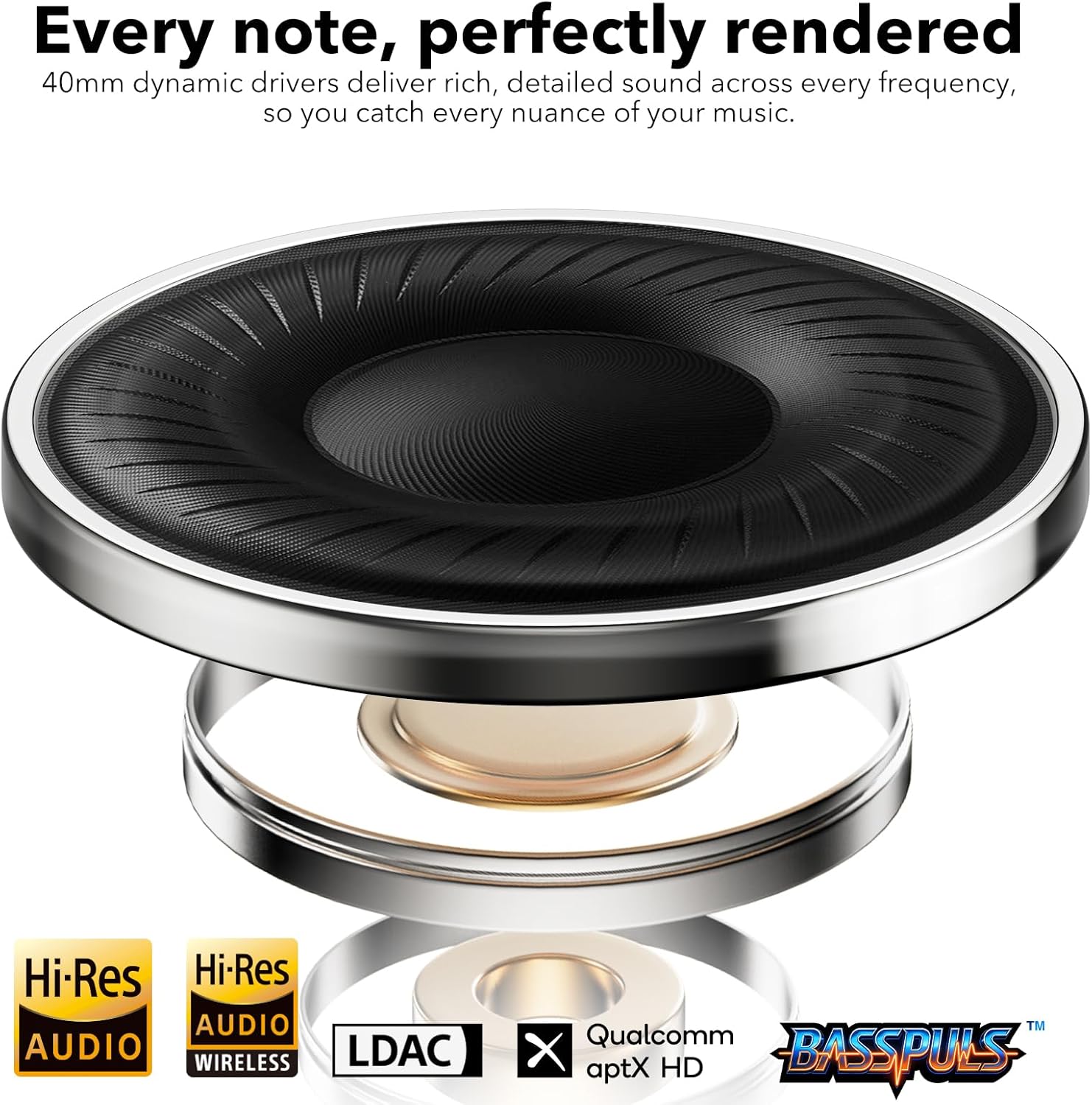
Image: 40mm dynamic drivers for rich, detailed sound.

Image: LDAC and aptX HD support for superior wireless audio.
3.3 aptX Low Latency
For synchronized audio and video, the E700 headphones feature aptX Low Latency, reducing audio delay to just 40ms when paired with compatible transmitters. This ensures a seamless experience for watching TV, gaming, or other media consumption.

Image: aptX Low Latency for perfectly synchronized audio with video.
3.4 AI Integration and Translation
The 1Mii AI E700 headphones integrate AI capabilities for voice chat, English practice, contextual learning, and voice/text translation in 103 languages. This feature enhances productivity and communication, making them suitable for work-from-home setups and study sessions.

Image: AI integration for voice commands and smart assistance.
3.5 Clear Calls with cVc 8.0 Noise Cancellation
Equipped with cVc 8.0 noise cancellation, these headphones effectively block background noise during calls, ensuring your voice is transmitted clearly and naturally. This is ideal for meetings, voice chats, and video calls.

Image: cVc 8.0 noise cancellation for clear and smooth calls.

Image: cVc 8.0 Noise Cancellation for Calls.
3.6 Extended Battery Life
Enjoy up to 75 hours of playback on a single charge (ANC off). A quick 10-minute charge provides an additional 5 hours of listening time, ensuring your headphones are ready for long flights, workdays, or relaxation.

Image: Up to 75 hours of non-stop playback.

Image: 75 hours of battery life with quick charge capability.
3.7 Customizable Sound via App
Personalize your audio experience using the dedicated app. Choose from preset EQ profiles, fine-tune bass and treble, or relax with soothing sleep sounds. The app allows for complete control over your sound preferences.
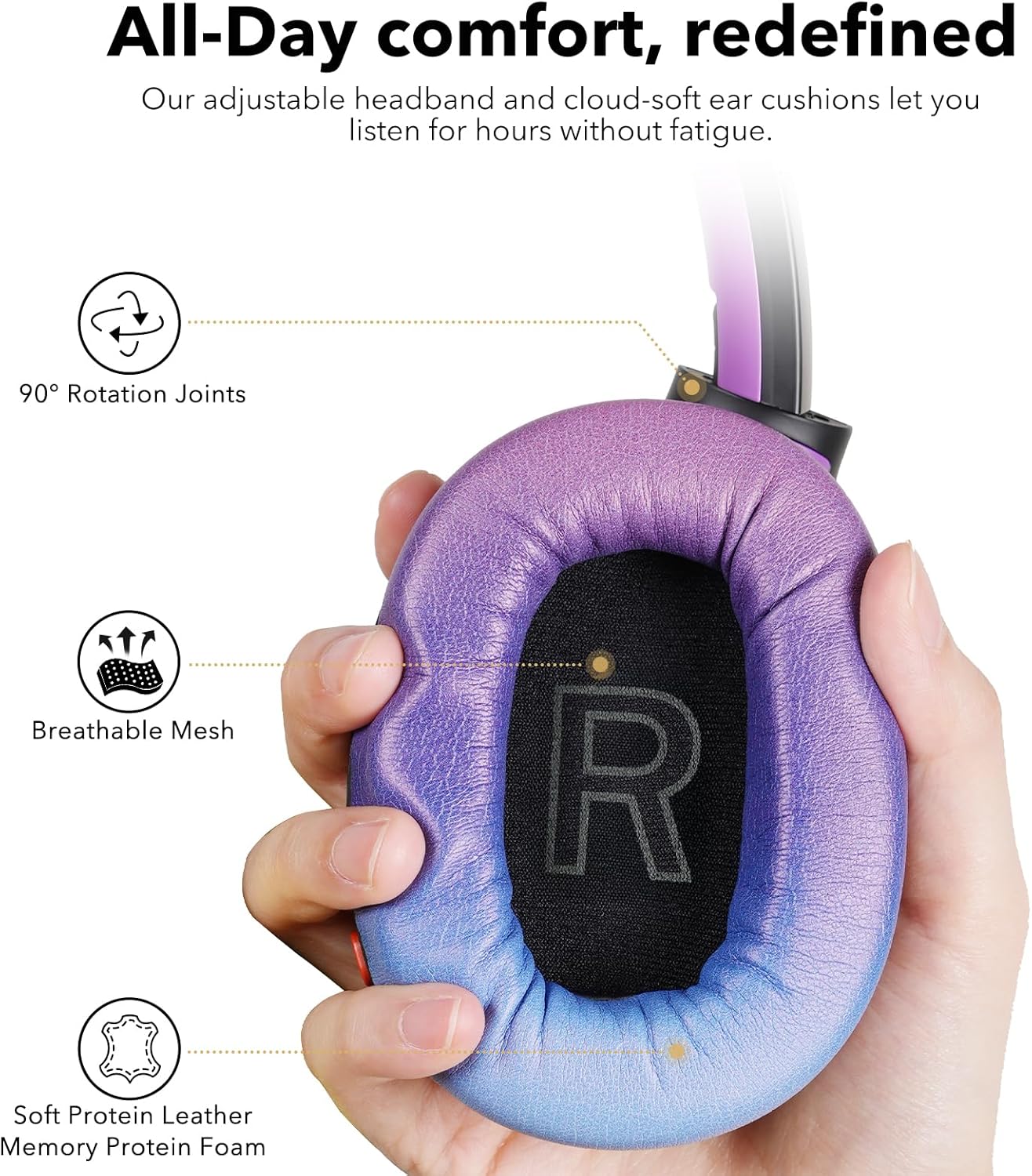
Image: Customize your sound with the companion app.
3.8 Comfortable & Foldable Design
The E700 headphones feature ultra-soft memory foam cushions and a padded adjustable headband for a balanced, fatigue-free fit. The foldable design makes them easy to store and transport, perfect for users on the go.
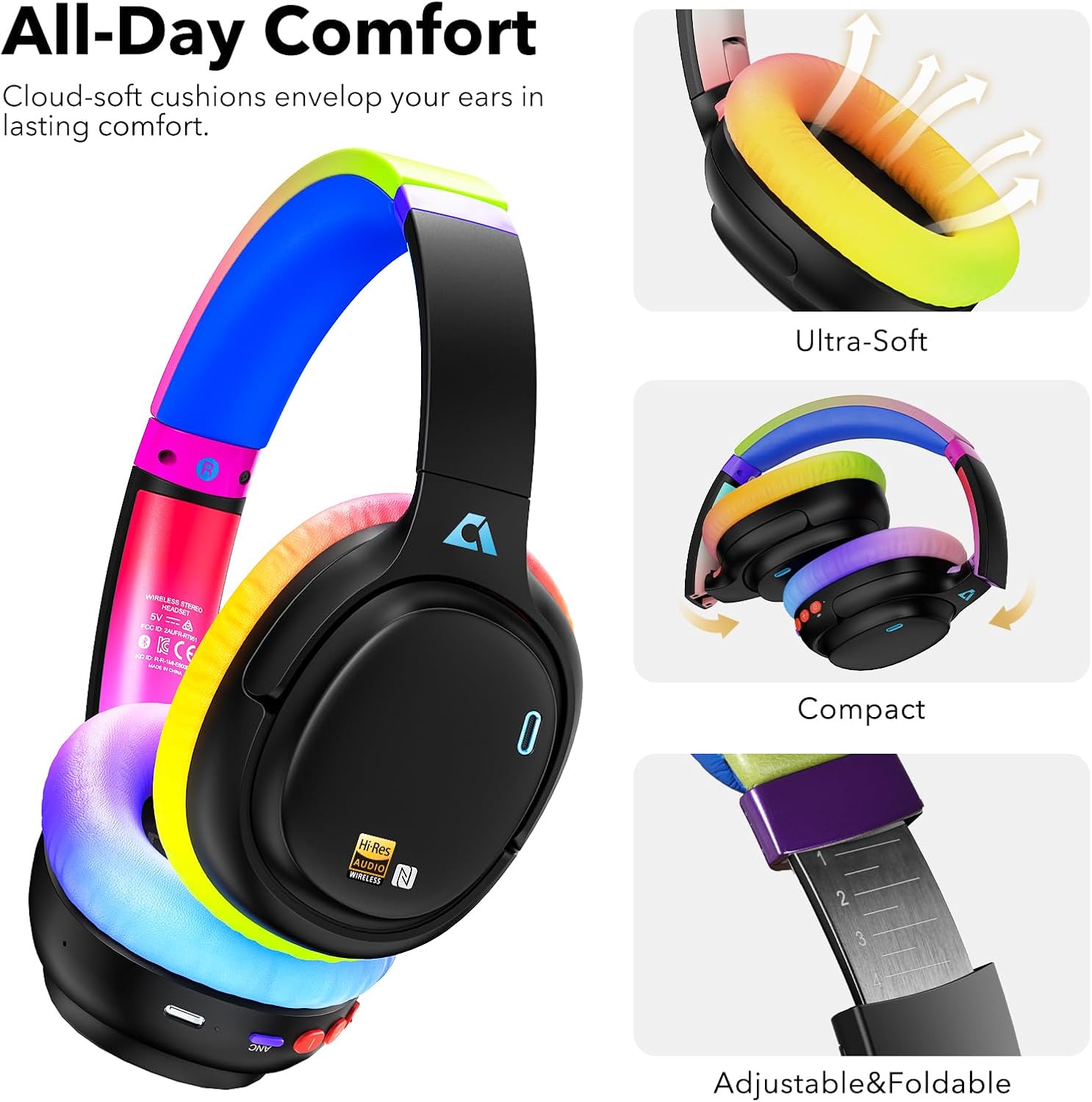
Image: All-day comfort with cloud-soft cushions.

Image: Foldable design for easy portability.
4. Setup
4.1 Charging the Headphones
- Connect the provided USB-C charging cable to the charging port on the headphones.
- Connect the other end of the cable to a USB power adapter (not included) or a computer's USB port.
- The LED indicator will show charging status. A full charge typically takes approximately 1.5-2 hours.
4.2 Bluetooth Pairing
- Ensure the headphones are fully charged.
- Press and hold the Power button for 3-5 seconds until the LED indicator flashes blue and red, indicating pairing mode.
- On your device (smartphone, tablet, computer), enable Bluetooth and search for available devices.
- Select "1Mii E700" from the list of devices.
- Once connected, the LED indicator will flash blue slowly.
Note: The headphones will automatically attempt to reconnect to the last paired device when powered on.
4.3 App Installation (YeeMall App)
To access advanced features like custom EQ, AI translation, and soothing sounds, download the "YeeMall" app from the Google Play Store (for Android) or the Apple App Store (for iOS).

Image: Download the YeeMall app for customized audio and AI features.
5. Operating Instructions
5.1 Button Controls Overview

Image: Overview of headphone button controls.
5.2 Power On/Off
- Power On: Press and hold the Power button for 3 seconds.
- Power Off: Press and hold the Power button for 5 seconds.
5.3 Music Playback
- Play/Pause: Press the Multi-function button once.
- Next Track: Press and hold the Volume Up (+) button.
- Previous Track: Press and hold the Volume Down (-) button.
- Volume Up: Short press the Volume Up (+) button.
- Volume Down: Short press the Volume Down (-) button.
5.4 Call Management
- Answer/End Call: Press the Multi-function button once.
- Reject Call: Press and hold the Multi-function button for 2 seconds.
5.5 Active Noise Cancellation (ANC) / Transparency Mode
- Toggle ANC/Transparency/Normal: Press the ANC button once to cycle through modes (ANC ON, Transparency Mode, ANC OFF).
5.6 Voice Assistant
- Activate Voice Assistant: Double-press the Multi-function button.
6. Maintenance
- Cleaning: Use a soft, dry cloth to clean the headphones. Do not use liquid cleaners or sprays.
- Storage: When not in use, store the headphones in the provided case to protect them from dust and damage.
- Avoid Extreme Conditions: Do not expose the headphones to extreme temperatures, humidity, or direct sunlight.
7. Troubleshooting
7.1 ANC Not Working as Expected
Active Noise Cancellation technology is designed to reduce ambient noise, but it may not completely eliminate all sounds, especially high-frequency sounds like human voices. If you find that the noise cancellation feature is not working as expected, please try the following:
- Press the ANC button until you hear the "Noise Cancelling" prompt to ensure the ANC mode is activated.
- Ensure L/R markings match your ears for proper seal.
- Adjust the headband so ear cups fully cover and seal your ears.
- Try the headphones in a different environment to compare performance.

Image: Troubleshooting steps for Active Noise Cancellation.
7.2 Cannot Pair with Device
- Ensure the headphones are in pairing mode (LED flashing blue and red).
- Make sure Bluetooth is enabled on your device and it is within range (up to 32.8 feet).
- Forget "1Mii E700" from your device's Bluetooth settings and try pairing again.
- Restart both your headphones and your device.
7.3 No Sound
- Check the volume levels on both the headphones and your connected device.
- Ensure the headphones are properly paired and connected to your device.
- If using the AUX cable, ensure it is securely connected to both the headphones and the audio source.
8. Specifications
| Feature | Detail |
|---|---|
| Model Number | E700 |
| Brand | 1Mii |
| Ear Placement | Over Ear |
| Impedance | 24 Ohms |
| Item Weight | 276 Grams |
| Connectivity Technology | Bluetooth, LDAC/APTX HD/APTX LL/APTX/AAC/SBC, Wired, Wireless |
| Bluetooth Version | 5.1 |
| Bluetooth Range | 32.8 Feet (10 meters) |
| Noise Control | Hybrid Noise Cancellation |
| Frequency Response | 20 Hz - 40 KHz |
| Sensitivity | 105 dB |
| Audio Driver Type | Dynamic Driver |
| Audio Driver Size | 40 Millimeters |
| Audio Latency | 40 Milliseconds (with aptX Low Latency) |
| Battery Average Life | 75 Hours (ANC off) |
| Battery Charge Time | 10 minutes for 5 hours playback |
| Control Type | App Control, Button Control, Call Control, Noise Control, Volume Control, Voice assistant |
| Enclosure Material | Faux Leather, Memory Foam, Plastic |
9. Warranty and Support
The 1Mii E700 headphones come with a 1 Year warranty from the date of purchase. For warranty claims or technical support, please contact 1Mii customer service through their official website or the retailer where the product was purchased.
For further assistance, please visit the 1Mii Store on Amazon.
10. Product Video Overview
Video: An official overview of the 1Mii E700 Wireless Bluetooth Over Ear Headphones, highlighting features like noise canceling, Hi-Res Audio, and aptX Low Latency.


