
Important Safety Information
Please read all instructions carefully before using the PAXA T01 Mini Electric Shaver. Keep this manual for future reference.
- Do not use the shaver while charging.
- Keep blades away from skin to avoid cuts.
- Clean and dry the shaver after each use to prevent bacterial growth.
- This product is designed exclusively for facial shaving (beard) and is not suitable for shaving intimate areas or other sensitive body areas.
- New blades may feel sharper initially. Shave gently without applying excessive pressure to allow the skin to adapt gradually.
Product Overview
Components Included:
- Mini Shaver
- Cleaning Brush
- USB-C Cable
- Protective Cap
- User Manual

Image: Package Contents
Key Features:
- Magnetic Dual-Ring Blade Head: Features a 9,000 RPM motor, precision stainless steel blades, and an arched dual-ring foil with protective mesh for a close, smooth shave without pulling. The magnetic head is gentle on the skin.
- Elegant and Ergonomic Design: Aluminum alloy body with a matte finish and anti-slip texture. Compact, palm-sized design for comfortable and protected shaving. Includes a rigid case to prevent accidental activation and protect the battery during travel.
- Wet and Dry Shaving: IPX7 certified, allowing use in the shower or on dry skin. The magnetic head and protective cap ensure safe, hygienic storage and quick rinsing.
- Smart LED Battery Indicator: Displays battery level with orange and red "breathing" lights.
- Fast USB-C Charging: Offers 5 minutes of emergency power with a quick charge, and up to 60 minutes of continuous use on a full charge.
- Compact and Portable: Weighs only 110g, similar in size to an earbud case, making it ideal for travel, office, or daily commutes.

Image: Dual Rotary Blade Heads

Image: Durable Alloy Frame and Internal Structure
Setup
Initial Charge:
Before first use, fully charge the shaver. Connect the provided USB-C cable to the shaver's charging port and to a compatible USB power source (e.g., computer, car charger, power bank, or wall adapter). The LED indicator will show charging status.
Attaching/Detaching Protective Cap:
The shaver comes with a protective cap. To attach, align the cap with the shaver head and gently press until it clicks into place. To detach, pull the cap away from the shaver head.
Operating Instructions
Turning On/Off:
Press the power button once to turn the shaver on. Press it again to turn it off.
Shaving Technique:
For best results, hold the shaver at a right angle to your skin and move it in short, circular motions. Stretch your skin with your free hand to ensure hairs stand upright for a closer shave. Avoid applying excessive pressure, especially with new blades, to prevent irritation.
Wet and Dry Use (IPX7):
The PAXA T01 is IPX7 waterproof, allowing for both wet and dry shaving. You can use it with shaving foam or gel for a refreshing wet shave, or directly on dry skin for a quick touch-up. It is safe to use in the shower.
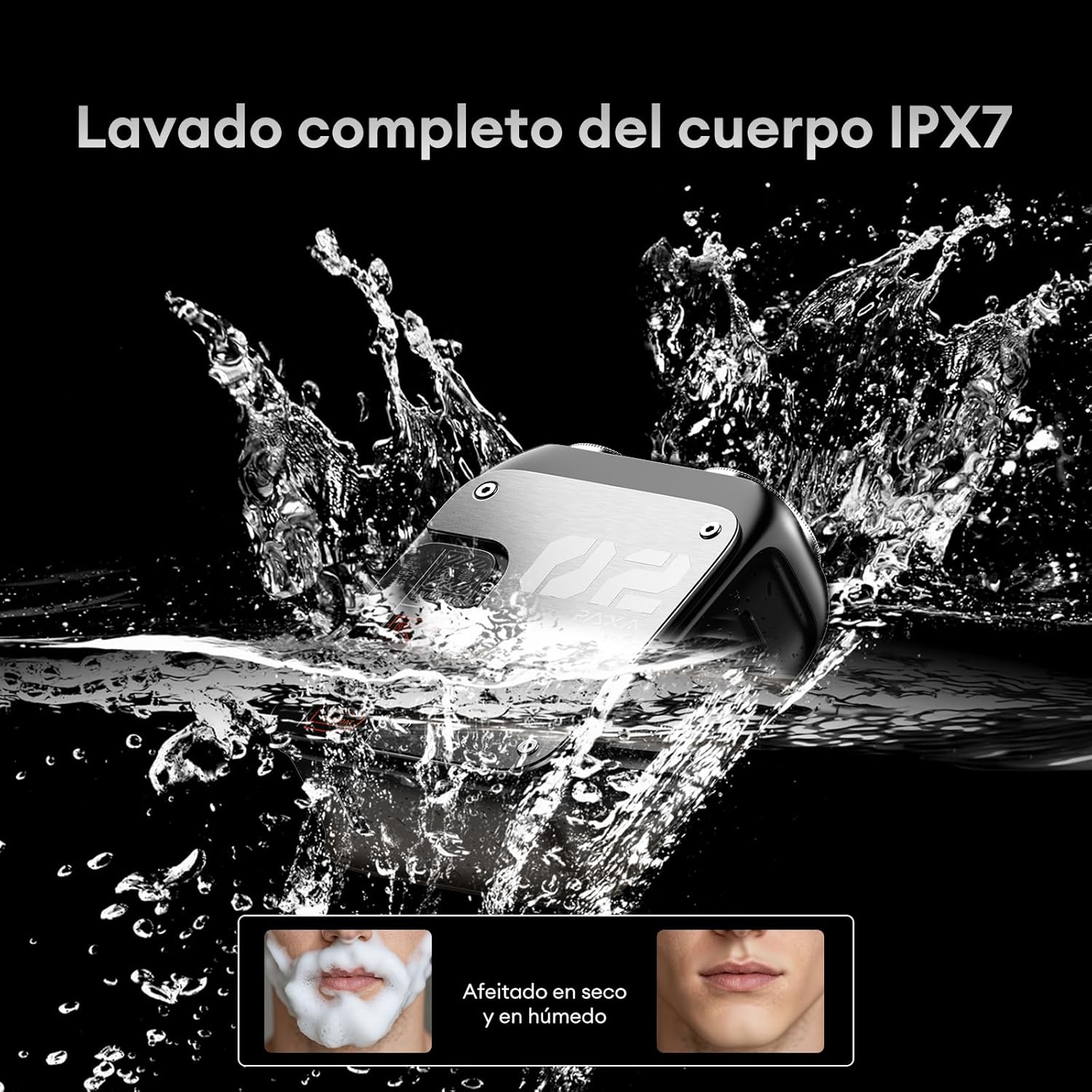
Image: IPX7 Waterproof for Wet Shaving

Image: Wet and Dry Shaving Experience
Charging
The shaver is equipped with a USB-C charging port for convenience. A full charge provides up to 60 minutes of continuous shaving time. A quick 5-minute charge can provide enough power for an emergency shave.
LED Battery Indicator:
The smart LED indicator displays the battery level with a "breathing" light effect:
- Orange Light: Indicates the shaver is in operation.
- Red Light: Indicates low battery.
- Solid Light (color may vary): Indicates fully charged.

Image: USB-C Charging

Image: Smart LED Battery Indicator
Maintenance
Cleaning the Shaver:
Regular cleaning ensures optimal performance and hygiene. The magnetic blade head is easy to remove for cleaning.
- Turn off the shaver.
- Gently pull the magnetic blade head upwards to detach it from the shaver body.
- Use the provided cleaning brush to remove any loose hairs from the blades and the shaver body.
- Since the shaver is IPX7 waterproof, you can rinse the blade head and the shaver body under running water. Ensure the charging port cover is securely closed before rinsing.
- Allow all parts to air dry completely before reattaching the blade head and storing the shaver.

Image: Compact Design for Easy Storage and Travel
Troubleshooting
If you encounter any issues with your PAXA T01 Mini Electric Shaver, please refer to the following common solutions:
- Shaver not turning on: Ensure the shaver is fully charged. Connect it to the USB-C charger and check the LED indicator.
- Poor shaving performance:
- Clean the blade head thoroughly to remove any accumulated hair or debris.
- Ensure the blade head is correctly attached.
- The battery might be low; recharge the shaver.
- Blades may need replacement after extended use (replacement parts sold separately).
- Skin irritation:
- Ensure you are shaving gently without applying excessive pressure.
- Try shaving on dry skin or using shaving foam/gel for a wet shave.
- Allow your skin to adapt to new blades.
- Water leakage: Ensure the charging port cover is securely closed when using the shaver in wet conditions or rinsing it.
If the issue persists, please contact customer support.
Specifications
| Feature | Detail |
|---|---|
| Brand | PAXA |
| Model Number | PAT0105 |
| Motor Speed | 9000 RPM |
| Blade Material | Stainless Steel |
| Waterproof Rating | IPX7 |
| Power Source | Battery |
| Battery Capacity | 350 mAh |
| Battery Life | Up to 60 minutes |
| Charging Port | USB-C |
| Weight | 110 g |
| Special Features | Detachable Head, Hybrid, Waterproof, Washable, Anti-slip |
| Recommended Use | Beard, Moustache, Face |
Warranty and Support
For warranty information or technical support, please refer to the documentation included with your purchase or visit the official PAXA website. Keep your proof of purchase for any warranty claims.
PAXA Direct Seller: A13IDGMUUHVGE2