
Introduction
This manual provides essential instructions for the safe and effective operation, assembly, and maintenance of your LONTEK U17F 4-in-1 Walking Pad Treadmill. Please read this manual thoroughly before initial use and retain it for future reference.
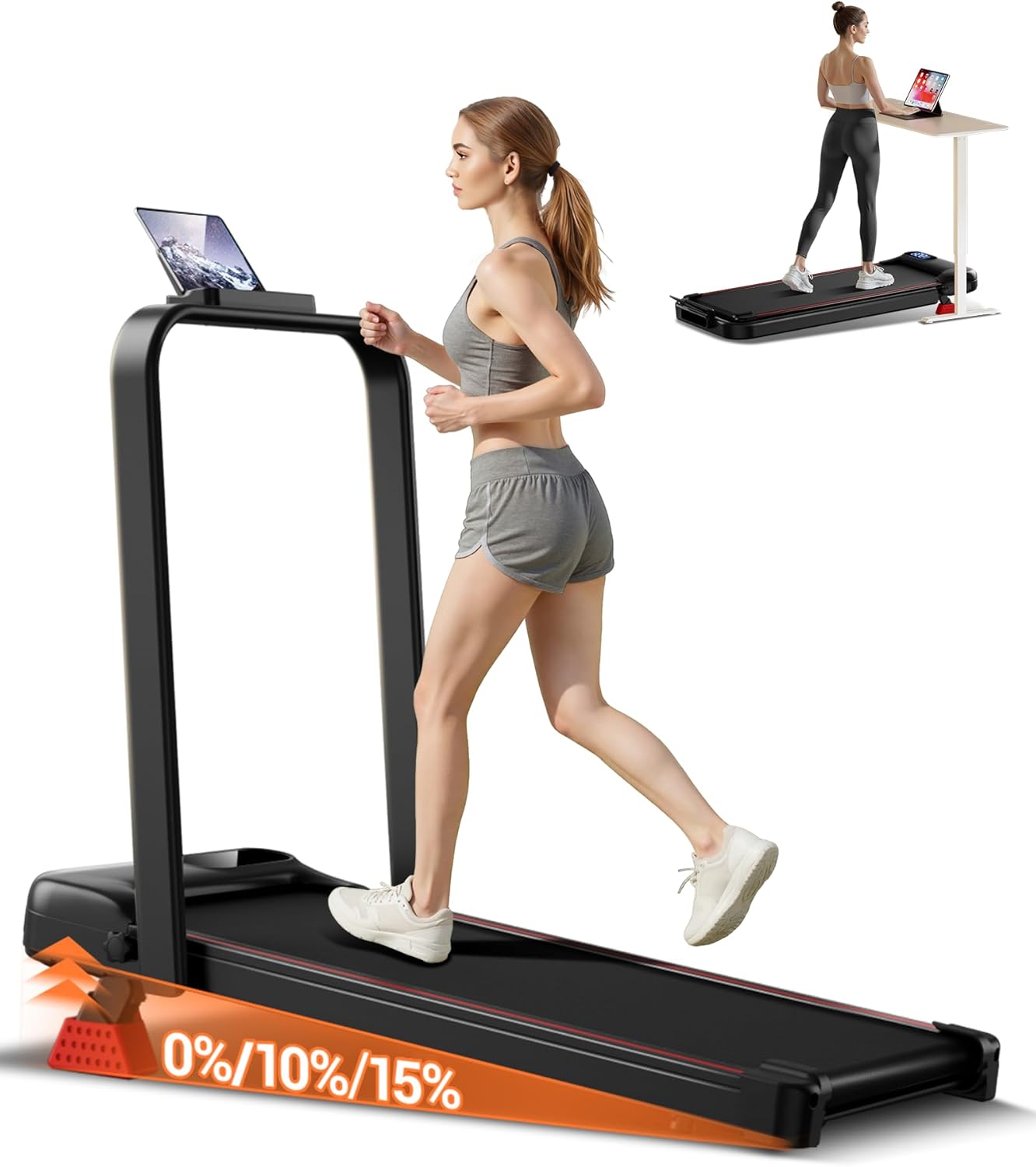
Image: The LONTEK U17F Walking Pad Treadmill in its upright position, with a user exercising and a tablet mounted on the display holder. An inset image shows the treadmill in a flat, under-desk configuration.
Key Features
- Adjustable Incline: Features a 10% manual incline, expandable to 15% with the included red foot pad for varied workout intensity.
- 6-Layer Non-Slip Belt: A 35.5" x 15.7" running belt with a multi-layer shock absorption system to reduce joint impact.
- LED Display: Provides real-time feedback on time, speed, distance, and calories burned.
- Foldable Design: Compact and easily stored under a bed or sofa.
- Powerful and Quiet Motor: 2.5HP motor supports up to 300 lbs, operating at under 45 decibels.

Image: A visual comparison of the LONTEK treadmill's specifications (2.5HP motor, 15% incline, 300 lbs capacity, <45dB noise) against a generic "other" treadmill.
Setup Instructions
The LONTEK U17F treadmill requires minimal assembly. Please follow these general steps:
- Unpacking: Carefully remove all components from the packaging. Ensure all parts listed in the packing list are present.
- Placement: Position the treadmill on a flat, stable surface with adequate clearance around it.
- Unfolding (if applicable): If the treadmill is in a folded state, gently lift and secure the handlebar into its upright position until it locks.
- Power Connection: Connect the power cord to the treadmill and then to a grounded electrical outlet.
- Incline Adjustment: For a 15% incline, place the red foot pad securely under the rear of the treadmill as indicated in the diagram. For 10% incline, use the built-in manual adjustment.
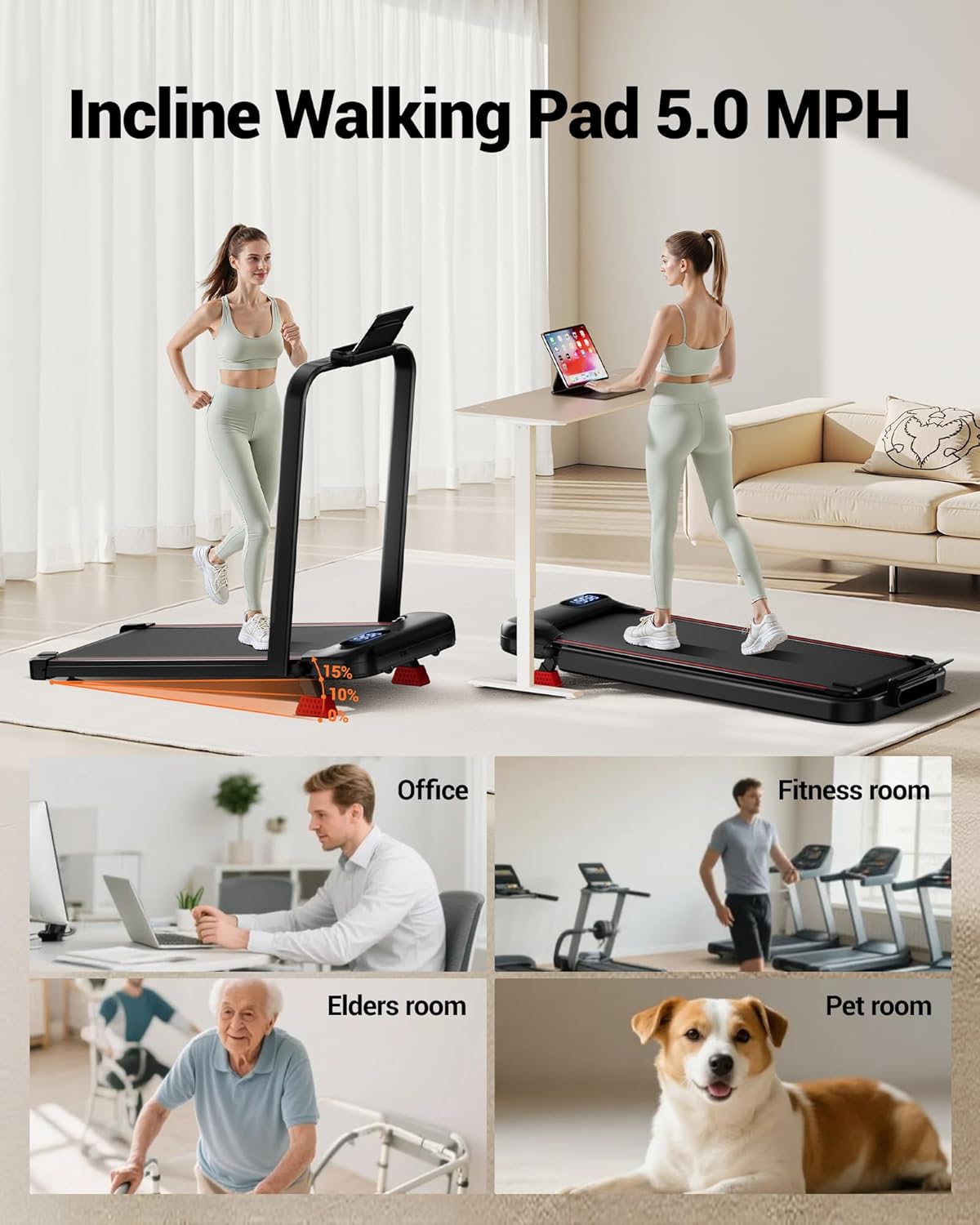
Image: The treadmill shown in two modes: with the handlebar raised for running, and folded flat for under-desk walking. Both configurations illustrate the 10% and 15% incline options.
Operating Instructions
Power On/Off
Press the power button located on the treadmill or the remote control to turn the unit on or off.
Using the Remote Control
The remote control allows you to adjust speed, start/stop the treadmill, and cycle through display modes. Ensure the remote has fresh batteries and is pointed towards the treadmill's display for optimal response.

Image: A detailed view of the treadmill's LED display, which shows time, speed, distance, and calories. A hand holding the remote control is visible, indicating its function in adjusting settings.
Speed Adjustment
Use the speed buttons on the remote control to increase or decrease the walking/running speed. The speed range is 0.6 to 5.0 MPH.
Monitoring Your Workout
The integrated LED display provides real-time data on:
- Time elapsed
- Current speed
- Distance covered
- Calories burned
Maintenance
Regular maintenance ensures the longevity and optimal performance of your treadmill.
- Cleaning: Wipe down the treadmill with a damp cloth after each use to remove sweat and dust. Avoid abrasive cleaners.
- Belt Lubrication: Periodically lubricate the running belt according to the instructions provided in the separate user manual (if applicable) or as recommended by customer support.
- Belt Tension and Alignment: Check the running belt for proper tension and alignment regularly. Adjust as needed following specific instructions.
- Storage: When not in use, fold the treadmill and store it in a dry, safe place, such as under a bed or sofa, to protect it from dust and damage.
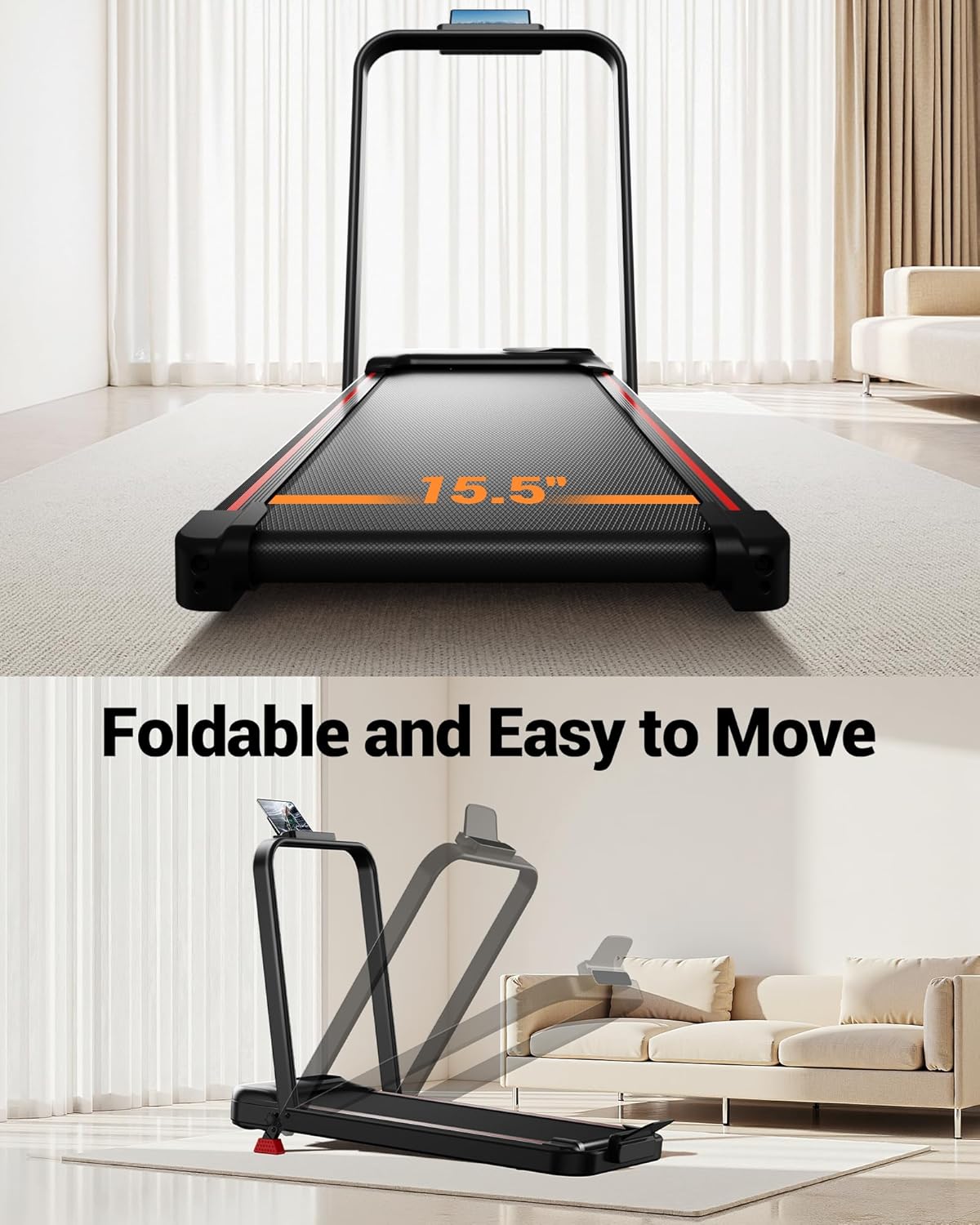
Image: The treadmill shown in the process of being folded, demonstrating its space-saving design for easy storage.
Troubleshooting
If you encounter issues with your LONTEK U17F treadmill, refer to the following common solutions:
| Problem | Possible Cause | Solution |
|---|---|---|
| Treadmill does not power on. | Power cord not connected; power switch off; circuit breaker tripped. | Ensure power cord is securely plugged in. Check the power switch. Reset the circuit breaker if necessary. |
| Running belt slips or hesitates. | Belt too loose; insufficient lubrication. | Adjust belt tension according to the manual. Apply lubricant if needed. |
| Unusual noise during operation. | Loose components; belt misalignment; motor issue. | Check for and tighten any loose screws. Adjust belt alignment. If noise persists, contact customer support. |
For issues not listed here, please contact LONTEK customer support.
Specifications
| Feature | Detail |
|---|---|
| Brand | LONTEK |
| Model Name | U17F |
| Product Dimensions (LxWxH) | 43.2" x 20.1" x 3.9" |
| Folded Size (LxWxH) | 4.32" x 20.1" x 3.9" |
| Item Weight | 45 Pounds |
| Material | Alloy Steel |
| Maximum Speed | 5 Miles per Hour |
| Special Feature | Foldable, Manual Incline, Portable |
| Target Audience | Adult |
| Maximum Horsepower | 2.5 Horsepower |
| Maximum Incline Percentage | 15% |
| Assembly Required | Yes |
| Display Type | LED |
| Power Source | Corded Electric |
| Metrics Measured | Calories Burned, Distance, Speed, Time |
| Maximum Weight Recommendation | 300 LBS (136 Kilograms) |
| UPC | 850074066682 |
Warranty and Support
The LONTEK U17F Walking Pad Treadmill comes with a 1 Year Warranty as per the manufacturer's description.
For technical assistance, warranty claims, or any product-related inquiries, please contact LONTEK customer support. Refer to the contact information provided with your product packaging or visit the official LONTEK website for support details.
Our dedicated assistance team offers 24/7 help with satisfaction solutions, including user maintenance videos and additional user manual resources.


