
1. Product Overview
The Anweller 4K Body Camera is a compact and versatile device designed for high-quality audio and video recording. Featuring a 4K Ultra HD resolution, 180° rotating lens, and infrared night vision, it is suitable for various applications including sports, travel, and law enforcement. The camera comes with a built-in 128GB memory and offers up to 15 hours of battery life.

Figure 1: Anweller 4K Body Camera
2. What's in the Box
Upon unboxing your Anweller 4K Body Camera, you should find the following items:
- 1 x Body Camera
- 1 x 128GB Memory Card
- 1 x USB-C Cable
- 1 x User Manual
Video 1: Unboxing and initial overview of the Anweller 4K Body Camera and its accessories.
3. Setup
3.1 Charging the Device
Before first use, fully charge the camera using the provided USB-C cable. Connect the cable to the camera's Type-C fast-charging port and a compatible power source. The camera supports charging while recording.
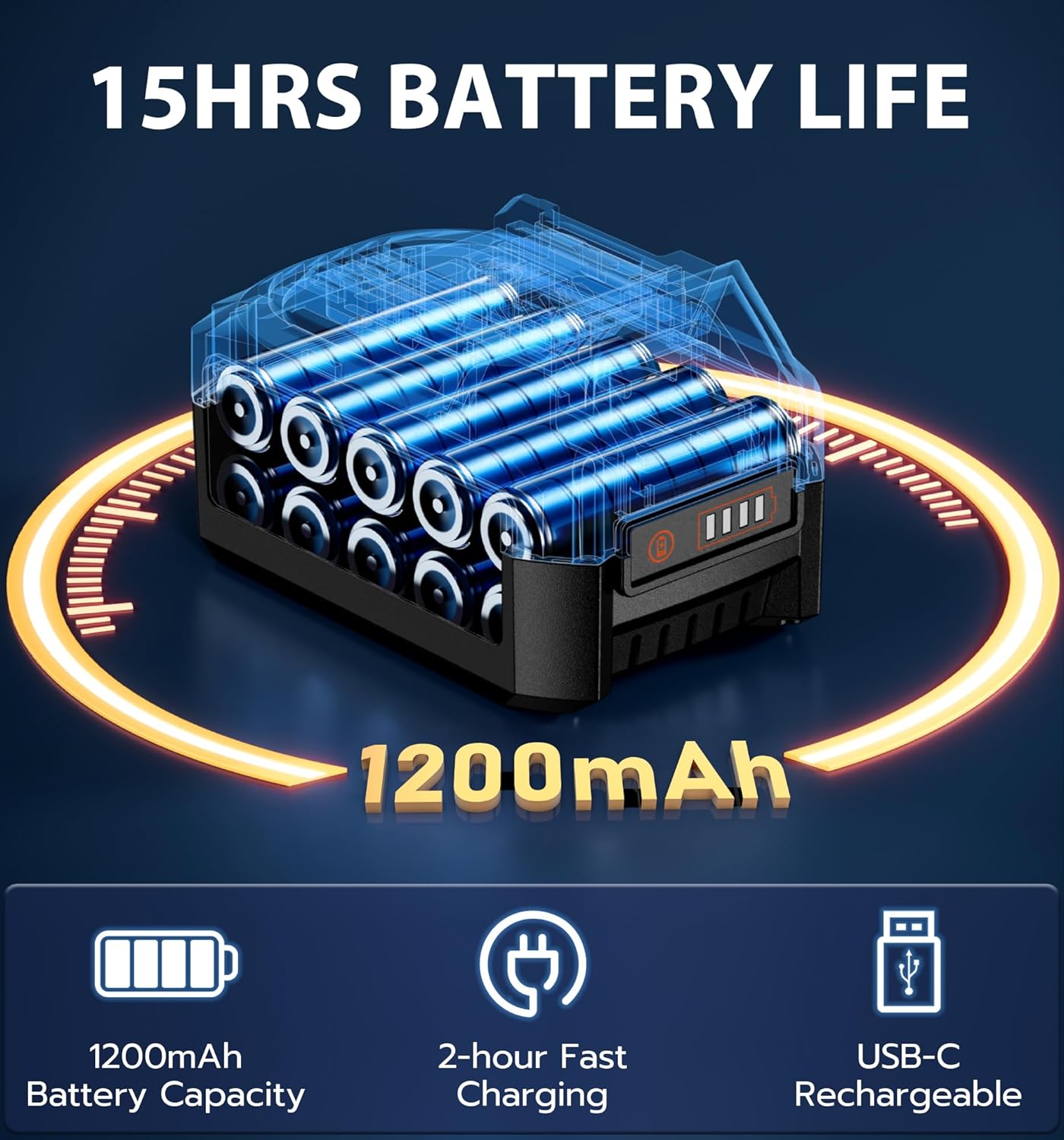
Figure 2: Battery life and USB-C charging port.
3.2 Inserting the Memory Card
The camera comes with a 128GB Micro SD card. Locate the SD card slot on the side of the camera and gently insert the card until it clicks into place. Ensure the camera is powered off before inserting or removing the memory card.
3.3 Mounting Options
The Anweller 4K Body Camera offers flexible mounting solutions:
- Flexible Clip: Attach the camera to clothing, backpacks, or other suitable surfaces using the integrated clip.
- Magnetic Mount: For stable recording, utilize the strong magnetic mount to secure the camera to metal surfaces.
- Tripod Mount: The camera features a 1/4" female mount point at the bottom, allowing attachment to standard tripods or other compatible accessories.

Figure 3: Two wearing methods: Magnetic and Clip-on.
3.4 Powering On/Off
To power on the camera, long-press the power button located on the side. The screen will display 'WELCOME' and then show the live view. To power off, long-press the power button again until 'GOODBYE' appears on the screen.
3.5 Wi-Fi and App Connection
The camera supports Wi-Fi connectivity for remote viewing and control via a dedicated app. To turn on Wi-Fi mode, press and hold the 180° button. A QR code will appear on the camera screen. Scan this QR code with your smartphone to download the 'Sports DV' app or visit https://www.6zhentan.com/app/d0001/index.html. Once the app is installed, connect your phone to the camera's Wi-Fi network (SSID will be displayed on the camera screen). You can then view live footage, adjust settings, and manage recordings directly from your phone.
Video 2: Instructions on how to turn on Wi-Fi mode and use the app.

Figure 4: App wireless playback interface with QR code for app download.
4. Operating the Camera
4.1 Video Recording
The camera captures video in stunning 4K Ultra HD resolution. To start video recording, press the designated shutter button. The camera's 180° rotating lens allows for flexible shooting angles, including selfies, overhead shots, and low-angle perspectives.

Figure 5: 4K Ultra HD Recording capability.

Figure 6: 180° Rotatable Lens for flexible angles.
4.2 Audio Recording
The camera supports audio recording. Refer to the user manual for specific instructions on activating audio-only recording mode.
4.3 Night Vision
For low-light environments, the camera is equipped with infrared night vision to capture clear video. Activate night vision mode as per the user manual's instructions.

Figure 7: Infrared Night Vision in action.
4.4 Loop Recording
The camera supports loop recording, which automatically overwrites the oldest files when the memory card is full. This ensures continuous recording without manual intervention.
5. Maintenance
To ensure the longevity and optimal performance of your Anweller 4K Body Camera, follow these maintenance guidelines:
- Keep the lens clean using a soft, lint-free cloth.
- Avoid exposing the camera to extreme temperatures or direct sunlight for extended periods.
- Regularly back up your recordings to a computer or external storage device.
- Format the SD card periodically to maintain optimal performance and prevent data corruption. This option is available in the camera's settings menu.
6. Troubleshooting
If you encounter any issues with your Anweller 4K Body Camera, refer to the following common solutions:
- Camera not powering on: Ensure the battery is fully charged. If the issue persists, try resetting the device using the reset button (if available).
- Video quality issues: Check the lens for smudges or dirt. Ensure you are recording in the desired resolution (e.g., 4K).
- Upside-down footage: If the camera is mounted in an inverted position, use the 180° rotation feature to correct the video orientation.
- Menu in incorrect language: Access the camera's settings menu to change the language to English.
- Accidental audio-only recording: Be mindful of the side buttons. The camera has separate switches for video and audio recording. Ensure the correct mode is selected.
7. Specifications
| Feature | Specification |
|---|---|
| Brand Name | Anweller |
| Item Weight | 9 ounces |
| Product Dimensions | 1.57 x 0.6 x 3.78 inches |
| Item Model Number | CA111 |
| Batteries | 1 Nonstandard Battery (included) |
| Color Name | Black |
| Special Features | 4K Ultra HD, 180° Rotating Lens, 120° Wide-Angle, Magnetic Clip, Infrared Night Vision |
| Photo Sensor Technology | CMOS |
| Video Capture Resolution | 4K |
| Maximum Focal Length | 105 Millimeters |
| Maximum Aperture | 2 f |
| Flash Memory Type | Micro SD |
| Video Capture Format | MP4 |
| Supported Audio Format | AAC |
| Screen Size | 1.5 Inches |
| Connectivity Technology | Wi-Fi |
8. Warranty and Support
Anweller provides a 12-Month warranty and free lifetime technical support. For replacements, refunds, or any queries, please contact Anweller customer support.
Video 3: Anweller 4K Body Camera product overview.