
1. Overview
The SAMSUNG Galaxy F17 5G is a feature-rich smartphone designed for performance and durability. It boasts a vibrant 6.7-inch FHD+ Super AMOLED display with a 90Hz refresh rate, protected by Corning Gorilla Glass Victus. Powered by a 5nm Exynos 1330 processor and 6GB RAM, it ensures smooth multitasking. Capture stunning photos with its 50MP OIS main camera and enjoy extended usage with a 5000mAh battery.
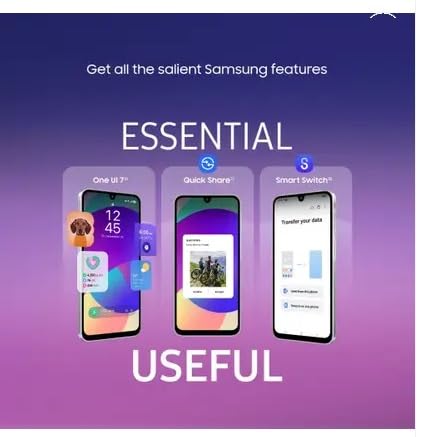
Image: The SAMSUNG Galaxy F17 5G showcasing its slim design, measuring 7.5mm in thickness.
2. What's in the Box
Upon opening your SAMSUNG Galaxy F17 5G package, please verify that all the following items are included:

Image: Contents of the box including the Galaxy F17 5G phone, a Type-C to Type-C cable, and an ejection pin.
- SAMSUNG Galaxy F17 5G Smartphone
- USB Type-C to Type-C Cable
- SIM Ejection Pin
- Quick Start Guide (may be included separately or digitally)
Note: A power adapter is not included in the box and must be purchased separately.
3. Initial Setup
3.1. Inserting the SIM Card
- Locate the SIM card tray on the side of your device.
- Insert the provided SIM ejection pin into the small hole on the tray.
- Gently push until the tray pops out.
- Place your Nano-SIM card(s) into the tray with the gold contacts facing down. The device supports Dual SIM.
- Carefully reinsert the tray into the phone.
3.2. Powering On and Initial Configuration
- Press and hold the Power/Side key until the SAMSUNG logo appears.
- Follow the on-screen prompts to select your language, connect to a Wi-Fi network, and set up your Google account.
- You will be guided through setting up a screen lock (PIN, pattern, password, or fingerprint).
- Transfer data from your old device using Samsung Smart Switch if desired.
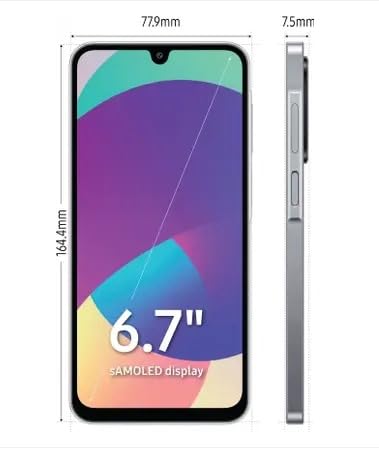
Image: The Samsung Galaxy F17 5G screen showing options for One UI, Quick Share, and Smart Switch for data transfer.
4. Operating Your Device
4.1. Basic Navigation
- Home Screen: Swipe left or right to access different panels. Swipe down from the top for the Notification Panel and Quick Settings.
- Apps Screen: Swipe up from the Home screen to view all installed applications.
- Recent Apps: Tap the Recent Apps button (usually a square icon) to view and switch between recently used applications.
- Back: Tap the Back button (usually a triangle or arrow icon) to return to the previous screen.
4.2. Display Features
The Galaxy F17 5G features a 6.7-inch FHD+ Super AMOLED display with a 90Hz refresh rate, providing smooth visuals and vibrant colors. The display is protected by Corning Gorilla Glass Victus for enhanced durability against scratches and drops.
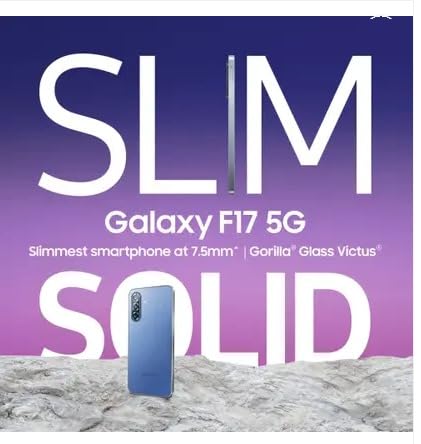
Image: The Samsung Galaxy F17 5G highlighting its 6.7-inch sAMOLED display with 1100 nits peak brightness.
4.3. Camera Usage
Your device is equipped with a versatile triple camera system on the rear and a single front camera.
- Main Camera: 50 MP with Optical Image Stabilization (OIS) for clear photos even in low light.
- Ultra-Wide Lens: For capturing broader scenes.
- Macro Lens: For detailed close-up shots.
- Front Camera: 13 MP for high-quality selfies and video calls.
To open the camera, tap the Camera app icon. Select your desired mode (Photo, Video, Portrait, Pro, etc.) and tap the shutter button to capture.
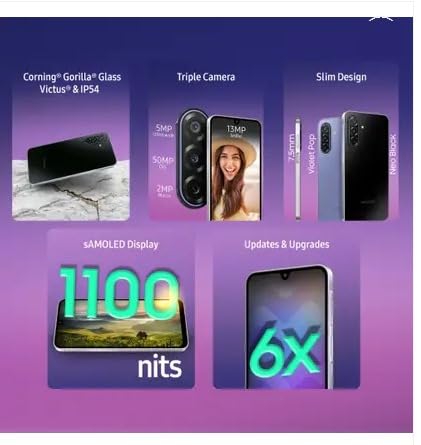
Image: Close-up view of the Samsung Galaxy F17 5G's triple camera module, featuring 50MP main, 5MP ultra-wide, and 2MP macro lenses, alongside a 13MP front camera.
4.4. Security Features
The device includes a side-mounted fingerprint sensor for secure and quick unlocking. To set up, go to Settings > Biometrics and security > Fingerprints and follow the instructions.
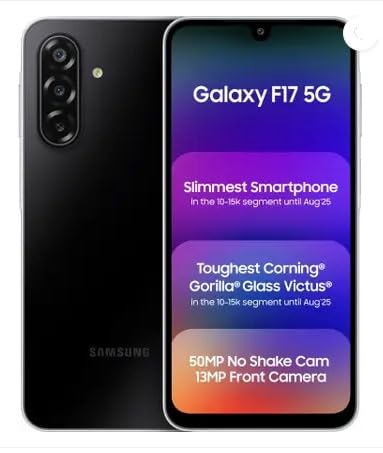
Image: The Samsung Galaxy F17 5G demonstrating secure payments using Samsung Wallet.
5. Maintenance
5.1. Cleaning Your Device
- Use a soft, lint-free cloth to clean the screen and body.
- Avoid using harsh chemicals, abrasive cleaners, or compressed air.
- For stubborn smudges, slightly dampen the cloth with water or a screen cleaner specifically designed for electronics.
5.2. Water and Dust Resistance
The Galaxy F17 5G is IP54-rated for splash and dust resistance. This means it is protected against limited dust ingress and water splashes from any direction. It is not waterproof and should not be submerged in water.
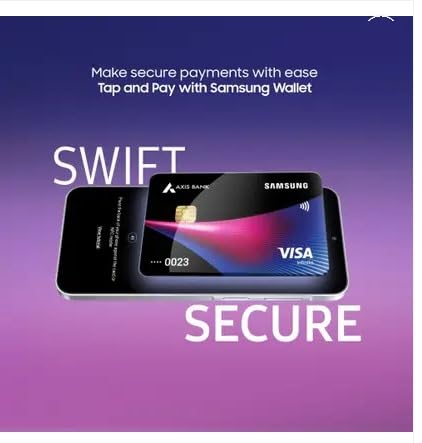
Image: The Samsung Galaxy F17 5G highlighting its durability features, including Corning Gorilla Glass Victus and IP54 water and dust resistance.
5.3. Software Updates
Keep your device's software updated to ensure optimal performance, security, and access to new features. Samsung provides up to 6 years of Android version updates and security support for this model. To check for updates, go to Settings > Software update > Download and install.
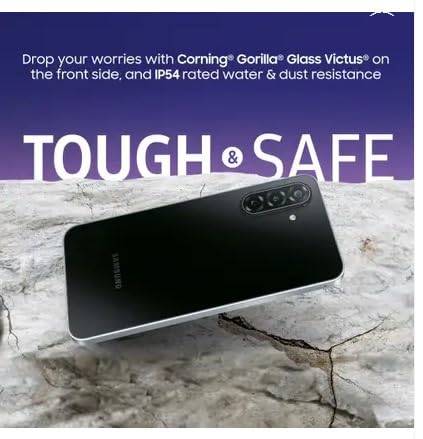
Image: The Samsung Galaxy F17 5G screen illustrating the availability of updates and upgrades, indicating long-term software support.
6. Troubleshooting
If you encounter issues with your device, try the following common troubleshooting steps:
- Device Not Responding: Press and hold the Power/Side key and Volume Down key simultaneously for about 7-10 seconds to force restart the device.
- App Crashing: Close the app from the Recent Apps screen and reopen it. If the issue persists, clear the app's cache (Settings > Apps > [App Name] > Storage > Clear cache).
- Battery Drain: Check battery usage in Settings to identify power-hungry apps. Reduce screen brightness, disable unnecessary features (GPS, Bluetooth, Wi-Fi when not in use), and enable power-saving modes.
- Network Issues: Toggle Airplane Mode on and off. Restart your device. Check your SIM card insertion.
- Slow Performance: Clear cache, uninstall unused apps, and ensure sufficient storage space. A factory reset (backup data first) can resolve persistent performance issues.
For more detailed troubleshooting or persistent issues, please refer to the official Samsung support website or contact customer service.
7. Specifications
| Brand | SAMSUNG |
| Model | Galaxy F17 5G |
| Operating System | Android |
| Processor | 5nm Exynos 1330 (CPU Model: Exynos 1380, CPU Speed: 3.4 GHz) |
| RAM | 6 GB |
| Internal Storage | 128 GB |
| Display | 6.7-inch FHD+ Super AMOLED, 2340 x 1080 Pixels, 90Hz Refresh Rate, Corning Gorilla Glass Victus |
| Rear Camera | 50 MP (Main with OIS) + Ultra-Wide + Macro (3 cameras total) |
| Front Camera | 13 MP (1 camera total) |
| Battery Capacity | 5000 mAh |
| Charging | 25W Fast Charging (adapter sold separately) |
| Connectivity | 5G, Wi-Fi, Bluetooth, NFC |
| SIM Type | Dual Nano SIM |
| Security | Side-mounted Fingerprint Recognition |
| Durability | IP54 Splash & Dust Resistance, Corning Gorilla Glass Victus |
| Dimensions | 7.5mm thickness (approx. 77.9mm width, 164.4mm height) |
| Weight | 0.28 Kilograms |
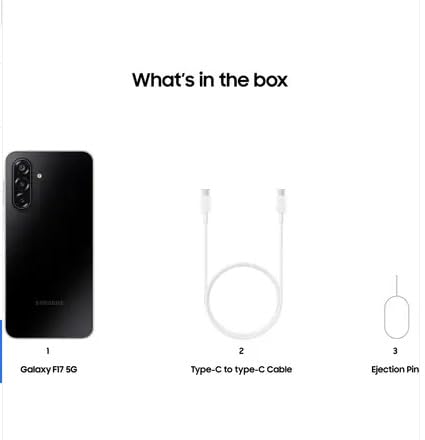
Image: The Samsung Galaxy F17 5G showcasing its sleek and elegant design, with a thickness of 7.5mm.
8. Warranty and Support
8.1. Warranty Information
The SAMSUNG Galaxy F17 5G comes with a domestic warranty of 1 year for the handset and 6 months for accessories from the date of purchase. Please retain your proof of purchase for warranty claims.
8.2. Customer Support
For technical assistance, service requests, or further information, please visit the official SAMSUNG support website or contact their customer service. You can find contact details and service center locations on the SAMSUNG India website.
Official SAMSUNG Support: https://www.samsung.com/in/support/
9. Product Videos
No relevant official product videos from the seller were provided in the product data to embed in this manual.


