1. Setup
The ZZI P1 Pro Portable Charger Power Bank is designed for convenience and high capacity. Before first use, please ensure the power bank is fully charged.
1.1 What's in the Box
- 1 x ZZI P1 Pro 60000mAh Power Bank
- 1 x 3-in-1 USB Charging Cable (Type-C / iOS / Micro USB)
- 1 x User Manual

Image: The ZZI P1 Pro package contents, showing the power bank, the versatile 3-in-1 charging cable, and the user manual.
1.2 Initial Charging of the Power Bank
- Connect the included 3-in-1 USB cable to a compatible USB power adapter (not included).
- Plug the USB-C end of the cable into the power bank's input port.
- Plug the power adapter into a wall outlet.
- The LED digital display will show the charging progress. Charge until it reaches 100%.

Image: The ZZI P1 Pro power bank's LED digital display indicating a full 100% charge, ready for use.
2. Operating Instructions
2.1 Checking Battery Level
Press the power button on the side of the power bank. The LED digital display will illuminate, showing the remaining battery percentage.
2.2 Charging Your Devices
The ZZI P1 Pro features a built-in 3-in-1 cable and additional output ports for versatile charging.
- Using the Built-in 3-in-1 Cable: Pull out the integrated cable. Select the appropriate connector (Type-C, iOS, or Micro USB) for your device and plug it in.
- Using Additional Output Ports: For devices requiring a standard USB-A or USB-C connection, use your device's original cable and plug it into one of the available USB-A (22.5W output) or USB-C (22W output) ports on the power bank.
- The power bank will automatically begin charging your device. The LED display will show the power bank's remaining charge.

Image: The ZZI P1 Pro power bank highlighting its integrated 3-in-1 cable, featuring Type-C, iOS, and Micro USB connectors for broad device compatibility.
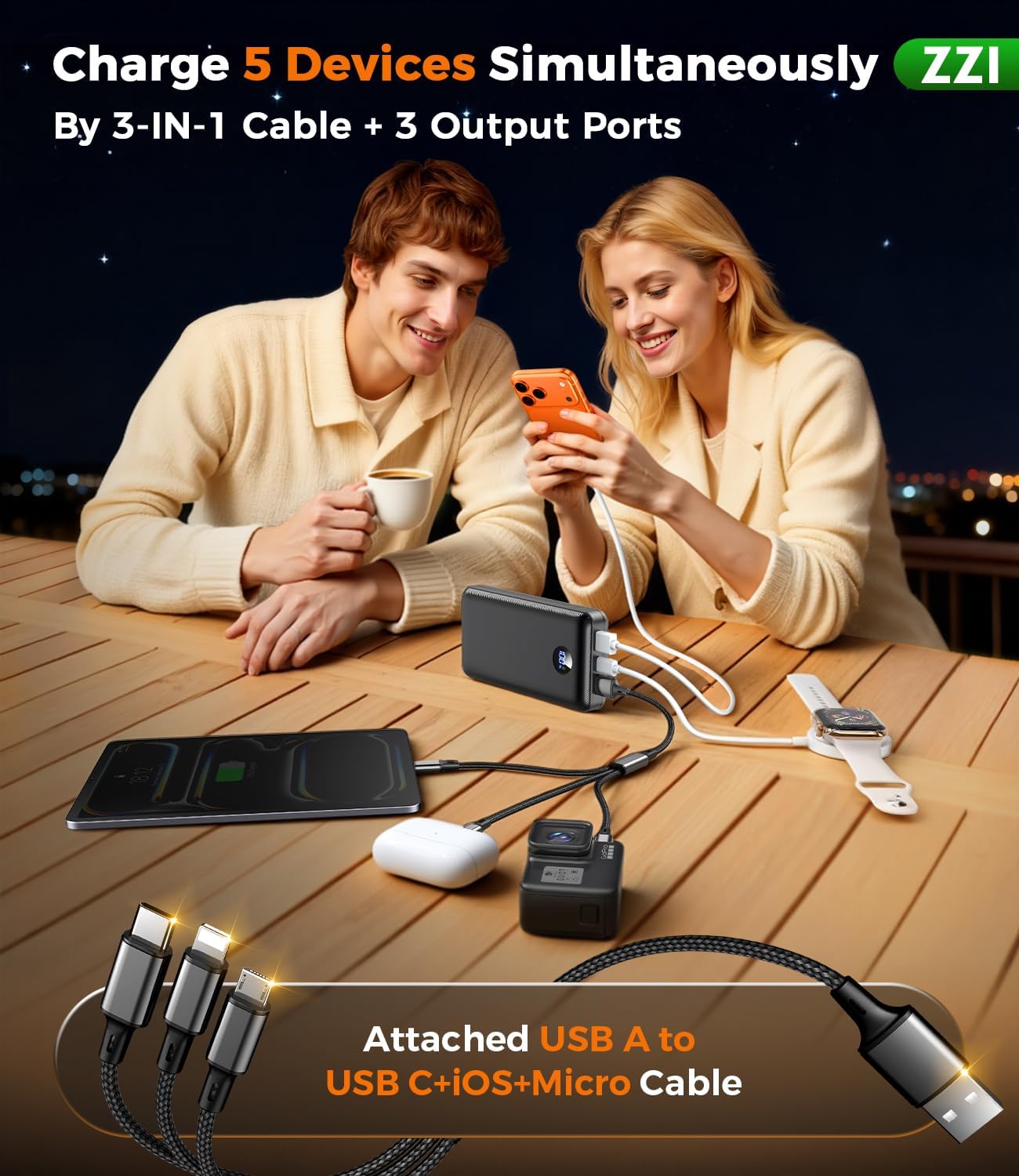
Image: The ZZI P1 Pro power bank demonstrating its ability to charge multiple devices concurrently, such as a smartphone, tablet, smartwatch, and action camera, using its various output options.
2.3 Fast Charging Capability
The ZZI P1 Pro supports 22.5W super fast charging, allowing compatible devices like an iPhone 15 to reach 60% charge in approximately 30 minutes. The built-in smart recognition chip automatically adjusts power output for optimal and safe charging.
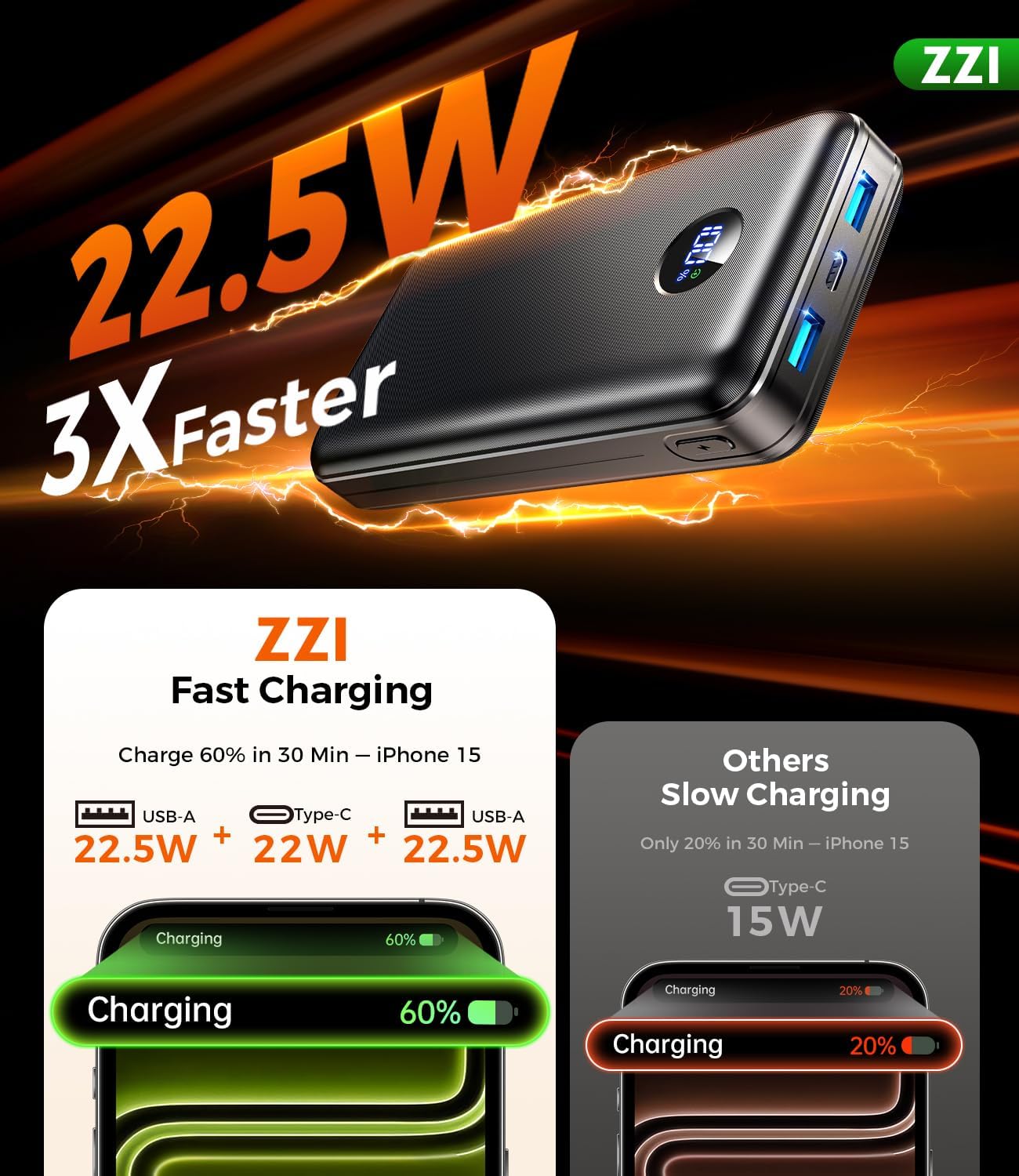
Image: A visual representation of the ZZI P1 Pro power bank's fast charging capability, showing an iPhone reaching 60% charge in just 30 minutes.
2.4 Video Overview of ZZI Portable Charger
Video: A brief overview of the ZZI Portable Charger, demonstrating its features and ease of use. This video highlights the product's design and functionality.
3. Maintenance
3.1 Safety Features
The ZZI P1 Pro is equipped with 5-layer safety protection to ensure the longevity of both the power bank and your devices:
- Overcharge Protection: Prevents the battery from being overcharged.
- Overcurrent Protection: Safeguards against excessive current flow.
- Overdischarge Protection: Protects the battery from being fully depleted.
- Overvoltage Protection: Shields against voltage spikes.
- Short-Circuit Protection: Automatically cuts power in case of a short circuit.
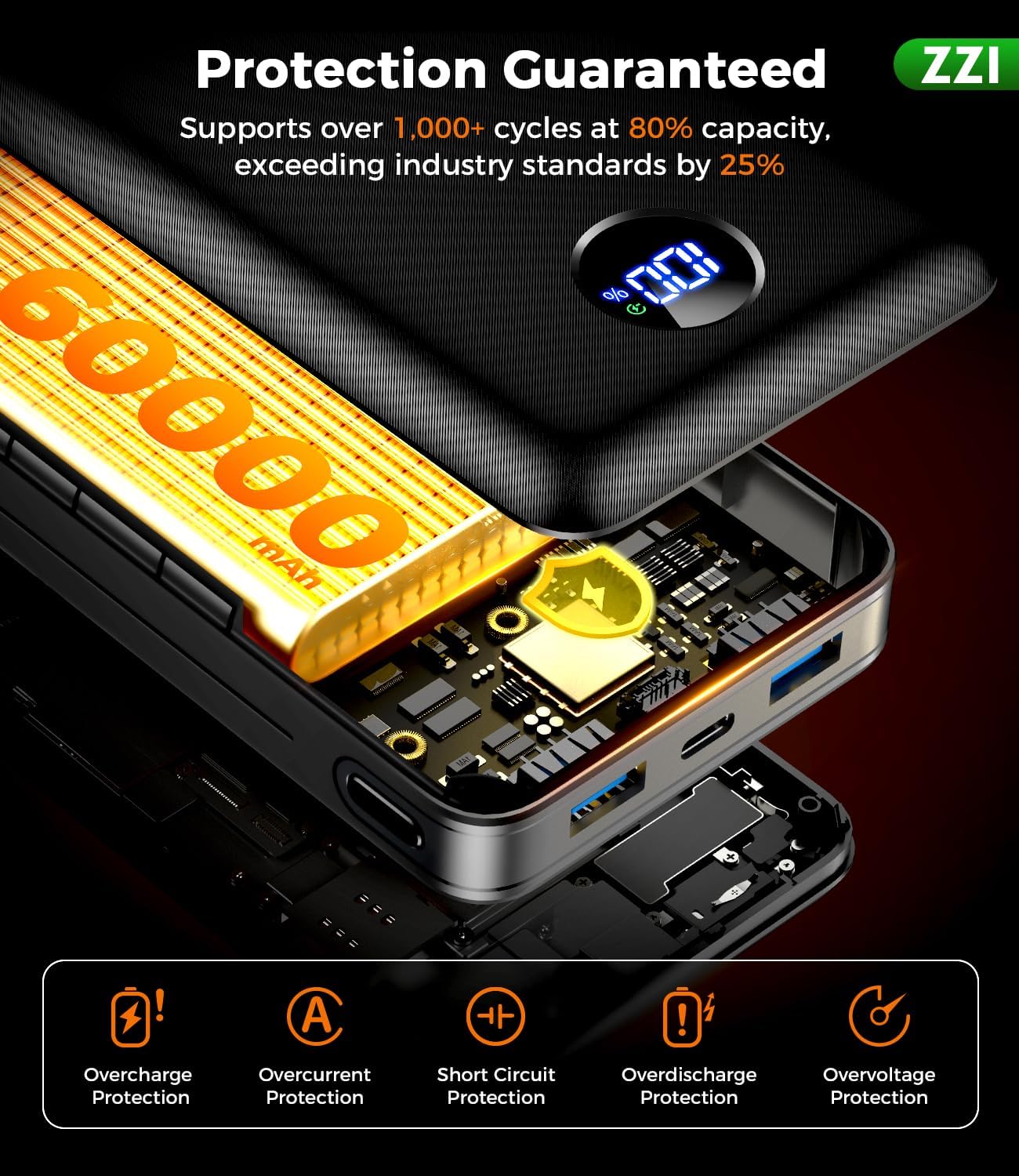
Image: An internal view diagram of the ZZI P1 Pro power bank, illustrating its comprehensive 5-layer safety protection system, including safeguards against overcharge, overcurrent, overdischarge, overvoltage, and short-circuit.
3.2 General Care
- Keep the power bank away from extreme temperatures, direct sunlight, and liquids.
- Clean the device with a soft, dry cloth. Do not use harsh chemicals.
- Store in a cool, dry place when not in use.
- Avoid dropping or subjecting the power bank to strong impacts.
4. Troubleshooting
4.1 Power Bank Not Charging
- Ensure the charging cable is securely connected to both the power bank's input port and the power adapter.
- Verify that the wall outlet is functional.
- Try using a different USB power adapter and cable to rule out faulty accessories.
4.2 Device Not Charging from Power Bank
- Check if the power bank has sufficient charge (refer to the LED display).
- Ensure the device's charging cable is correctly plugged into both the power bank's output port and your device.
- Try using a different output port or the built-in cable.
- Restart your device and try again.
4.3 Slow Charging
- Ensure your device supports fast charging to utilize the power bank's 22.5W capability.
- Avoid using your device heavily while charging, as this can slow down the process.
- Check if the cable is damaged or if there's debris in the charging ports.
5. Specifications
| Feature | Detail |
|---|---|
| Model Number | P1 Pro |
| Brand | ZZI |
| Battery Capacity | 60000 Milliamp Hours |
| Product Dimensions | 5.8 x 2.9 x 1.1 inches |
| Item Weight | 1.17 pounds |
| Color | Ebony |
| Connector Type | USB Type A, USB Type C |
| Special Features | Digital Display, Fast Charging, LED Indicator Lights, Large Capacity, Short Circuit Protection |
| Manufacturer | Shenzhen Daximen Import and Export Trading Co.,Ltd. |
Note: 60000mAh portable chargers are generally not allowed on airplanes due to aviation regulations. Please check airline policies before traveling.
6. Warranty & Support
6.1 Warranty Information
The ZZI P1 Pro Portable Charger Power Bank comes with a 365-day warranty from the date of purchase. This warranty covers manufacturing defects and ensures product reliability.
6.2 Customer Support
For any inquiries, technical assistance, or warranty claims, please contact ZZI customer support:
- 24H Online Response: Expect prompt assistance from our support team.
- 365 Days Return Service: Hassle-free returns within one year of purchase.
- 24 Months Care Plan: Extended support and service for your product.
Please refer to the contact information provided on the product packaging or the official ZZI website for the most up-to-date support channels.


