
1. Introduction
The FOSSIBOT F113 is a rugged smartphone designed for demanding environments and extensive use. It features robust construction, advanced camera capabilities, and a long-lasting battery, making it suitable for outdoor adventures, professional operations, and daily tasks where durability and performance are essential.
Key features include 5G connectivity, a large 6.78-inch FHD+ 120Hz display, a powerful 50MP main camera with Super Night Vision, a 20000mAh battery, and an IP68/IP69K rating for water and dust resistance, along with MIL-STD-810H drop protection.
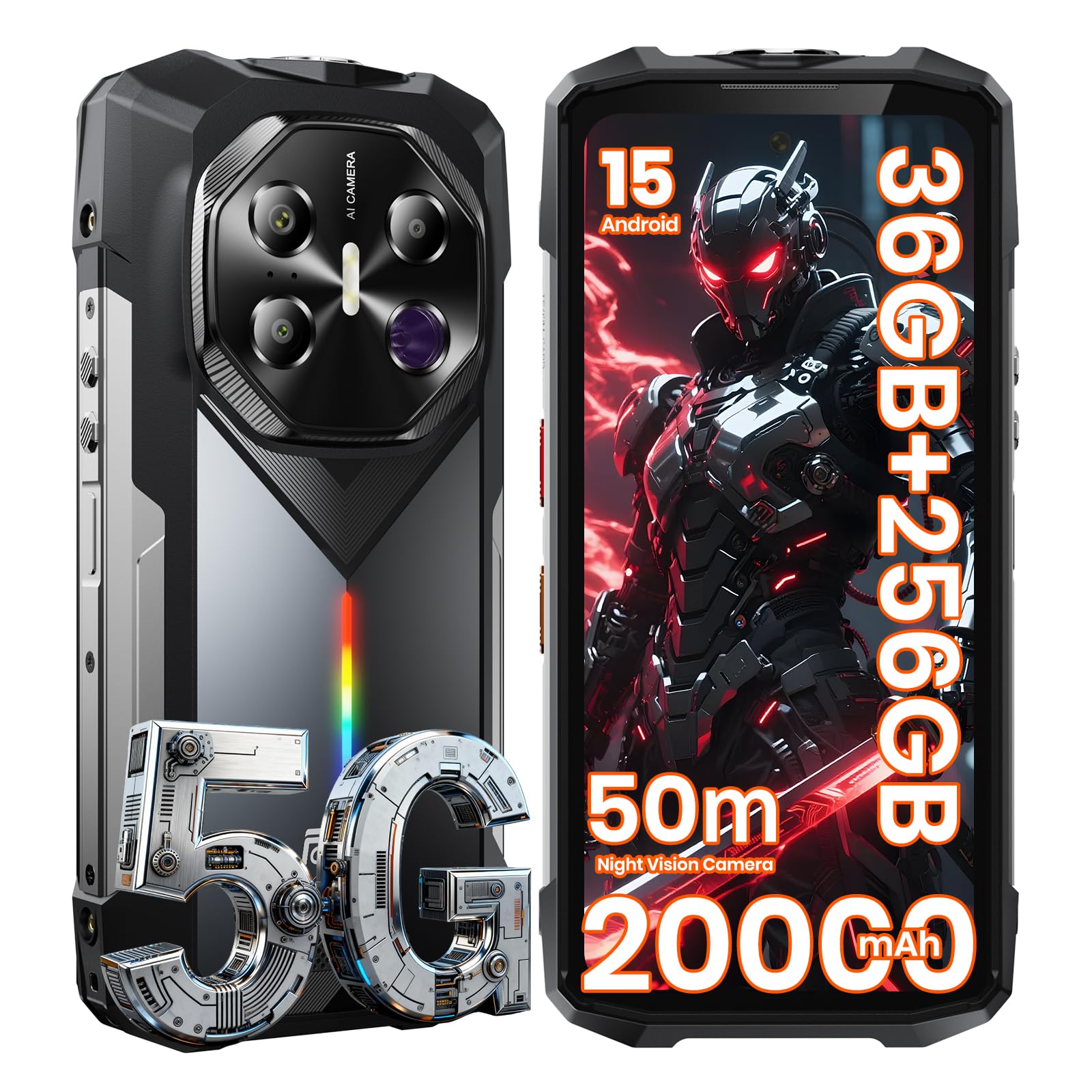
Figure 1.1: FOSSIBOT F113 Rugged Phone overview.

Figure 1.2: The FOSSIBOT F113 is designed for diverse scenarios, including construction, diving, hunting, and hiking.
2. Setup
2.1 Package Contents
Verify that all items are present in the package:
- FOSSIBOT F113 Smartphone
- Hand Strap Holder (optional add-on)
- User Manual
- SIM Card Pin
- Screwdriver
- Screws
- Type-C Cable
- 33W Fast Charger

Figure 2.1: Contents of the FOSSIBOT F113 retail package.
2.2 SIM Card Installation
To install your SIM card:
- Locate the SIM card tray on the side of the device.
- Use the provided SIM ejector tool to open the tray.
- Place your Nano-SIM card(s) into the tray, ensuring correct orientation.
- Carefully push the tray back into the device until it clicks into place.
2.3 Initial Power On and Charging
Press and hold the power button until the FOSSIBOT logo appears to power on the device. For first-time use, it is recommended to fully charge the device.
- Connect the USB Type-C cable to the phone and the 33W fast charger.
- Plug the charger into a power outlet.
- The phone supports 33W fast charging and 18W reverse fast charging, allowing it to act as a power bank for other devices.

Figure 2.2: The F113 features a 20000mAh battery with fast and reverse charging.

Figure 2.3: Extended battery life and reverse charging functionality.
3. Operating Instructions
3.1 Display
The F113 features a 6.78-inch FHD+ display with a 120Hz refresh rate for smooth visuals and responsive interaction. It is protected by Corning Gorilla Glass.
- Double Tap to Wake: Tap the screen twice to wake the device.
- Glove Mode: Enable Glove Mode in settings for improved touch sensitivity when wearing gloves.
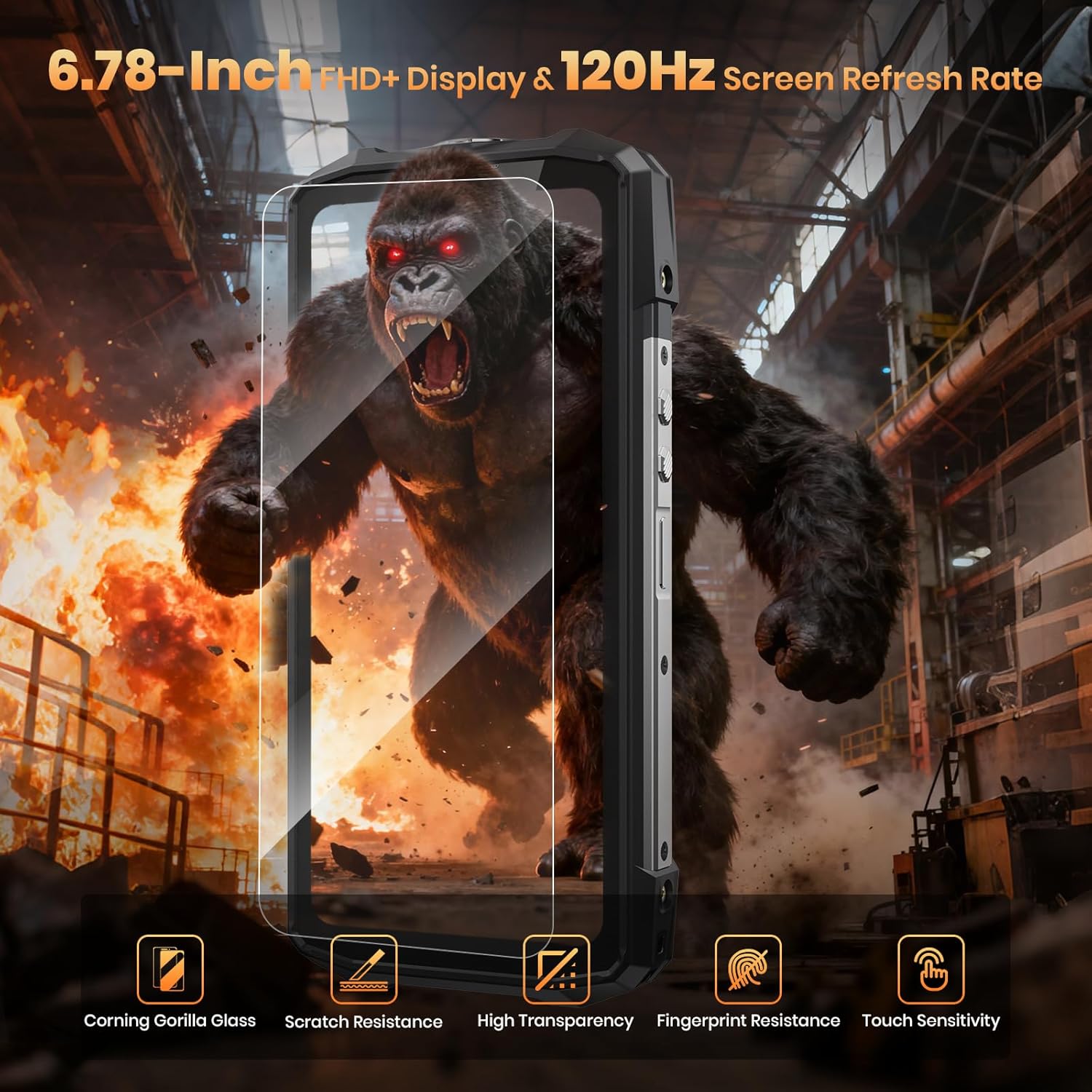
Figure 3.1: High-refresh-rate display with enhanced durability.

Figure 3.2: Display features for enhanced user experience.
3.2 Camera System
The F113 is equipped with a versatile camera system:
- 50MP Main Camera: For high-resolution photos.
- 64MP IR Night Vision Camera: Captures clear images in near-total darkness up to 50 meters.
- 5MP Macro Camera: For detailed close-up shots.
- 32MP Front Camera: For selfies and video calls.

Figure 3.3: Multi-camera system for various photography needs.

Figure 3.4: Camera system capabilities for diverse shooting conditions.
3.2.1 Night Vision Camera Usage
The 64MP IR Night Vision camera allows you to see in complete darkness. Activate it through the camera app. It features a 3W high-power IR illuminator for a 50m super IR reach.
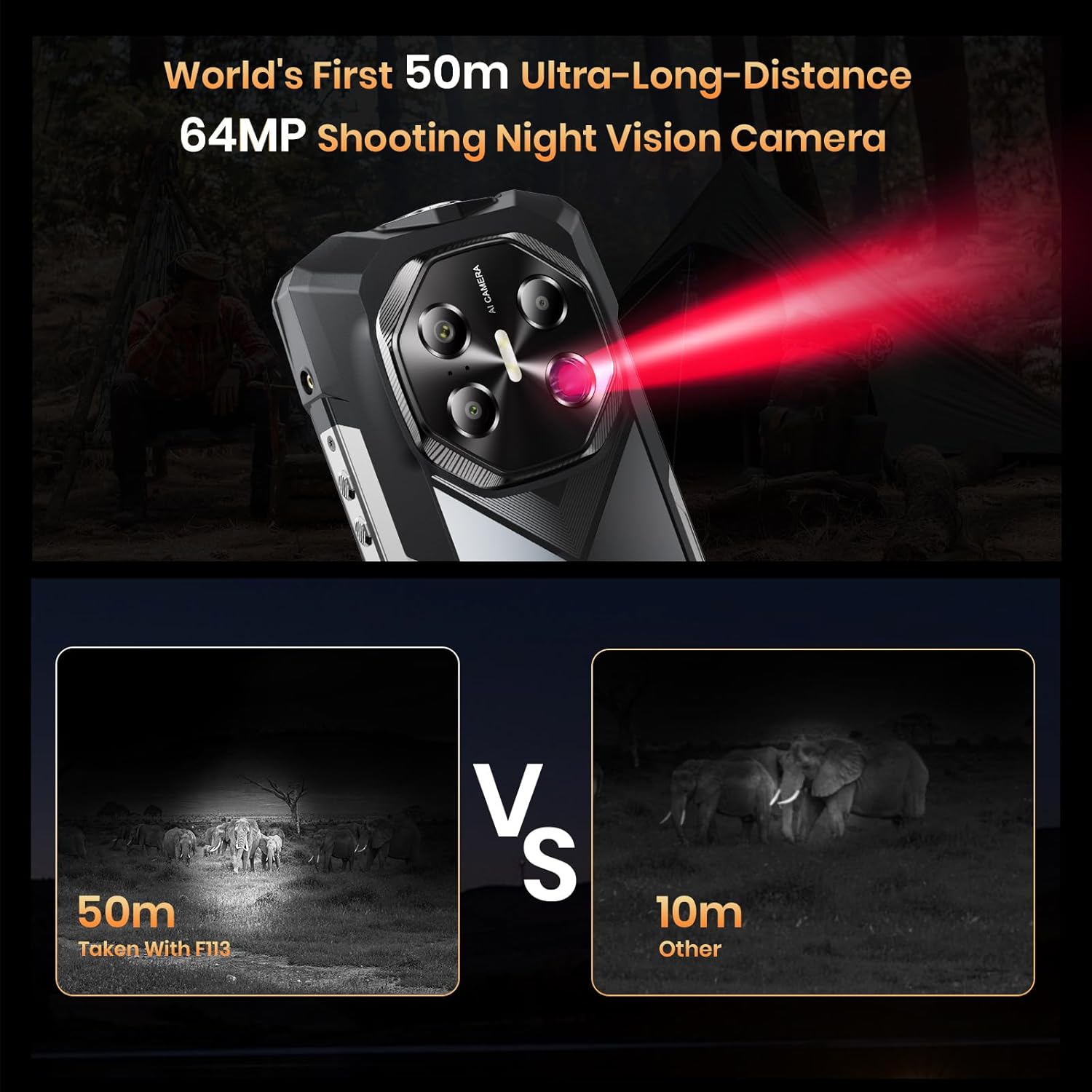
Figure 3.5: Night Vision camera in action, showing extended range.
Video 3.1: This video demonstrates the FOSSIBOT F113's 64MP IR Night Vision camera, showcasing its ability to capture clear images up to 50 meters in dark environments, its ruggedness, camera features, battery life, and customizable RGB lighting.
3.2.2 AI Camera Features
Utilize AI features within the camera app for enhanced photo editing:
- AI Removal: One-click removal of unwanted objects or people.
- AI Background Swap: Instantly change photo backgrounds.
- AI Face Swap: Generate avatars from your portrait.
- AI Digital Person: Create custom virtual avatars.

Figure 3.6: AI-powered photo editing tools.
3.3 Performance and Operating System
The F113 is powered by the Dimensity 7050 5G processor, ensuring smooth performance for demanding applications and gaming. It runs on Android 15, offering enhanced privacy, smoother operation, and better personalization.

Figure 3.7: Dimensity 7050 5G Processor for high performance.

Figure 3.8: Detailed specifications of the MediaTek Dimensity 7050 processor.

Figure 3.9: Android 15 operating system interface.
3.4 Connectivity and Navigation
The F113 supports 5G cellular technology for fast data speeds. It also includes comprehensive navigation systems and other wireless technologies.
- 5G Network: Supports GSM, GPRS, EDGE, WCDMA, LTE, and 5G bands for global connectivity.
- Wireless Technologies: Bluetooth, NFC, Wi-Fi.
- Navigation: Built-in GPS, Galileo, BeiDou, and Glonass for accurate positioning.

Figure 3.10: 5G network support and global compatibility.
3.5 Audio and RGB Lighting
Experience clear audio and customizable visual alerts.
- 110dB Loudspeaker: A powerful K-class amplifier delivers rich, clear audio even in noisy environments.
- Customizable RGB Light: The side RGB lighting provides notification alerts (calls, messages, low battery, charging) and can pulse to music with various rhythm effects.

Figure 3.11: Smart Speaker K-Box Dual-Channel Edition for enhanced audio.

Figure 3.12: Dynamic RGB lighting for notifications and atmosphere.

Figure 3.13: RGB light customization options.
3.6 Additional Features
- 50m High-Power Flashlight: An ultra-bright flashlight for illumination in dark conditions.
- Biometric Security: Face Recognition and Fingerprint Unlock for secure access.
- Barometer: Built-in barometer to measure atmospheric pressure and altitude.
- NFC: For contactless payments and data transfer.

Figure 3.14: Overview of additional practical features.
4. Maintenance
4.1 Durability and Protection
The FOSSIBOT F113 is built to withstand harsh conditions:
- IP68/IP69K Waterproof: Resistant to dust, sand, and prolonged water immersion.
- MIL-STD-810H Drop Protection: Designed to endure drops and impacts.
- Corning Gorilla Glass: Provides enhanced scratch and drop protection for the display.

Figure 4.1: Durability features of the F113.
5. Troubleshooting
If you encounter issues with your FOSSIBOT F113, consider the following general troubleshooting steps:
- Restart the Device: A simple restart can resolve many minor software glitches.
- Check for Software Updates: Ensure your device is running the latest Android version. Go to Settings > System > System update.
- Clear App Cache: If a specific app is causing issues, try clearing its cache in Settings > Apps > [App Name] > Storage > Clear cache.
- Factory Reset: As a last resort, you may perform a factory reset. Warning: This will erase all data on your device. Back up important information before proceeding. Go to Settings > System > Reset options > Erase all data (factory reset).
- Contact Support: If problems persist, refer to the support section for further assistance.
6. Specifications
| Feature | Detail |
|---|---|
| Brand | FOSSIBOT |
| Model Name | F113-WBB |
| Operating System | Android 15 |
| RAM Memory Installed Size | 36 GB |
| Memory Storage Capacity | 256 GB (expandable up to 2TB) |
| Screen Size | 6.78 Inches |
| Resolution | 1080 x 2400 (FHD+) |
| Refresh Rate | 120 Hz |
| Rear Facing Camera Photo Sensor Resolution | 50 MP (Main) + 64 MP (Night Vision) |
| Front Photo Sensor Resolution | 32 MP |
| Battery Capacity | 20000 mAh |
| Charging | 33W Fast Charging, 18W Reverse Fast Charging |
| Water Resistance Level | Waterproof (IP68/IP69K) |
| Durability Standard | MIL-STD-810H |
| Cellular Technology | 5G |
| Wireless Network Technology | Bluetooth, NFC, Wi-Fi |
| Biometric Security Feature | Face Recognition, Fingerprint Unlock |
| Additional Features | Built-In GPS, Barometer, 50m High-Power Flashlight, RGB Light |
| Connector Type | USB Type C |
| SIM Card Slot Count | Single SIM |
7. Warranty & Support
7.1 Warranty Information
The FOSSIBOT F113 comes with a 2-year warranty. Please retain your proof of purchase for warranty claims.
7.2 Customer Support
For technical assistance, troubleshooting, or warranty inquiries, please contact FOSSIBOT customer support through their official website or the retailer where the product was purchased. Ensure you have your product model number (F113) and proof of purchase ready.