
Introduction
The Redmi Buds 8 Lite are advanced wireless earbuds designed to deliver an immersive audio experience with hybrid active noise cancellation, powerful sound, and extended battery life. This manual provides essential information for setting up, operating, and maintaining your earbuds.
What's in the Box
- Redmi Buds 8 Lite Earbuds (Left and Right)
- Charging Case
- USB Type-C Charging Cable
- Silicone Ear Tips (various sizes)
- User Manual

Image: Redmi Buds 8 Lite earbuds in their open charging case, showcasing the sleek black design.
Setup
1. Charging the Earbuds and Case
Before first use, fully charge the earbuds and the charging case. Place the earbuds into the charging case and connect the USB Type-C cable to the charging port on the case and a power source. The indicator light on the case will show charging status.

Image: The Redmi Buds 8 Lite charging case with earbuds, illustrating the extended battery life of up to 36 hours with the case.
2. Initial Pairing
- Open the charging case. The earbuds will automatically enter pairing mode.
- On your device (smartphone, tablet, etc.), enable Bluetooth.
- Search for "Redmi Buds 8 Lite" in the list of available Bluetooth devices and select it to connect.
- For Android devices, Google Fast Pair will simplify the connection process by displaying a pop-up notification.
Operating the Earbuds
Touch Controls
The Redmi Buds 8 Lite feature intuitive touch controls on each earbud. The functions can be customized via the Xiaomi Earbuds app.
- Play/Pause: Single tap on either earbud.
- Next Track: Double tap on the right earbud.
- Previous Track: Double tap on the left earbud.
- Answer/End Call: Single tap on either earbud.
- Reject Call: Press and hold either earbud.
- Activate Voice Assistant: Triple tap on either earbud.
- Switch ANC/Transparency Mode: Press and hold either earbud (customizable).
Active Noise Cancellation (ANC)
The earbuds feature 42dB Hybrid Active Noise Cancellation to reduce ambient noise, allowing for a more focused listening experience. You can switch between ANC, Transparency, and Standard modes using the touch controls or the Xiaomi Earbuds app.
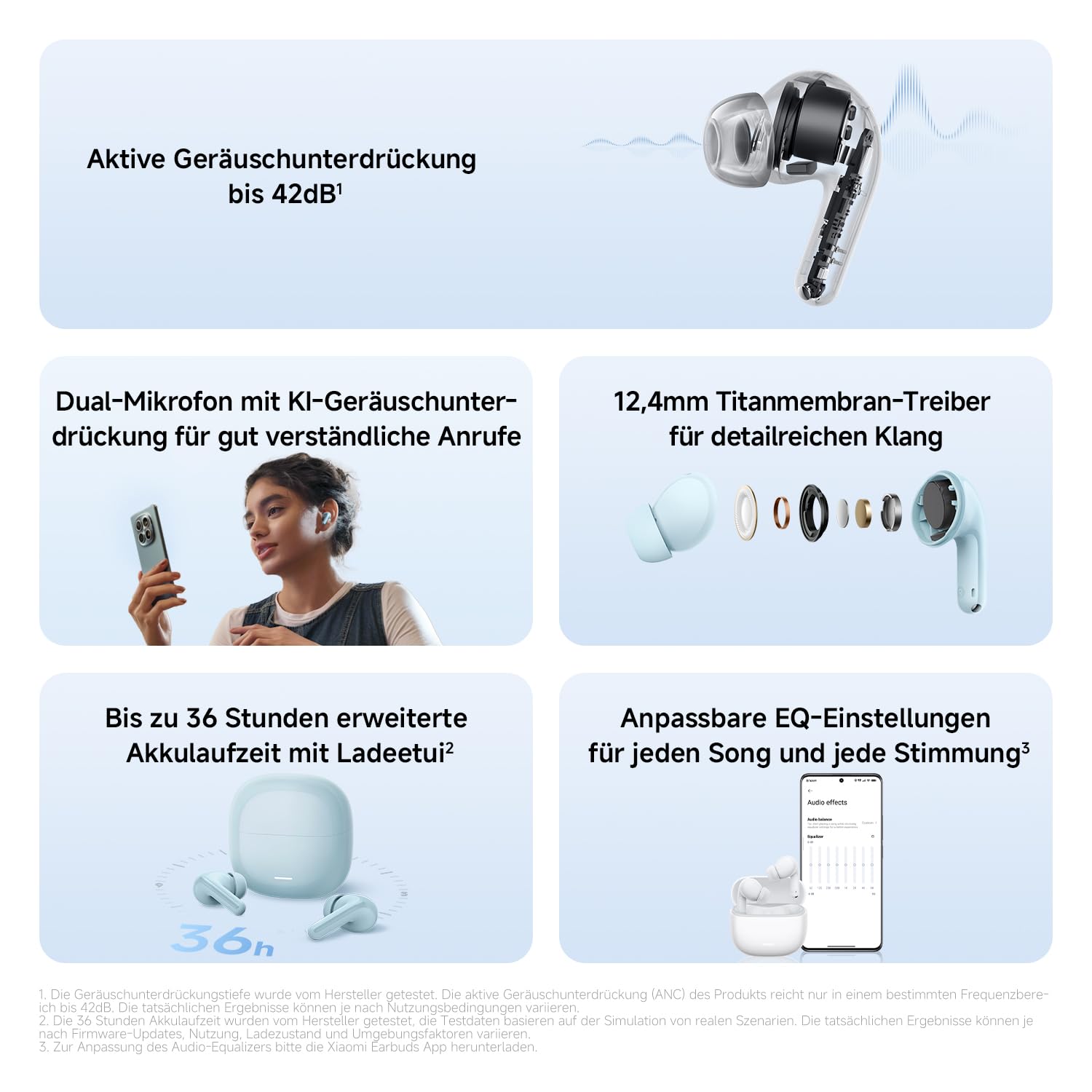
Image: A detailed view of the Redmi Buds 8 Lite earbud highlighting its active noise cancellation capability of up to 42dB.
Crystal-Clear Calls with AI Dual-Microphone
Equipped with an AI dual-microphone system, the earbuds effectively reduce background noise and wind interference during calls, ensuring your voice is transmitted clearly.

Image: A user wearing Redmi Buds 8 Lite earbuds while on a call, demonstrating the effectiveness of the AI dual-microphone system for clear communication.
Xiaomi Earbuds App
Download the Xiaomi Earbuds app to unlock full customization options, including personalized EQ settings, firmware updates, and touch control adjustments.
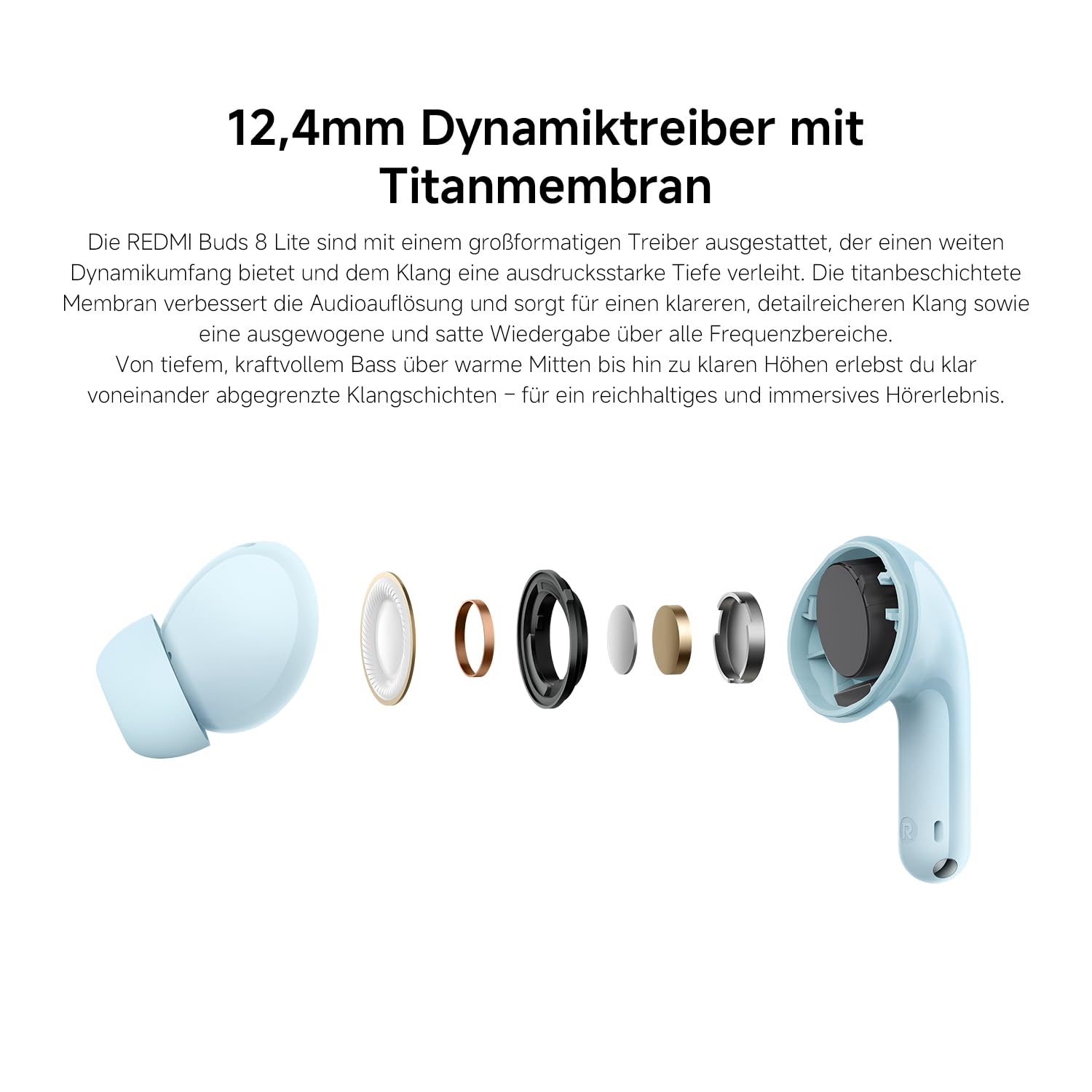
Image: A smartphone screen displaying the Xiaomi Earbuds app interface with various customizable EQ settings for audio personalization.
Key Features
- 42dB Hybrid Active Noise Cancellation: Provides deep quiet by blocking out ambient noise for immersive sound.
- Powerful 12.4mm Dynamic Driver: Delivers rich, detailed sound with strong bass and clear treble.
- AI Dual-Microphone System: Ensures crystal-clear calls by reducing background noise and wind interference.
- 8/36-Hour Ultra-Long Battery: Up to 8 hours on a single charge, and 36 hours total with the charging case.
- Super Fast Charging: Get 2 hours of music from just a 10-minute charge.
- Customizable Sound: Fine-tune audio via the Xiaomi Earbuds app with EQ settings.
- Bluetooth 5.4 Connectivity: Offers stable and efficient wireless connection.
- IP54 Water Resistance: Protects against splashes and sweat, suitable for workouts and outdoor activities.
- Google Fast Pair: Enables quick and seamless pairing with Android devices.
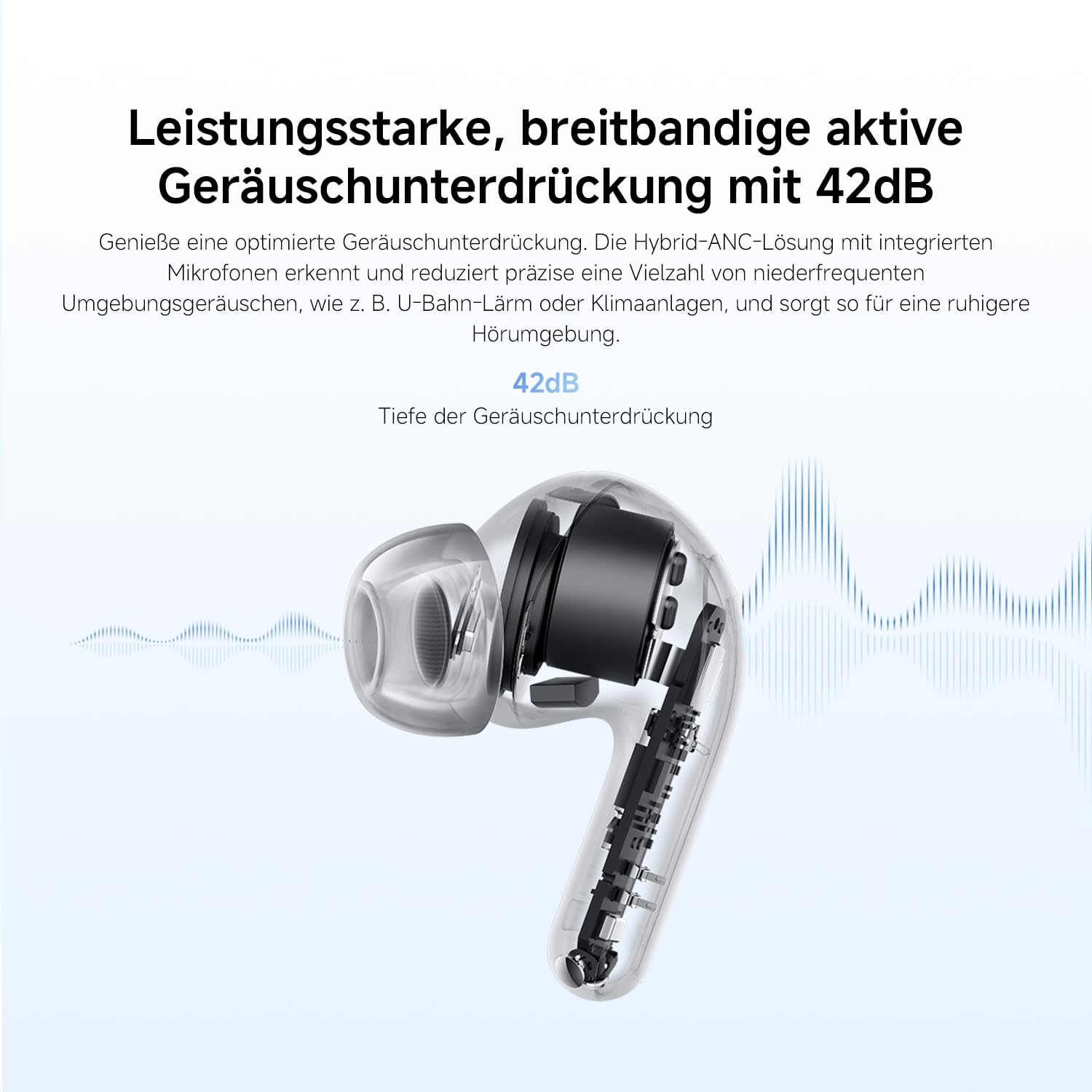
Image: An exploded diagram of the Redmi Buds 8 Lite earbud, highlighting its 12.4mm dynamic driver for detailed audio.
Maintenance
To ensure the longevity and optimal performance of your Redmi Buds 8 Lite, follow these maintenance guidelines:
- Cleaning: Regularly clean the earbuds and charging case with a soft, dry, lint-free cloth. Do not use harsh chemicals or abrasive materials.
- Ear Tips: Remove and clean the silicone ear tips periodically with water and mild soap. Ensure they are completely dry before reattaching.
- Water Resistance: The earbuds are IP54 water-resistant, meaning they are protected against splashes and sweat. Do not submerge them in water or expose them to heavy rain. Dry them thoroughly if they get wet.
- Storage: When not in use, store the earbuds in their charging case to protect them from dust and damage.
Troubleshooting
If you encounter any issues with your Redmi Buds 8 Lite, refer to the following common solutions:
- Earbuds not pairing: Ensure both earbuds are in the charging case, then open the lid to initiate pairing mode. Check your device's Bluetooth settings and try reconnecting.
- No sound from one earbud: Place both earbuds back into the case, close the lid, wait a few seconds, then open it again. This often re-syncs them.
- Charging issues: Verify the charging cable is securely connected to both the case and the power source. Clean the charging contacts on the earbuds and inside the case.
- Poor sound quality: Ensure the ear tips provide a snug fit to your ear canal. Try different sized ear tips for better seal. Check for any debris blocking the earbud speakers.
- Touch controls unresponsive: Ensure your fingers are clean and dry. A firmware update via the Xiaomi Earbuds app might resolve the issue.
- Factory Reset: If problems persist, perform a factory reset (refer to the Xiaomi Earbuds app or official support for specific instructions).
Specifications
| Feature | Specification |
|---|---|
| Brand | XIAOMI |
| Model Name | redmi buds 8 lite |
| Model Number | BHR08OMGL |
| Color | Black |
| Ear Placement | In Ear |
| Form Factor | In Ear |
| Impedance | 32 Ohms |
| Connectivity Technology | Wireless |
| Wireless Technology | Bluetooth |
| Bluetooth Version | 5.4 |
| Bluetooth Range | 10 Meters |
| Control Type | Touch Control |
| Control Method | App |
| Battery Average Life | 38 Hours (with charging case) |
| Battery Charge Time | 1 Hour |
| Noise Control | Hybrid Noise Cancellation (42 dB) |
| Frequency Range | 20 Hz - 20,000 Hz |
| Audio Driver Type | Dynamic Driver (12.4mm) |
| Water Resistance Level | Water Resistant (IP54) |
| Item Weight | 39 Grams |
Warranty and Support
The Redmi Buds 8 Lite are covered by a 1-year manufacturer's warranty from the date of purchase. This warranty covers defects in materials and workmanship under normal use. It does not cover damage caused by misuse, accidents, unauthorized modifications, or normal wear and tear.
For warranty claims, technical support, or further assistance, please visit the official XIAOMI support website or contact their customer service. Keep your proof of purchase for warranty validation.
Official XIAOMI Support: https://www.mi.com/global/support


