
Introduction
This manual provides detailed instructions for the safe and efficient operation of your WILAWELS 500W Low Voltage Landscape Transformer. Please read this manual thoroughly before installation and use, and retain it for future reference.
The WILAWELS 500W Low Voltage Landscape Transformer is designed to convert standard 120V AC household power to a safe 12V or 14V AC output, suitable for various landscape lighting applications. It features independent control for two zones, multiple operating modes, and a removable photocell sensor for automated lighting control.

Image: Front view of the WILAWELS 500W Low Voltage Landscape Transformer.
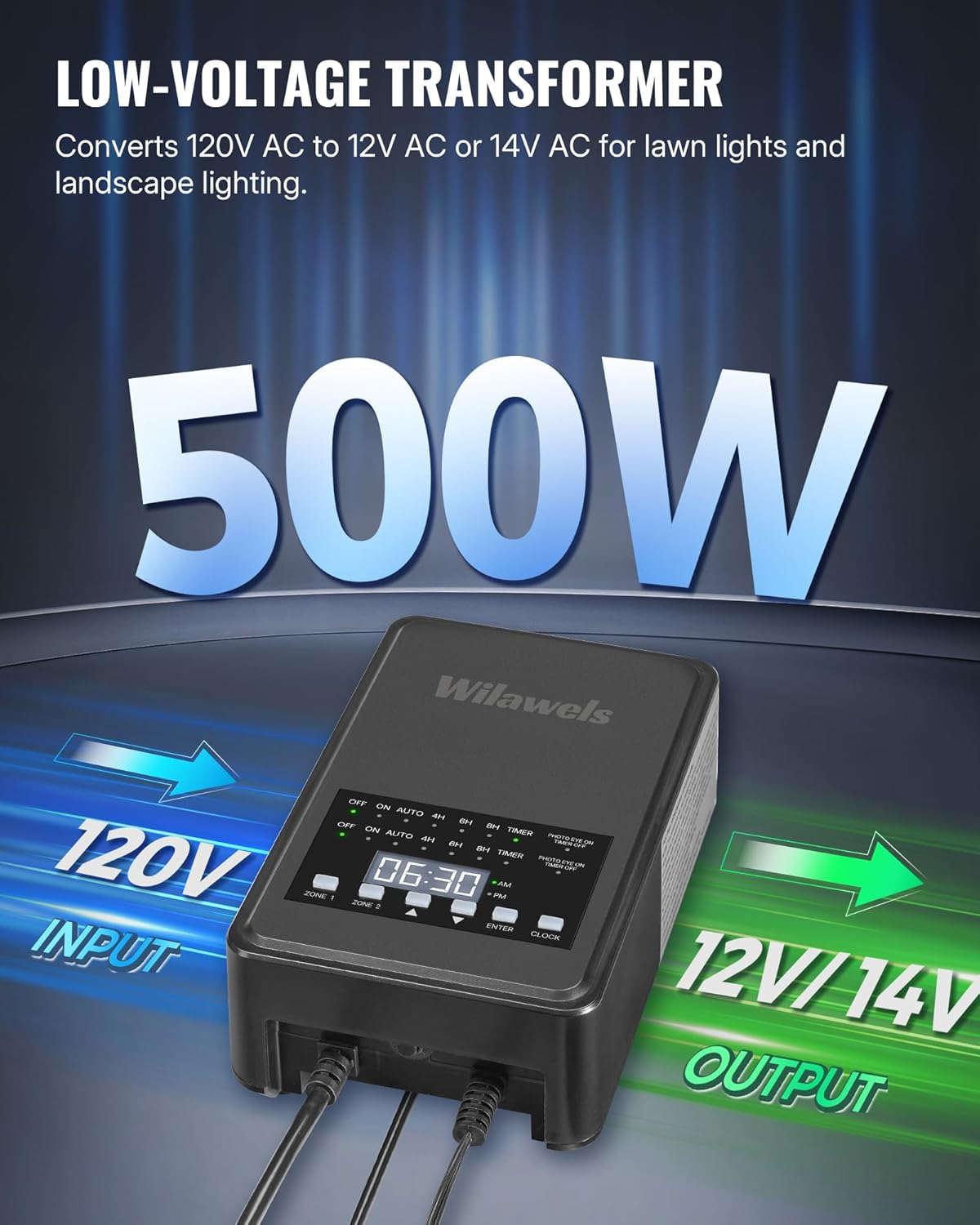
Image: Illustration highlighting the transformer's 500W capacity, 120V AC input, and 12V/14V AC output.
Safety Information
Important Safety Instructions:
- Always disconnect power before installing, servicing, or cleaning the transformer.
- This transformer is ETL certified, ensuring it meets safety standards.
- Do not exceed 80% of the rated power (500W) when connecting lights to prevent overload.
- Ensure all connections are secure and waterproof for outdoor use.
- The built-in circuit breaker provides protection against electrical issues. If tripped, disconnect power, troubleshoot the cause, and then reset.
- Keep the photocell sensor clear of obstructions for accurate light detection.
Package Contents
Verify that all items are present in the package:
- WILAWELS 500W Low Voltage Landscape Transformer
- Removable Photocell Sensor with 6-foot UL cord
- User Manual (this document)
Specifications
| Feature | Detail |
|---|---|
| Brand | WILAWELS |
| Model | D26LT06 |
| Wattage | 500W |
| Input Voltage | 120V AC |
| Output Voltage | 12V AC / 14V AC |
| Control Zones | 2 Independent Zones |
| Mounting Type | Wall Mount |
| Dimensions (D x W x H) | 3.2"D x 5.7"W x 8.9"H |
| Weight | 11.3 pounds |
| Certifications | ETL Listed |
| Power Cord | ETL Certified SJTW 18AWG/3C, 3.3ft |
| Sensor Cord | ETL Certified 20AWG/2C, 6ft |

Image: Detailed view of the transformer's dimensions, power cord, and sensor cord specifications.
Setup and Installation
- Choose a Mounting Location: Select a suitable outdoor location for wall mounting. Ensure it is protected from direct heavy rain and easily accessible.
- Mount the Transformer: Securely mount the transformer to a wall or sturdy surface using appropriate hardware (not included).
- Connect Landscape Lights:
- Identify the two independent output zones on the transformer.
- Connect your low-voltage landscape lighting wires to the appropriate terminals for Zone 1 and Zone 2.
- Ensure total wattage for each zone and overall does not exceed 80% of the 500W rating.
- You can choose between 12V AC or 14V AC output terminals based on your lighting requirements.
- Install the Photocell Sensor:
- Plug the removable photocell sensor into its designated port on the transformer.
- Position the sensor in an area that receives natural light, free from obstructions or artificial light sources that could interfere with its operation (e.g., porch lights). The 6-foot cord allows for flexible placement.
- Connect to Power: Plug the transformer's power cord into a standard 120V AC outdoor-rated electrical outlet.

Image: Rear view of the transformer showing the two output zones, circuit breaker, and photocell sensor connection. Also indicates the 500W power limit.

Image: Illustration of the photocell sensor detecting dusk and dawn for automatic operation.
Operating Instructions
The transformer offers independent control for two zones and five operating modes. Use the Zone 1/2 button to select the zone you wish to configure.
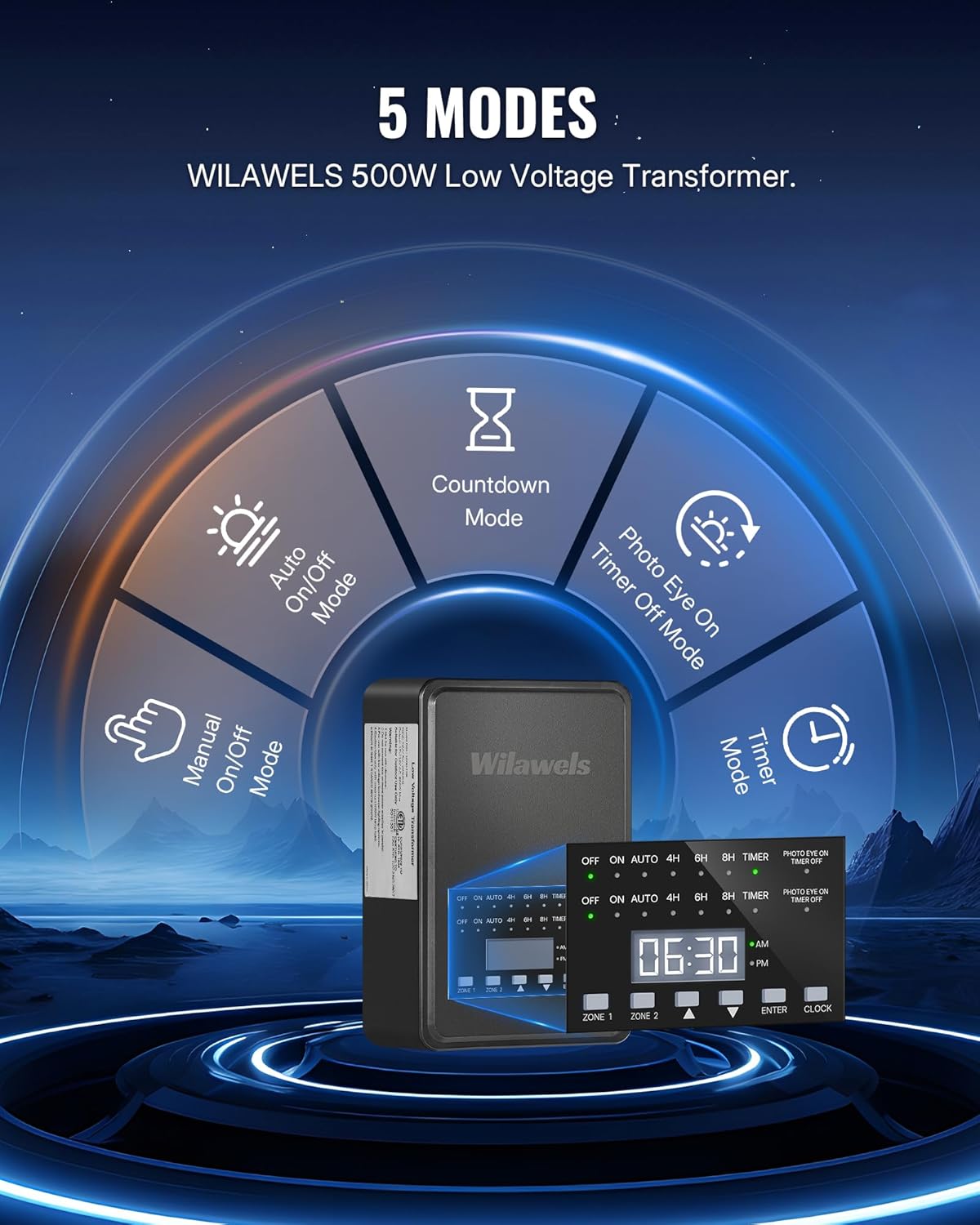
Image: Diagram illustrating the five available operating modes: Manual On/Off, Auto On/Off, Countdown, Timer, and Photo Eye On Timer Off.

Image: Example of independent control for two zones, showing different modes set for Zone 1 (Auto On/Off) and Zone 2 (Timer Mode).
Setting the Clock
Press the CLOCK button to enter clock setting mode. Use the UP/DOWN arrows to adjust the hour and minute. Press ENTER to confirm.
Operating Modes:
- Manual On/Off Mode:
- Press the mode button until "ON" or "OFF" is displayed.
- Lights will remain continuously on or off until the mode is changed.
- Auto On/Off Mode (Dusk to Dawn):
- Press the mode button until "AUTO" is displayed.
- The photocell sensor will automatically turn lights on at dusk and off at dawn.
- Countdown Mode (4H/6H/8H):
- Press the mode button to select "4H", "6H", or "8H".
- Lights will turn on at dusk (detected by photocell) and remain on for the selected duration (4, 6, or 8 hours), then turn off.
- Timer Mode:
- Press the mode button until "TIMER" is displayed.
- Use the UP/DOWN arrows and ENTER button to set specific ON and OFF times for the lights.
- Lights will operate according to the programmed schedule.
- Photo Eye On Timer Off Mode:
- Press the mode button until "PHOTO EYE ON TIMER OFF" is displayed.
- Lights will turn on at dusk (detected by photocell) and turn off at a specific time you set.
- Use the UP/DOWN arrows and ENTER button to set the desired OFF time.
Memory Function: The transformer retains the last set mode and time settings even after a power interruption, eliminating the need for re-setup.
Maintenance
The WILAWELS transformer is designed for durability and minimal maintenance. To ensure optimal performance and longevity:
- Regularly inspect the power cord and sensor cord for any damage.
- Keep the photocell sensor clean and free from dirt, leaves, or snow to ensure accurate light detection.
- Periodically check all wire connections to ensure they remain secure and free from corrosion.
- The weatherproof housing protects against rain, snow, and dust. However, avoid submerging the unit in water.
- Clean the exterior of the transformer with a soft, damp cloth as needed. Do not use harsh chemicals or abrasive cleaners.

Image: The transformer shown in a rainy outdoor setting, highlighting its weather-resistant, overheat protection, overload/short circuit protection, and corrosion-resistant features.
Troubleshooting
| Problem | Possible Cause | Solution |
|---|---|---|
| Lights not turning on. |
|
|
| Lights not turning off. |
|
|
| Display not working. |
|
|
| Circuit breaker trips repeatedly. |
|
|
Warranty and Support
WILAWELS products are designed for quality and reliability. For specific warranty details, please refer to the warranty card included with your product or contact WILAWELS customer support.
If you encounter any issues or have questions regarding your WILAWELS 500W Low Voltage Landscape Transformer, please contact our customer support team for assistance. Contact information can typically be found on the product packaging or the official WILAWELS website.