
1. Introduction
This manual provides detailed instructions for the installation, setup, and operation of your Rollerhouse AM22 Zigbee Smart Roller Shade Motor. This motor is designed to motorize roller shades with 32mm tubes, offering smart control options via a compatible Tuya Zigbee Gateway.
2. Compatibility Requirements
Before proceeding with installation, ensure your roller shade and smart home setup meet the following critical requirements:
- Tube Size: This motor is specifically engineered for roller shade tubes with an Outer Diameter (O.D.) of 32mm (approximately 1.22 inches). It is not compatible with 35mm, 30mm, 28mm, or 1-inch tubes. Please measure your tube's O.D. accurately before installation.
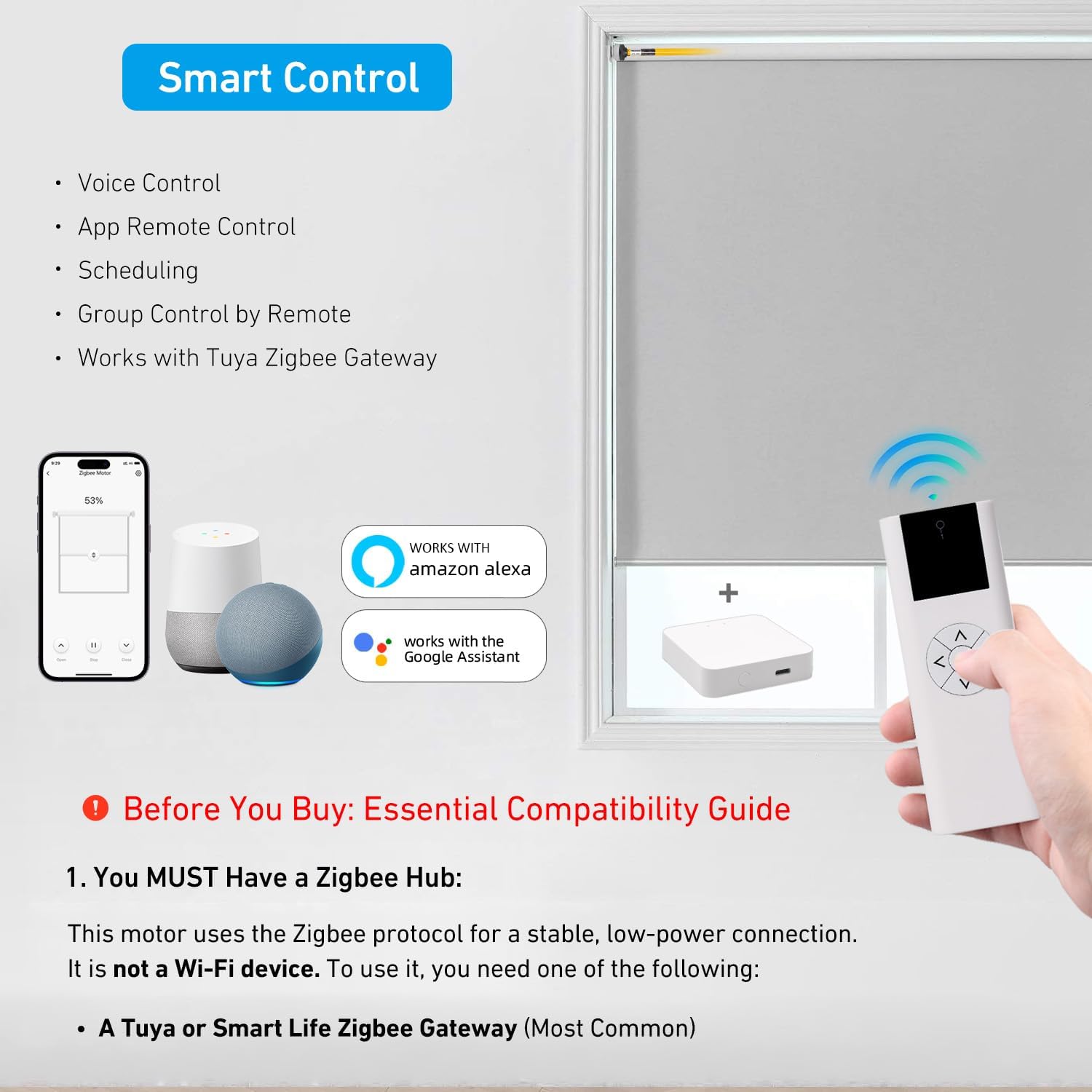
- Zigbee Gateway: This motor operates using the Zigbee protocol. To connect to Alexa, Google Home, or the Tuya/Smart Life app, a compatible Tuya Zigbee Gateway/Hub is required. This motor cannot connect directly to your Wi-Fi router. The gateway is sold separately.


3. What's Included
The package includes the following components:
- 1x AM22 Zigbee Smart Motor
- 1x USB Charging Cable
- 1x Installation Manual
- 1x Mounting Adapter

4. Installation
Transform your standard blinds into smart shades in just 3 simple steps:
- Slide the motor into the 32mm tube.
- Secure the end cap.
- Connect to your Zigbee gateway via the app (refer to Section 5 for setup).
Installation Video Guides
5. Setup & Pairing
Once the motor is physically installed and your Tuya Zigbee Gateway is set up, follow these steps to connect and pair your motor:
- Ensure your Tuya Zigbee Gateway is powered on and connected to your home network.
- Open the Tuya/Smart Life app on your smartphone.
- Follow the app's instructions to add a new device and search for your Zigbee motor.
- Once discovered, complete the pairing process within the app.
Remote Control Pairing & Programming
6. Operating Instructions
After successful setup, you can control your smart roller shade using various methods:
- Voice Control: Use Amazon Alexa or Google Assistant with commands like, "Alexa, open the living room blinds," or "Hey Google, close the bedroom shades."
- App Remote Control: Use the user-friendly Tuya/Smart Life app to operate your shades from anywhere.
- Scheduling: Set custom schedules (e.g., "open at 8 AM daily") to automate your shades.
- Scene Integration: Create scenes (e.g., "Good Morning" scene opens all shades) and group motors for room-wide control.


7. Charging
The AM22 motor is powered by a built-in high-capacity lithium battery for cord-free convenience. One full charge provides months of normal use. It includes a USB-C charging cable for easy recharging. No complex wiring or electrician is needed.
8. Technical Specifications
| Feature | Specification |
|---|---|
| Model | AM22C-0.5/25-ES-EZ |
| Protocol | Tuya Zigbee |
| Compatible Tube Size | 32mm Outer Diameter (OD) |
| Battery | Built-in rechargeable lithium battery |
| Battery Life | Up to 1-3 months (standard use) |
| Charging | Via included USB-C cable (Wall adapter not included) |
| Hub Required | Yes (Tuya Zigbee Gateway, SmartThings, etc.) |
| Voice Assistant Compatibility | Amazon Alexa, Google Assistant |
| App | Tuya / Smart Life |
| Max Load | 2.2kg |
9. Troubleshooting
If you encounter issues with your AM22 motor, consider the following:
- Motor not responding: Check if the motor battery is charged. Ensure the Zigbee Gateway is online and the motor is properly paired in the app.
- Incorrect direction: Refer to the remote programming video (Video 5.1) for instructions on reversing motor direction.
- Limits not set: Follow the remote programming video (Video 5.1) to set the upper and lower travel limits for your shade.
- Connectivity issues: Verify your Zigbee Gateway's internet connection and proximity to the motor.
Troubleshooting Video Guides
10. Warranty & Support
For warranty information or further technical assistance, please refer to the product packaging or contact Rollerhouse customer support directly. Keep your purchase receipt for warranty claims.
